Python - IDE Coding PyNote

This page is not an official page of the app or its developer, but an independent editorial publication created for informational and commentary purposes. Unless expressly stated otherwise, neither the app nor its developer is affiliated with, endorsed by, sponsored by, authorized by, or otherwise officially connected with MWM, Apple, Google Play, the app publisher, or the app's developer, and nothing on this page implies that the app was developed using MWM's services. Any trademarks, logos, screenshots, and other content remain the property of their respective owners.
Logo of Python - IDE Coding PyNote

Python - IDE Coding PyNote

Write, execute, and visualize code locally on your iPhone or iPad. No servers, no internet—just a full Python 3.13 runtime in your pocket.

Key Figures

Downloads

0

User Rating

1.0/5

Total Ratings

0

Publisher

Dung Huy

Category

Developer Tools

Locales

1

Latest Version

1.0.2

Size

59.8 MB

First Released

Apr 9, 2026
Features

The Full Power of Python in Your Pocket

Run Python 3.13 and Jupyter Notebooks natively on your iOS device. No internet, no servers, and zero cloud dependency—just pure performance and privacy.

Lightning-Fast Local Execution

Run code instantly using a native CPython runtime. No remote servers mean zero latency and total offline freedom for your development workflow.

Full Jupyter Notebook Support

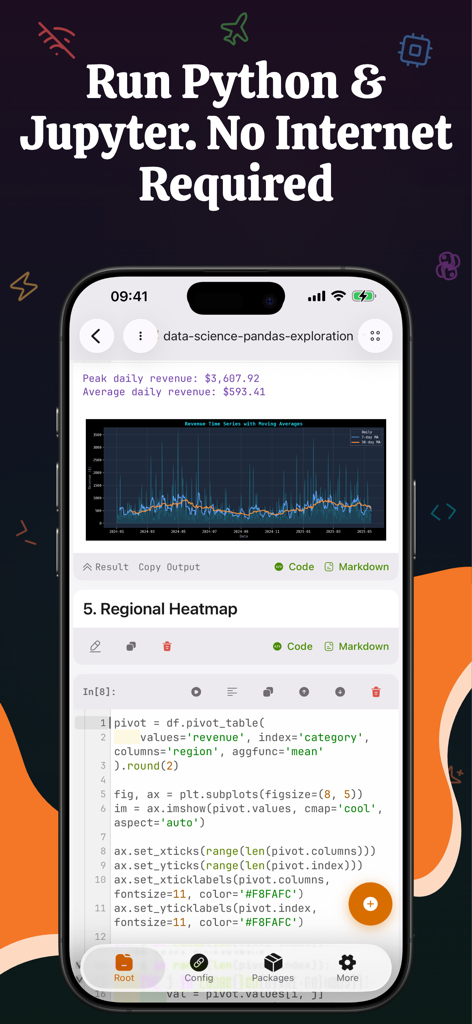
Open, edit, and save standard .ipynb files with rich output. View data visualizations, HTML tables, and inline graphics directly within your cells.

The following screenshots and description are sourced directly from the app's official store listing and are the property of the app developer.

App Store

Screenshots
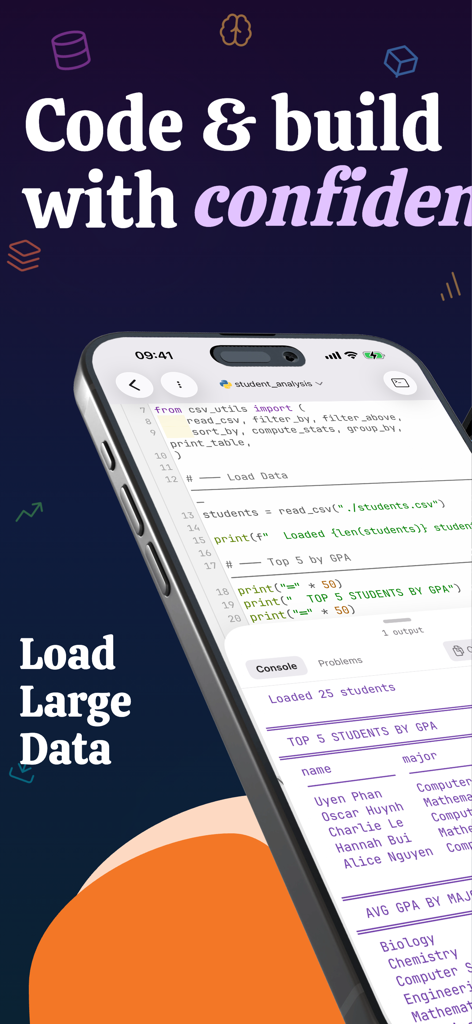
Python - IDE Coding PyNote - A smartphone screen displaying Python code and student data analysis results in the PyNote app
A smartphone screen displaying Python code and student data analysis results in the PyNote app

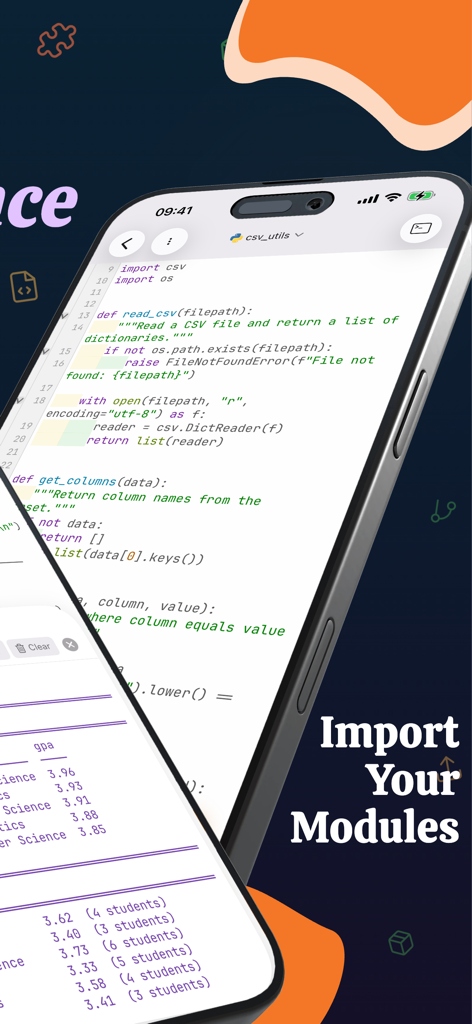
Python - IDE Coding PyNote - Mobile Python IDE app interface showing CSV module import and code editor on an iPhone.
Mobile Python IDE app interface showing CSV module import and code editor on an iPhone.

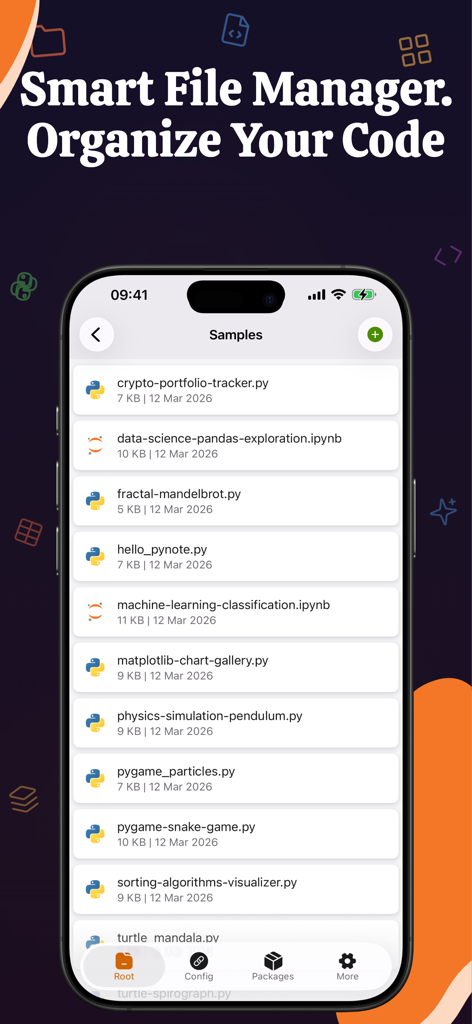
Python - IDE Coding PyNote - PyNote interface showing a file manager with Python scripts and Jupyter notebooks on an iPhone
PyNote interface showing a file manager with Python scripts and Jupyter notebooks on an iPhone

Python - IDE Coding PyNote - Python IDE app for iPhone showing data science code and a line chart
Python IDE app for iPhone showing data science code and a line chart

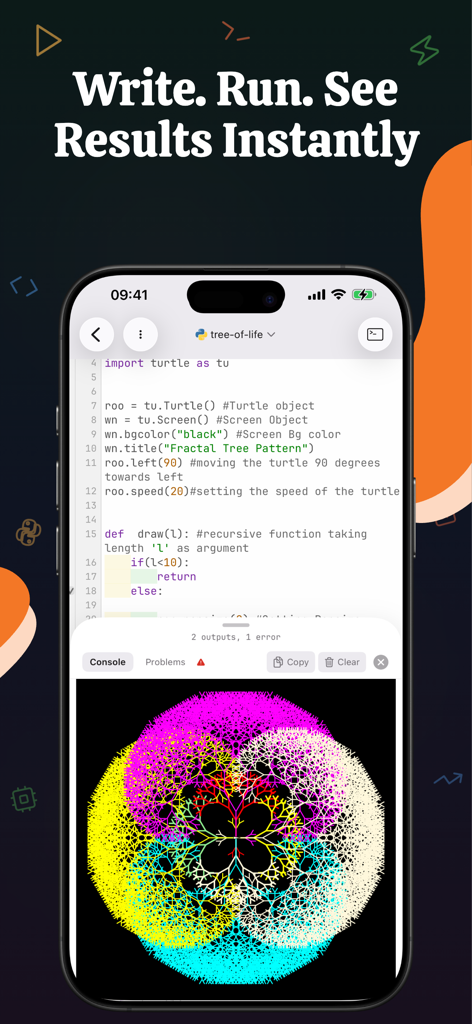
Python - IDE Coding PyNote - Python IDE on iPhone showing Turtle graphics code and a colorful fractal tree output
Python IDE on iPhone showing Turtle graphics code and a colorful fractal tree output

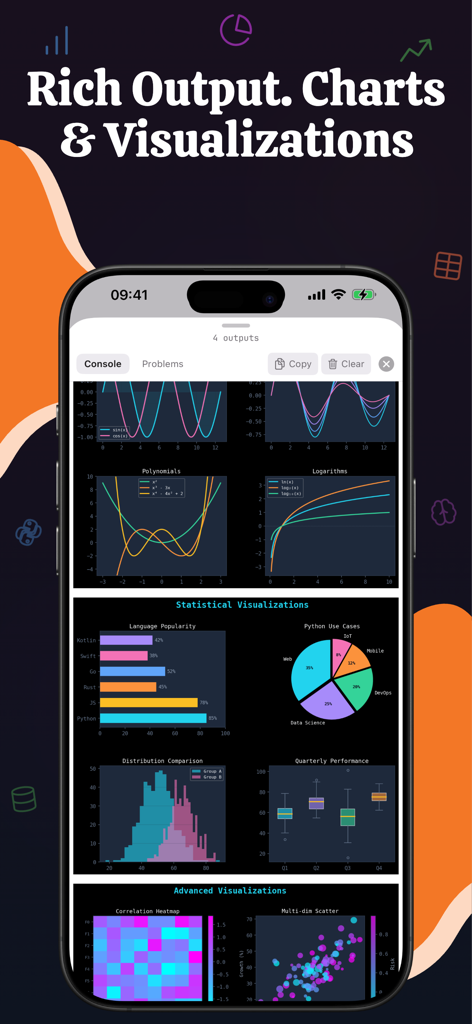
Python - IDE Coding PyNote - PyNote mobile app interface displaying a variety of data visualizations and charts including bar, pie, and line graphs.
PyNote mobile app interface displaying a variety of data visualizations and charts including bar, pie, and line graphs.

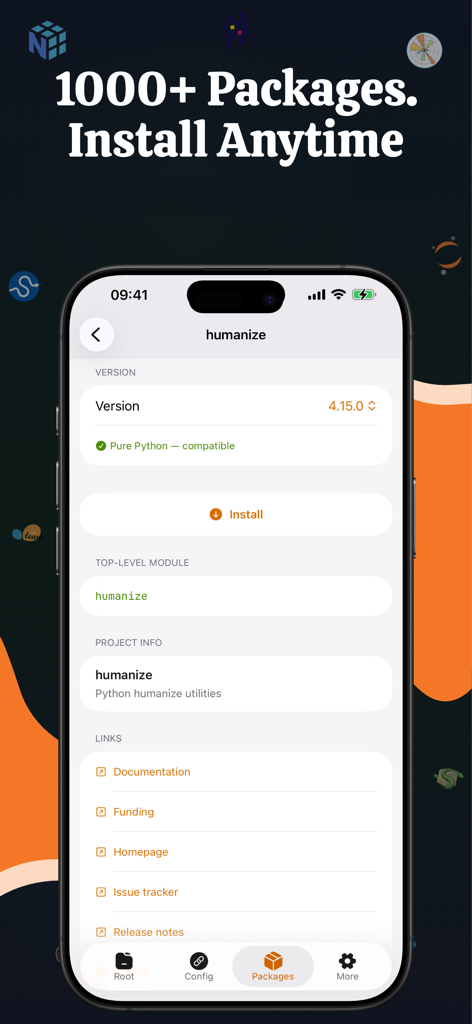
Python - IDE Coding PyNote - Python package manager screen in the PyNote mobile app
Python package manager screen in the PyNote mobile app

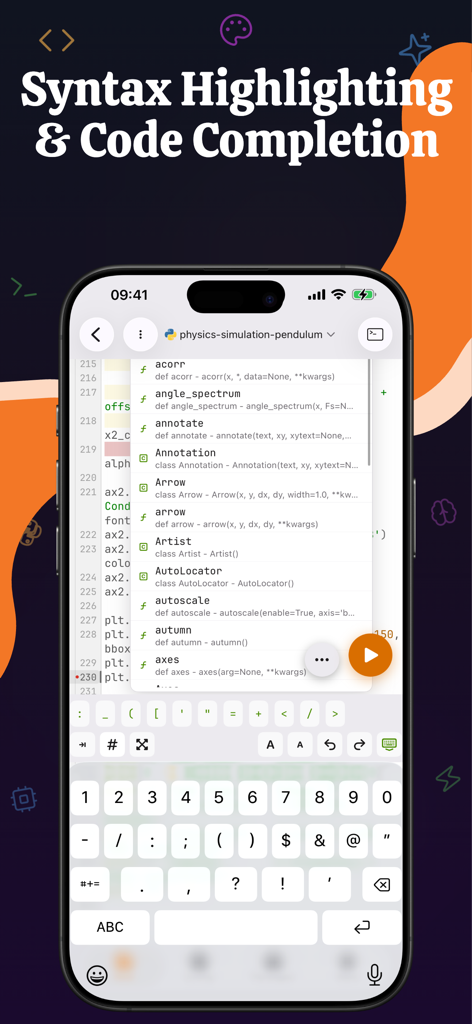
Python - IDE Coding PyNote - PyNote app interface showing mobile Python code editor with syntax highlighting and an autocomplete suggestion menu

PyNote app interface showing mobile Python code editor with syntax highlighting and an autocomplete suggestion menu

Description

PyNote — Run Python & Jupyter Notebooks on Your iPhone and iPad Write, execute, and explore Python code directly on your iOS device. No server, no internet, no setup — just open the app and start coding. PyNote brings the power of Python & Jupyter Notebooks to your pocket. Whether you're a data scientist on the go, a student learning Python, or a developer prototyping ideas, PyNote lets you run Python 3.13 locally on your device with zero cloud dependency. KEY FEATURES • Local Python Execution Run Python code entirely on-device. No remote server or internet connection required. Your code stays private and executes instantly. • Full Jupyter Notebook Support Open, edit, and save standard .ipynb files. Import notebooks from the Files app or create new ones from scratch. Fully compatible with Jupyter Notebook format. • Native iOS Experience Built with SwiftUI for a fast, fluid interface optimized for touch. Designed for both iPhone and iPad with responsive layouts. • Rich Output Display View text output, rendered images, HTML tables, and inline graphics — all within notebook cells. • Code Completion Built-in autocomplete helps you write code faster and with fewer errors. • Turtle Graphics Draw turtle graphics directly in your notebook cells. SVG-rendered output displays inline — perfect for learning and teaching. • Pygame Compatibility Run pygame-based graphics code without SDL. Output renders as images right in your notebook. • File Management Browse, create, rename, and organize your notebooks and folders. Import files from the iOS Files app with full document picker support. • Privacy First All code execution and data storage happens locally on your device. No analytics, no telemetry, no cloud sync. Your work is yours alone. PERFECT FOR - Data scientists exploring datasets on the go - Students learning Python, algorithms, and data science - Educators creating interactive teaching materials on iPad - Researchers running quick analyses and visualizations - Developers prototyping ideas without opening a laptop BUILT FOR MOBILE - PyNote is not a remote Jupyter client — it embeds a full Python 3.13 runtime using industry-standard CPython. Code runs natively on your device with no latency from network round-trips. - The app supports Dark Mode and works beautifully on all screen sizes, from iPhone SE to iPad Pro. OPEN AND PORTABLE - Your notebooks are standard .ipynb files. Open them in PyNote, Jupyter, VS Code, or Google Colab — no lock-in, no proprietary format. - Start coding Python anywhere. Download PyNote today. Privacy Policy: https://raystudio-privacy-and-term-eebg767zj2.edgeone.dev/privacy.html?app=PyNote Terms of Use: https://raystudio-privacy-and-term-eebg767zj2.edgeone.dev/terms.html?app=PyNote

Download

This page is not an official page of the app or its developer, but an independent editorial publication created for informational and commentary purposes. Unless expressly stated otherwise, neither the app nor its developer is affiliated with, endorsed by, sponsored by, authorized by, or otherwise officially connected with MWM, Apple, Google Play, the app publisher, or the app's developer, and nothing on this page implies that the app was developed using MWM's services. Any trademarks, logos, screenshots, and other content remain the property of their respective owners.