Python3IDE -

Python3IDE -

Download on App Store
Logo of Python3IDE -

Python3IDE - Professional Coding & Data Science Anywhere

Turn your mobile device into a powerful workstation. Build, debug, and visualize with Pandas and Matplotlib using an intelligent, multi-tab Python environment designed for developers on the go.

Publisher

TERMUX LIMITED LIABILITY COMPANY

Category

Developer Tools

Downloads

200

User Rating

1.0/5

Total Ratings

0

Locales

1

Your Mobile Studio

Discover the interface used by 200 users.
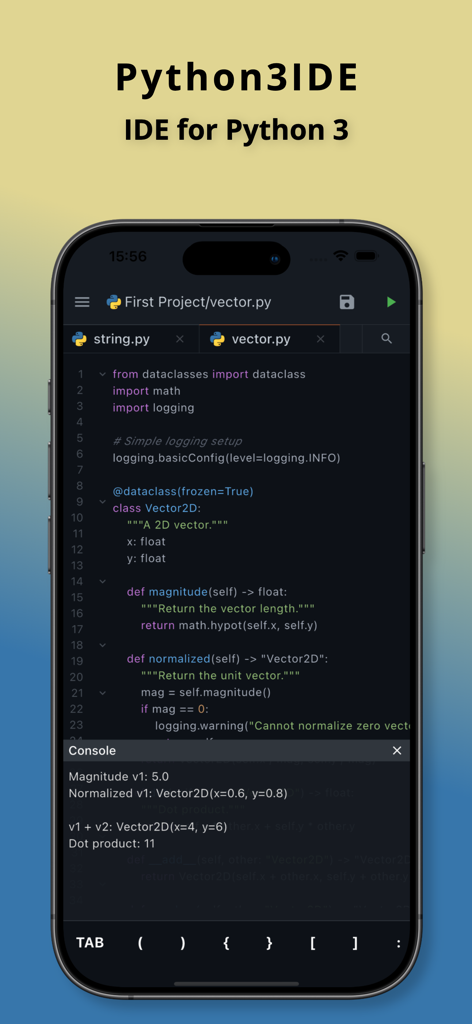
Python3IDE mobile interface showing a Python code editor with syntax highlighting and console output on an iPhone

Python3IDE mobile interface showing a Python code editor with syntax highlighting and console output on an iPhone

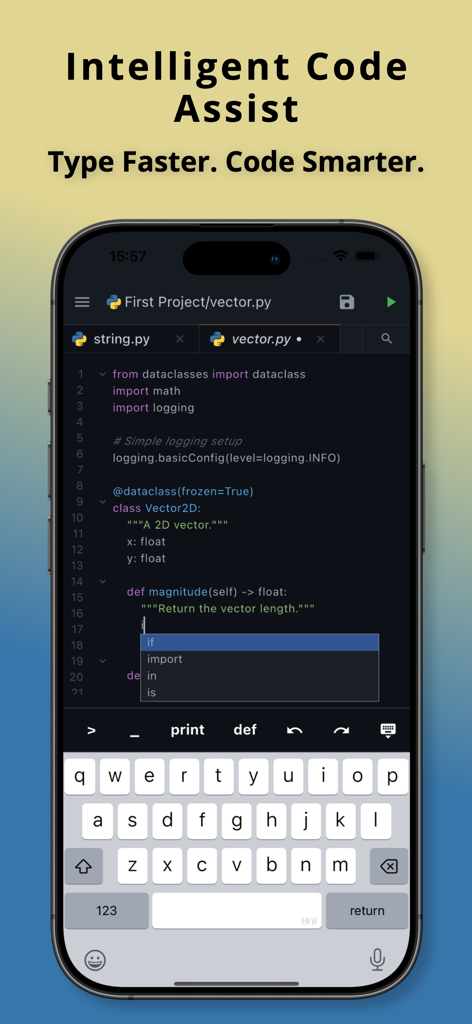
Python3IDE mobile app interface showing intelligent code completion and syntax suggestions on a smartphone screen.

Python3IDE mobile app interface showing intelligent code completion and syntax suggestions on a smartphone screen.

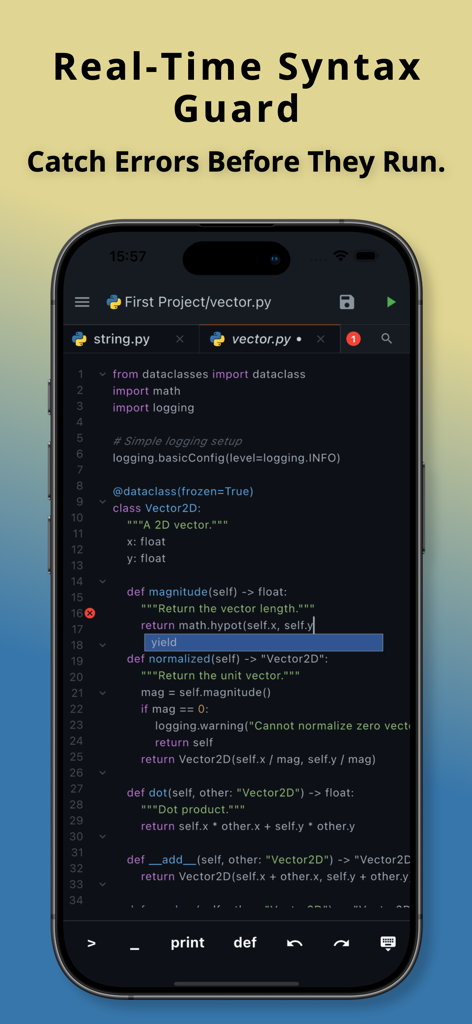
Python3IDE mobile app showing real time syntax guard and error detection on a code editor screen

Python3IDE mobile app showing real time syntax guard and error detection on a code editor screen

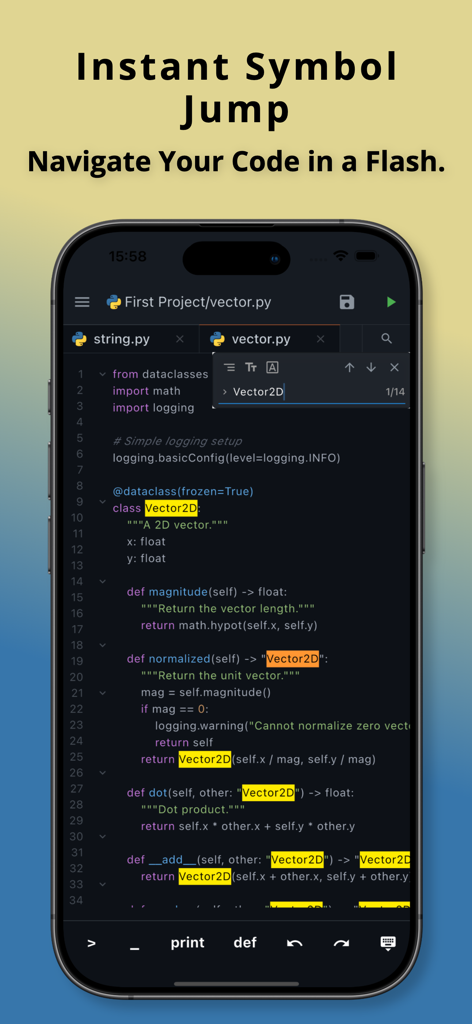
Python3IDE mobile app showing the instant symbol jump feature for quick code navigation

Python3IDE mobile app showing the instant symbol jump feature for quick code navigation

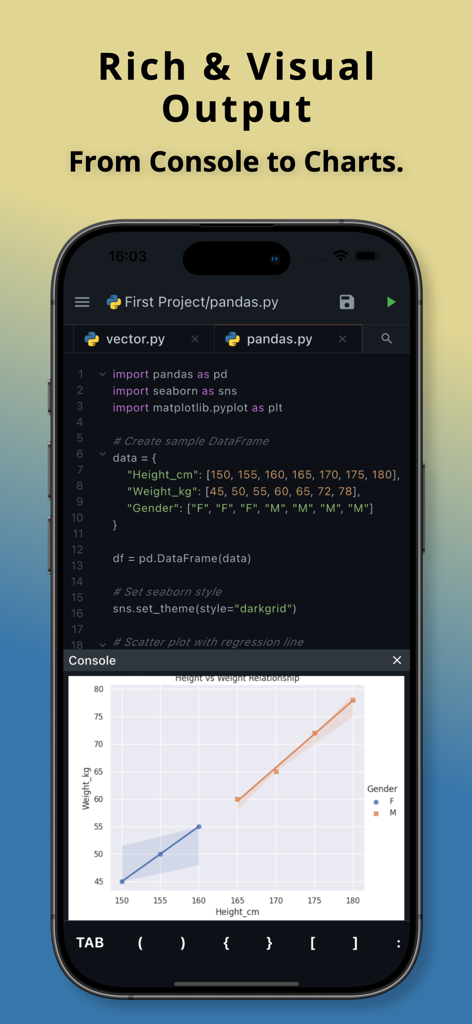
Python3IDE mobile app displaying Python code and a data visualization scatter plot

Python3IDE mobile app displaying Python code and a data visualization scatter plot

A Professional Python IDE in Your Pocket

The tools that make this app stand out, trusted by 200 users.

📊

Data Science Anywhere

Visualize insights instantly with built-in support for industry-standard libraries like Pandas, Matplotlib, and Seaborn.

Intelligent Code Assistance

Minimize mobile typing friction with smart autocomplete, real-time syntax checking, and fast symbol navigation.

📂

Desktop-Class Workflow

Manage complex projects seamlessly with a multi-tab interface designed for efficient multitasking and project organization.

About the app

Everything you need to know about Python3IDE -.

Description

A powerful and intuitive Python code editor designed for productivity on the go. Build, edit, and run Python code seamlessly on your mobile device. Whether you’re learning Python, prototyping ideas, or working with data, this app provides a clean, efficient, and feature-rich coding experience—anytime, anywhere. Key Features • Multi-Tab Workflow Open and switch between multiple files effortlessly. Manage your project with a smooth, tab-based interface. • Intelligent Code Assistance Get smart keyword and syntax suggestions while typing to code faster and with fewer mistakes. • Real-Time Syntax Checking Catch syntax errors instantly as you write, helping you debug early and stay focused. • Quick Symbol Navigation Jump directly to classes, functions, or variables using fast and powerful search. • Rich & Versatile Output Run Python code and view results instantly—from console output to data visualizations using popular libraries like pandas, seaborn, and matplotlib. Perfect For Python learners & students Developers coding on the go Data analysis & visualization Prototyping and testing scripts Designed with performance and simplicity in mind, this app turns your mobile device into a capable Python development environment.

Latest Version

1.0.1

Size

29.2 MB

First Released

Jan 27, 2026

Turn Your Mobile Device into a Professional Python Workstation

Stop wasting your commute and start coding. Join thousands of developers and students using Python3IDE to build, debug, and visualize data with desktop-class power, right in your pocket.

Download on App Store

App information, icons, screenshots, and descriptions displayed on this page are sourced from the Apple App Store and are the property of their respective developers. Download estimates and rankings are based on MWM's proprietary models and may not reflect actual figures. This page is provided for informational and analytical purposes only.

Believe this page infringes your intellectual property? File a dispute