
This page is not an official page of the app or its developer, but an independent editorial publication created for informational and commentary purposes. Unless expressly stated otherwise, neither the app nor its developer is affiliated with, endorsed by, sponsored by, authorized by, or otherwise officially connected with MWM, Apple, Google Play, the app publisher, or the app's developer, and nothing on this page implies that the app was developed using MWM's services. Any trademarks, logos, screenshots, and other content remain the property of their respective owners.


Qi Services
Finally, a banking app that respects your time. Qi Services puts your finances in your pocket, not some corporate labyrinth.
Downloads
1M+User Rating
Total Ratings
91.7KPublisher
Category
FinanceLocales
2Latest Version
5.12.10Size
240.0 MBFirst Released
Jan 25, 2019An assessment of key functionalities and their user impact.
Qi Services: Core Features Analysis
Account Management
The app allows users to view and manage their Qi Bank accounts efficiently, providing a comprehensive overview of their financial holdings.
Card-Based Money Transfers
The app facilitates secure money transfers directly from users' payment cards, streamlining the process of sending funds.
Comprehensive Card Control
This tool features robust controls for payment cards, enabling users to block/unblock, reset PINs, replace, and renew their Qi Payment Cards directly from the app.
Detailed Statement Access
It provides users with access to detailed account statements, offering transparency and enabling thorough review of transactions.
Frequently Asked Questions
Everything you need to know about Qi Services
What is the Qi Services app?
The Qi Services mobile app is a secure platform for managing Qi Bank Accounts, transferring money, and accessing Qi Payment Cards. It enables users to view statements and manage card functions from almost anywhere.
Can I manage my Qi Bank accounts with the Qi Services app?
Yes, users can view and manage their Qi Bank Accounts through the Qi Services app. It provides detailed account statements and allows for various account services like KYC updates and tracking.
How do I manage my Qi payment cards using the Qi Services app?
The Qi Services app allows users to manage their Qi Payment Cards. Functions include blocking/unblocking, resetting the PIN, replacing, and renewing cards directly within the app.
Can I transfer money with the Qi Services app?
Yes, the Qi Services app facilitates money transfers. Users can transfer money from their cards, send funds, pay bills, and review recent transactions directly through the app.
What details can I view for my Qi Bank accounts in the Qi Services app?
The Qi Services app displays detailed account information including the owner's name, account number, IBAN, creation date, and last transaction date for linked Qi Bank accounts.
What is the transfer fee for money transfers using the Qi Services app?
The transfer fee for money transfers through the Qi Services app is 0.4%. This information is available within the account details section when reviewing transfer information.
What is the single transfer limit in the Qi Services app?
The single transfer limit within the Qi Services app is 1,500,000 IQD. This limit is specified in the transfer information details displayed within the account section.
Can I enroll a new card or add an existing card in the Qi Services app?
Yes, the Qi Services app enables users to enroll a new card or add an existing Qi Payment Card. The app provides clear options for both scenarios to get started.
Does the Qi Services app offer tutorials or guides for its features?
Yes, the Qi Services app includes a dedicated "Guid screen" providing instructions and tutorials for various actions such as linking accounts, updating KYC, activating cards, and money transfers.
The following screenshots and description are sourced directly from the app's official store listing and are the property of the app developer.
App Store
Screenshots
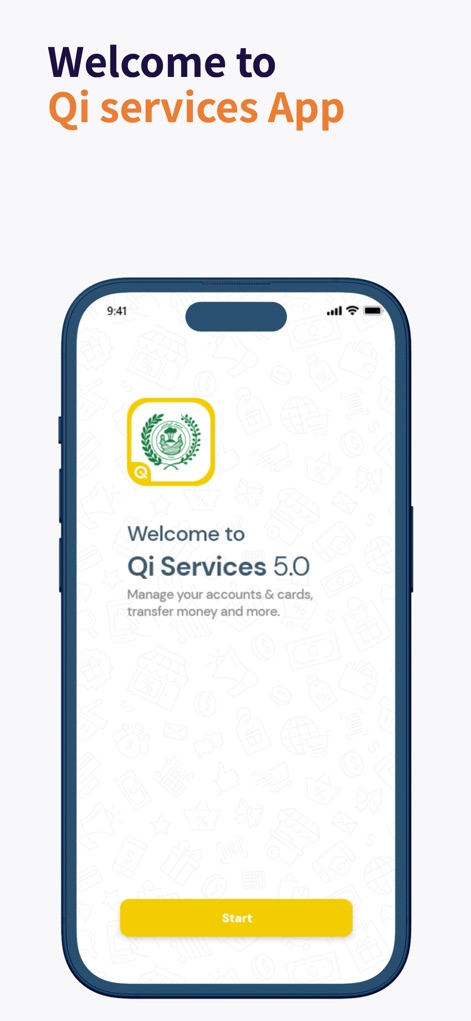
Discover the initial interface of the app, showcasing the prominent Qi Services 5.0 logo and the clear "Start" button for easy onboarding.
Welcome to Qi
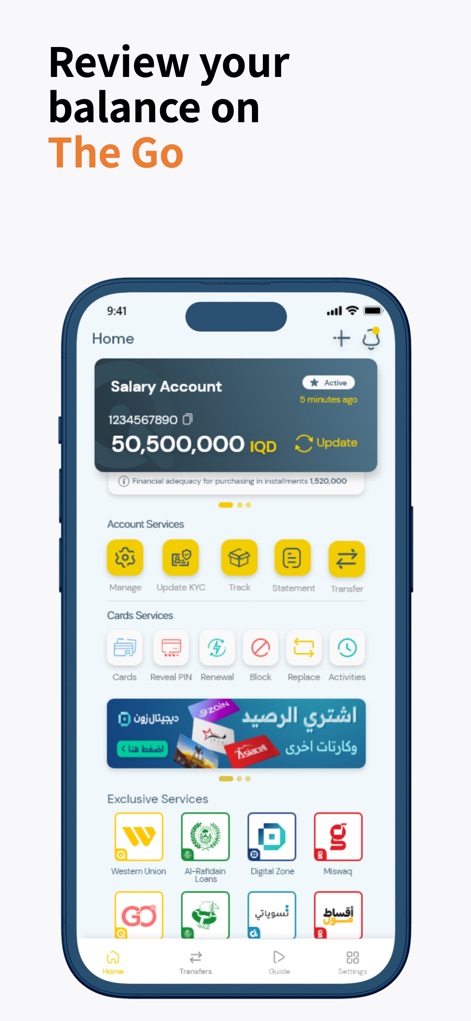
Explore the comprehensive home screen, where users can view their "Salary Account" balance and access quick actions through the "Account Services" icons.
Dashboard Overview
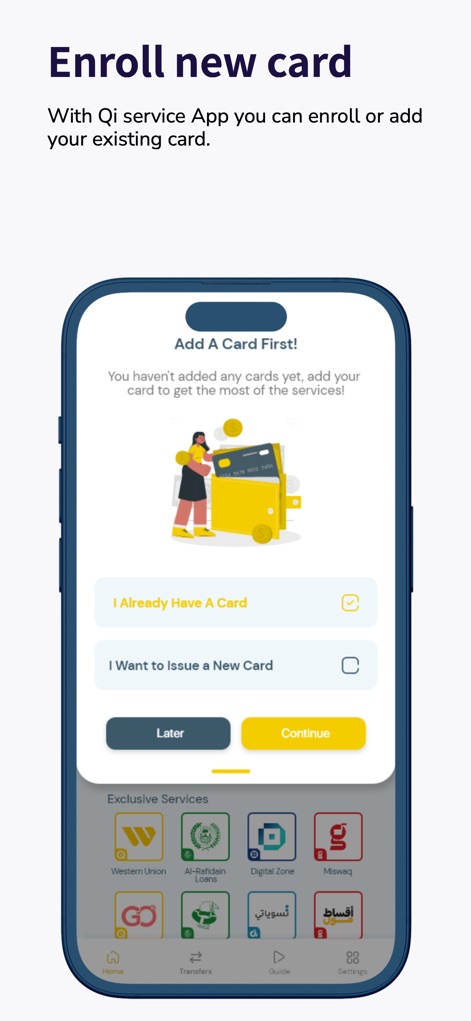
This screen illustrates the card setup process, presenting clear options like "I Already Have A Card" and the ability to "Issue a New Card".
Card Enrollment

Understand how the app provides detailed insights into linked cards, featuring a prominent card activation button and comprehensive card information fields.
Card Control

Witness the intuitive transfer interface, offering direct options for "Send" and "Pay Bills", alongside a clear display of recent transactions.
Effortless Transfers

Explore the comprehensive "Guide" section, providing a list of essential actions and a convenient link to the "YouTube Channel" for further assistance.
In-App Guidance
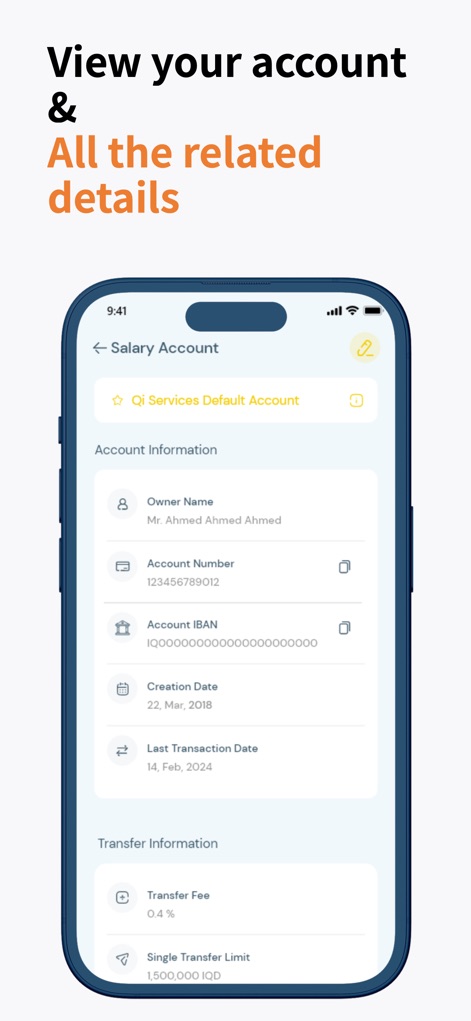
Get a detailed look at account specifics, featuring a comprehensive "Account Information" section and clear "Transfer Information" metrics.
Full Account View
Description
Download
More Like This
Apps with similar features and user experience

Enpara Bank Cep Şube
Enpara Bank Anonim Sirketi

Alinma App - تطبيق الإنماء
Alinma Bank

Huntington Mobile Banking
The Huntington National Bank, Inc

國泰世華網路銀行CUBE
Cathay United Bank

中國信託行動銀行
CTBC Bank Co., Ltd.

FNB Banking App
FirstRand Bank Limited

Riyad Bank App
Riyad Bank

CIMB OCTO MY
CIMB Bank Berhad

Regions Mobile
Regions Financial
This page is not an official page of the app or its developer, but an independent editorial publication created for informational and commentary purposes. Unless expressly stated otherwise, neither the app nor its developer is affiliated with, endorsed by, sponsored by, authorized by, or otherwise officially connected with MWM, Apple, Google Play, the app publisher, or the app's developer, and nothing on this page implies that the app was developed using MWM's services. Any trademarks, logos, screenshots, and other content remain the property of their respective owners.