qrvpn

qrvpn

Download on App Store
Logo of qrvpn

qrvpn: Your Own Private VPN Server, Deployed in One Click

Stop relying on third-party providers and take total control of your data. Securely access your home or office network from anywhere with WireGuard-powered encryption and effortless NAT traversal.

Download on App Store

Publisher

VentoByte SL

Category

Utilities

Downloads

0

User Rating

1.0/5

Total Ratings

0

Locales

1

Security in Sight

Discover the interface used by 0 users.
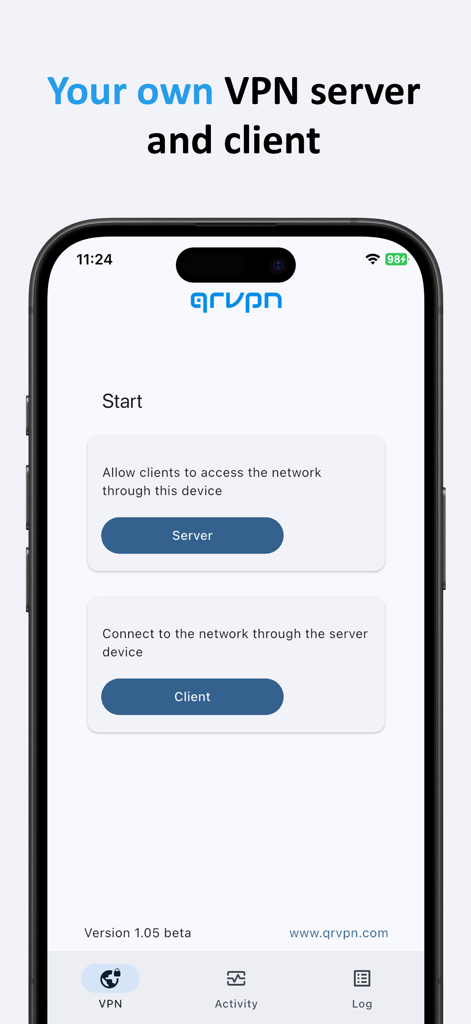
Qrvpn app interface showing options to configure a personal VPN server or client on a mobile device

Qrvpn app interface showing options to configure a personal VPN server or client on a mobile device

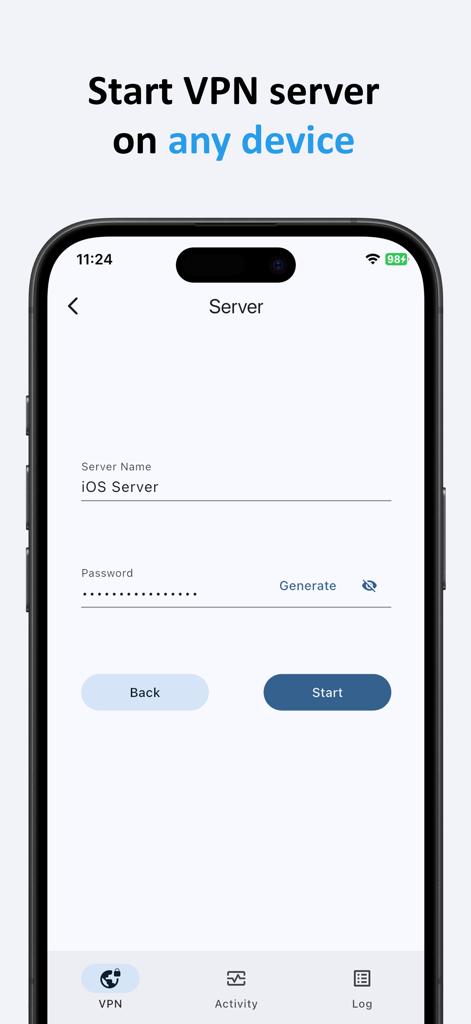
Setup screen for starting a personal VPN server on an iOS device within the qrvpn app

Setup screen for starting a personal VPN server on an iOS device within the qrvpn app

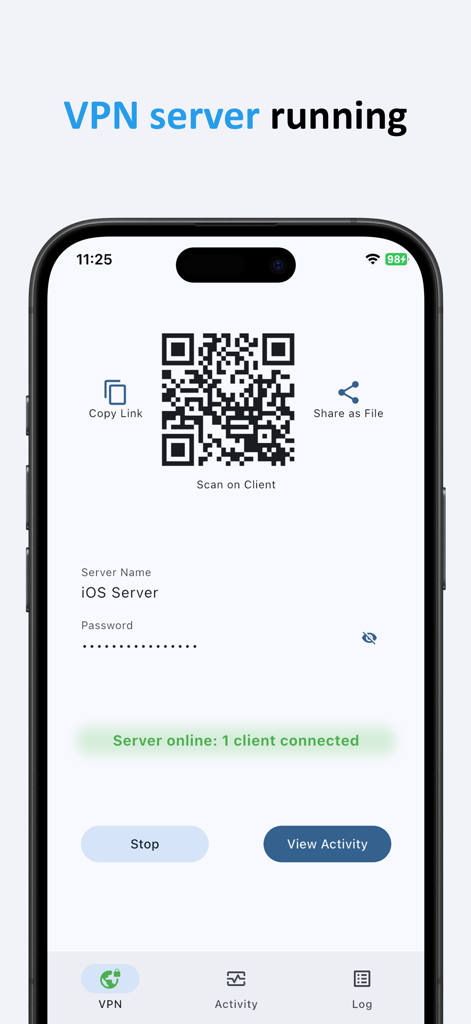
qrvpn app screen showing an active vpn server with qr code and connection status

qrvpn app screen showing an active vpn server with qr code and connection status

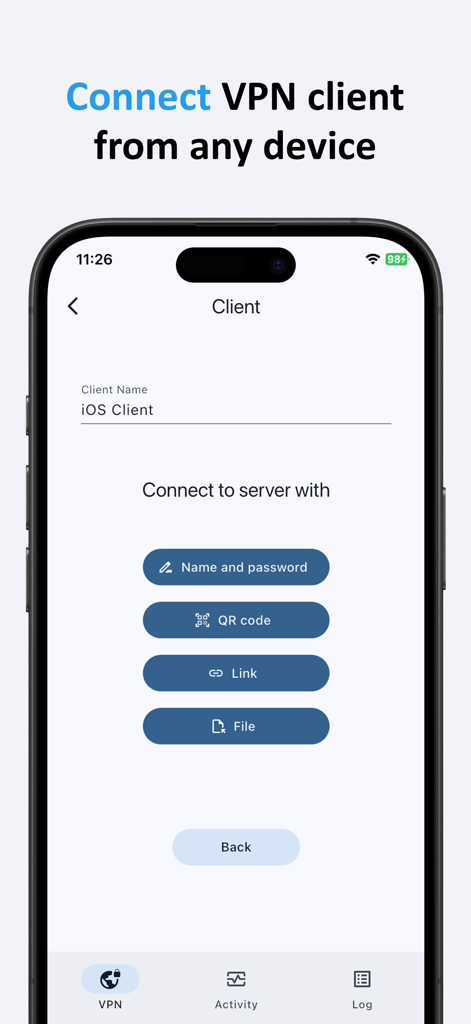
The qrvpn mobile app interface showing various ways to connect a VPN client including QR code link and file options

The qrvpn mobile app interface showing various ways to connect a VPN client including QR code link and file options

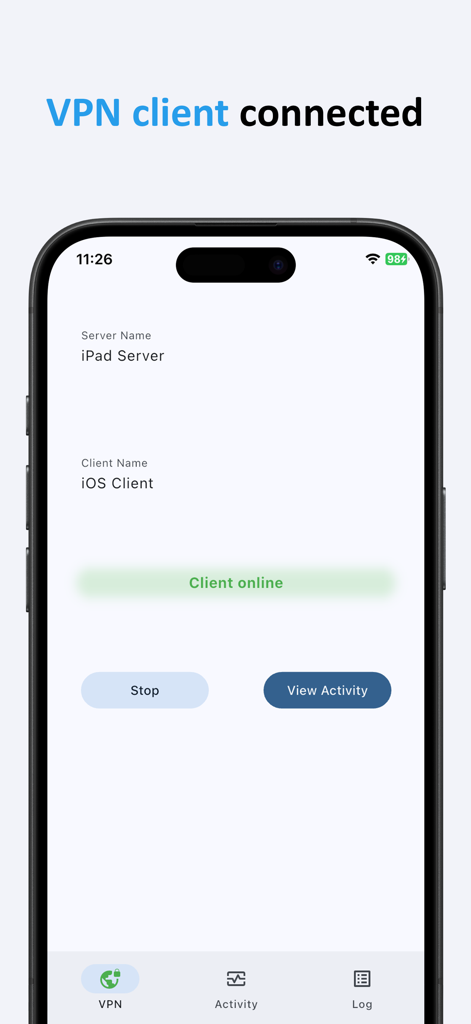
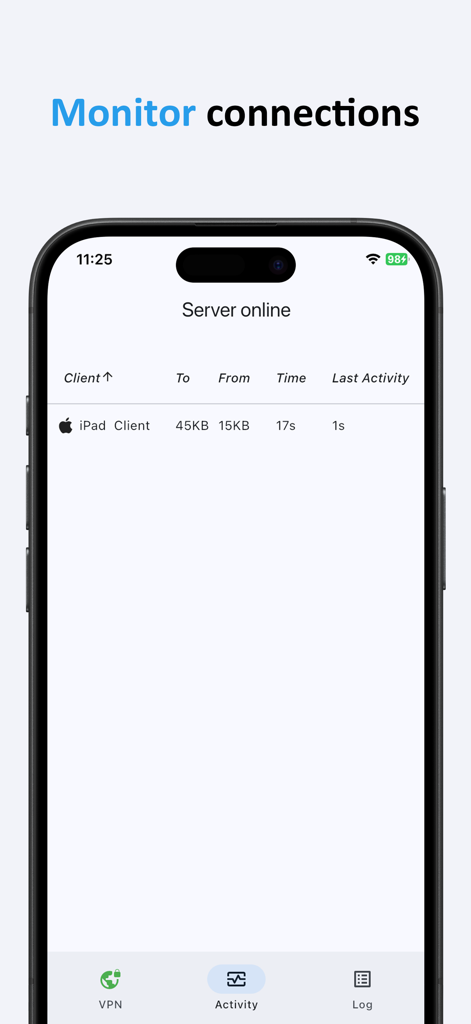
qrvpn app interface showing a vpn client connected to an ipad server

qrvpn app interface showing a vpn client connected to an ipad server

A screen in the qrvpn app displaying active vpn client connections and data usage

A screen in the qrvpn app displaying active vpn client connections and data usage

Advanced Networking Simplified

The tools that make this app stand out, trusted by 0 users.

🏠

Host Your Own Infrastructure

Eliminate third-party intermediaries. Own your VPN server to ensure maximum privacy and full data sovereignty over your connection.

Instant NAT Traversal

Connect to your home or office network from anywhere, even behind restrictive firewalls and CGNAT, without the headache of port forwarding.

🛡️

State-of-the-Art Security

Built on the industry-leading WireGuard protocol with Argon2 encryption for a fast, modern, and zero-knowledge architecture.

About the app

Everything you need to know about qrvpn.

Description

Qrvpn is a multi-platform application that provides any person or business with a one-click solution to deploy their own VPN server and client on any device and in any environment. Use qrvpn to forward your traffic over a secure VPN tunnel protected with the state-of-the-art end-to-end encryption. - Easily access your home/work/corporate network from anywhere without exposing anything to the outside. - Take control over the security of your connection. No more use VPN servers hosted by third-party providers. - Share and remove access with other devices and people in one-click. Network Regular VPN servers need an open port and a public IP address. This makes them hard to setup and manage. In qrvpn each node including server initiates an outgoing connection to effectively bypass NAT and firewalls. Security Qrvpn is based on the industry-leading WireGuard VPN protocol. It provides the optimal performance and the state-of-the-art end-to-end encryption of the data in transit. No data is stored. Argon2 and SRP are used for passwords and private keys handling to achieve zero knowledge service. I.e., even if qrvpn backend is completely compromised, your data is safe. User Experience With qrvpn you can run server and client with a few clicks. Qrvpn provides the same user experience across all major platforms. All versions can work with each other.

Latest Version

1.07

Size

33.3 MB

First Released

Jul 28, 2025

Own Your Infrastructure, Secure Your Connection.

Stop relying on third-party VPN providers. Deploy your own private, WireGuard-powered tunnel in one click and access your home or office network from anywhere with total autonomy.

Download on App Store

App information, icons, screenshots, and descriptions displayed on this page are sourced from the Apple App Store and are the property of their respective developers. Download estimates and rankings are based on MWM's proprietary models and may not reflect actual figures. This page is provided for informational and analytical purposes only.

Believe this page infringes your intellectual property? File a dispute