
This page is not an official page of the app or its developer, but an independent editorial publication created for informational and commentary purposes. Unless expressly stated otherwise, neither the app nor its developer is affiliated with, endorsed by, sponsored by, authorized by, or otherwise officially connected with MWM, Apple, Google Play, the app publisher, or the app's developer, and nothing on this page implies that the app was developed using MWM's services. Any trademarks, logos, screenshots, and other content remain the property of their respective owners.
Quick Scan And Share
Transform your iPhone and iPad into a high-performance document workspace. Capture invoices, refine scans with live previews, and share polished files in seconds—designed for professionals who value speed and precision.
Downloads
100+User Rating
Total Ratings
0Publisher
Category
ProductivityLocales
38Latest Version
1.2.3Size
3.4 MBFirst Released
Sep 26, 2025Your Mobile Document Workspace
The fast, high-quality way to digitize paperwork, refine documents with live previews, and deliver polished PDFs directly from your iPhone or iPad.
Precision Editing with Live Previews
Eliminate scan anxiety. Tweak filters, quality, and page order in real-time to ensure every document looks professional before it's sent.
Instant Professional Delivery
Share instantly via Gmail, Outlook, or AirDrop. Use custom email templates and delivery logs to keep your business communications perfectly organized.
The following screenshots and description are sourced directly from the app's official store listing and are the property of the app developer.
App Store
Screenshots
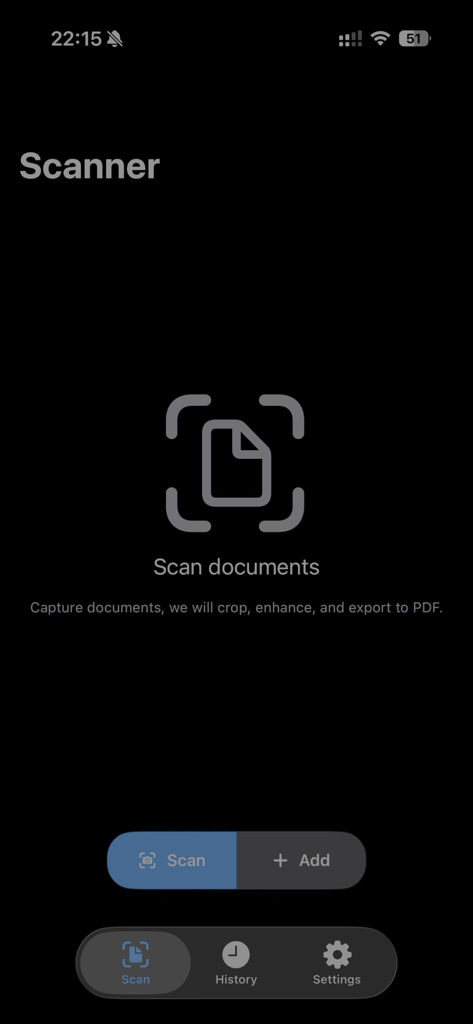
Main screen of the Quick Scan and Share app showing the document scanner interface with scan and add buttons
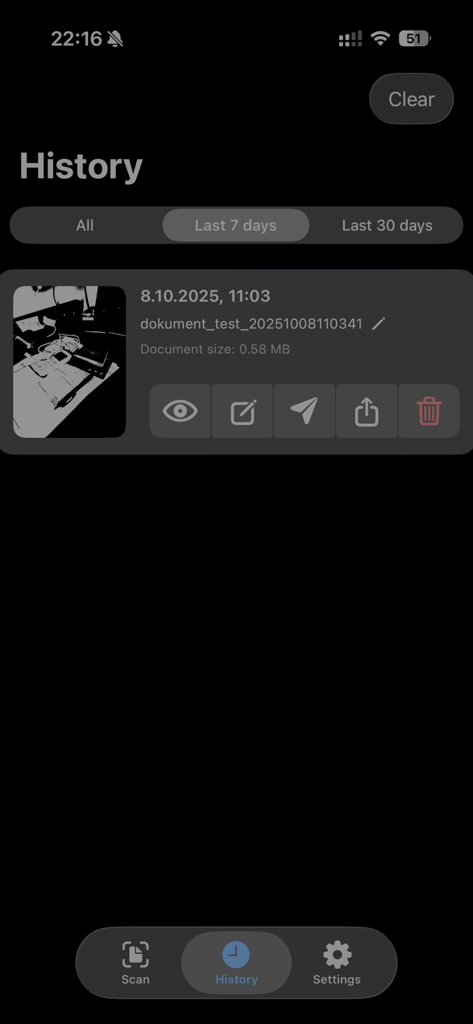
History screen in Quick Scan And Share app showing a list of scanned documents with thumbnails and management options.
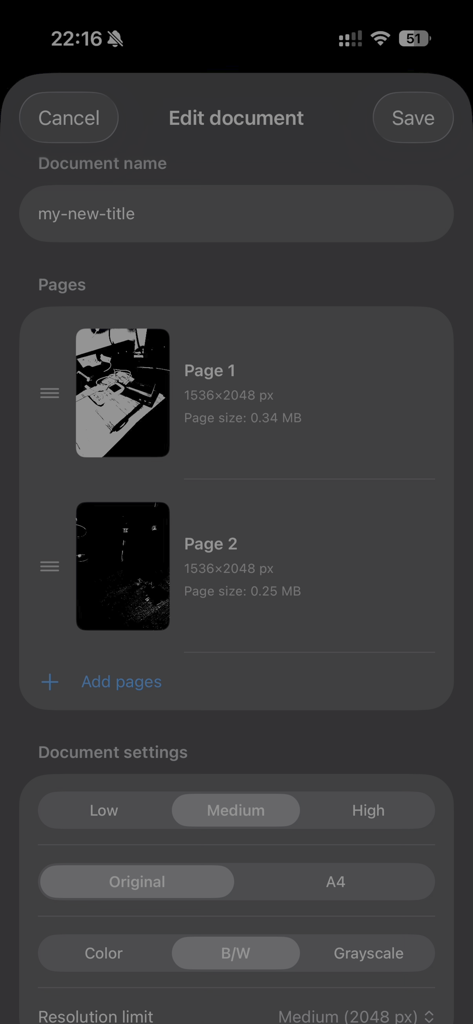
Mobile document editor interface showing page thumbnails and customizable scan settings like quality and color mode.
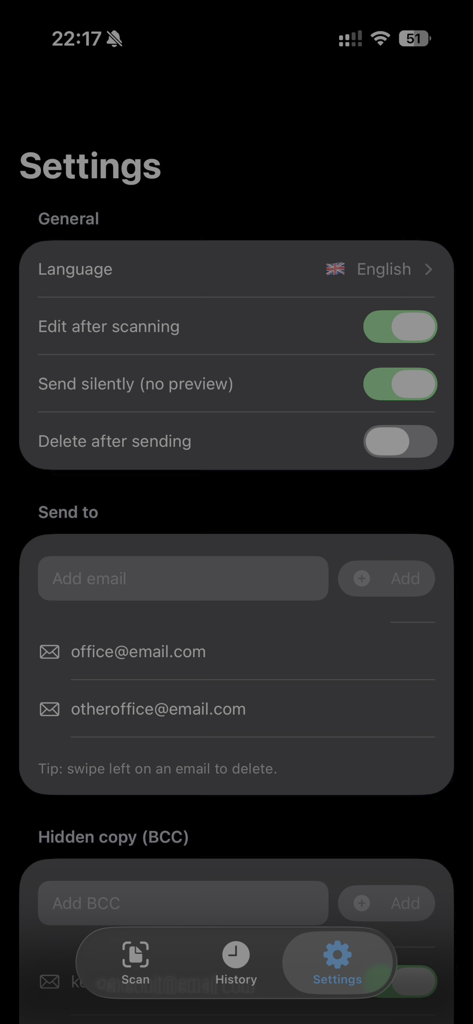
Settings screen of the Quick Scan And Share app showing general preferences and email destination management.
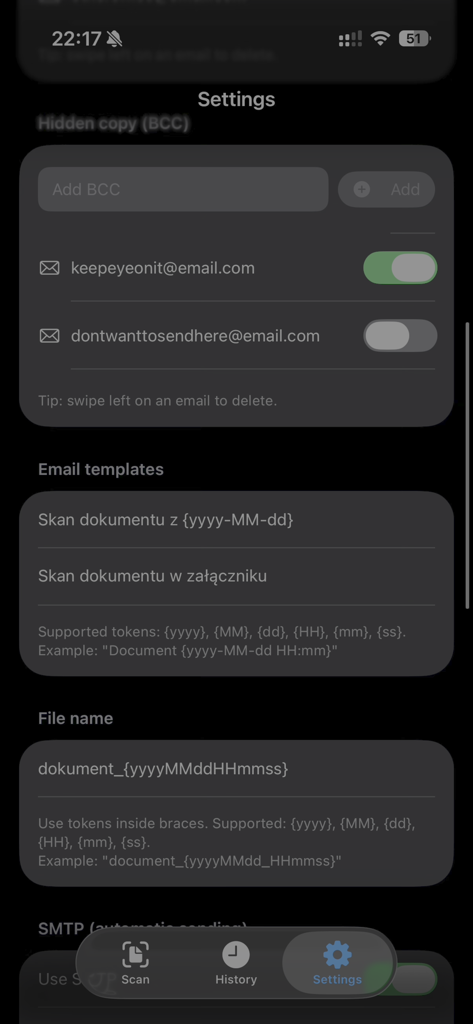
Settings screen for configuring email templates and document naming in the Quick Scan and Share app
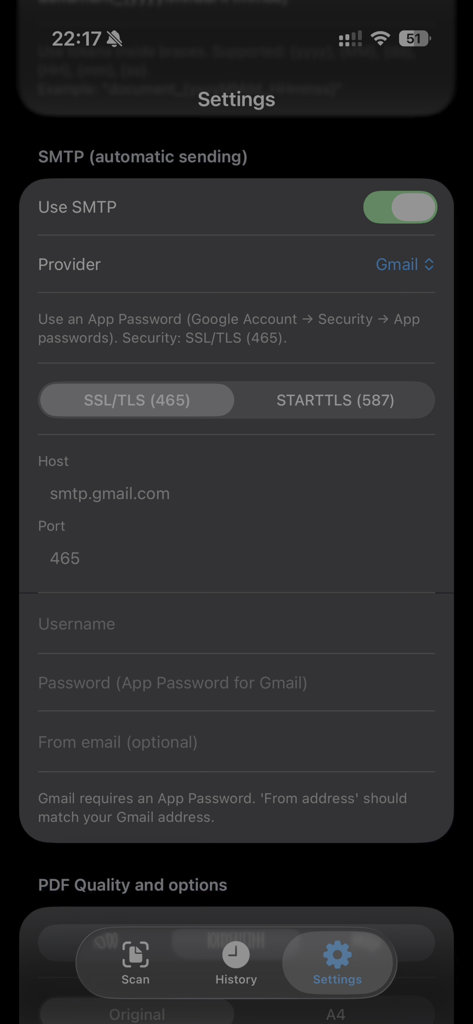
SMTP automatic email sending configuration screen in the Quick Scan and Share app
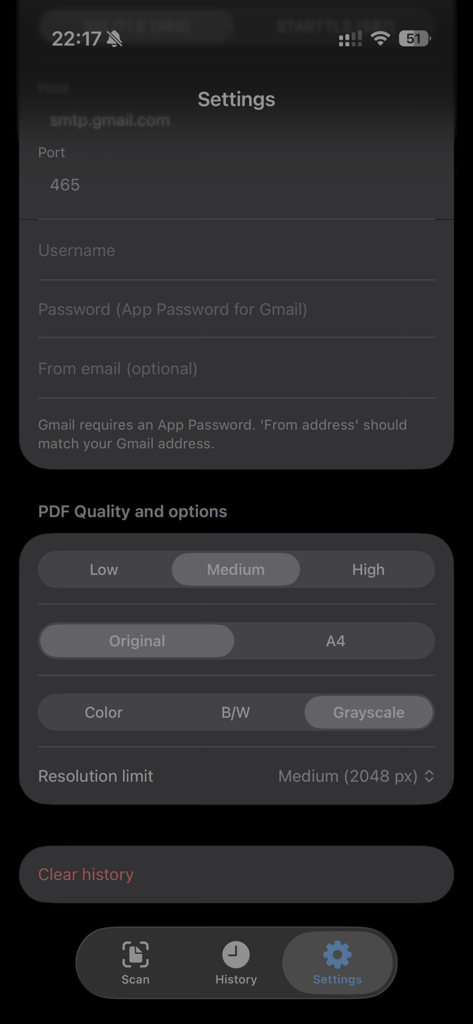
Quick Scan and Share settings screen for PDF quality and SMTP email configuration
Description
Download
More Like This
Top-ranked apps in the same category

ChatGPT
OpenAI OpCo, LLC

Google Gemini
Google LLC

Grok
X.AI Corporation

Gmail - Email by Google
Google LLC

千问 - 阿里最强大模型官方AI助手
Shanghai Zhixin Puhui Technology Co., Ltd.

Google Drive
Google LLC

Google Sheets
Google LLC

Microsoft Authenticator
Microsoft Corporation
Google Docs
Google LLC
This page is not an official page of the app or its developer, but an independent editorial publication created for informational and commentary purposes. Unless expressly stated otherwise, neither the app nor its developer is affiliated with, endorsed by, sponsored by, authorized by, or otherwise officially connected with MWM, Apple, Google Play, the app publisher, or the app's developer, and nothing on this page implies that the app was developed using MWM's services. Any trademarks, logos, screenshots, and other content remain the property of their respective owners.