QuickBooks Workforce

QuickBooks Workforce


Download on App Store
Logo of QuickBooks Workforce

QuickBooks Workforce: Manage Your Time and Pay in One Simple App

Join 7 million+ professionals using the ultimate tool for GPS time tracking, instant pay stub access, and seamless payroll integration designed for the American workforce.

Publisher

Intuit Inc.

Category

Business

Downloads

7M+

User Rating

4.6/5

Total Ratings

200K+

Locales

1

Your Mobile Command Center

Discover the interface used by 7M+ users.
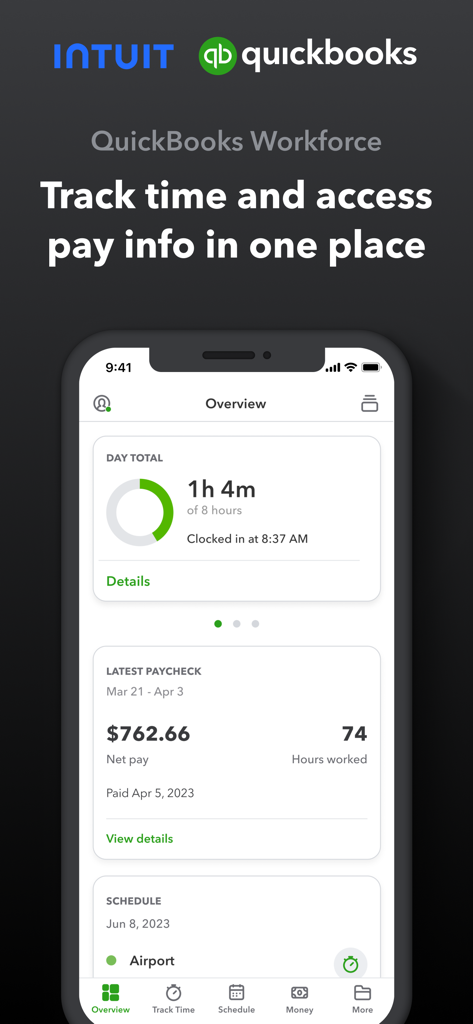
QuickBooks Workforce mobile app showing daily hours worked and latest paycheck details

QuickBooks Workforce mobile app showing daily hours worked and latest paycheck details

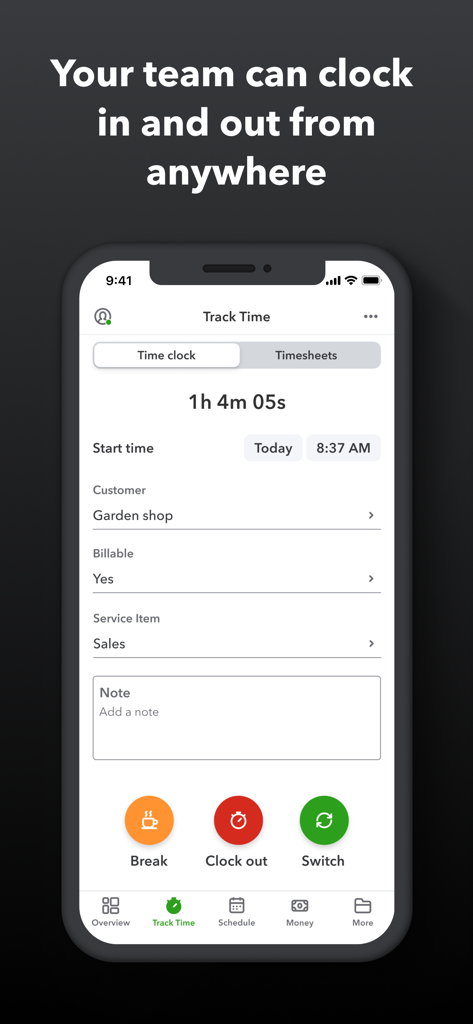
QuickBooks Workforce mobile app interface showing a running time clock with options to clock out or take a break.

QuickBooks Workforce mobile app interface showing a running time clock with options to clock out or take a break.

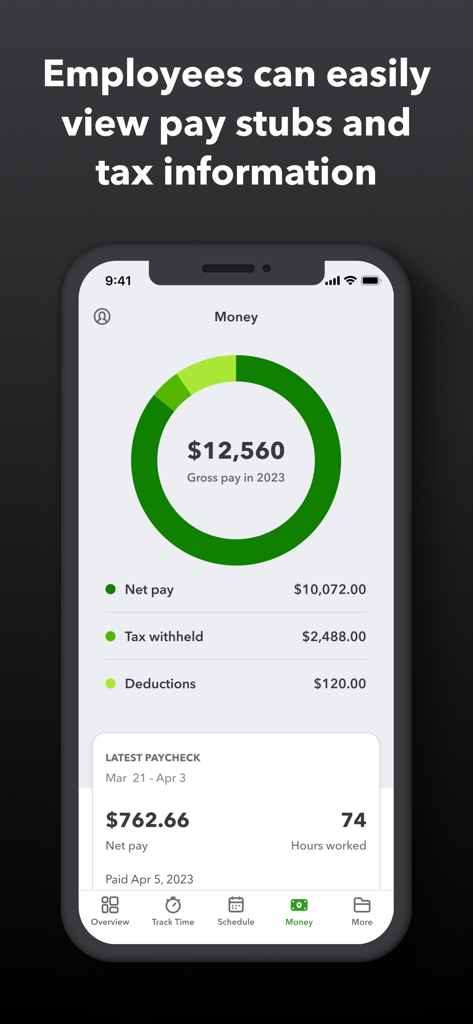
QuickBooks Workforce mobile app showing gross pay summary and latest paycheck details with net pay and hours worked

QuickBooks Workforce mobile app showing gross pay summary and latest paycheck details with net pay and hours worked

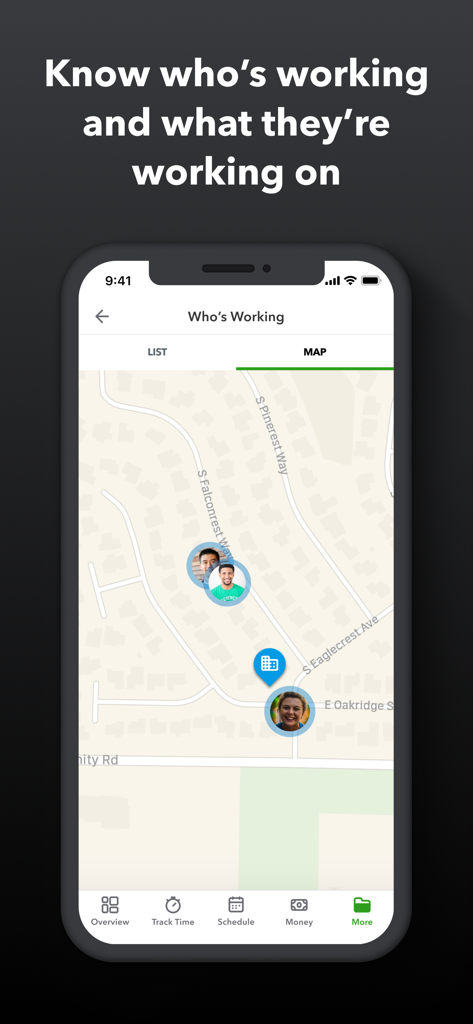
QuickBooks Workforce mobile app interface showing real time employee locations on a map

QuickBooks Workforce mobile app interface showing real time employee locations on a map

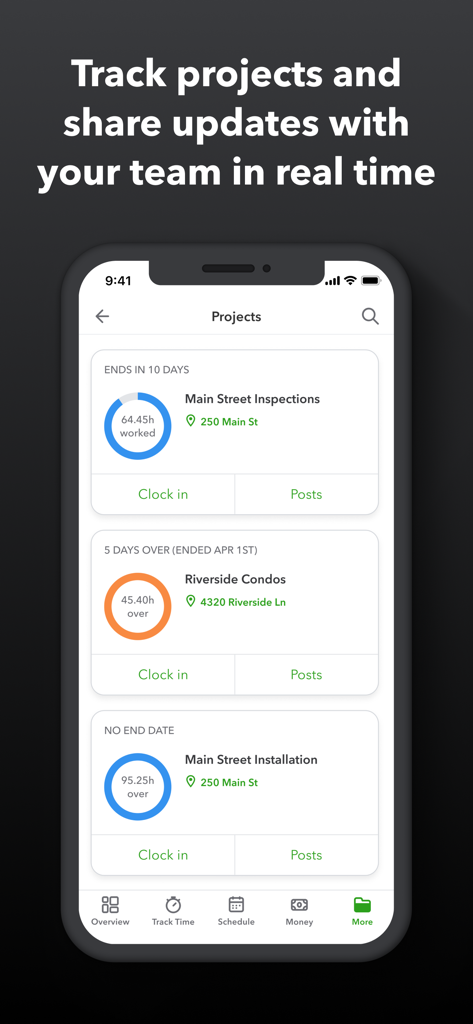
QuickBooks Workforce app mobile interface showing a projects list with hours tracked and real time team updates.

QuickBooks Workforce app mobile interface showing a projects list with hours tracked and real time team updates.

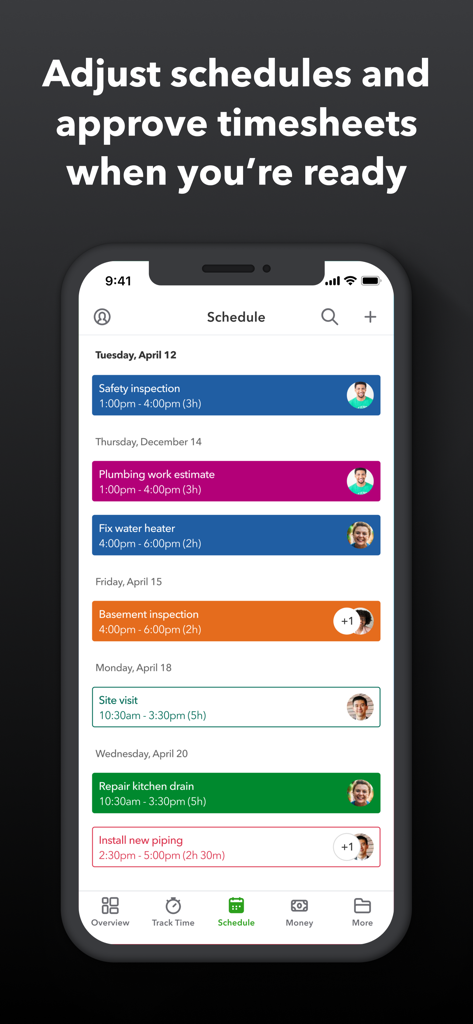
QuickBooks Workforce app displaying a job schedule with various plumbing and inspection tasks assigned to employees

QuickBooks Workforce app displaying a job schedule with various plumbing and inspection tasks assigned to employees

Simplify Your Workday from Anywhere

The tools that make this app stand out, trusted by 7M+ users.

📍

One-Tap Time Tracking

Clock in and out instantly with GPS accuracy, ensuring every hour is recorded even when you’re offline in the field.

💰

Your Pay Info, On Demand

Access your pay stubs, W-2s, and tax documents the moment they’re ready. No more chasing down paperwork to prove your income.

📅

Seamless Schedule Management

View upcoming shifts, request time off, and get real-time alerts. Stay organized and maintain a healthy work-life balance with ease.

About the app

Everything you need to know about QuickBooks Workforce.

Description

QuickBooks Workforce—an app for QuickBooks Payroll and QuickBooks Time (formerly TSheets)—lets teams view pay info and track time in one place. Pay features are available to businesses that use QuickBooks Online Payroll & QuickBooks Desktop Payroll. Time tracking features are available to businesses that use QuickBooks Time. What your team can do: • Access pay stubs, W-2s, and other pay info anytime, anywhere • Clock in and out, even without Wi-Fi or service • Submit and track paid time off, sick days, and holidays • Edit timesheets and manage job schedules • Switch jobs, pause tracking, or take a break • Use GPS location-based time tracking • Add photos and updates in a project activity feed (QuickBooks Time Elite only) What an employer or admin can do: • Approve, edit, or delete timesheets • Schedule by job or by shift • See who’s working and where in real time • Set up a geofence that reminds your team to clock in or out when they enter or leave a job site (QuickBooks Time Elite only) • Create or modify schedules • Push, text and email alerts are triggered if employees don’t clock in as scheduled, or approach overtime • Track vacation, sick, or holiday accruals for employees • See day and week totals, plus other time reports, at a glance • Oversee team productivity and project status, and adjust budget, deadlines, and resources as needed (QuickBooks Time Elite only) Extra benefits: • Save on payroll costs and eliminate manual data entry • Get real-time reports in multiple formats (PDF, CSV, online, HTML) • Data seamlessly integrates with QuickBooks Online & QuickBooks for PC (Pro, Premier, & Enterprise) • Integrates with other payroll, accounting, and invoicing software • Protect yourself against labor disputes and audits with a detailed time log • Accurate time data replaces paper timesheets and makes payroll and invoicing faster and less costly. • Developer open API Terms, conditions, pricing, special features, and service and support options subject to change without notice.

Latest Version

5.7.1

Size

247.0 MB

First Released

Jul 17, 2014

Ready to Simplify Your Workday?

Join over 7 million users who trust QuickBooks Workforce to track time, view pay stubs, and manage schedules with ease. Download the app today and take control of your work and pay.

Download on App Store
FAQ

Frequently Asked Questions

Everything you need to know about QuickBooks Workforce

What is the QuickBooks Workforce app?

The QuickBooks Workforce app allows teams to view pay information and track work time in a single application. It supports both QuickBooks Payroll and QuickBooks Time functionalities for employees.

Can employees view their pay stubs and W-2s using QuickBooks Workforce?

Yes, employees can access their pay stubs, W-2s, and other pay information anytime and anywhere through the QuickBooks Workforce app.

Does QuickBooks Workforce allow employees to track time offline?

Yes, teams can clock in and out using the QuickBooks Workforce app even without Wi-Fi or cellular service. The app syncs data once connectivity is restored.

What time tracking features does the QuickBooks Workforce app offer?

The QuickBooks Workforce app enables employees to clock in and out, submit time off, edit timesheets, manage job schedules, switch jobs, pause tracking, and use GPS location-based tracking.

Can employers monitor employee work locations with QuickBooks Workforce?

Yes, employers can see who is working and their real-time location using the QuickBooks Workforce app. It supports GPS location-based time tracking for accurate monitoring.

What types of alerts does the QuickBooks Workforce app provide for employers?

The QuickBooks Workforce app triggers push, text, and email alerts for employers if employees do not clock in as scheduled or if they approach overtime limits.

Does QuickBooks Workforce integrate with other payroll software?

Yes, the QuickBooks Workforce app integrates with QuickBooks Online, QuickBooks for PC (Pro, Premier, Enterprise), and other payroll, accounting, and invoicing software.

What are the benefits of using QuickBooks Workforce for payroll management?

QuickBooks Workforce helps businesses save on payroll costs, eliminate manual data entry, generate real-time reports, and protect against labor disputes with detailed time logs.

Can employers manage employee schedules using QuickBooks Workforce?

Yes, employers can create, modify, and schedule employees by job or shift through the QuickBooks Workforce app. They can also adjust schedules as needed.

Is it possible for QuickBooks Workforce to track project activity?

Yes, QuickBooks Workforce allows teams to add photos and updates in a project activity feed, and employers can oversee team productivity and project status. These features are available in QuickBooks Time Elite.

App information, icons, screenshots, and descriptions displayed on this page are sourced from the Apple App Store and are the property of their respective developers. Download estimates and rankings are based on MWM's proprietary models and may not reflect actual figures. This page is provided for informational and analytical purposes only.

Believe this page infringes your intellectual property? File a dispute