reduce image size - resizer
Download on App Store

This page is not an official page of the app or its developer, but an independent editorial publication created for informational and commentary purposes. Unless expressly stated otherwise, neither the app nor its developer is affiliated with, endorsed by, sponsored by, authorized by, or otherwise officially connected with MWM, Apple, Google Play, the app publisher, or the app's developer, and nothing on this page implies that the app was developed using MWM's services. Any trademarks, logos, screenshots, and other content remain the property of their respective owners.

Logo of reduce image size - resizer
Download on App Store

reduce image size - resizer

The ultimate batch processing tool for resizing, compressing, and converting images or videos. Fast, secure, and optimized for social media, small businesses, and everyday efficiency.

Key Figures

Downloads

73K+

User Rating

4.1/5

Total Ratings

100

Publisher

Sounak Sarkar

Category

Developer Tools

Locales

1

Latest Version

2.6

Size

13.1 MB

First Released

Mar 18, 2022
Features

Optimize Your Media in Seconds

The ultimate utility for small businesses and creators to resize, compress, and convert images and videos with pro-level efficiency.

Instant Batch Processing

Don't waste time on one-by-one edits. Handle your entire photo library or product catalog at once with lightning-fast bulk actions.

Reclaim Your Storage

Shrink massive 4K videos and high-res photos without losing quality. Perfect for clearing 'Storage Full' alerts and speeding up uploads.

The following screenshots and description are sourced directly from the app's official store listing and are the property of the app developer.

App Store

Screenshots
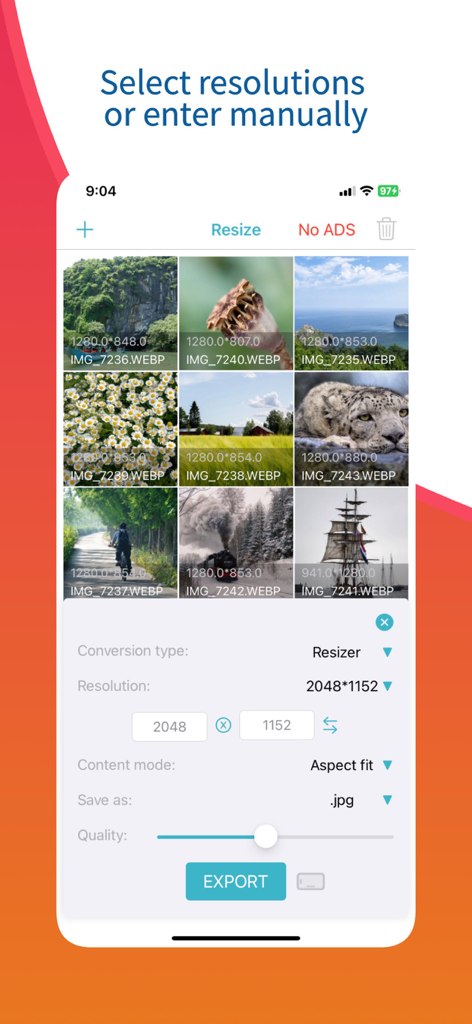
reduce image size - resizer - Interface of the image resizer app showing manual resolution entry and batch processing options for multiple photos.
Interface of the image resizer app showing manual resolution entry and batch processing options for multiple photos.

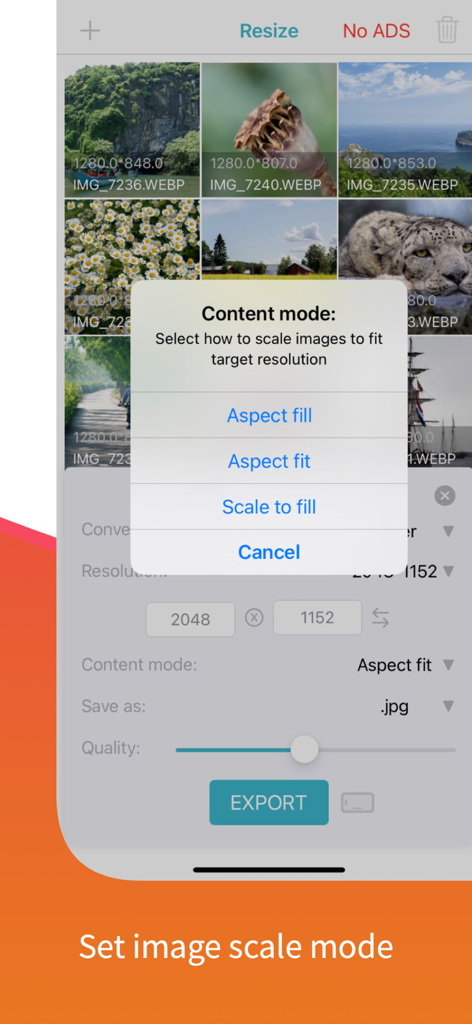
reduce image size - resizer - Selecting image scale mode options in the photo resizer app
Selecting image scale mode options in the photo resizer app

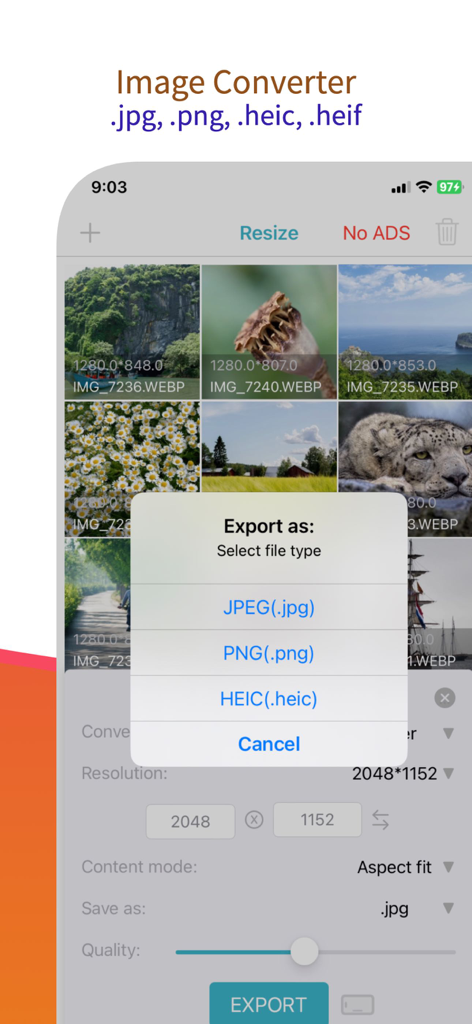
reduce image size - resizer - Screenshot showing image conversion options for JPEG PNG and HEIC formats.
Screenshot showing image conversion options for JPEG PNG and HEIC formats.

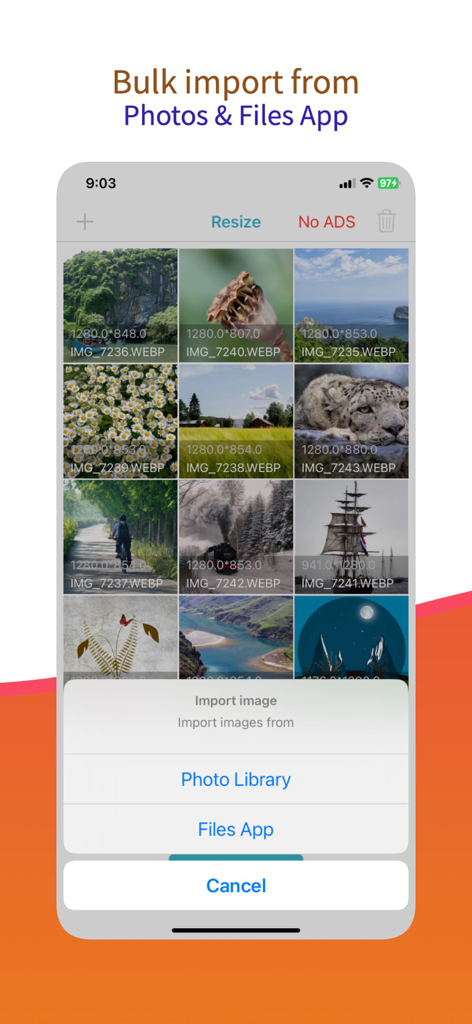
reduce image size - resizer - Bulk import interface in the image resizer app showing options to select photos from the library or files app
Bulk import interface in the image resizer app showing options to select photos from the library or files app

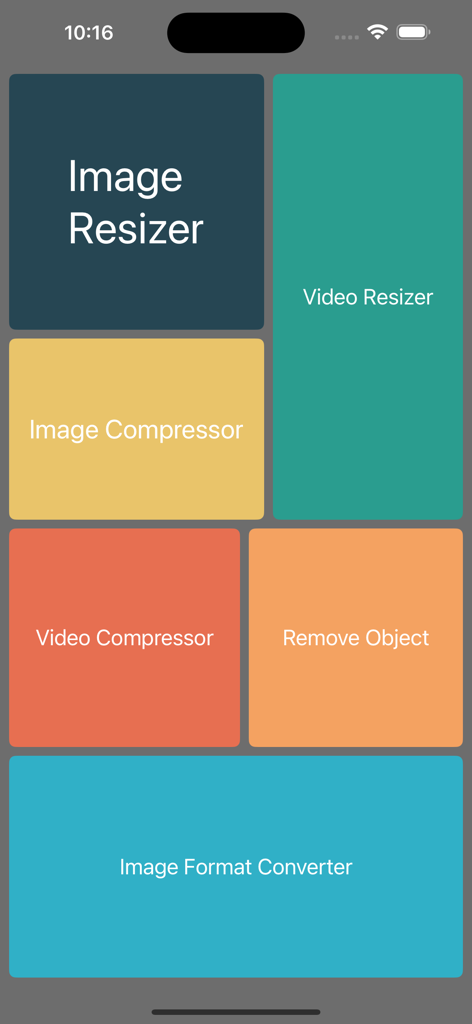
reduce image size - resizer - Main menu of the image resizer and compressor app showing various utility tiles for resizing and converting media

Main menu of the image resizer and compressor app showing various utility tiles for resizing and converting media

Description

Image Resizer & Compressor is a powerful and user-friendly mobile application designed to simplify the process of resizing and compressing images on the go. Whether you're a professional photographer, social media enthusiast, or simply someone who wants to optimize their image files for various purposes, this app is your go-to solution. Features: Image Resizing: Easily resize your images to specific dimensions or choose from various preset sizes suitable for social media platforms like Instagram, Facebook, Twitter, and more. Maintain the aspect ratio while resizing to ensure your images look perfect. Image Compression: Reduce the file size of your images without compromising on quality. The app employs advanced algorithms to compress images while preserving essential details, so you can save storage space on your device or share images faster online. Video Resizing: Resize videos to specific dimensions and share on different social media platforms. Video Compressor: Compress videos in bulk and save device space. Image converter: Change image format easily using this app. Batch Processing: Save time and effort by resizing and compressing multiple images at once. The app's batch processing feature allows you to apply the same settings to a group of images, making it perfect for handling large photo collections. Customizable Settings: Tailor the compression level and image size according to your needs. The app offers various compression options, allowing you to strike the right balance between image quality and file size. Intuitive Interface: The app boasts a user-friendly interface, making it easy for both beginners and professionals to navigate and utilise its powerful features effectively. Share and Save: After resizing and compressing your images, conveniently save them to your device or share them directly to your favourite social media platforms or messaging apps. Image Format Support: Image Resizer & Compressor supports various popular image formats, including JPG, PNG, GIF, and more, ensuring compatibility with a wide range of devices and platforms. Secure and Private: Your images are processed locally on your device, ensuring your privacy and data security. The app does not store or transmit your images to any external servers. Whether you want to optimize images for online sharing, create stunning social media posts, or manage your photo gallery more efficiently, Image Resizer & Compressor provides a comprehensive solution with its quick and easy image resizing and compression capabilities. Download the app now and take control of your image files with ease! Our App can be used for free with Ads and limited features, however, you can purchase a Image Resizer Premium subscription for the additional advanced features, and remove Ads. SUBSCRIPTION AND TERMS: When you download our App you can opt in to a 3 days free trial for monthly and 7 days free trial for yearly subscription. Our App offers auto-renewing monthly/yearly subscription options for access to the app's features and content. Your Image Resizer Premium subscription will automatically renew at the end of each term and payment will be charged through your iTunes account. You can turn off auto-renew at any time from your iTunes account settings but refunds will not be provided for any unused portion of the term. To avoid renewal, you must cancel at least 24 hours before your subscription or trial ends. Your account will be charged for renewal within 24 hours prior to the end of the current period. Any unused portion of a free trial period will be forfeited if you purchase a subscription. SUBSCRIPTION PRICING: Premium Monthly: $0.99 / Month (3 days free trial) Premium Yearly: $5.99 / Year (7 days free trial) Read more about our terms, conditions, and privacy here: • Privacy Policy: https://www.racersoft.in • Terms of Use: https://racersoft.in/terms-of-use/

Download

Download on App Store

This page is not an official page of the app or its developer, but an independent editorial publication created for informational and commentary purposes. Unless expressly stated otherwise, neither the app nor its developer is affiliated with, endorsed by, sponsored by, authorized by, or otherwise officially connected with MWM, Apple, Google Play, the app publisher, or the app's developer, and nothing on this page implies that the app was developed using MWM's services. Any trademarks, logos, screenshots, and other content remain the property of their respective owners.








