
This page is not an official page of the app or its developer, but an independent editorial publication created for informational and commentary purposes. Unless expressly stated otherwise, neither the app nor its developer is affiliated with, endorsed by, sponsored by, authorized by, or otherwise officially connected with MWM, Apple, Google Play, the app publisher, or the app's developer, and nothing on this page implies that the app was developed using MWM's services. Any trademarks, logos, screenshots, and other content remain the property of their respective owners.


Reminder with Voice Reminders
Master your day with the persistence of auto-snooze and the familiarity of voice-recorded alerts. From complex medical schedules to daily routines, get a powerful assistant designed for real-world reliability without the subscription fees.
Downloads
444K+User Rating
Total Ratings
17K+Publisher
Category
ProductivityLocales
4Latest Version
9.4Size
12.4 MBFirst Released
Oct 7, 2011Stay on Top of Every Detail
Whether it's managing health, household tasks, or a busy career, our features provide the persistence and clarity you need to live stress-free.
Personal Voice Alerts
Record your own voice to play at the scheduled time. Perfect for hearing specific instructions or a familiar voice when it matters most.
Intelligent Recurring Schedules
Handle complex routines with ease, from hourly medication to the 'last weekday of the month.' We adapt to your life, not the other way around.
The following screenshots and description are sourced directly from the app's official store listing and are the property of the app developer.
App Store
Screenshots
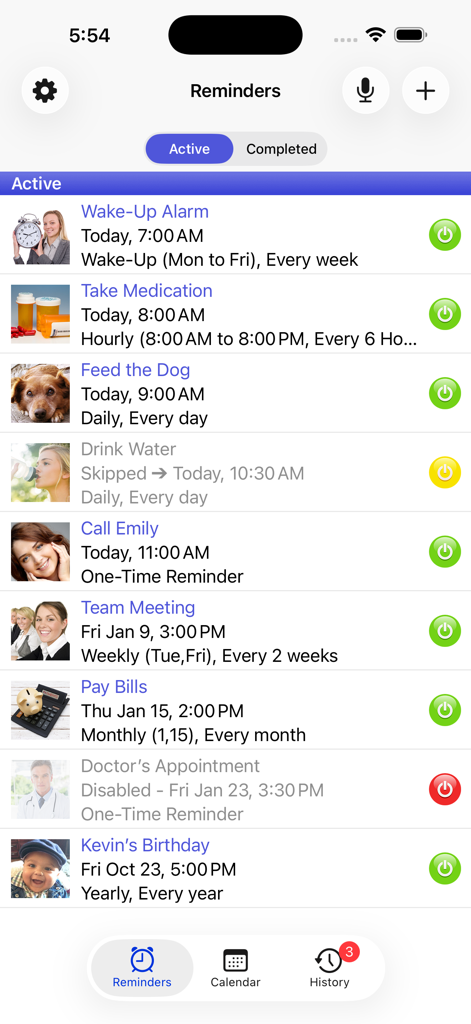
Interface of the Aida Reminder app showing a list of active scheduled tasks including medication wake up alarms and meetings
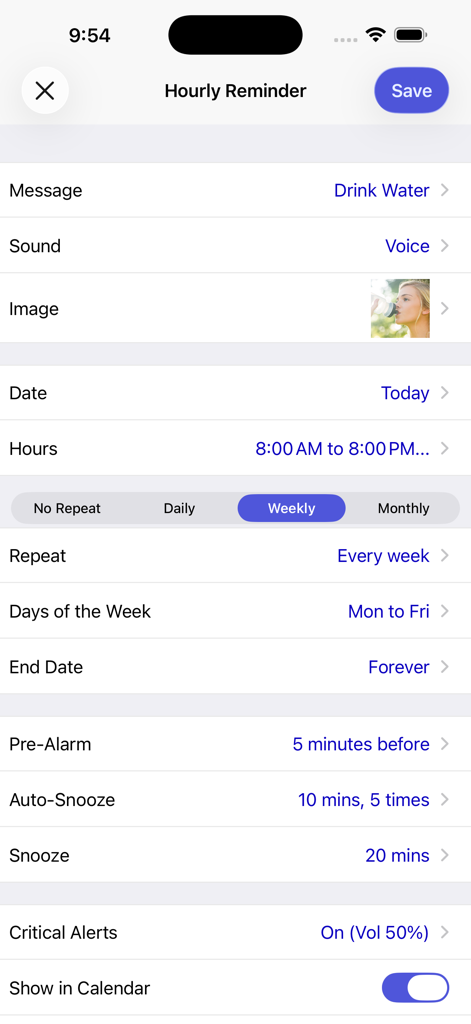
Hourly reminder setup screen in the Aida Reminder app for scheduling recurring tasks with voice alerts
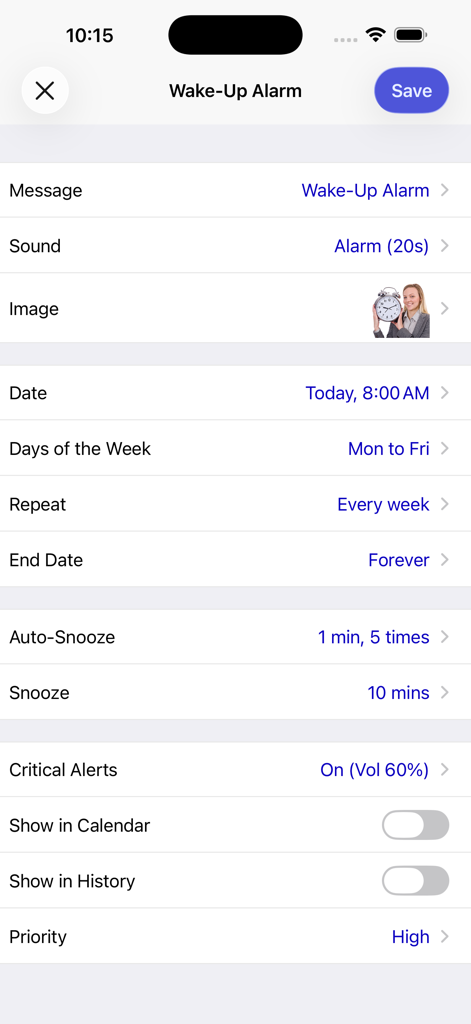
Detailed wake up alarm configuration screen in Aida Reminder showing recurring schedule and auto snooze options
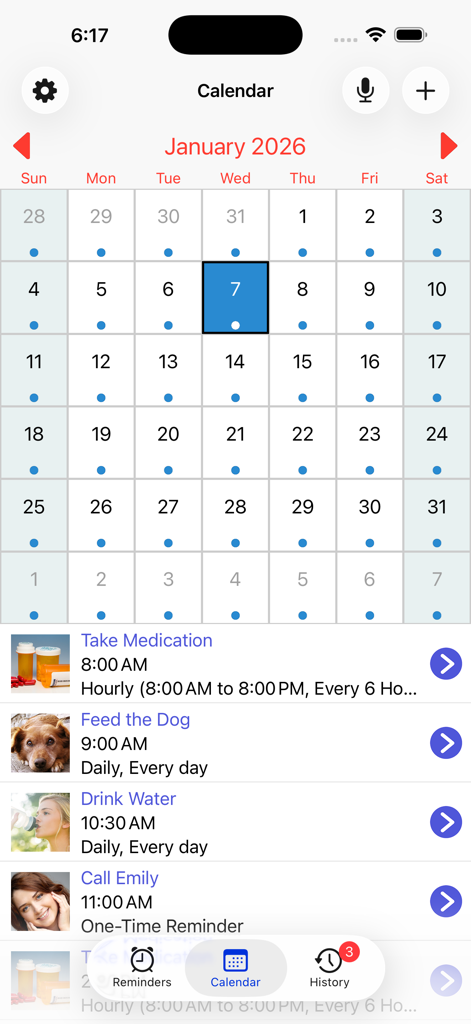
Monthly calendar view in the Aida Reminder app showing scheduled daily tasks and alerts
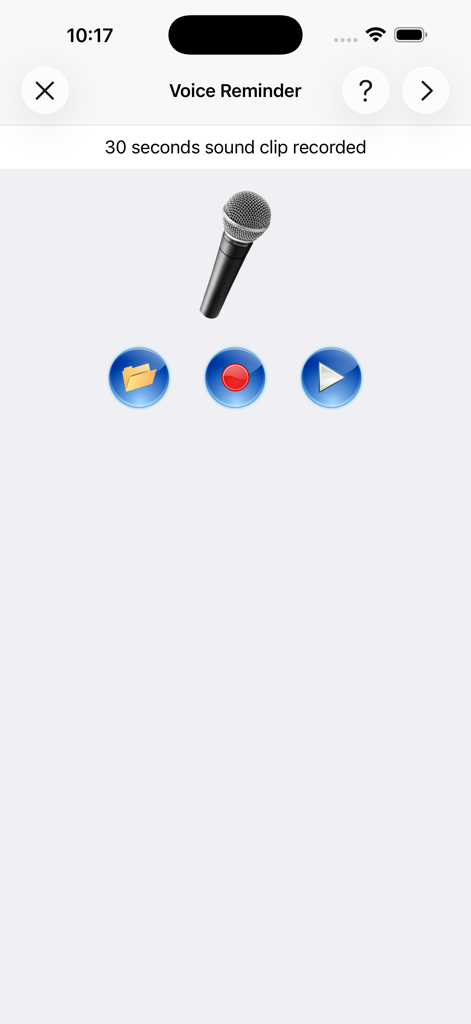
Interface for recording a voice reminder showing a microphone icon and playback controls
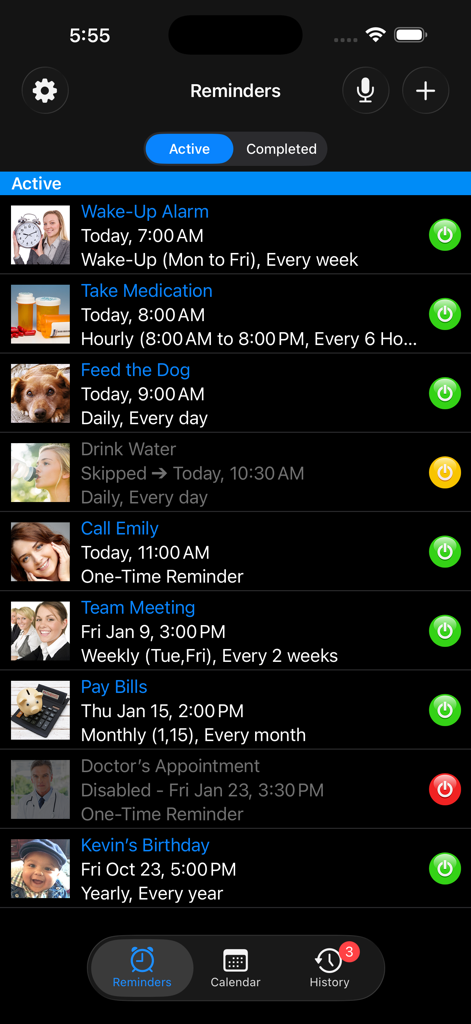
A list of active recurring reminders in the Aida Reminder app interface showing tasks like medication alarms and meetings in dark mode
Description
Download
More Like This
Top-ranked apps in the same category

ChatGPT
OpenAI OpCo, LLC

Google Gemini
Google LLC

Grok
X.AI Corporation

Gmail - Email by Google
Google LLC

千问 - 阿里最强大模型官方AI助手
Shanghai Zhixin Puhui Technology Co., Ltd.

Google Drive
Google LLC

Microsoft Authenticator
Microsoft Corporation

Google Sheets
Google LLC

Google Docs
Google LLC
This page is not an official page of the app or its developer, but an independent editorial publication created for informational and commentary purposes. Unless expressly stated otherwise, neither the app nor its developer is affiliated with, endorsed by, sponsored by, authorized by, or otherwise officially connected with MWM, Apple, Google Play, the app publisher, or the app's developer, and nothing on this page implies that the app was developed using MWM's services. Any trademarks, logos, screenshots, and other content remain the property of their respective owners.