Reminders with Voice Reminder
Download on App Store

This page is not an official page of the app or its developer, but an independent editorial publication created for informational and commentary purposes. Unless expressly stated otherwise, neither the app nor its developer is affiliated with, endorsed by, sponsored by, authorized by, or otherwise officially connected with MWM, Apple, Google Play, the app publisher, or the app's developer, and nothing on this page implies that the app was developed using MWM's services. Any trademarks, logos, screenshots, and other content remain the property of their respective owners.

Logo of Reminders with Voice Reminder
Download on App Store

Reminders with Voice Reminder

Stop ignoring generic pings. Use your own voice, set complex recurring alerts, and trust in auto-snooze features designed for high-stakes tasks that simply cannot be forgotten.

Key Figures

Downloads

244K+

User Rating

4.6/5

Total Ratings

2K+

Publisher

Sergio Licea

Category

Productivity

Locales

4

Latest Version

9.4

Size

12.4 MB

First Released

Oct 7, 2011
Features

The Ultimate Fail-Safe for Your Busy Life

Go beyond basic alerts. Whether it’s life-critical medication or household chores, our persistent, voice-guided reminders ensure you stay organized and stress-free.

Hear Your Tasks, Don’t Just Read Them

Record your own voice to create personal prompts that catch your attention more effectively than a standard digital beep.

Industrial-Strength Scheduling

Set complex repeats for the 3rd Monday of the month, every 4 hours, or specific intervals to match your unique family and work routine.

The following screenshots and description are sourced directly from the app's official store listing and are the property of the app developer.

App Store

Screenshots
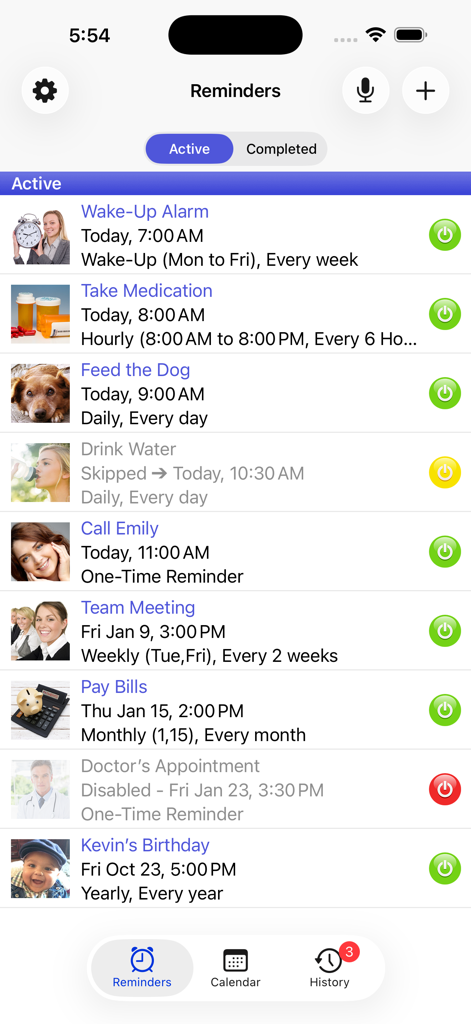
Reminders with Voice Reminder - A list of active reminders in the Aida Reminder app including medication and daily schedule alerts

A list of active reminders in the Aida Reminder app including medication and daily schedule alerts
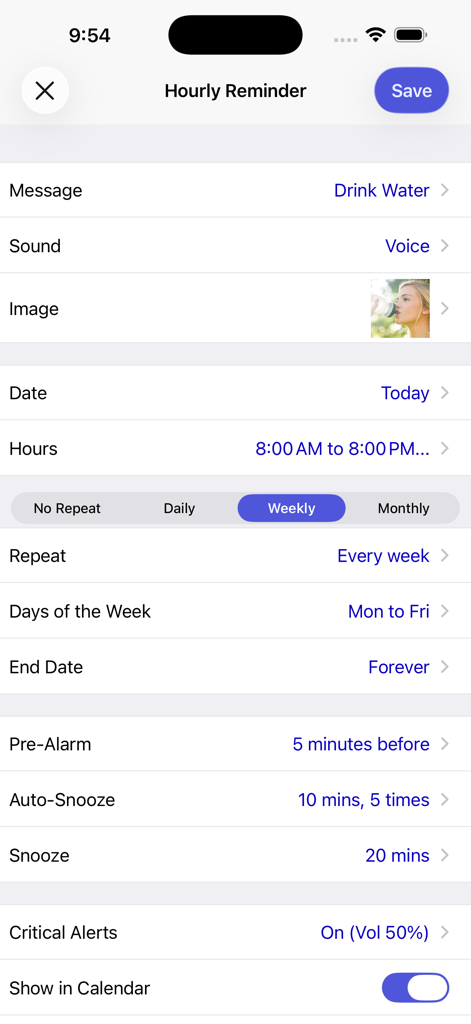
Reminders with Voice Reminder - Hourly reminder setup for drinking water with voice alerts and custom snooze settings
Hourly reminder setup for drinking water with voice alerts and custom snooze settings

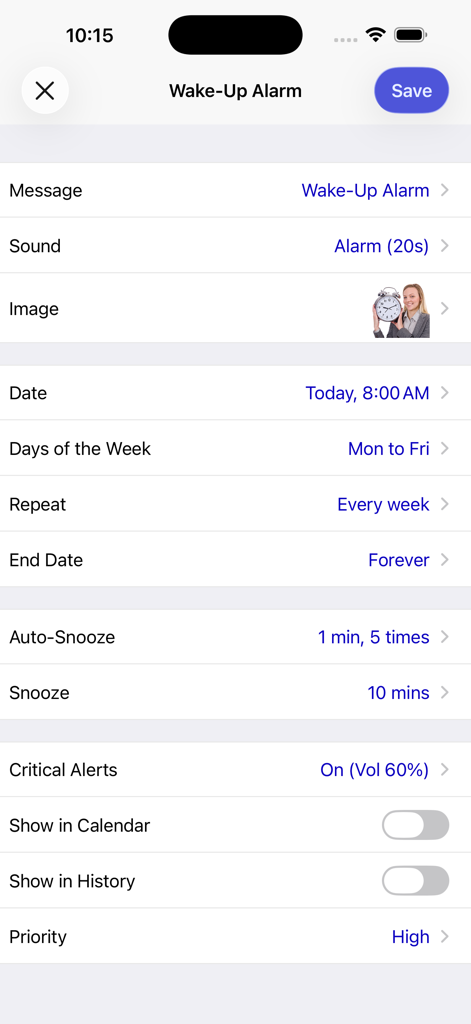
Reminders with Voice Reminder - Settings screen for a wake up alarm in the Aida Reminder app showing repeat and snooze options
Settings screen for a wake up alarm in the Aida Reminder app showing repeat and snooze options

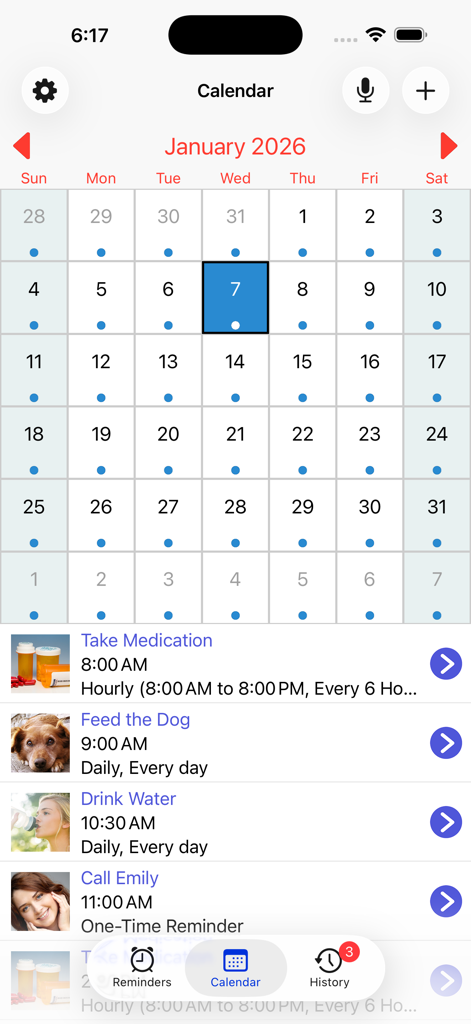
Reminders with Voice Reminder - Monthly calendar view in the Aida Reminder app showing a list of daily tasks including medication and pet care reminders.
Monthly calendar view in the Aida Reminder app showing a list of daily tasks including medication and pet care reminders.

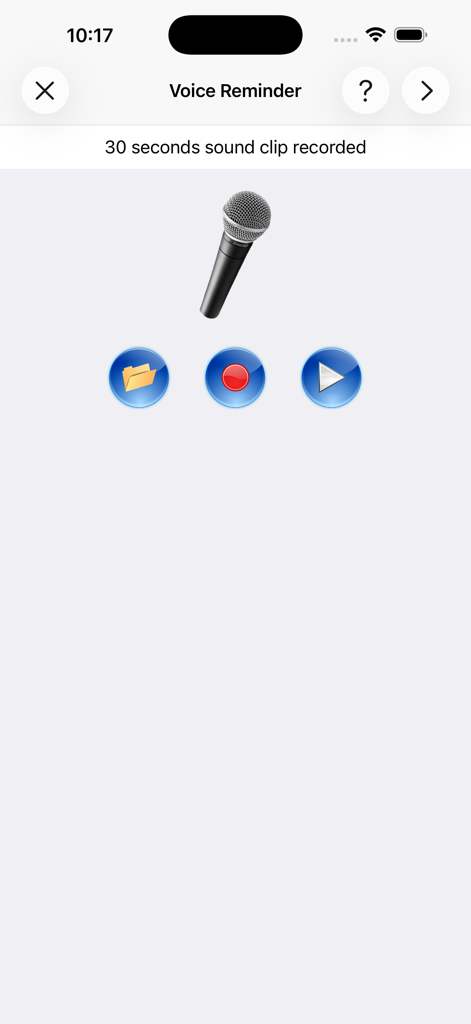
Reminders with Voice Reminder - Voice reminder recording screen in Aida app with microphone icon and audio control buttons
Voice reminder recording screen in Aida app with microphone icon and audio control buttons

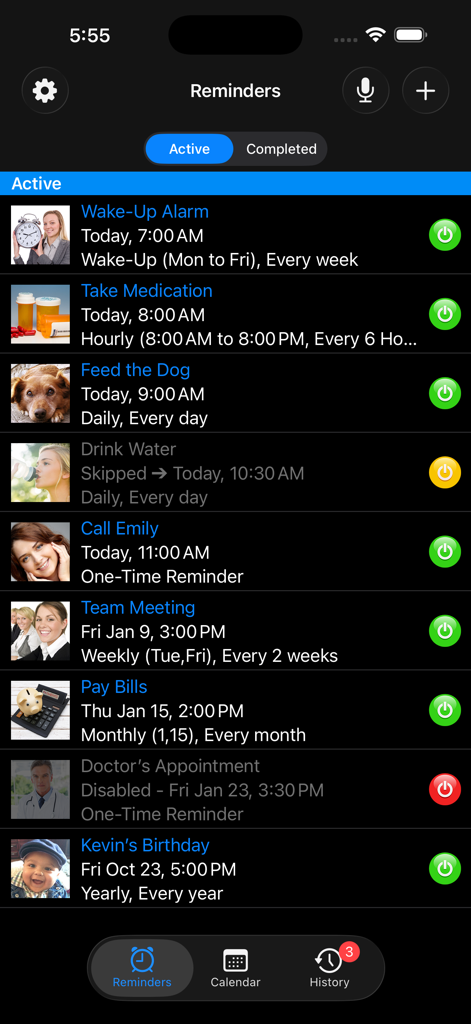
Reminders with Voice Reminder - List of active reminders and scheduled tasks in Aida Reminder app

List of active reminders and scheduled tasks in Aida Reminder app

Description

Aida Reminder lets you create reminders very easily and quickly. Recurring reminders are fully supported, you can set hourly, daily, weekly, monthly and yearly reminders, or even reminders for specific days of the week or month. It also has a wake-up alarm with a custom snooze time. Don't miss those important events ever again! Use your own voice recordings or pick a song from your music library and set it as the reminder sound. It will play at the scheduled time. RECURRING REMINDERS • Repeat every X hours, days, weeks, months or years (e.g. Every 4 hours, Every 2 days, Every 3 months, Every year) • Repeat on selected days of the week (e.g. Every week only on Mondays and Fridays) • Repeat on selected days of the month (e.g. Every month on the 15th, 3rd Monday of the month, Last weekday of the month) • Repeat every X hours (e.g. From 8 AM to 8 PM every 4 hours, From 9 AM to 4 PM every 2 hours and 20 mins) • Repeat every half hour (e.g. From 10 AM to 2 PM, every 30 minutes) • Repeat at specific times (e.g. 9:15 AM, 1:30 PM, 8:50 PM) MAIN FEATURES • Super fast, set up reminders in seconds • User friendly interface • 9 different categories to choose from: One-Time, Hourly, Daily, Weekly, Monthly, Yearly, Wake-Up Alarm, Voice Reminder, Music Reminder • Voice Reminders: Use your own voice to record reminders. They will play at the scheduled time • Music Reminders: Pick a song from your music library and set it as the reminder sound • Snooze reminders directly from the notification banner or from the lock screen • Auto-Snooze: Automatically repeat the alarm up to 5 times at regular intervals (e.g. 1 min, 10 mins, 30 mins) until you take action • Pre-Alarms: Receive up to 5 notifications before the scheduled date • Add images or photos to each reminder for easy identification • Option to skip the current alarm and reschedule it for the next repeating date • It has a calendar to show all reminders by month • Drop-down panel for easy access to quickly edit or reschedule any reminder • Easy one-tap action to turn individual reminders on or off • Option to pause all reminders when you don't want to be disturbed • Wake-up alarm with custom snooze time • See your past reminders in the History tab • Sort reminders by Priority or Activation Date • Backup and restore reminders on the same device or multiple devices • Auto-delete your completed reminders • More than 120 built-in images • 45 built-in alarm sounds GENERAL • Critical Alerts support • VoiceOver accessibility support • Dark Mode • Automatically adjusts to the font size selected on the device • Notifications are local. No internet connection required • App doesn't need to be open to receive notifications • Universal App, full native support for iPhone and iPad

Download

Download on App Store

This page is not an official page of the app or its developer, but an independent editorial publication created for informational and commentary purposes. Unless expressly stated otherwise, neither the app nor its developer is affiliated with, endorsed by, sponsored by, authorized by, or otherwise officially connected with MWM, Apple, Google Play, the app publisher, or the app's developer, and nothing on this page implies that the app was developed using MWM's services. Any trademarks, logos, screenshots, and other content remain the property of their respective owners.








