
This page is not an official page of the app or its developer, but an independent editorial publication created for informational and commentary purposes. Unless expressly stated otherwise, neither the app nor its developer is affiliated with, endorsed by, sponsored by, authorized by, or otherwise officially connected with MWM, Apple, Google Play, the app publisher, or the app's developer, and nothing on this page implies that the app was developed using MWM's services. Any trademarks, logos, screenshots, and other content remain the property of their respective owners.

Remote Controller for TV
Stop hunting for lost remotes. Take total control of your Roku with an effortless trackpad, built-in keyboard, and one-tap access to all your favorite streaming channels.
Downloads
12K+User Rating
Total Ratings
600Publisher
Category
EntertainmentLocales
1Latest Version
1.3.8Size
17.9 MBFirst Released
May 28, 2024Smart Control for Your Family Room
Your iPhone is always in reach—now your TV remote is too. Experience the most intuitive way to manage your Roku TV, from fast typing to instant app launching.
Quick Keyboard Search
Stop clicking letters one by one. Use your iPhone's keyboard to search for movies, shows, and YouTube videos in a flash.
Intuitive Touch Navigation
Glide through menus and streaming apps like Netflix or Disney+ with a spacious, responsive trackpad designed for one-handed use.
Frequently Asked Questions
Everything you need to know about Remote Controller for TV
How do I connect the Remote Controller for TV app to my Roku TV?
Yes, connecting Remote Controller for TV is simple. Ensure your iOS device and Roku TV are on the same Wi-Fi network. The app automatically detects and connects to your Smart TV with a tap.
What features does the Remote Controller for TV app offer?
The Remote Controller for TV app provides standard Roku remote functions, including channel management, volume, fast forward/rewind, and menu navigation via a trackpad. It also supports text searches and direct app launching.
Is Remote Controller for TV compatible with all Roku TV models?
Yes, Remote Controller for TV is compatible with all TV models running Smart TV OS. It supports various Roku models, including Roku 1, 2, 3, Streaming Stick, Express, Premiere, Ultra, and TVs from TCL, Sharp, Hisense, Philips, and Onn.
Can I use my phone's keyboard for text entry with Remote Controller for TV?
Yes, Remote Controller for TV allows fast text searches using your phone’s keyboard for channels like Netflix or YouTube, or for general Smart TV searches. Note: some apps like YouTube and Hulu+ use their own on-screen keyboards.
Does Remote Controller for TV replace my physical TV remote?
Yes, Remote Controller for TV acts as an original remote control. It grants access to all your device's functionalities directly from your smartphone, eliminating the need for a physical remote.
Is Remote Controller for TV an official Roku product?
No, Remote Controller for TV is not an official Roku product. The developers are not affiliated with the Roku company.
How do I navigate menus using the trackpad in Remote Controller for TV?
Remote Controller for TV includes a spacious trackpad for easy menu and content navigation. To use it, select the 'Trackpad' option, then swipe to navigate and tap to confirm selections.
Can Remote Controller for TV launch streaming apps directly?
Yes, Remote Controller for TV allows users to launch popular platforms such as YouTube, Netflix, Tubi, HBO, and Prime Video with a single tap.
The following screenshots and description are sourced directly from the app's official store listing and are the property of the app developer.
App Store
Screenshots
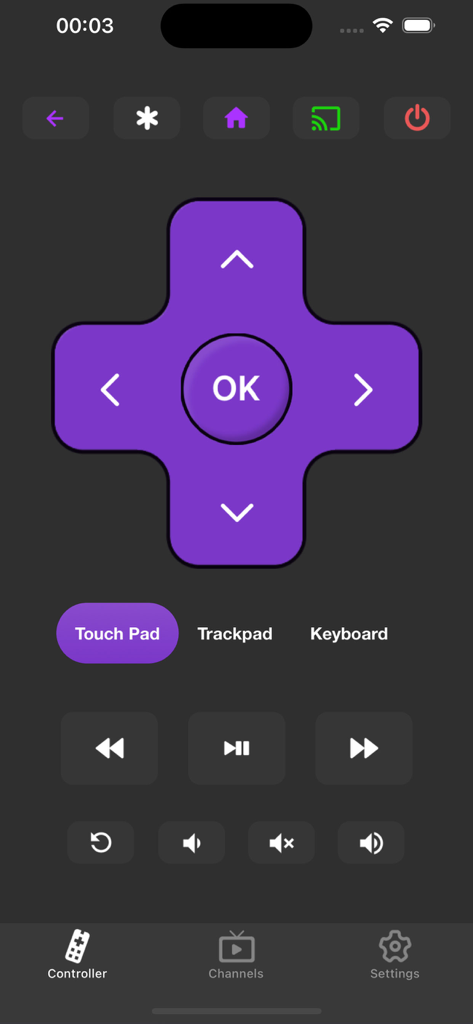
Smartphone app interface showing a virtual TV remote with a directional pad and media playback controls.
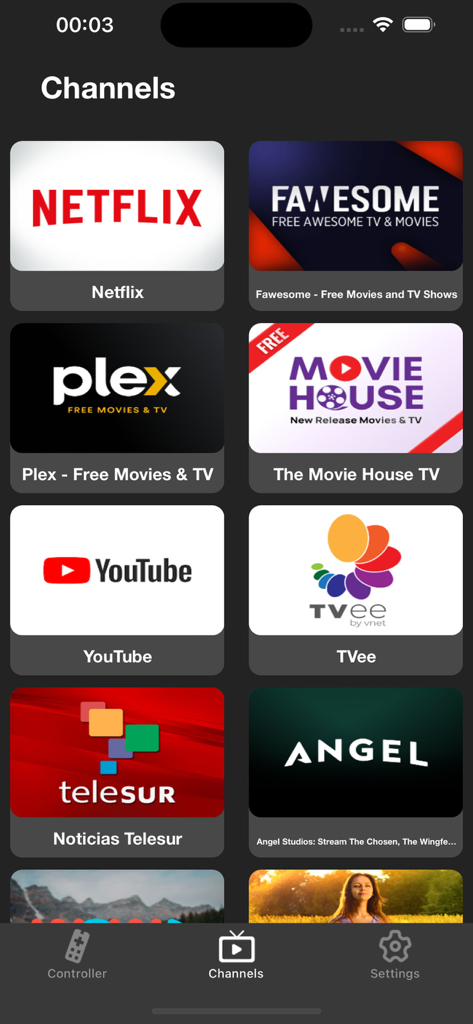
A mobile app screen titled Channels displaying various streaming service icons like Netflix and YouTube for easy TV control
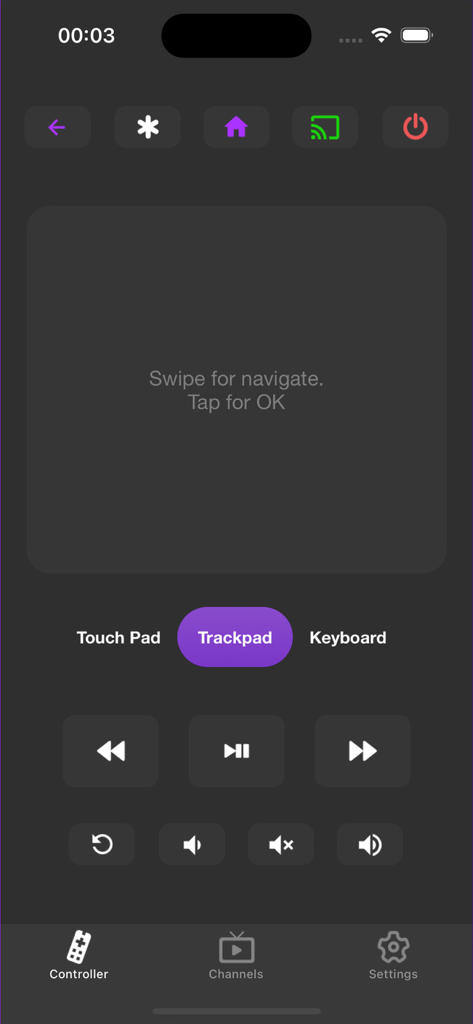
User interface of the Remote Controller for TV app featuring a digital trackpad and playback buttons
Description
Download
More Like This
Apps with similar features and user experience

The Roku App (Official)
ROKU INC

TV Remote & Smart TV Control
To Ngoc Mai

Universal TV Remote Control .
Apps Venture Inc.

TV Remote, Universal Remote
Hangzhou Yingshitong Technology Co., Ltd.

TV Remote Control “Universo”
Nemo Apps LLC

TV Remote・Universal Control #1
Mihai Turlea

Remote Smart Tv Universal
clement gasner

Remote TV Control TCL Onn App
CEMAL CAGLAR KIRICI

TV Remote Control Universal AI
Anh Ngo
This page is not an official page of the app or its developer, but an independent editorial publication created for informational and commentary purposes. Unless expressly stated otherwise, neither the app nor its developer is affiliated with, endorsed by, sponsored by, authorized by, or otherwise officially connected with MWM, Apple, Google Play, the app publisher, or the app's developer, and nothing on this page implies that the app was developed using MWM's services. Any trademarks, logos, screenshots, and other content remain the property of their respective owners.