
This page is not an official page of the app or its developer, but an independent editorial publication created for informational and commentary purposes. Unless expressly stated otherwise, neither the app nor its developer is affiliated with, endorsed by, sponsored by, authorized by, or otherwise officially connected with MWM, Apple, Google Play, the app publisher, or the app's developer, and nothing on this page implies that the app was developed using MWM's services. Any trademarks, logos, screenshots, and other content remain the property of their respective owners.


Remote for Samsung TV Smart
Physical remotes are dead. This app hands users total control over their Samsung TV, directly from their phone.
Downloads
1M+User Rating
Total Ratings
36.5KPublisher
Category
UtilitiesLocales
1Latest Version
1.0.31Size
83.7 MBFirst Released
Feb 6, 2024Key features that enhance the Samsung Smart TV control experience for tech-savvy users.
Evaluation of 'Remote for Samsung TV Smart'
Comprehensive TV Control
The app provides complete command over Samsung Smart TVs, replicating all physical remote functions and adding smart capabilities for comprehensive control.
One-Tap Streaming Access
It allows users to instantly launch popular streaming services like Netflix, Amazon Prime, and YouTube with dedicated buttons, streamlining content access.
Seamless Wi-Fi Connectivity
The app provides modern Wi-Fi connectivity, eliminating the need for infrared sensors and offering reliable control as long as both devices are on the same network.
Instant Auto-Connect
It allows users to quickly access their TV controls as the app automatically connects to the TV upon launch, saving time and improving user experience.
Multi-TV Management
This tool features the ability to connect and switch between multiple Samsung Smart TVs using a single smartphone, ideal for multi-TV households.
Intuitive & Sleek Design
The app provides a realistic, user-friendly interface with a sleek multi-button design, ensuring intuitive and comfortable operation for enhanced control.
Frequently Asked Questions
Everything you need to know about Remote for Samsung TV Smart
How do I connect the Controlla app to my Samsung TV?
The Controlla app connects to your Samsung Smart TV by ensuring both your mobile device and the TV are on the same Wi-Fi network. The app automatically connects your TV for quick access.
What features does the Controlla app offer for Samsung TVs?
The Controlla app provides complete control over your Samsung Smart TV, including channel and volume adjustment, navigation, a numbers keyboard, and dedicated streaming buttons for Netflix, Prime, and YouTube.
Does the Controlla app require an infrared connection for Samsung TVs?
No, the Controlla app does not require infrared equipment. It connects to your Samsung TV solely through a Wi-Fi connection.
How much does the Controlla app's Premium subscription cost annually?
The Controlla app's Premium subscription costs $39.99 per year in the United States. This annual fee is billed directly to your iTunes account upon purchase confirmation.
Can I use the Controlla app to turn my Samsung TV on and off?
Yes, the Controlla app supports turning your Samsung TV ON and OFF. This specific function is available for supported Samsung TV models only.
Is the Controlla app an official Samsung product?
No, the Controlla app is not an official Samsung application. It states clearly that it is not affiliated with Samsung Electronics in any way.
Can I switch between multiple Samsung TVs using the Controlla app?
Yes, the Controlla app allows you to connect to multiple Samsung TVs using the same phone. It also includes an option to switch between these connected devices seamlessly.
Does the Controlla app support quick access to streaming services like Netflix and YouTube?
Yes, the Controlla app provides dedicated streaming buttons for Netflix, Amazon Prime, and YouTube. These buttons offer quick access to your favorite content directly from the app.
Does the Controlla app provide a keyboard for typing on my Samsung TV?
Yes, the Controlla app features a keyboard function for typing on your Samsung TV. This simplifies text entry for searches and other interactions, replacing clunky on-screen keyboards.
The following screenshots and description are sourced directly from the app's official store listing and are the property of the app developer.
App Store
Screenshots
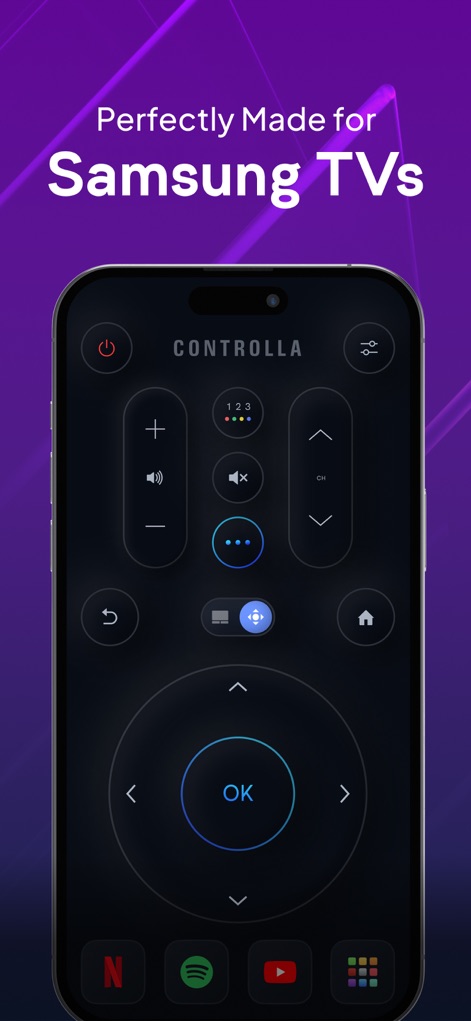
Experience the app's sleek multi-button design and quick access to streaming platforms like Netflix and YouTube for seamless navigation.
Intuitive Control Hub
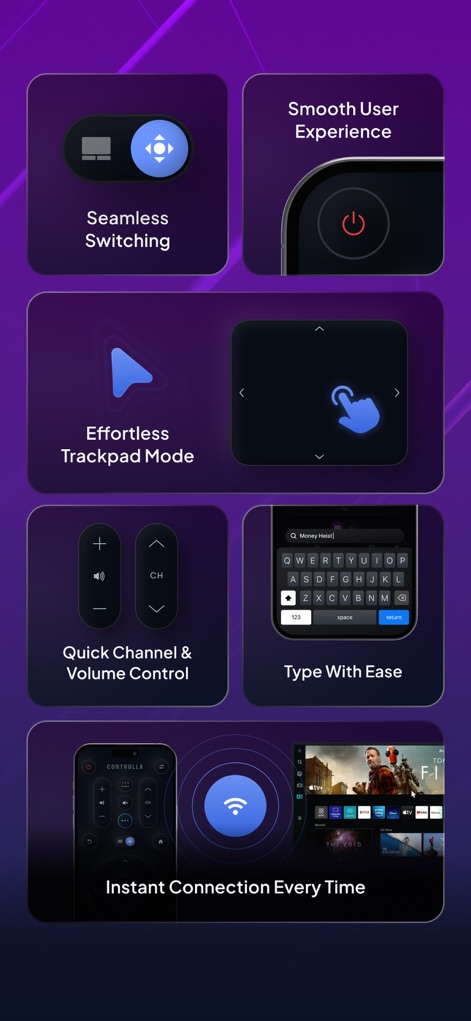
Discover the app's effortless Trackpad Mode for precise control and the convenient on-screen keyboard for easy text input.
Enhanced Navigation Features
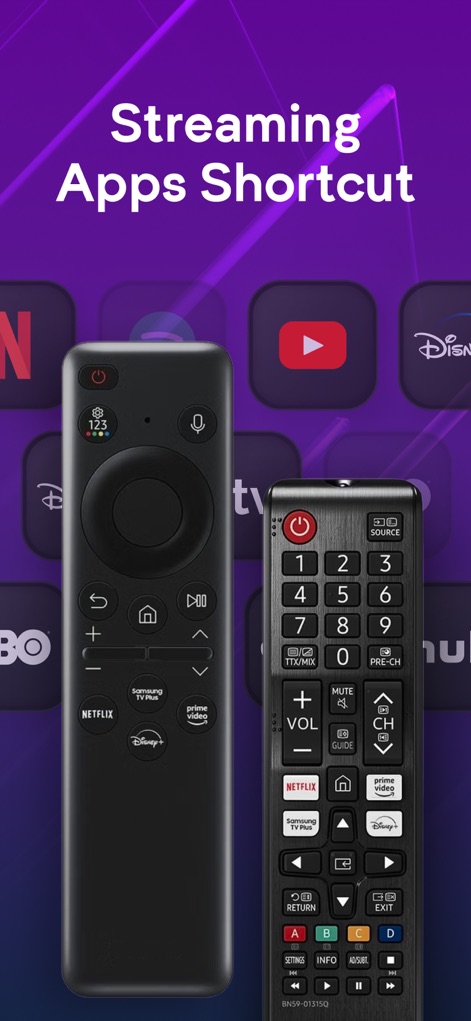
Benefit from the app's dedicated streaming app shortcuts for platforms like Netflix and YouTube, offering a modern alternative to traditional physical remotes.
Instant Streaming Access
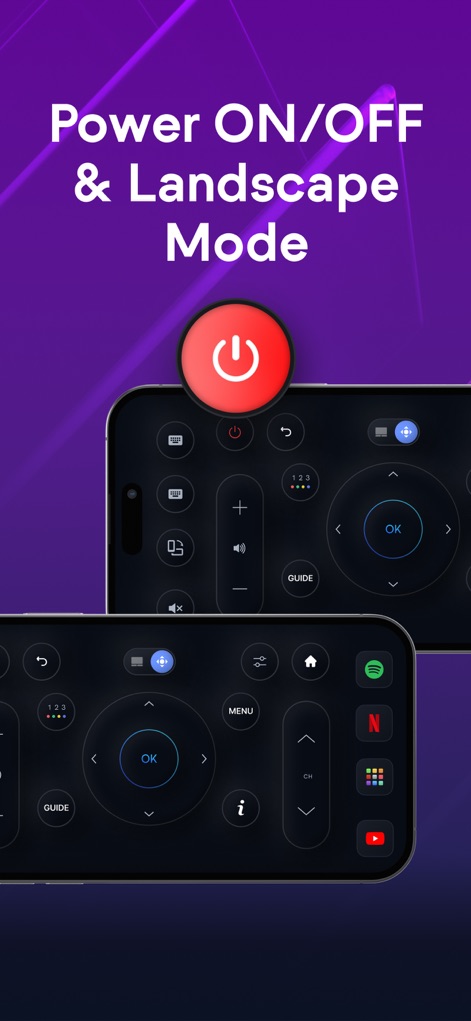
Utilize the app's direct Power ON/OFF button for your TV and enjoy the adaptable interface with full support for landscape mode.
Flexible TV Control
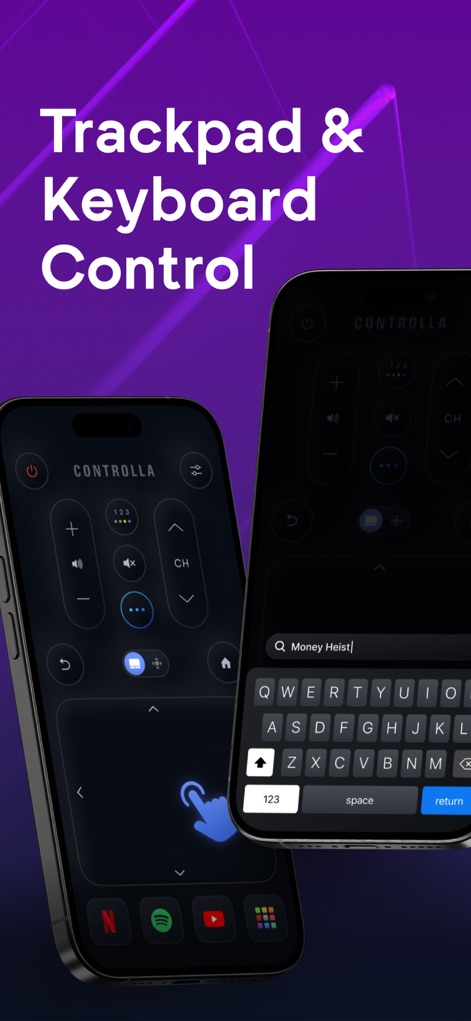
Navigate your TV effortlessly with the app's responsive trackpad and simplify searches using the efficient on-screen keyboard.
Intuitive Input Options
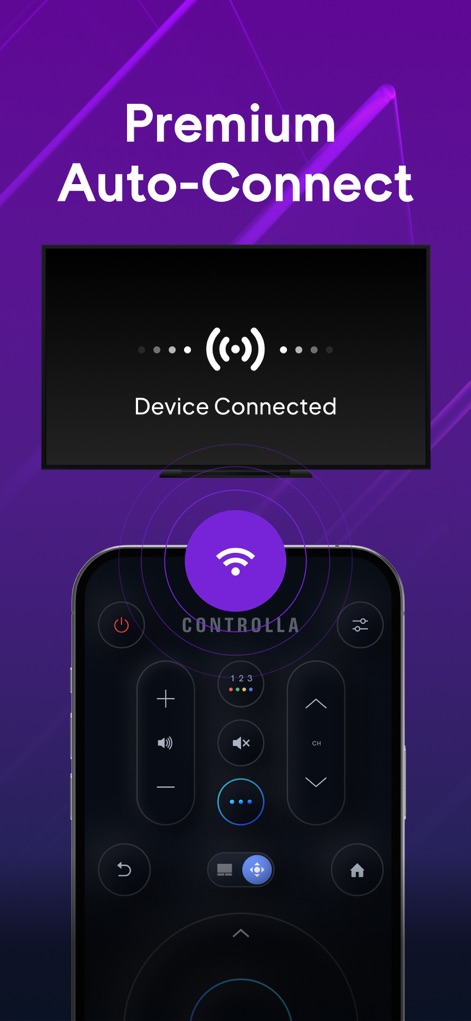
Experience instant and reliable connectivity with the app's auto-connection feature and its Wi-Fi-based operation, eliminating the need for infrared.
Seamless Auto-Connection
Description
Download
More Like This
Apps with similar features and user experience

The Roku App (Official)
ROKU INC

TV Remote & Smart TV Control
To Ngoc Mai

Universal TV Remote Control .
Apps Venture Inc.

TV Remote, Universal Remote
Hangzhou Yingshitong Technology Co., Ltd.

TV Remote Control “Universo”
Nemo Apps LLC

TV Remote・Universal Control #1
Mihai Turlea

Remote Smart Tv Universal
clement gasner

Remote TV Control TCL Onn App
CEMAL CAGLAR KIRICI

TV Remote Control Universal AI
Anh Ngo
This page is not an official page of the app or its developer, but an independent editorial publication created for informational and commentary purposes. Unless expressly stated otherwise, neither the app nor its developer is affiliated with, endorsed by, sponsored by, authorized by, or otherwise officially connected with MWM, Apple, Google Play, the app publisher, or the app's developer, and nothing on this page implies that the app was developed using MWM's services. Any trademarks, logos, screenshots, and other content remain the property of their respective owners.