
This page is not an official page of the app or its developer, but an independent editorial publication created for informational and commentary purposes. Unless expressly stated otherwise, neither the app nor its developer is affiliated with, endorsed by, sponsored by, authorized by, or otherwise officially connected with MWM, Apple, Google Play, the app publisher, or the app's developer, and nothing on this page implies that the app was developed using MWM's services. Any trademarks, logos, screenshots, and other content remain the property of their respective owners.


remove watermark video retouch
Effortlessly erase unwanted objects, people, and watermarks with AI-powered precision. Perfect your videos for Instagram, TikTok, and YouTube in just a few taps.
Downloads
243K+User Rating
Total Ratings
1K+Publisher
Category
Graphics & DesignLocales
1Latest Version
1.9Size
21.8 MBFirst Released
Jun 21, 2022Transform Your Content into Perfection
Harness the power of AI to erase distractions and watermarks instantly. Give your videos the professional, clean look your social media audience deserves.
AI-Powered Object Eraser
Effortlessly remove photobombers, watermarks, or stray objects with pinpoint accuracy using advanced AI algorithms.
Real-Time Instant Preview
See the magic happen as you edit. Adjust on the fly and save time with an intuitive interface designed for your fast-paced lifestyle.
Frequently Asked Questions
Everything you need to know about remove watermark video retouch
What does the remove watermark video retouch app do?
The remove watermark video retouch app effortlessly erases unwanted objects from videos. It leverages AI and algorithms to identify and remove people, overlays, blemishes, or other distractions from your footage.
Does remove watermark video retouch use AI for object removal?
Yes, remove watermark video retouch leverages powerful artificial intelligence and advanced algorithms. These technologies precisely identify and remove unwanted objects from your videos.
What types of objects can remove watermark video retouch remove?
Remove watermark video retouch can remove people, overlays, blemishes, text, and other distractions from videos. It provides precision removal for various unwanted elements.
Can I preview changes in real-time with remove watermark video retouch?
Yes, remove watermark video retouch features a real-time preview. This allows users to witness the object disappear from their video instantly and make adjustments as needed.
Does remove watermark video retouch preserve video quality?
Yes, remove watermark video retouch preserves the original resolution and clarity of your footage. The app ensures the final edited video maintains a professional and polished appearance.
How do I save or share videos edited with remove watermark video retouch?
Remove watermark video retouch allows users to save edited videos directly to their device's gallery. Users can also share them instantly on social media platforms or messaging apps.
Is remove watermark video retouch a free app?
Remove watermark video retouch offers a free version with ads and limited features. Users can purchase a Video Retouch Premium subscription for advanced features and to remove advertisements.
Does remove watermark video retouch offer a free trial for its premium subscription?
Yes, remove watermark video retouch offers a 3-day free trial for monthly premium and a 7-day free trial for yearly premium subscriptions. Trial details are available during signup.
How much does remove watermark video retouch Premium cost?
Remove watermark video retouch Premium Monthly costs $0.99 per month with a 3-day free trial. Premium Yearly costs $5.99 per year with a 7-day free trial.
How do I cancel my remove watermark video retouch Premium subscription?
Users can turn off auto-renew at any time from their iTunes account settings. To avoid renewal charges, cancellation must occur at least 24 hours before the subscription or trial ends.
Where can I find the privacy policy for remove watermark video retouch?
The privacy policy for remove watermark video retouch is available at https://www.racersoft.in. This link provides details on data handling and user privacy.
The following screenshots and description are sourced directly from the app's official store listing and are the property of the app developer.
App Store
Screenshots
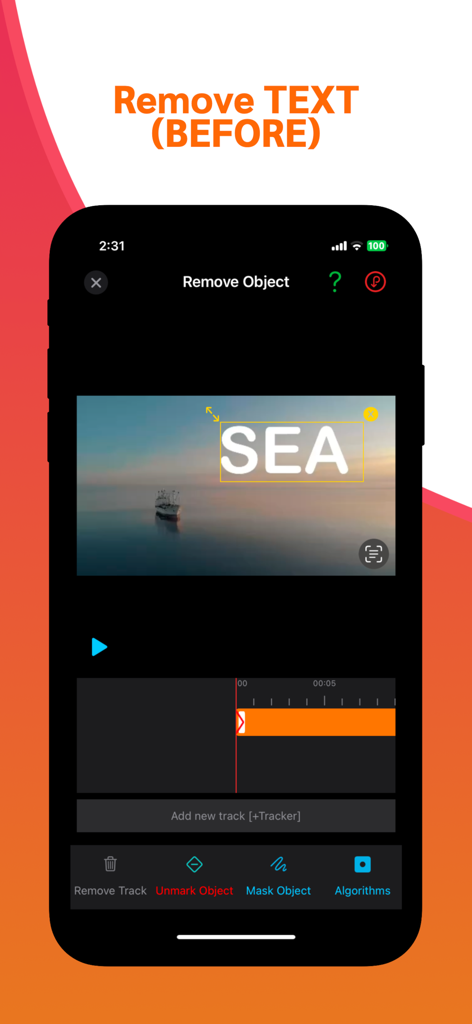
Interface of the video retouch app showing a text overlay selected for removal on a scenic video.
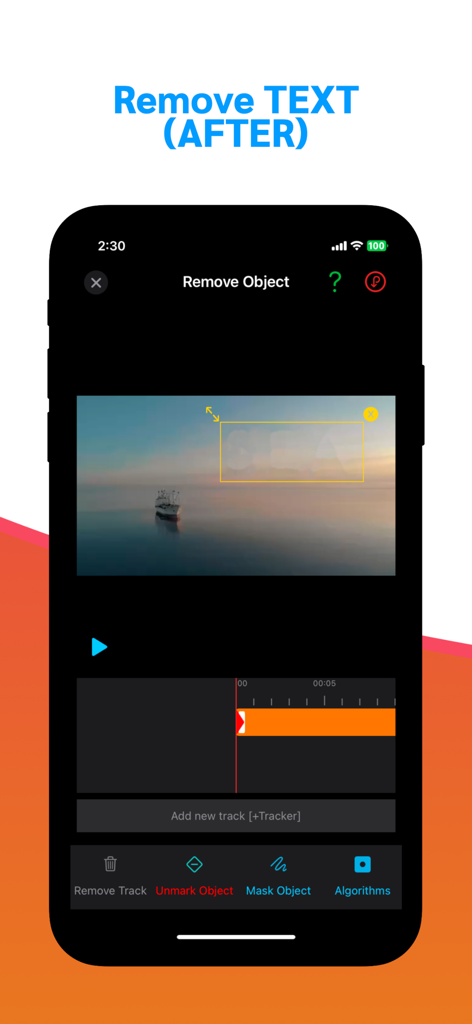
iPhone screenshot showing the remove watermark video retouch app interface with a blurred text mask over a video of a boat at sea
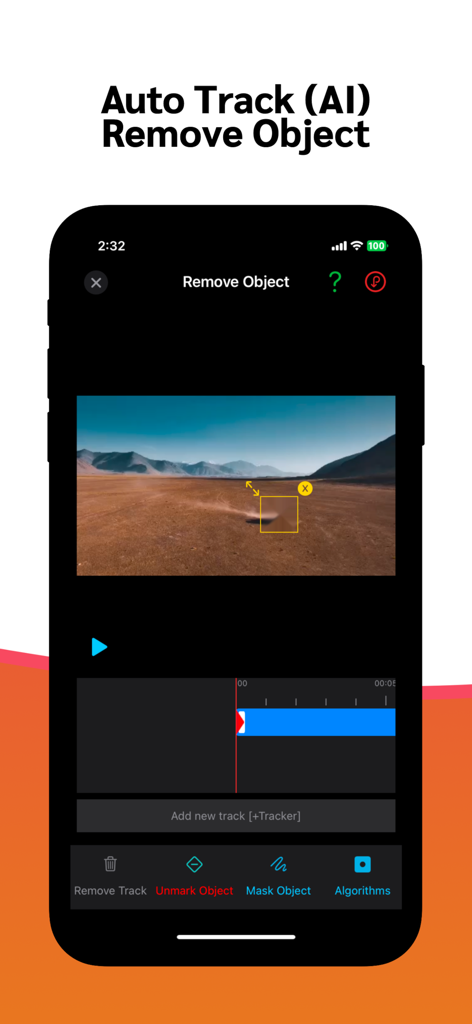
Interface of the Video Retouch app demonstrating AI object tracking and removal on a landscape video.
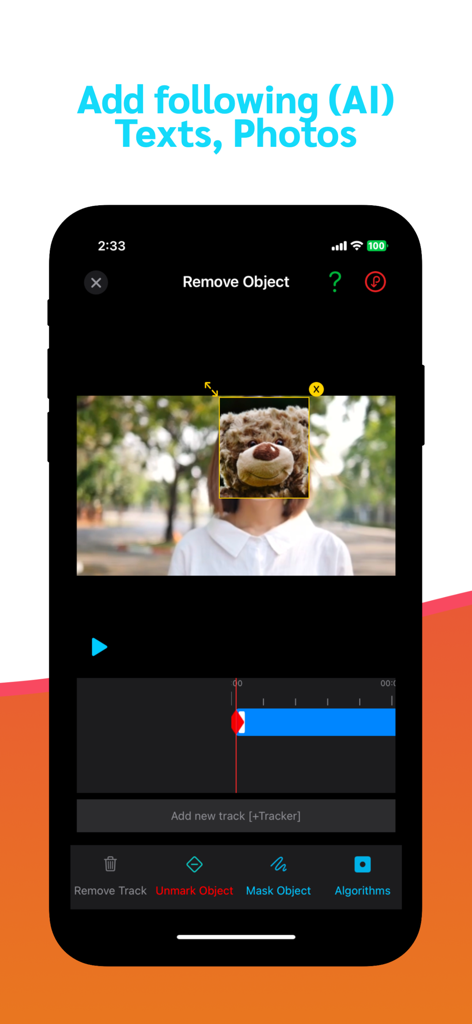
Mobile interface of the video retouch app showing AI powered object removal and masking tools
Description
Download
More Like This
Apps with similar features and user experience

CocoAI - BG Remover
Beijing Jianchang Technology Co., Ltd.

水印宝-视频水印助手软件
Beijing Pengtuzhumeng Technology Co., Ltd.

Photo Retouch - Remove object
化媚 席

PhotoBy-Batch adding borders
岳森 刘

Watermarkly ― Watermark Maker
Julia Nikitina

去水印大师-短视频编辑助手
志阳 郭

大神水印-照片图像制作修图神器
伟 黄

Add Watermark -Batch Process
Saraswati Javalkar

Background Eraser: AI Remove
SUNWOONG JANG
This page is not an official page of the app or its developer, but an independent editorial publication created for informational and commentary purposes. Unless expressly stated otherwise, neither the app nor its developer is affiliated with, endorsed by, sponsored by, authorized by, or otherwise officially connected with MWM, Apple, Google Play, the app publisher, or the app's developer, and nothing on this page implies that the app was developed using MWM's services. Any trademarks, logos, screenshots, and other content remain the property of their respective owners.