Resize it - compress any image
Download on App Store

This page is not an official page of the app or its developer, but an independent editorial publication created for informational and commentary purposes. Unless expressly stated otherwise, neither the app nor its developer is affiliated with, endorsed by, sponsored by, authorized by, or otherwise officially connected with MWM, Apple, Google Play, the app publisher, or the app's developer, and nothing on this page implies that the app was developed using MWM's services. Any trademarks, logos, screenshots, and other content remain the property of their respective owners.


Logo of Resize it - compress any image
Download on App Store

Resize it - compress any image

Stop deleting your favorite memories. Shrink photos in seconds without losing quality and keep your data private with 100% on-device processing.

Key Figures

Downloads

30K+

User Rating

4.7/5

Total Ratings

1000

Publisher

LANARS LLC

Category

Photo & Video

Locales

34

Latest Version

1.5.0

Size

7.6 MB

First Released

Jul 24, 2020
Features

Reclaim Your iPhone Storage

Stop choosing which memories to delete. Shrink your photo library in seconds while keeping every detail sharp and clear.

Smart Batch Compression

Optimize up to 20 photos at once. Free up gigabytes of space for new apps and videos without losing a single memory.

100% On-Device Privacy

Your photos never leave your phone. All compression happens locally, ensuring your personal data stays private and secure.

The following screenshots and description are sourced directly from the app's official store listing and are the property of the app developer.

App Store

Screenshots
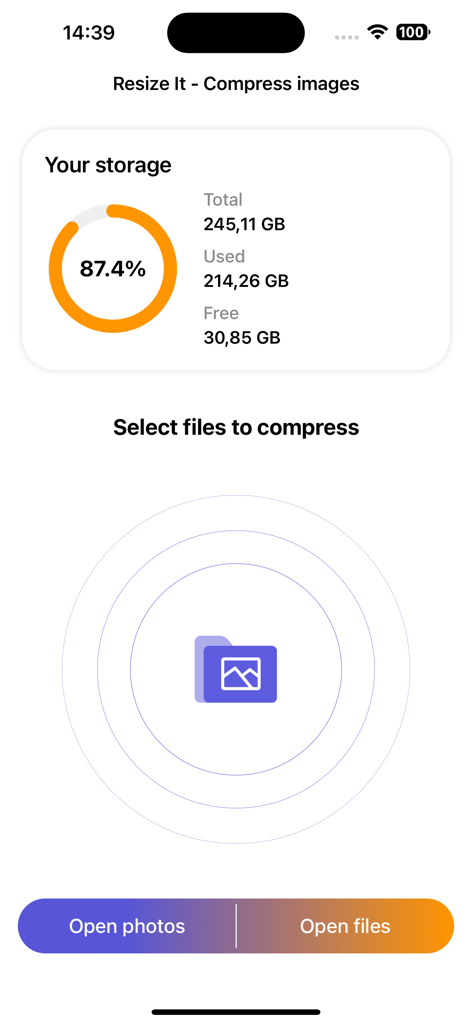
Resize it - compress any image - The Resize It app interface showing a storage capacity chart and options to select photos or files for compression
The Resize It app interface showing a storage capacity chart and options to select photos or files for compression

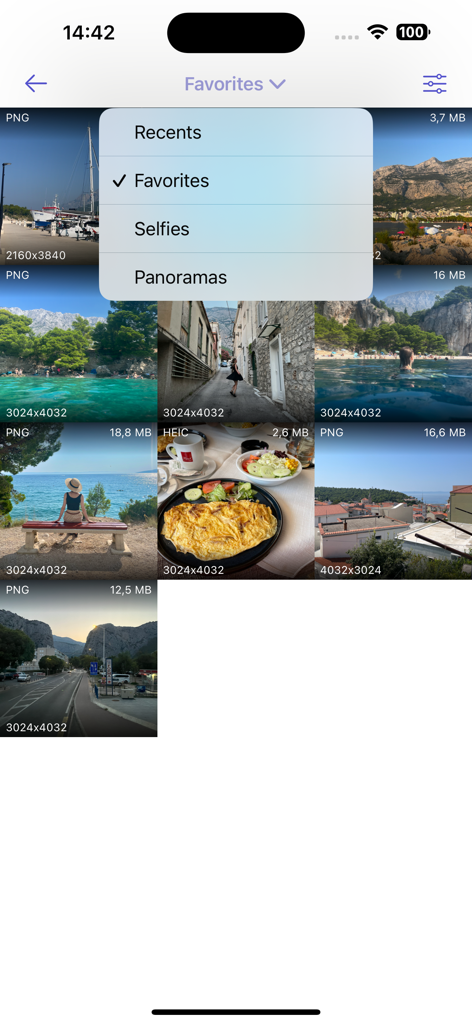
Resize it - compress any image - Screenshot of the Resize it app photo gallery showing file sizes and a dropdown menu to filter images by categories like Favorites and Selfies.
Screenshot of the Resize it app photo gallery showing file sizes and a dropdown menu to filter images by categories like Favorites and Selfies.

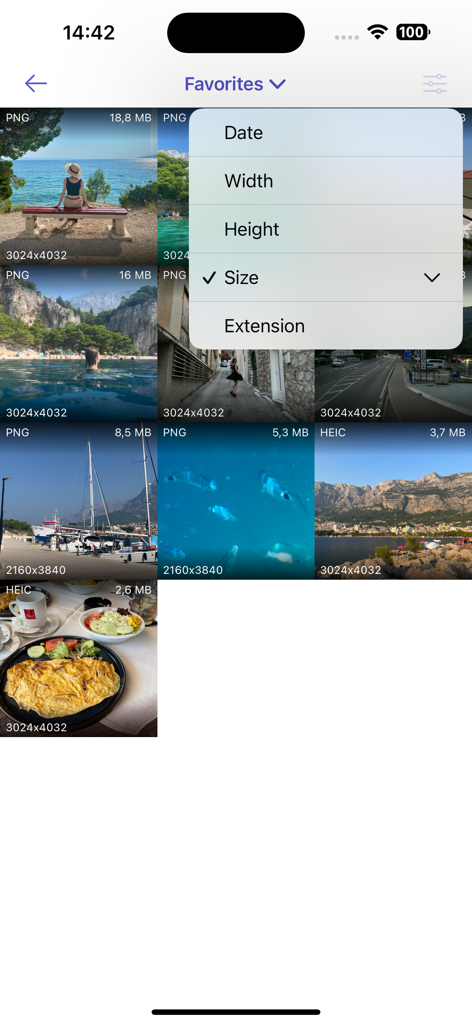
Resize it - compress any image - Sorting photos by file size in the Resize it app gallery view
Sorting photos by file size in the Resize it app gallery view

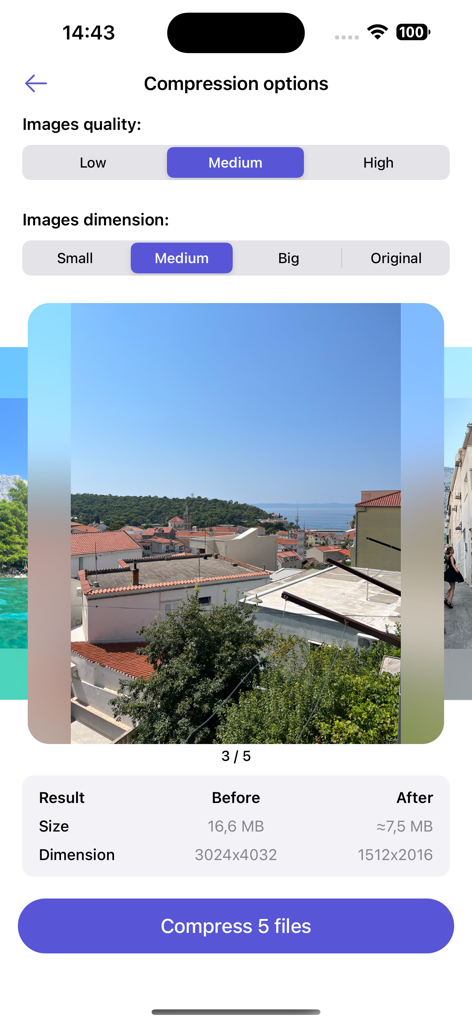
Resize it - compress any image - Interface of the Resize it app showing image quality and dimension settings for compressing multiple photos
Interface of the Resize it app showing image quality and dimension settings for compressing multiple photos

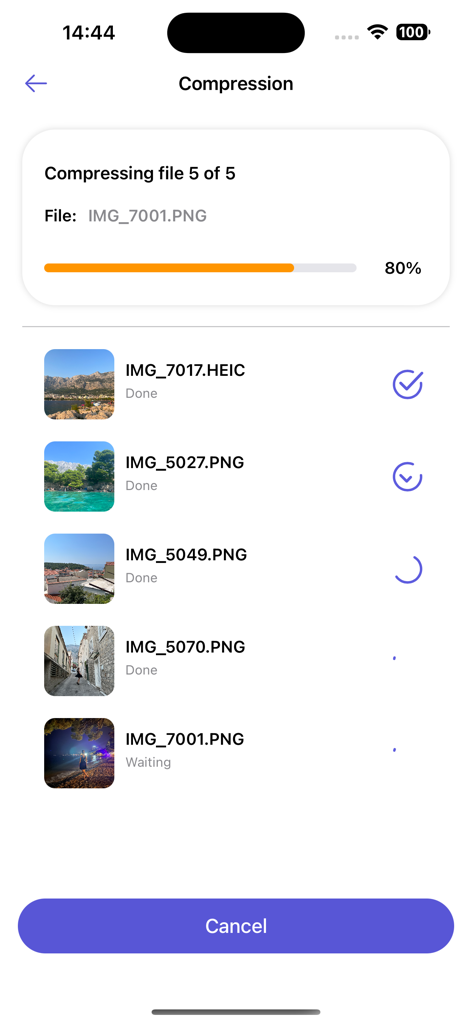
Resize it - compress any image - Interface of the Resize it app showing a progress bar for batch photo compression of HEIC and PNG files.
Interface of the Resize it app showing a progress bar for batch photo compression of HEIC and PNG files.

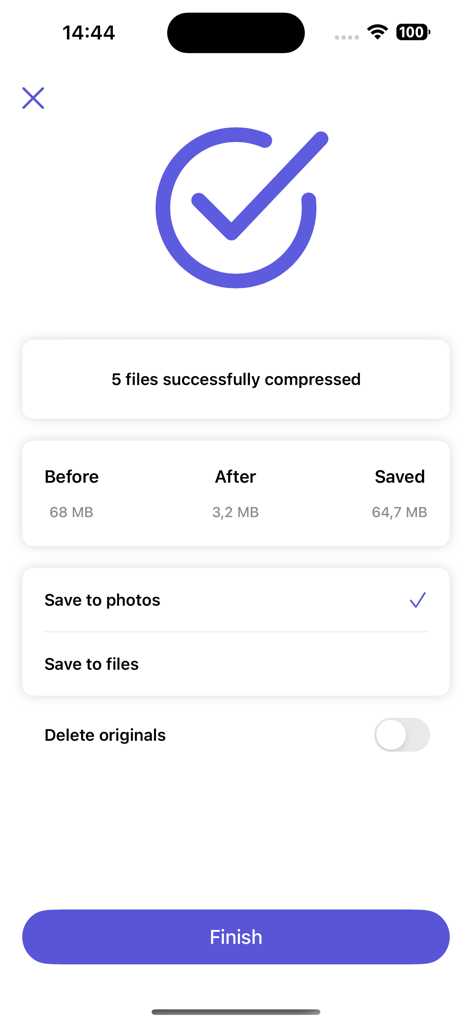
Resize it - compress any image - Success screen of Resize it app showing 64.7 MB of storage saved after compressing 5 images.

Success screen of Resize it app showing 64.7 MB of storage saved after compressing 5 images.

Description

Compressor and resizer for one or several images (up to 20 images at a time). Helps free up disk space. If your storage space is almost full and you are struggling with deciding what to delete, you need this app in your life! No need to delete photos, apps, or music you like anymore, this application will compress your photos and free up disk space without unnecessary losses. This also helps with upload speed if your internet connection is not the best at the moment, since smaller files are faster to upload and send via WhatsApp, Messenger, Instagram, or any other messaging application. Compresses images one by one or several at once. You can minimize the size of just one picture, or an entire album to save storage. The algorithm of this application allows you to reduce image sizes and save up disk space without compromising the quality of the images. Download the app and test this modern way of handling data! You can delete the original photos or keep them in case you need them for something else. Image formats supported by the app: jpeg, png, heic, heif, svg, gif, tiff, webp Here are some reasons to use our image compressor regularly: - Save disk space on your device without quality loss - Helpful and very easy to use - Minimize the sizes of you files and send them to your friends and family faster - Faster uploading in case of slow internet connection - Optimization of image quality - Keep both resized and original images if you wish - Add multiple files at a time for a faster compression - No need to delete files, apps, games, songs you like to free up space - Supports a lot of different formats, more than your average image compressor - No need to use suspicious online compressors with pop-up ads Privacy: image formatting is performed on the device, no data is sent to any servers nor clouds, only local compressions. If you are worried about your data being shared, this is not the case! This also means that every operation is performed faster, since your device does not connect to a remote location to compress your images. Deleted images can be found in the "Recently Deleted" folder. If you accidentally delete a file you need, you can still recover it from the “Recently Deleted” folder and have no regrets! Imagine a world where you do not have to struggle and choose what to delete in order to free up some disk space on your device. Download this image compressor and test all the benefits it has to offer! We’re planning to develop our application together with you. For any questions, contact support - hello@lanars.com

Download

Download on App Store

This page is not an official page of the app or its developer, but an independent editorial publication created for informational and commentary purposes. Unless expressly stated otherwise, neither the app nor its developer is affiliated with, endorsed by, sponsored by, authorized by, or otherwise officially connected with MWM, Apple, Google Play, the app publisher, or the app's developer, and nothing on this page implies that the app was developed using MWM's services. Any trademarks, logos, screenshots, and other content remain the property of their respective owners.








