
This page is not an official page of the app or its developer, but an independent editorial publication created for informational and commentary purposes. Unless expressly stated otherwise, neither the app nor its developer is affiliated with, endorsed by, sponsored by, authorized by, or otherwise officially connected with MWM, Apple, Google Play, the app publisher, or the app's developer, and nothing on this page implies that the app was developed using MWM's services. Any trademarks, logos, screenshots, and other content remain the property of their respective owners.


Reverse Video - Play Backwards
The ultimate one-tap tool for casual creators to reverse video and audio. Adjust speed, add a magic touch, and share scroll-stopping content directly to TikTok and Reels.
Downloads
5K+User Rating
Total Ratings
100Publisher
Category
Photo & VideoLocales
1Latest Version
1.0.315Size
24.5 MBFirst Released
Dec 6, 2020Unlock the Magic of Reverse Motion
Designed for creators who want to stand out. Turn simple clips into viral content with instant reversal, custom speed, and full audio support.
Seamless Video & Audio Flip
Reverse both image and sound in one tap. Perfect for physics-defying stunts, magic tricks, and hilarious secret-message memes.
Dynamic Speed Control
Transform your footage into cinematic slow-mo or high-speed chaos. Fine-tune the tempo to create the perfect scroll-stopping vibe.
Frequently Asked Questions
Everything you need to know about Reverse Video - Play Backwards
What is the main function of the Reverse Video - Play Backwards app?
The Reverse Video - Play Backwards app converts any video to play in reverse, including both its image and audio. It also offers speed adjustment for the reversed video.
Does Reverse Video - Play Backwards reverse audio as well as video?
Yes, Reverse Video - Play Backwards converts videos to play backwards with the audio included. Both the visual and auditory elements are reversed simultaneously.
How does the Reverse Video - Play Backwards app ensure privacy?
Reverse Video - Play Backwards ensures privacy by performing all video adjustment processes offline. Video and audio data never leave the user's device.
Can users adjust the speed of reversed videos in Reverse Video - Play Backwards?
Yes, users can adjust the speed of their reversed videos within Reverse Video - Play Backwards. The app allows making videos faster or slower.
What are the steps to create a reversed video using Reverse Video - Play Backwards?
To create a reversed video, select a video, preview the result in real-time, and then export it. The app provides options to select from camera, photos, or files.
Is Reverse Video - Play Backwards available on all iOS devices?
Yes, Reverse Video - Play Backwards is available on all iOS devices. The app supports a wide range of Apple mobile platforms.
Can I share my reversed videos directly from the Reverse Video - Play Backwards app?
Yes, after creating a reversed video with Reverse Video - Play Backwards, users can easily share it to social networks or save it to their camera roll using the export button.
The following screenshots and description are sourced directly from the app's official store listing and are the property of the app developer.
App Store
Screenshots
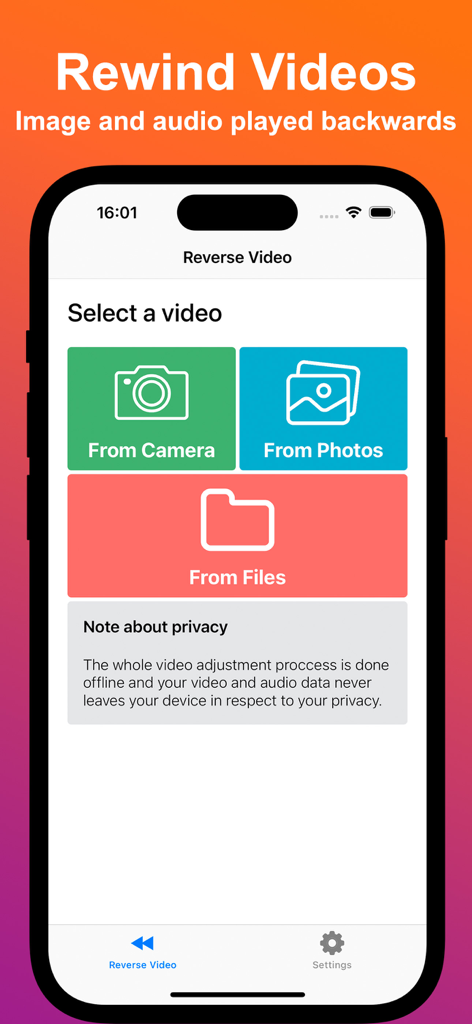
Interface of the Reverse Video app showing options to select a video from camera, photos, or files.
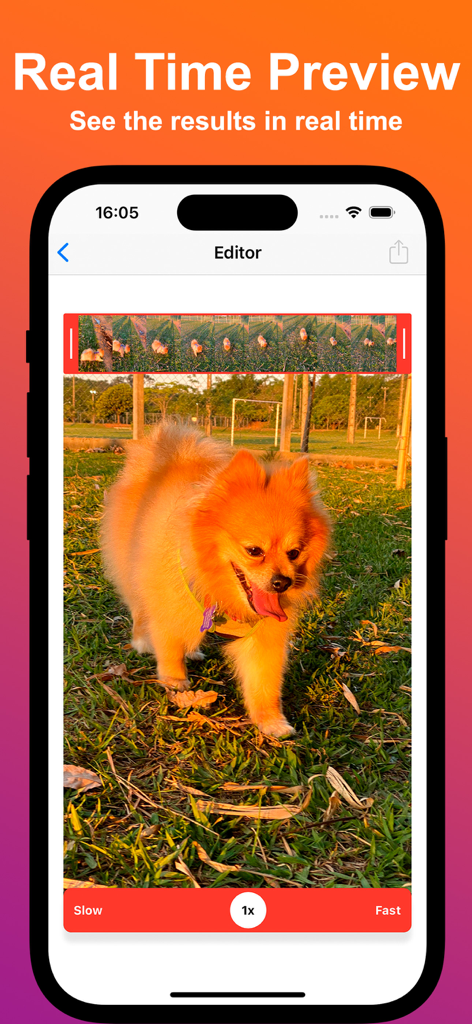
Interface of Reverse Video app showing a real-time preview of a video being edited with speed control options
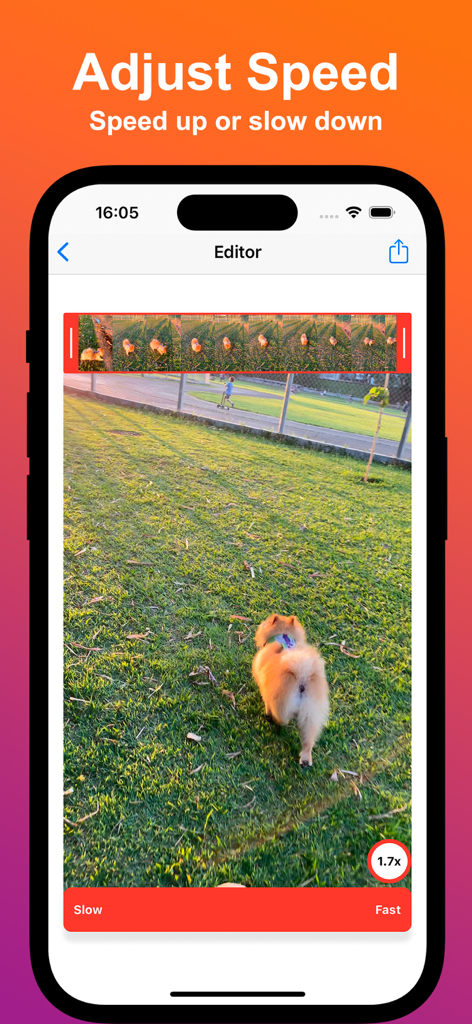
Reverse Video app editor showing speed adjustment settings for a video of a dog
Description
Download
More Like This
Top-ranked apps in the same category

CapCut: Photo & Video Editor
BYTEDANCE PTE. LTD.

Instagram, Inc.

YouTube
Google LLC

Canva: AI Photo & Video Editor
Canva Pty Ltd

Snapchat
Snap, Inc.

快手
Beijing Kwai Technology Co., Ltd.

Edits: Video Editor
Instagram, Inc.

Meitu- AI Photo & Video Editor
Xiamen Meitu Technology Co., Ltd.

Google Photos: Backup & Edit
Google LLC
This page is not an official page of the app or its developer, but an independent editorial publication created for informational and commentary purposes. Unless expressly stated otherwise, neither the app nor its developer is affiliated with, endorsed by, sponsored by, authorized by, or otherwise officially connected with MWM, Apple, Google Play, the app publisher, or the app's developer, and nothing on this page implies that the app was developed using MWM's services. Any trademarks, logos, screenshots, and other content remain the property of their respective owners.