reWASD Mobile

reWASD Mobile

Download on App Store
Logo of reWASD Mobile

reWASD Mobile: Your Pro-Grade Second Screen and Virtual Controller

Eliminate Alt-Tab fatigue by managing your PC configurations on the fly. Transform your device into a fully functional gamepad and stay in control with real-time mapping notifications.

Download on App Store

Publisher

AVB Disc Soft, SIA

Category

Utilities

Downloads

2K+

User Rating

3.4/5

Total Ratings

0

Locales

10

Precision at Your Fingertips

Discover the interface used by 2K+ users.
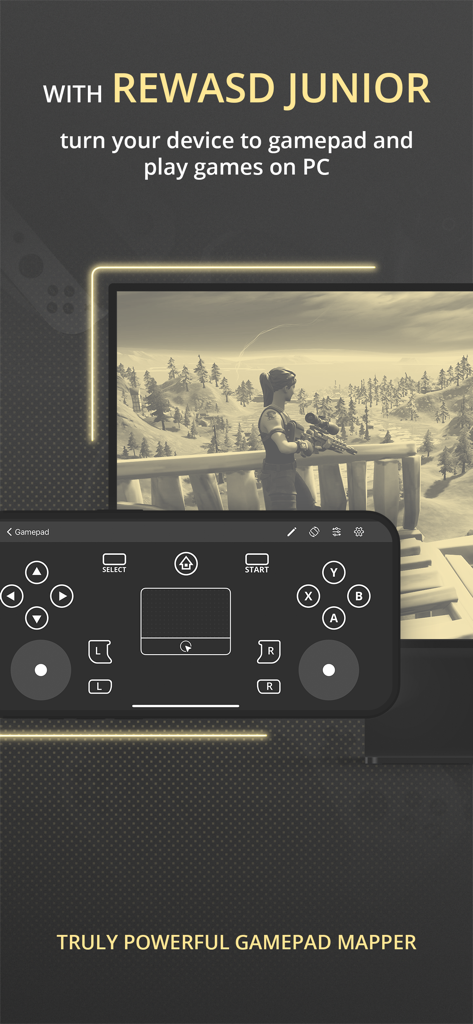
A smartphone displaying the reWASD Mobile virtual gamepad interface used for PC gaming.

A smartphone displaying the reWASD Mobile virtual gamepad interface used for PC gaming.

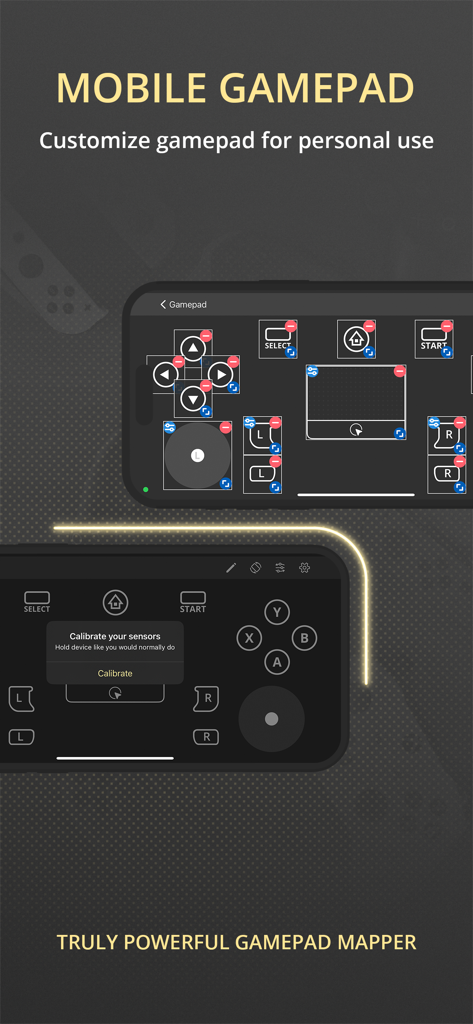
Customizable mobile gamepad interface with virtual buttons and sensor calibration

Customizable mobile gamepad interface with virtual buttons and sensor calibration

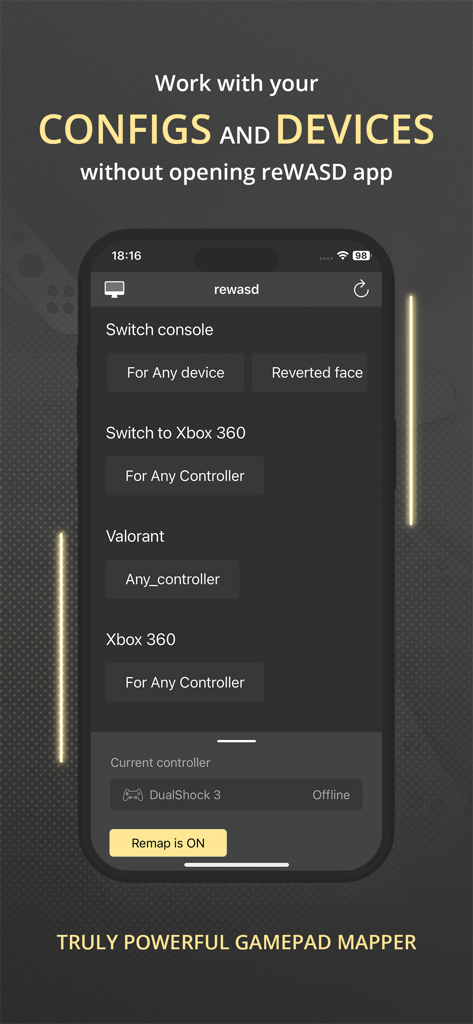
reWASD Mobile app interface showing controller configurations for Valorant and Xbox 360 on an iPhone screen

reWASD Mobile app interface showing controller configurations for Valorant and Xbox 360 on an iPhone screen

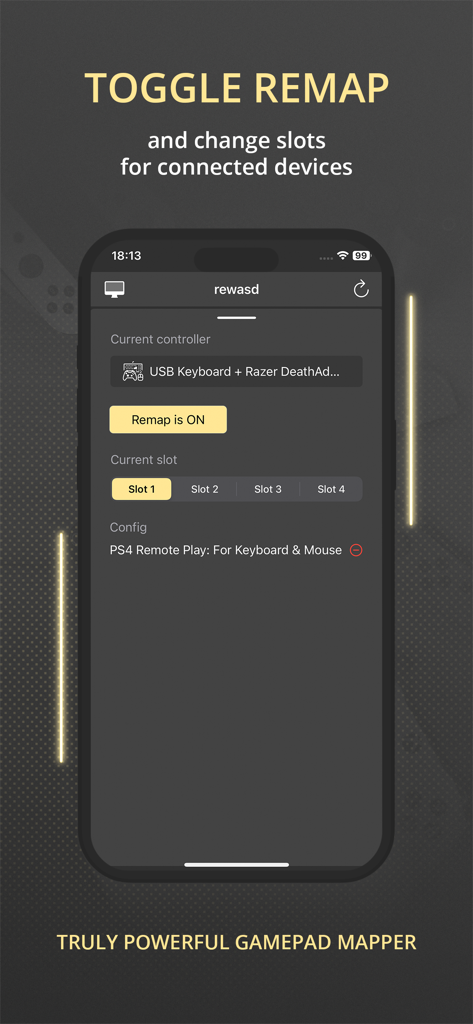
reWASD Mobile app interface showing remap toggle and controller slot selection

reWASD Mobile app interface showing remap toggle and controller slot selection

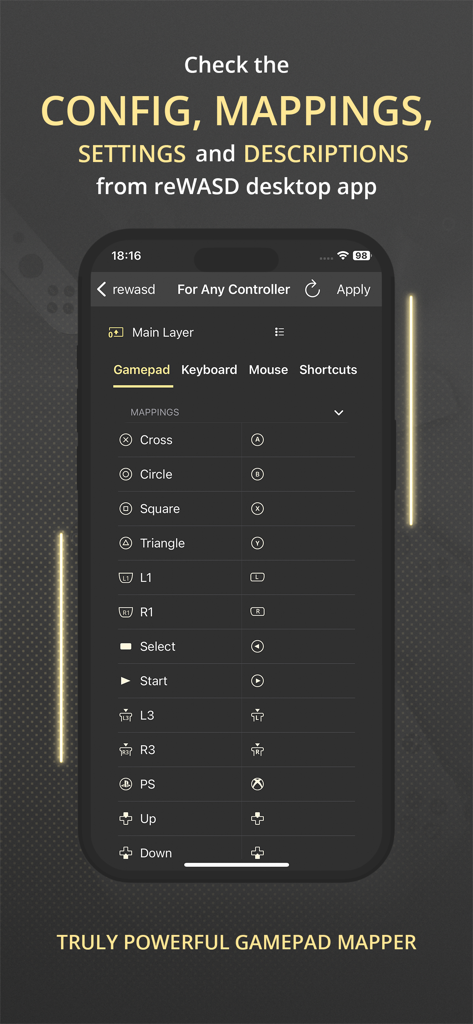
Interface of the reWASD Mobile app showing a detailed list of gamepad button mappings and configuration settings

Interface of the reWASD Mobile app showing a detailed list of gamepad button mappings and configuration settings

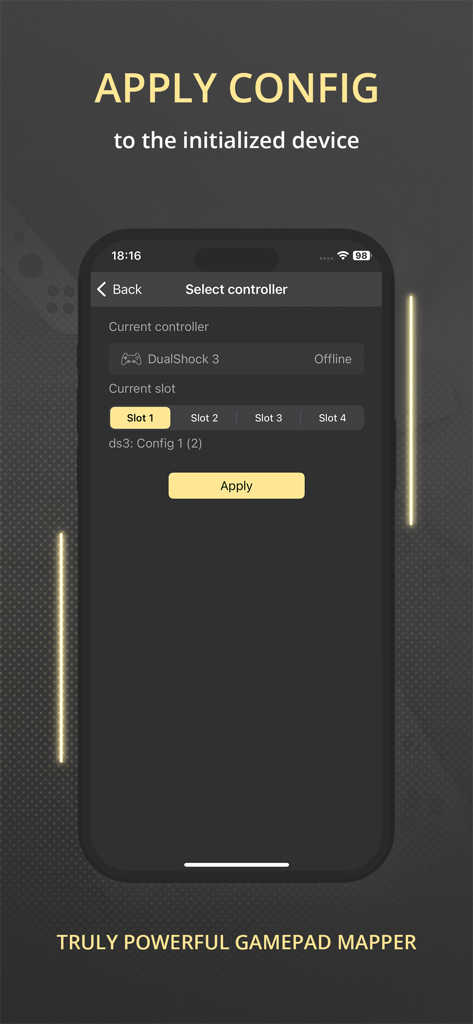
Interface of reWASD Mobile app showing controller selection and config application for gaming peripherals

Interface of reWASD Mobile app showing controller selection and config application for gaming peripherals

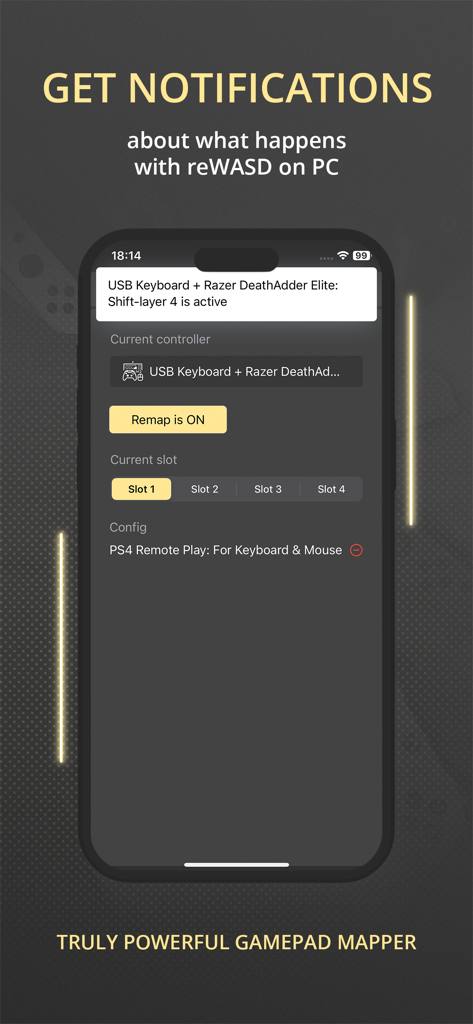
A smartphone displaying the reWASD Mobile app showing a notification for a Razer mouse and keyboard configuration status.

A smartphone displaying the reWASD Mobile app showing a notification for a Razer mouse and keyboard configuration status.

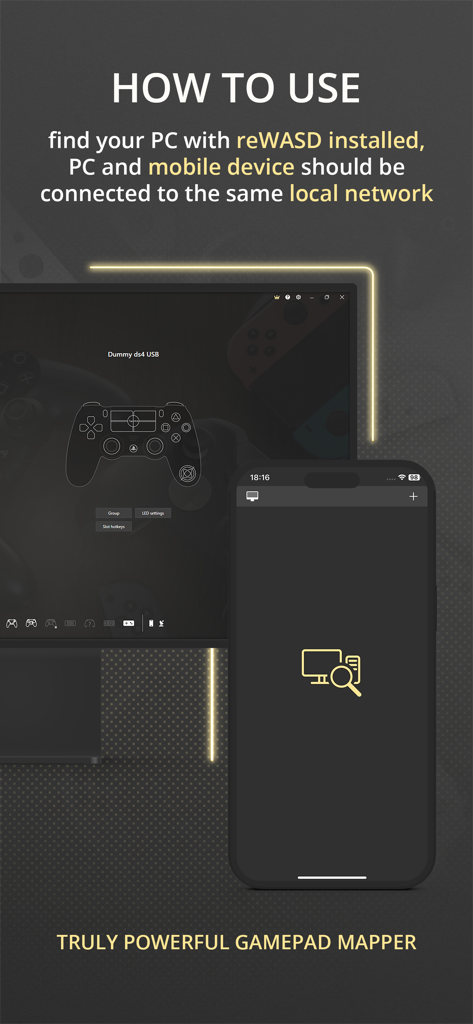
Instructional screen for reWASD Mobile explaining how to connect the app to a PC via a local network.

Instructional screen for reWASD Mobile explaining how to connect the app to a PC via a local network.

Unleash Total Gaming Control

The tools that make this app stand out, trusted by 2K+ users.

🎮

Pro-Grade Mobile Gamepad

Turn your device into a virtual controller for PC or console, saving you from expensive hardware costs while maintaining peak responsiveness.

👁️

Real-Time Mapping HUD

Keep your custom macros and keybinds visible on a second screen, ensuring you never lose track of your configuration during intense matches.

🔋

Smart Remote Management

Receive instant battery alerts and switch between mapping slots or shifts instantly, all without ever leaving your game window.

About the app

Everything you need to know about reWASD Mobile.

Description

Meet the Mobile Controller feature — a new way to use your device! Turn your device to the controller — to use it with a PC or console. You can play in your favorite game with your device even if you does not have gamepad. All you need is reWASD Mobile and reWASD — please check more information below! With reWASD Mobile, you do not need to open the PC app if you want to check the config, mappings, settings or descriptions. Just find the computer with reWASD installed and ensure that both devices are connected to the same local network. Once this step is done, you will see the full list of the configs and gaming devices and will be able to “match” those — apply the config you need to the preferable device. Now, nothing stops you from jumping into the game! What is reWASD? reWASD is a gamepad, keyboard and mouse remapper with various features and use cases. Mostly, it is used on the PC with Windows to enhance and adjust your devices for PC gaming. Also, you can use the virtual controller created by reWASD inside the network — on PS4 console or mobile and desktop devices if they are connected via Bluetooth or GIMX adapter. What is reWASD Mobile? reWASD Mobile is a companion app that lets you manage the configs from your PC on a mobile device. This way you won’t need to Alt+Tab from the game to check the mappings you have in your config, and also you could Apply a config easily with a few taps on your mobile device. In addition, reWASD Mobile gets the notifications from its elder brother on PC while it is opened, so you will be informed if the battery is low or if you switched to another Slot or Shift. Why should I use it? reWASD Mobile is an easy way to work with your configs and devices without the necessity to open the app itself on a PC. Right now, you can check everything you have in your config, keep it open to check the mappings or descriptions, get notifications about what happens with reWASD on your PC and apply a config to the initialized device. But we are planning much more features, and hope you could give us suggestions and ideas to make our reWASD Mobile handier for you.

Latest Version

3.1

Size

72.3 MB

First Released

Dec 17, 2021

Elevate Your Pro Gaming Setup

Stop Alt-Tabbing and start winning. Sync your mappings, monitor battery life, and transform your iPhone into a high-performance controller in seconds.

Download on App Store
FAQ

Frequently Asked Questions

Everything you need to know about reWASD Mobile

What is reWASD Mobile?

reWASD Mobile is a companion app that transforms your device into a controller for PC or console gaming. It manages reWASD desktop configs and monitors the PC app.

What do I need to use reWASD Mobile with my PC?

You require both the reWASD Mobile app and the reWASD desktop application installed on your PC. Both devices must connect to the same local network.

Can reWASD Mobile turn my device into a gamepad for PC?

Yes, reWASD Mobile, when paired with reWASD Junior, converts your mobile device into a virtual gamepad. This enables playing PC games using your smartphone or tablet.

Can I customize the mobile gamepad layout in reWASD Mobile?

Yes, reWASD Mobile allows you to customize the mobile gamepad layout for personal use. Users can remap buttons and adjust controls directly within the app interface.

How does reWASD Mobile manage configs without opening the desktop app?

reWASD Mobile connects to your PC over the local network. It allows you to view, apply, and manage reWASD configs and device settings remotely, without opening the desktop application.

Can I toggle remap and change slots with reWASD Mobile?

Yes, reWASD Mobile provides controls to toggle remapping functionality on or off. Users can also select and switch between different configuration slots for connected devices.

Does reWASD Mobile show reWASD desktop app settings and mappings?

Yes, reWASD Mobile displays the config, mappings, settings, and descriptions from your reWASD desktop application. This provides a comprehensive overview without requiring PC interaction.

How do I apply a reWASD config using the mobile app?

To apply a config, open reWASD Mobile, select the target controller and desired configuration slot, then tap the "Apply" button. This activates the config on the initialized device.

Does reWASD Mobile provide notifications from the PC application?

Yes, reWASD Mobile receives real-time notifications from the reWASD desktop app. These alerts inform you about events like low battery status or active slot/shift changes.

App information, icons, screenshots, and descriptions displayed on this page are sourced from the Apple App Store and are the property of their respective developers. Download estimates and rankings are based on MWM's proprietary models and may not reflect actual figures. This page is provided for informational and analytical purposes only.

Believe this page infringes your intellectual property? File a dispute