
This page is not an official page of the app or its developer, but an independent editorial publication created for informational and commentary purposes. Unless expressly stated otherwise, neither the app nor its developer is affiliated with, endorsed by, sponsored by, authorized by, or otherwise officially connected with MWM, Apple, Google Play, the app publisher, or the app's developer, and nothing on this page implies that the app was developed using MWM's services. Any trademarks, logos, screenshots, and other content remain the property of their respective owners.


Ringtone Maker Garage
No more stock sounds. It gives users the power to truly own their phone's audio identity.
Downloads
1M+User Rating
Total Ratings
11.9KPublisher
Category
MusicLocales
6Latest Version
1.4.8Size
100.8 MBFirst Released
Nov 9, 2020An evaluation of core functionalities designed for deep mobile personalization among iPhone users.
Key Features Analysis: Ringtone Maker Garage
Custom Ringtone Creation from Diverse Sources
The app provides comprehensive tools to craft personalized ringtones, alarm tones, and text alerts by utilizing local iTunes songs, extracting audio from videos, or recording new sounds directly.
Seamless iPhone Installation
It allows users to effortlessly install their customized ringtones onto their iPhone through integration with GarageBand and iTunes, streamlining the application process.
Advanced Audio Editing Tools
This tool features precise audio manipulation capabilities, including trimming, fade-in, and fade-out effects, enabling users to professionally refine their custom sound files.
Extensive Visual Customization Library
The app offers a wide array of wallpapers, enabling users to personalize their iPhone's home and lock screens to complement their unique audio customizations.
Dynamic Ringtone Catalogs
It provides access to numerous ringtone categories spanning various music genres and includes a regularly updated section of popular and trending sounds, catering to diverse preferences.
Content Management and Sharing
This tool allows users to mark their favorite ringtones for quick access and easily share them with friends, fostering a personalized and social content experience.
Frequently Asked Questions
Everything you need to know about Ringtone Maker Garage
Can I create custom ringtones using the Ringtone Maker Garage app?
Yes, Ringtone Maker Garage allows users to create custom ringtones for iPhone from local iTunes songs, extracted audio from videos, or newly recorded audio. The app provides tools to trim, fade in, and fade out audio files.
Does Ringtone Maker Garage support creating ringtones from video files?
Yes, Ringtone Maker Garage enables users to extract audio directly from videos to use them as custom ringtones for their iPhone. This feature is detailed within the app's capabilities.
Can I record my own audio to make ringtones with Ringtone Maker Garage?
Yes, Ringtone Maker Garage allows users to record their own audio directly within the app. This recorded audio can then be used to create personalized ringtones for an iPhone.
How do I install ringtones created with Ringtone Maker Garage on my iPhone without using a computer?
Ringtone Maker Garage supports installing ringtones via GarageBand directly on your iPhone without a PC. You access "My Tones," select "Install via GarageBand," and then export the ringtone from GarageBand.
What music genres are available for ringtones in Ringtone Maker Garage?
Ringtone Maker Garage offers a rich collection of ringtones across various genres, including HipHop, Funky, Jazz, Rock, Classical, Children, Comedy, Reggae, TikTok, Blues, Latin, Instrumental, Rap, R&B, Souls, Pop, and Folk.
Does Ringtone Maker Garage provide wallpapers for iPhone customization?
Yes, Ringtone Maker Garage offers a large selection of wallpapers. Users can personalize both their iPhone's home screen and lock screen with a variety of aesthetic and cute backgrounds available in the app.
Is the Ringtone Maker Garage app free to download and use?
Yes, Ringtone Maker Garage is free to download. However, accessing the app's full functionality requires signing up for an auto-renewing subscription.
What are the subscription options for Ringtone Maker Garage?
Ringtone Maker Garage offers weekly and yearly auto-renewable subscriptions. Subscriptions with a free trial automatically renew unless canceled 24 hours before the trial ends. Payment charges to your iTunes Account.
The following screenshots and description are sourced directly from the app's official store listing and are the property of the app developer.
App Store
Screenshots
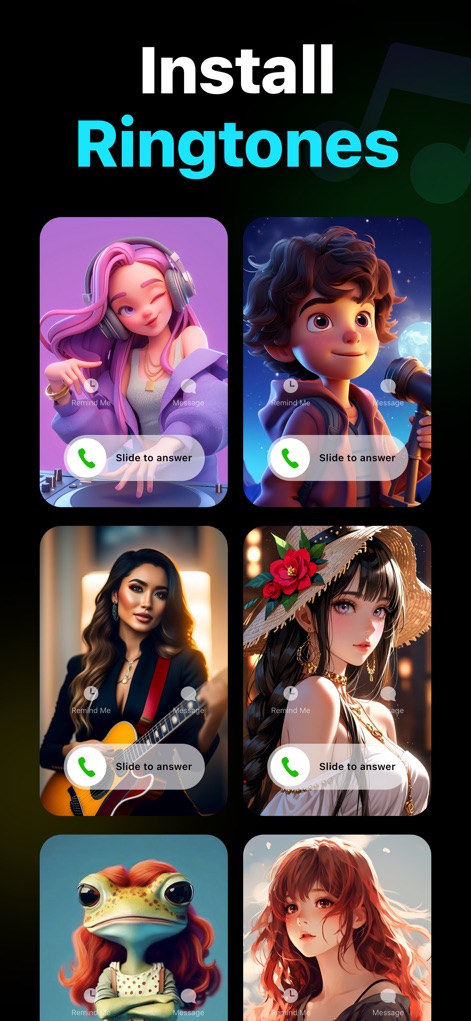
Users can preview personalized call screens with unique avatar visuals and the intuitive 'Slide to answer' interface.
Personalized Caller Screens
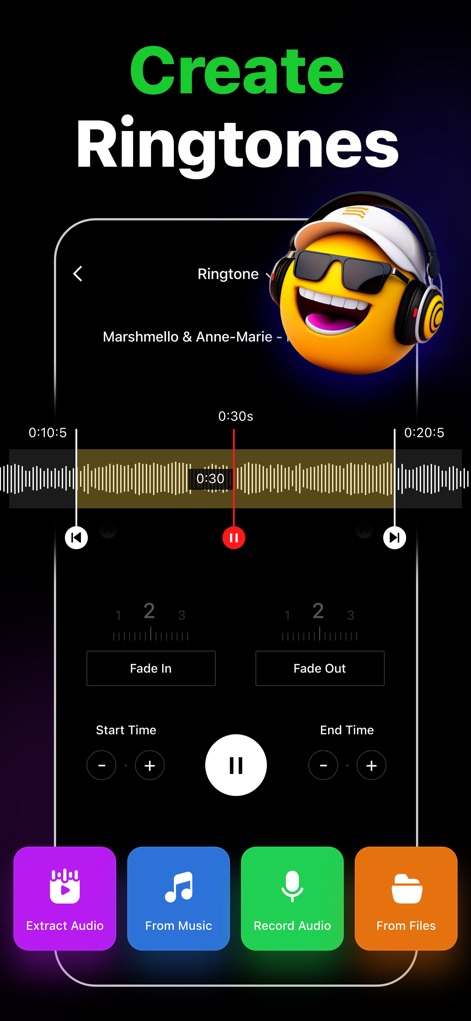
The app showcases its robust audio editor, enabling precise trimming with a detailed waveform display and convenient fade in/out controls.
Precision Audio Editor
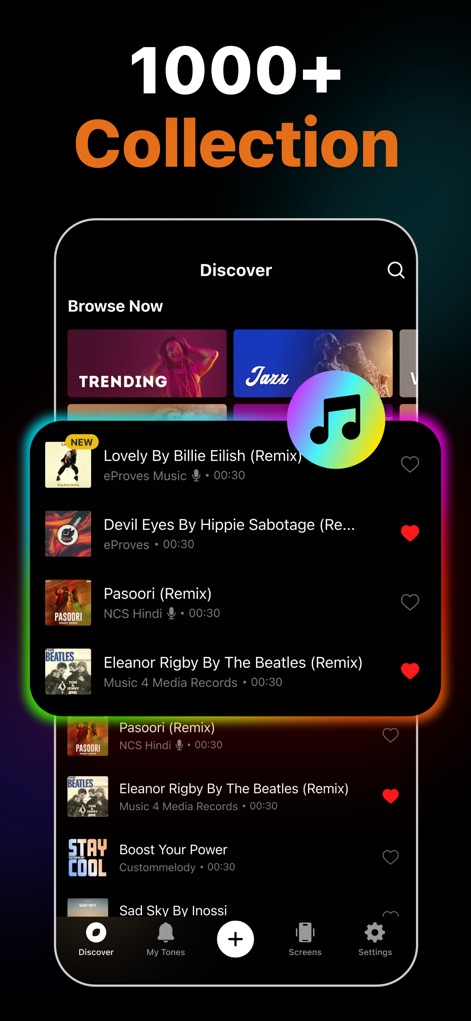
Explore the app's extensive sound library, featuring trending tracks and a wide range of genres, with an easy-to-use favorite system for curation.
Vast Sound Library
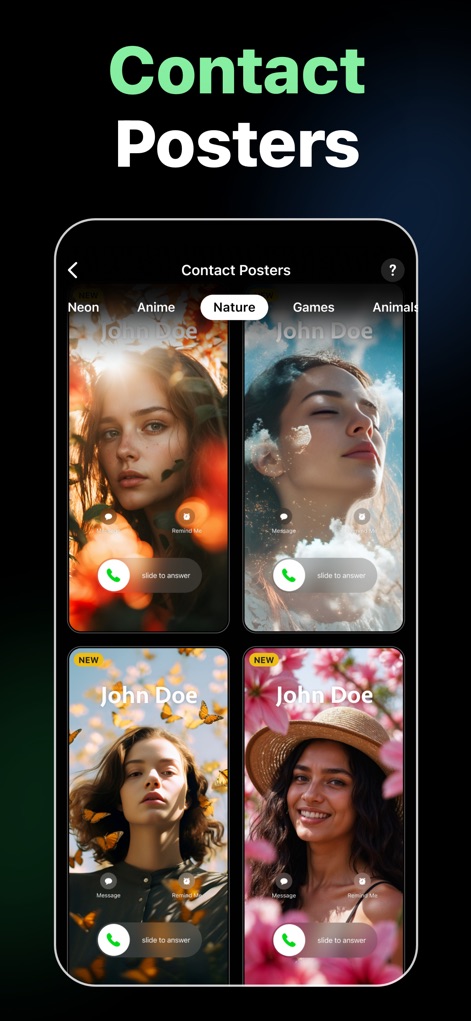
Discover how this tool transforms incoming calls with vibrant contact posters, categorized for easy browsing and featuring diverse artistic styles.
Dynamic Contact Posters
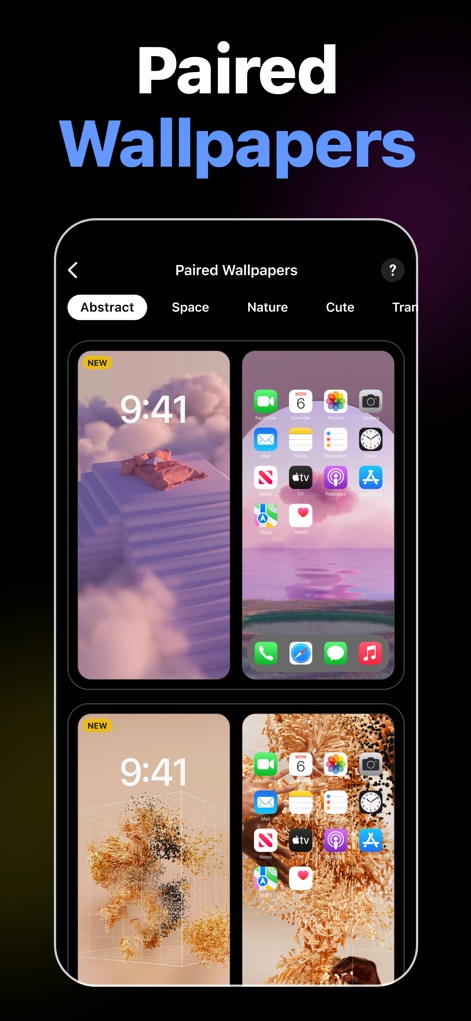
Users can personalize their device with elegant paired wallpapers, offering both abstract designs and nature-inspired themes for a unified look.
Cohesive Wallpaper Pairs
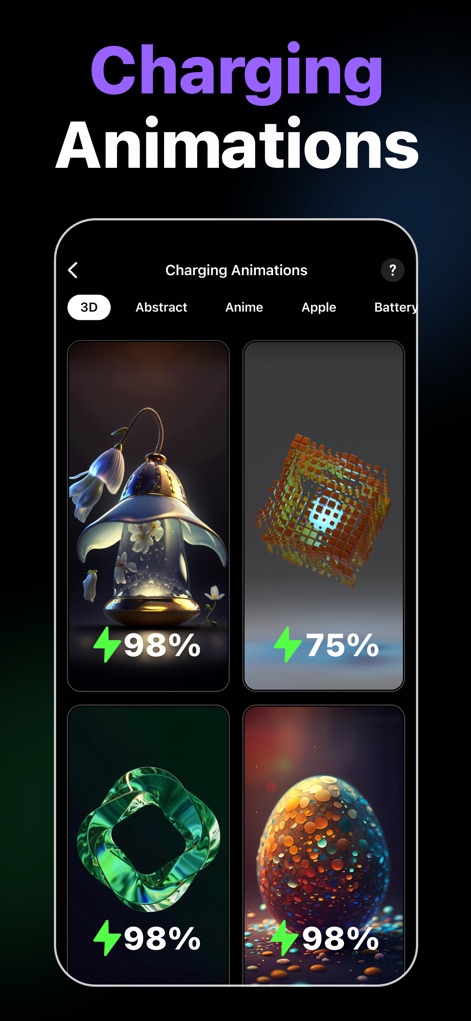
The app brings life to charging with vivid animations, showcasing diverse 3D and abstract visuals that include a battery percentage indicator.
Vivid Charging Displays
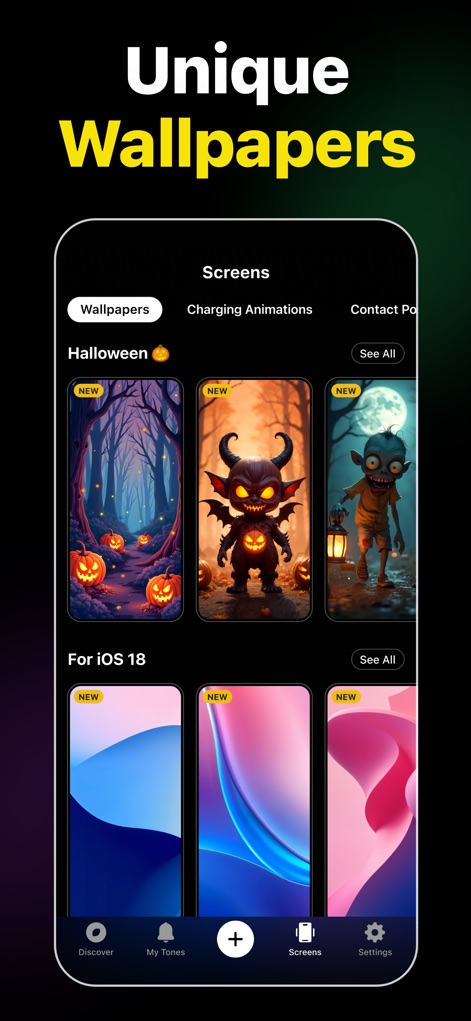
Explore curated wallpaper collections within the app, offering seasonal themes like Halloween and designs optimized for the latest iOS versions.
Curated Wallpaper Collections
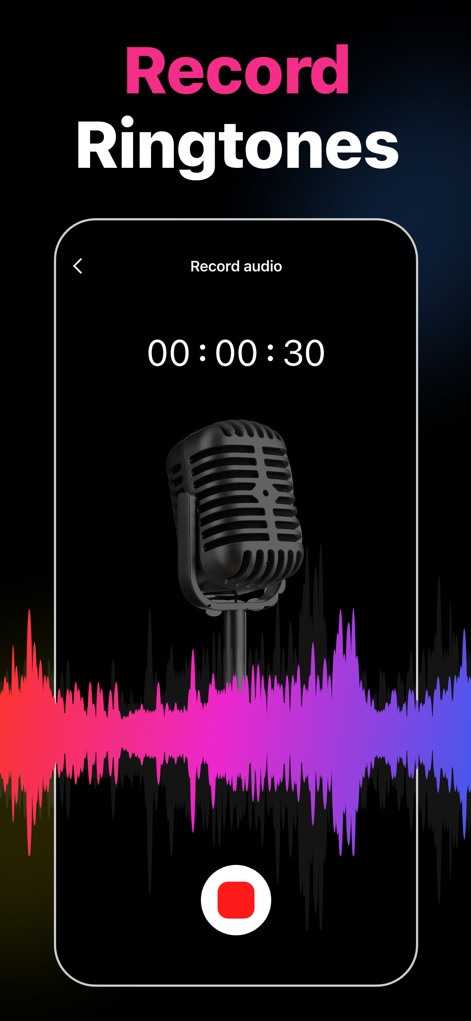
This tool provides instant audio recording capabilities, featuring a prominent microphone visual and a real-time waveform display for user feedback.
Instant Audio Recording
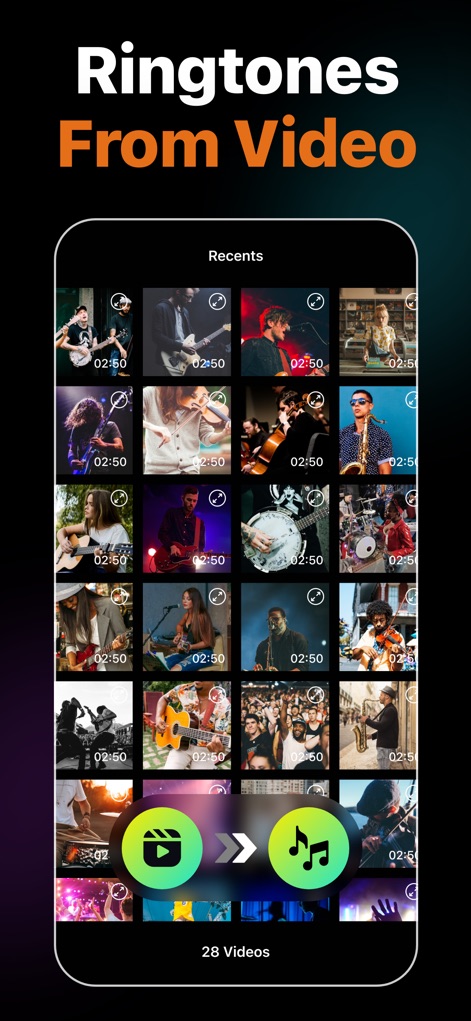
Effortlessly convert video files into custom ringtones, with the app displaying recent video selections and clear extraction controls.
Video to Audio Conversion
Description
Download
More Like This
Apps with similar features and user experience
Ringtones Maker - the ring app
苏娟 陈

LittyTone:Ringtone & AI Voice
Shenzhen Chuangyuan Huaqi technology Co., LTD
Garage Ringtones for iPhone
Appflow Software - FZCO

ClipTone: Ringtone & AI Cover
BUD TECHNOLOGIES, PTE. LTD.
Music Editor Cut MP3 Converter
Dream United, Ltd.

Mp3 Cutter - M4a, Music Cutter
TOWER OF HANOI SOFTWARE COMPANY LIMITED

Ringtone Maker & MP3 Converter
Oleksandr Pylaiev

Ringtone Maker +
迪刚 宋

Any Ringtones
Ion Danilov
This page is not an official page of the app or its developer, but an independent editorial publication created for informational and commentary purposes. Unless expressly stated otherwise, neither the app nor its developer is affiliated with, endorsed by, sponsored by, authorized by, or otherwise officially connected with MWM, Apple, Google Play, the app publisher, or the app's developer, and nothing on this page implies that the app was developed using MWM's services. Any trademarks, logos, screenshots, and other content remain the property of their respective owners.