Royal TSi Lite

Royal TSi Lite

Download on App Store
Logo of Royal TSi Lite

Royal TSi Lite: The Mobile Command Center for IT Professionals

Securely access RDP, SSH, and VNC connections from your iPad or iPhone. Manage Windows services, Hyper-V VMs, and PowerShell scripts on the go with seamless cloud synchronization.

Download on App Store

Publisher

Royal Apps GmbH

Category

Utilities

Downloads

0

User Rating

4.4/5

Total Ratings

0

Locales

1

Your Mobile Command Center

Discover the interface used by 0 users.
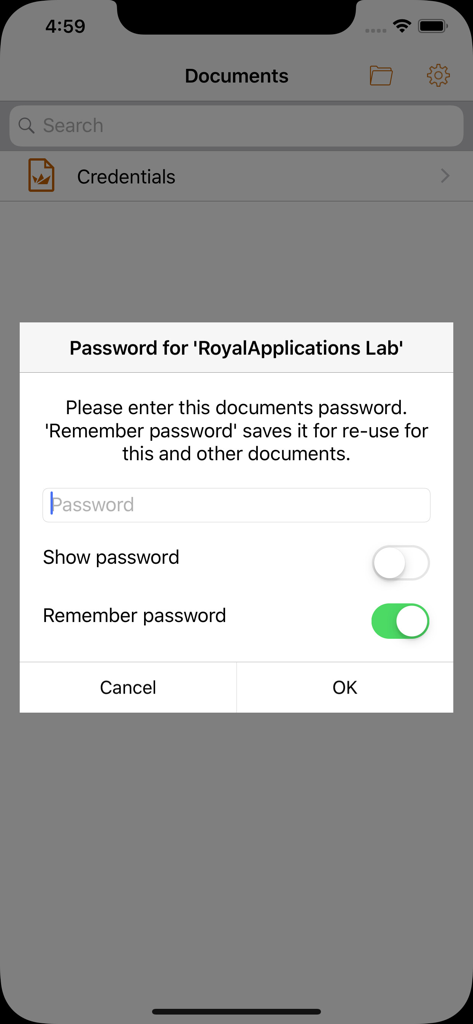
Secure password entry screen for documents in Royal TSi Lite

Secure password entry screen for documents in Royal TSi Lite

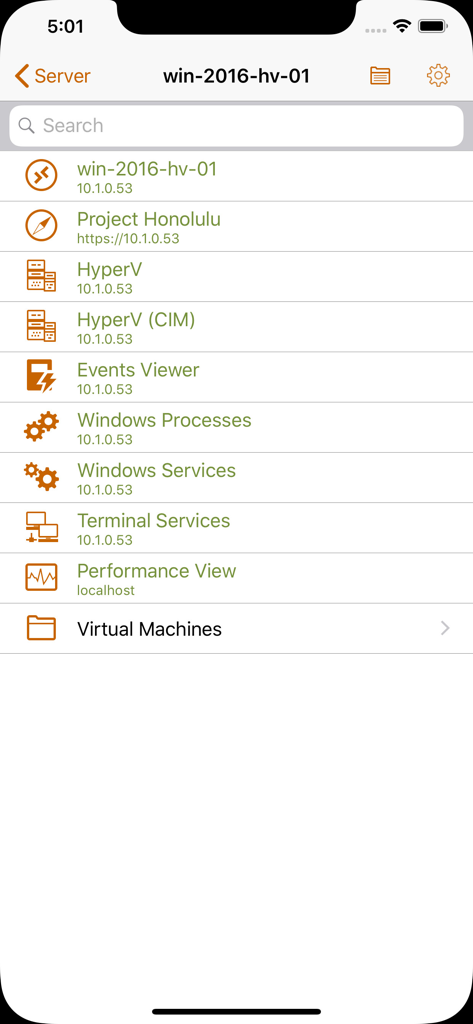
Server management dashboard in Royal TSi Lite showing Hyper-V Windows processes and event viewer tasks

Server management dashboard in Royal TSi Lite showing Hyper-V Windows processes and event viewer tasks

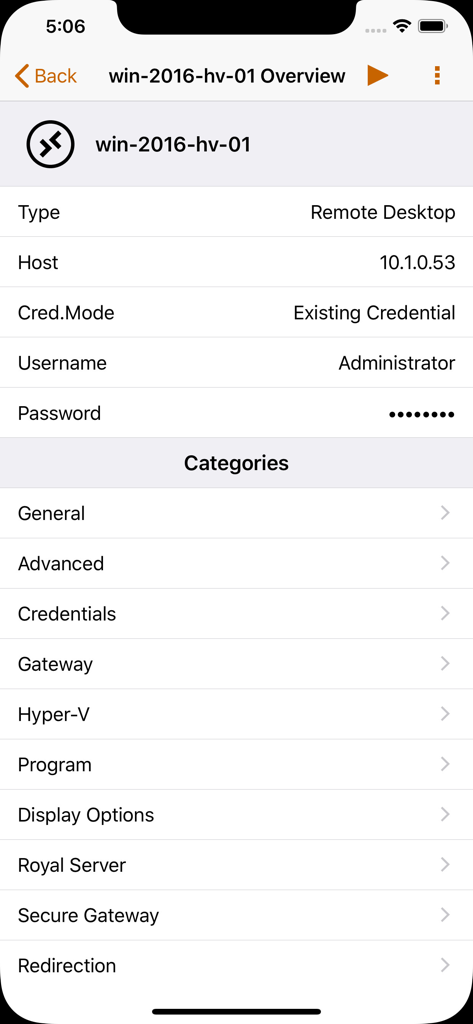
Remote desktop connection setup screen in Royal TSi Lite.

Remote desktop connection setup screen in Royal TSi Lite.

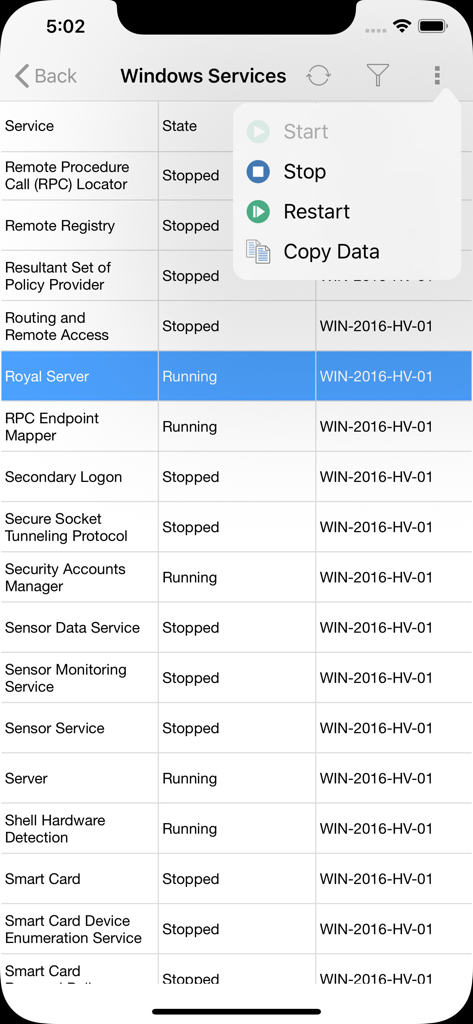
Remote management of Windows Services in the Royal TSi Lite app showing service status and control options.

Remote management of Windows Services in the Royal TSi Lite app showing service status and control options.

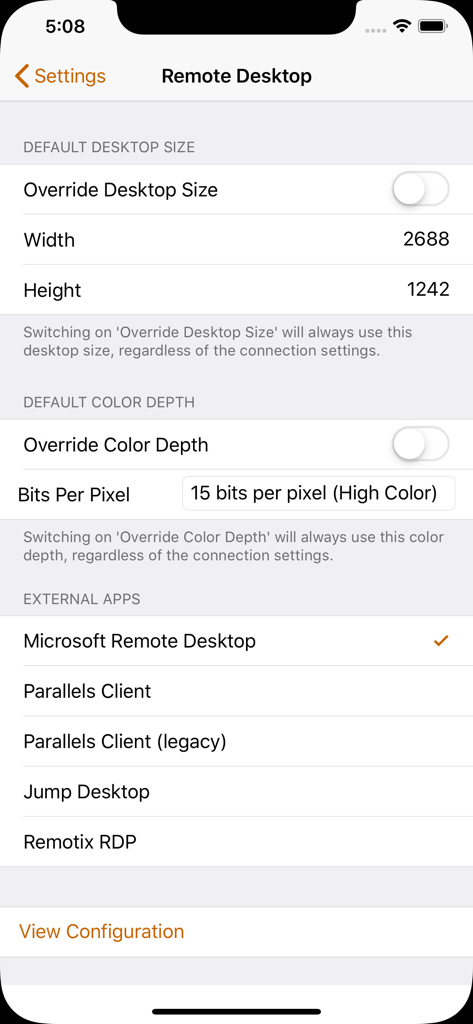
Remote desktop settings in Royal TSi Lite showing options for desktop size color depth and external app selection

Remote desktop settings in Royal TSi Lite showing options for desktop size color depth and external app selection

Take Full Command of Your Infrastructure

The tools that make this app stand out, trusted by 0 users.

🖥️

Unified Remote Access

Launch RDP, VNC, and SSH sessions instantly by syncing your Royal TS documents directly from iCloud, Dropbox, or Google Drive.

Hyper-Efficient Troubleshooting

Kill processes, restart services, and trigger PowerShell scripts directly. Fix critical issues without the lag or bandwidth of a full desktop view.

📱

Built for the On-Call Professional

Fine-tune resolutions and color depths for mobile performance, ensuring a stable connection to Hyper-V and VMware even on low-bandwidth networks.

About the app

Everything you need to know about Royal TSi Lite.

Description

Royal TSi provides easy and secure access to your remote systems (RDP, VNC, SSH, etc.) by allowing you to open your Royal TS documents created with Royal TSX (for macOS) or Royal TS (for Windows). Those documents can be opened directly from any installed cloud provider like iCloud Drive, Dropbox or Google Drive. You can even send documents via email and open them with Royal TSi. Connecting to the remote machines with RDP, VNC, SSH or Telnet is possible with specialized 3rd party apps. With Royal Server you don't need to connect to the remote desktop anymore. You can manage Windows Events, Windows Services, Windows Processes, Terminal Services, Hyper-V and VMware virtual machines and start PowerShell scripts on the remote machine directly from your iPad or iPhone. E.g. if you find an error in the Event Log, then you could restart a service, kill a process, reset a Terminal Services connection or stop and start Hyper-V virtual machines. Using PowerShell scripts, there's no limit to what you can do! Some supported connection types can be tweaked and optimized for your mobile device. E.g. Remote desktop connections can be configured to always use a lower color depth or screen resolution to save bandwidth.

Latest Version

2.5.4

Size

96.8 MB

First Released

Nov 7, 2012

Master Your Infrastructure on the Move

Stop reaching for your laptop for every alert. Securely manage RDP, SSH, and PowerShell scripts from your iPhone or iPad with the professional control of Royal TSi Lite.

Download on App Store

App information, icons, screenshots, and descriptions displayed on this page are sourced from the Apple App Store and are the property of their respective developers. Download estimates and rankings are based on MWM's proprietary models and may not reflect actual figures. This page is provided for informational and analytical purposes only.

Believe this page infringes your intellectual property? File a dispute