RPN-45 SD
RPN-45 SD
Download on App Store

This page is not an official page of the app or its developer, but an independent editorial publication created for informational and commentary purposes. Unless expressly stated otherwise, neither the app nor its developer is affiliated with, endorsed by, sponsored by, authorized by, or otherwise officially connected with MWM, Apple, Google Play, the app publisher, or the app's developer, and nothing on this page implies that the app was developed using MWM's services. Any trademarks, logos, screenshots, and other content remain the property of their respective owners.

Logo of RPN-45 SD
Download on App Store

RPN-45 SD

Precision-engineered for RPN purists and professionals. Experience the legendary 1973 classic with photo-realistic detail and advanced 21st-century enhancements.

Key Figures

Downloads

34K+

User Rating

4.5/5

Total Ratings

0

Publisher

Willy Kunz

Category

Productivity

Locales

3

Latest Version

6.5

Size

13.9 MB

First Released

Mar 17, 2012
Features

Precision Engineering Reimagined

Experience the legendary power of the HP-45 scientific calculator, meticulously recreated with 21st-century enhancements for professionals who demand accuracy and efficiency.

Pure RPN Efficiency

Master complex workflows without parentheses using the authentic 4-level stack and non-volatile memory registers that keep your data safe.

Authentic Tactile Experience

Relive the 'Golden Age' of engineering with photorealistic LED displays, haptic key feedback, and the classic click sounds of the original 1973 hardware.

The following screenshots and description are sourced directly from the app's official store listing and are the property of the app developer.

App Store

Screenshots
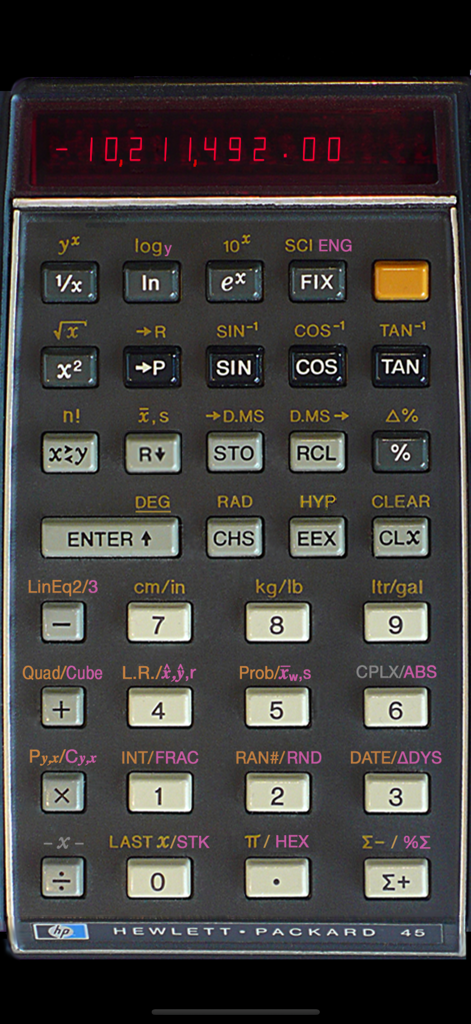
RPN-45 SD - Skeuomorphic interface of the RPN-45 SD scientific calculator showing red LED display and physical keys
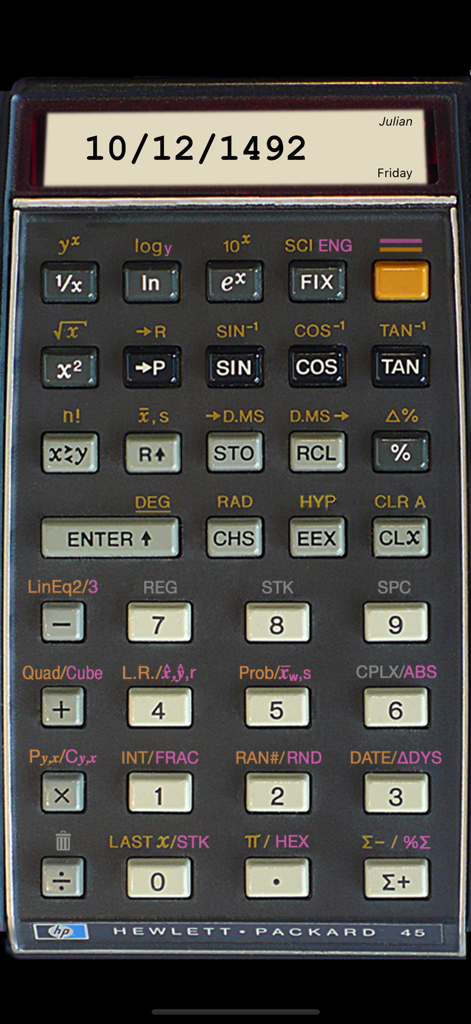
Skeuomorphic interface of the RPN-45 SD scientific calculator showing red LED display and physical keys

RPN-45 SD - RPN-45 SD scientific calculator app interface displaying a Julian date on a vintage LED screen
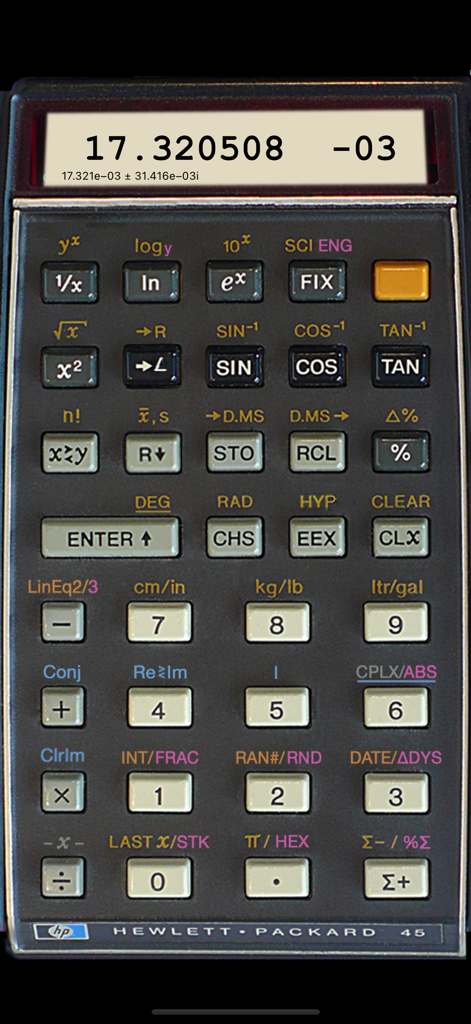
RPN-45 SD scientific calculator app interface displaying a Julian date on a vintage LED screen

RPN-45 SD - Skeuomorphic simulation of a vintage HP 45 scientific calculator with LED display and RPN function keys
Skeuomorphic simulation of a vintage HP 45 scientific calculator with LED display and RPN function keys

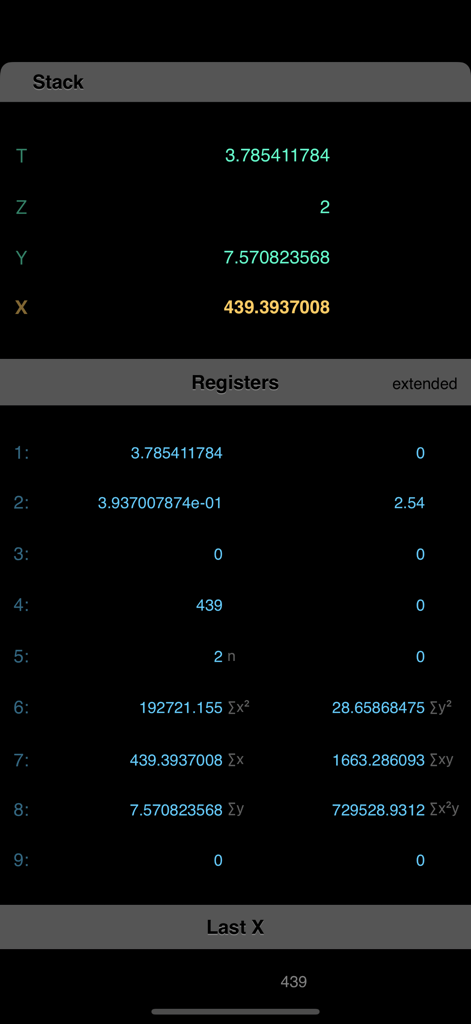
RPN-45 SD - Screen display of RPN-45 SD showing calculation stack and memory registers
Screen display of RPN-45 SD showing calculation stack and memory registers

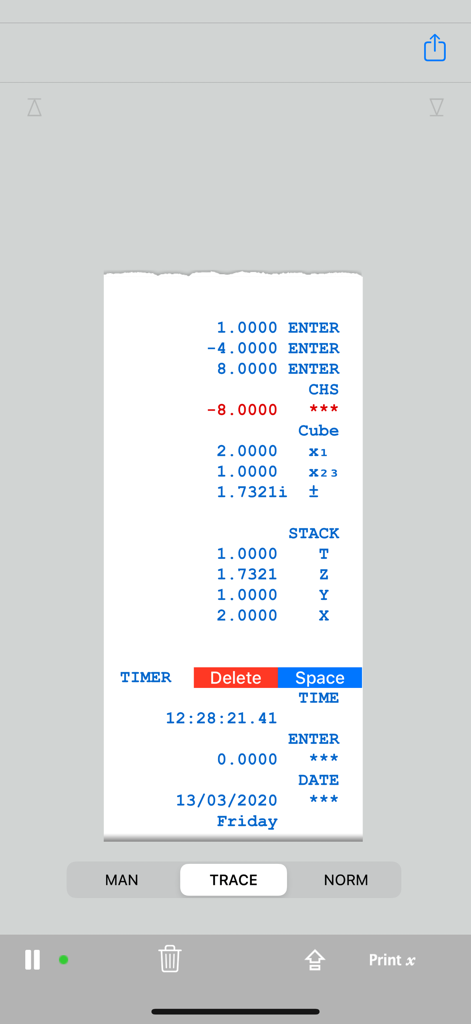
RPN-45 SD - Virtual paper tape display showing a history of RPN calculations and stack registers.
Virtual paper tape display showing a history of RPN calculations and stack registers.

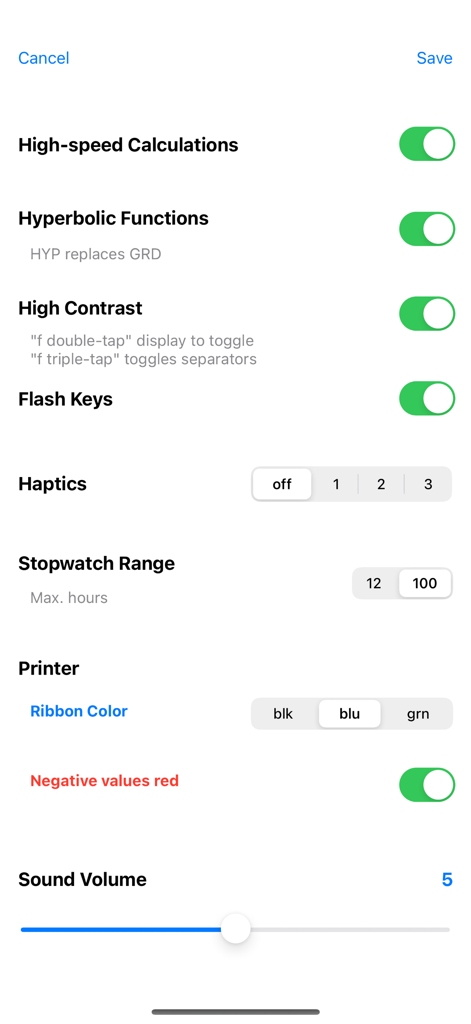
RPN-45 SD - Settings menu of the RPN-45 SD calculator app showing customization options for calculations, haptics, and printer.
Settings menu of the RPN-45 SD calculator app showing customization options for calculations, haptics, and printer.

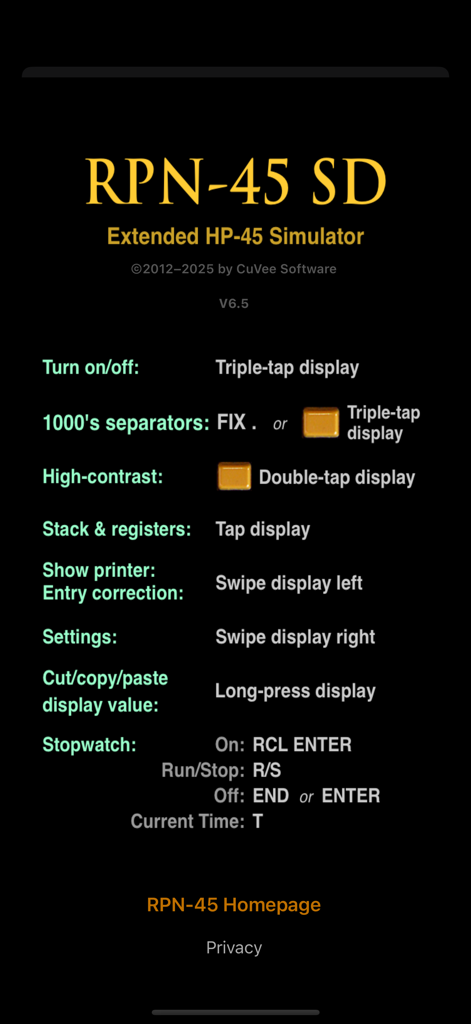
RPN-45 SD - Instructions screen for the RPN-45 SD calculator app showing various gesture shortcuts and features.

Instructions screen for the RPN-45 SD calculator app showing various gesture shortcuts and features.

Description

RPN-45 SD is a complete simulation of the scientific hand-held calculator HP-45 from 1973. Powerful enhancements turn the calculator into an amazingly useful tool for the 21st century. Features: • Photo-realistic look based on an existing device • Original LED display or high-contrast LCD display • Printer to keep a record of calculations • Animated keys with adjustable click sound and visual feedback • Simulation of the HP-45's computation times (may be disabled) • All functions and operations of the HP-45 fully implemented • "Secret" stopwatch implemented, extensible from 12 to 100 hours capacity • Stopwatch may be preset to current time • Swipe left across display to correct wrong number entries • Cut/copy/paste of display value • Tap display to show stack and all memory registers • Complex numbers may be used in almost all operations • Non-volatile stack and registers • 18 storage locations (9 in complex number mode) • Exponentiation and factorial accept any values (incl. complex) • Optional hyperbolic functions • Logarithm to any base (incl. complex) • Solve linear equations in two or three unknowns • Solve quadratic and cubic equations • Normal distribution, Pearson correlation coefficient of paired variables • Linear regression with estimates • Weighted mean • Permutation, Combination (binomial coefficient) • Integer and fractional part of a number • Display rounding • Random numbers in any range, integer or real • Day of the week of any date between Jan 1, 0001 and Dec 31, 9999 • Easter date for any year between 1583 and 4099 • Support for Julian dates • Date and day of the week a number of days away (past or future) • Number of days between any two dates • Last Stack operation • Show display value in hexadecimal • Percentage of sum • Register arithmetic includes summation registers and LAST x • Indicators for active prefix keys • Angular mode indicator • Localized decimal point • Thousand's separator • Clear all registers • Backup registers in a protected area Double-tap the display for some basic hints. Also available for iPad (RPN-45 HD). For more information, a manual and sample calculations visit the RPN-45 website: cuveesoft.ch/rpn45/en What users said: "Have been using HP RPN calculators since HP-35 first came out. The CuVée versions for Apple products are the best emulations by far. I have, and regularly use, them all." "This app is a great emulator of the classic HP-45 Scientific Calculator, in look, feel and function. It keeps getting better and better with each update." "This is the most like the real thing that I've used. I've bought others but keep coming back to this App. It's photorealistic, the LEDs appear the way the real ones do, and the buttons almost give the same satisfying feedback of the real thing."

Download

Download on App Store

This page is not an official page of the app or its developer, but an independent editorial publication created for informational and commentary purposes. Unless expressly stated otherwise, neither the app nor its developer is affiliated with, endorsed by, sponsored by, authorized by, or otherwise officially connected with MWM, Apple, Google Play, the app publisher, or the app's developer, and nothing on this page implies that the app was developed using MWM's services. Any trademarks, logos, screenshots, and other content remain the property of their respective owners.








