
This page is not an official page of the app or its developer, but an independent editorial publication created for informational and commentary purposes. Unless expressly stated otherwise, neither the app nor its developer is affiliated with, endorsed by, sponsored by, authorized by, or otherwise officially connected with MWM, Apple, Google Play, the app publisher, or the app's developer, and nothing on this page implies that the app was developed using MWM's services. Any trademarks, logos, screenshots, and other content remain the property of their respective owners.


Ruler, Measuring Tape - AR App
Forget fumbling with physical tools. This app gives users the power to digitally measure anything, anywhere, turning their device into a precision instrument.
Downloads
1M+User Rating
Total Ratings
2.6KPublisher
Category
UtilitiesLocales
11Latest Version
1.9Size
28.1 MBFirst Released
May 3, 2019An evaluation of core functionalities leveraging Augmented Reality for precision and convenience for its target users.
Key Feature Analysis: Ruler, Measuring Tape - AR App
Augmented Reality Length Measurement
The app provides the ability to easily measure the length of objects, rooms, or entire areas using advanced AR technology, offering a practical solution for various spatial evaluations.
Effortless Height Measurement
It allows users to quickly determine the height of objects and people, a highly practical feature for numerous everyday and professional applications.
Accurate Angle Measurement
This tool features precise angle measurement capabilities, essential for tasks requiring detailed alignment and geometric accuracy in DIY or professional projects.
Advanced Area and Volume Calculations
The app supports rectangle and 3D volume cube measurements, enabling users to plan and assess spaces for furniture, construction, or storage needs with greater efficiency.
Always-Accessible Digital Ruler
It provides a full-size customizable ruler always accessible on the home screen for quick and accurate measurements of small objects, offering convenience for detailed tasks.
AR-Powered Distance Evaluation
This tool allows users to evaluate distances across different surfaces with ease, providing a quick way to measure space in various environments with just a few taps.
Guided Line Measurements
The app enables measurement in perfectly straight, horizontal, and vertical lines, enhancing precision and simplifying layout tasks for better project outcomes.
Convenient Unit Conversion
It features an integrated unit converter (e.g., mm to inches, cm to inches), allowing users to switch between measurement systems seamlessly for global compatibility and convenience.
Comprehensive Measurement History
The app includes a measurement history feature, allowing users to keep track of all past measurement activities, which is invaluable for project management and reference.
Complex Shape Measurement with Polylines
This tool provides polyline functionality for measuring complex shapes and paths, catering to more intricate design and professional measurement requirements.
Frequently Asked Questions
Everything you need to know about Ruler, Measuring Tape - AR App
What is Ruler, Measuring Tape - AR App?
Ruler, Measuring Tape - AR App transforms your device into a handy AR ruler and tape measure, offering accurate measurements for professionals and everyday users. It utilizes advanced AR technology for precise results.
Does Ruler, Measuring Tape - AR App have a unit converter?
Yes, Ruler, Measuring Tape - AR App includes a unit converter for various units, such as mm to inches and centimeters to inches. Users can also switch between inches and centimeters.
Can Ruler, Measuring Tape - AR App measure angles?
Yes, Ruler, Measuring Tape - AR App supports precise angle measurement for various tasks. It also features measurements for polygons and other complex shapes.
What are the device requirements for Ruler, Measuring Tape - AR App's AR features?
Ruler, Measuring Tape - AR App requires ARKit with an A9 processor or later. This means it functions on iPhone 6S or newer models for its Augmented Reality features.
Does Ruler, Measuring Tape - AR App offer subscriptions?
Yes, Ruler, Measuring Tape - AR App offers premium features via weekly or yearly subscriptions. Selected subscriptions may include a free trial period.
How do I manage my Ruler, Measuring Tape - AR App subscription?
Yes, you can manage your Ruler, Measuring Tape - AR App subscriptions and turn off auto-renewal from your iTunes Account Settings after purchase. Auto-renewal must be off 24 hours before the period ends.
Does Ruler, Measuring Tape - AR App save measurement history?
Ruler, Measuring Tape - AR App provides a measurement history feature. This allows users to keep track of all their measurement activities within the application.
Where can I find the Privacy Policy for Ruler, Measuring Tape - AR App?
The Privacy Policy for Ruler, Measuring Tape - AR App is located at magic-cake-e95.notion.site/iOS-Ruler-Measuring-Tape-AR-App-Privacy-Policy-225cf6557a088076bb82fe374bccca0b.
The following screenshots and description are sourced directly from the app's official store listing and are the property of the app developer.
App Store
Screenshots
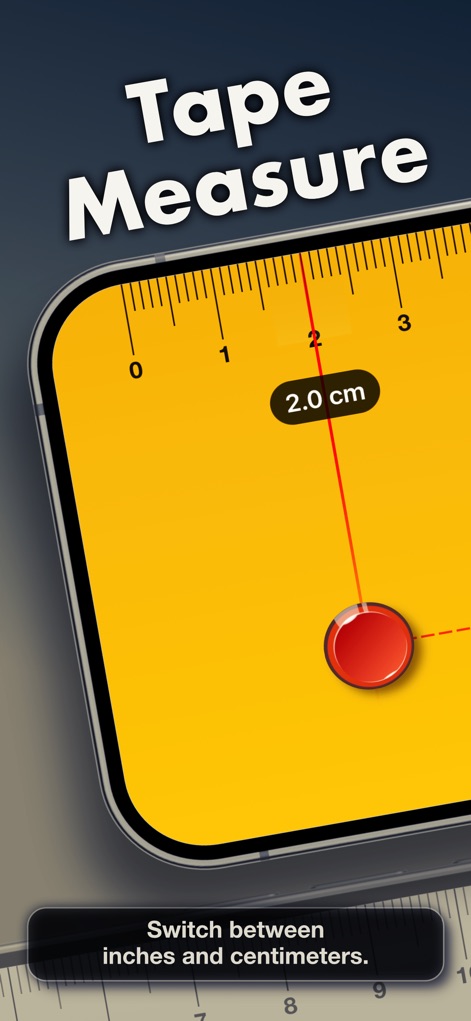
This tool provides an intuitive digital tape measure interface, allowing users to easily switch between centimeter and inch units for precise readings.
Instant Tape Measure

Explore the fully customizable digital ruler interface, where users can select from different color styles and access various measurement tools via the integrated toolbar.
Customizable Digital Ruler
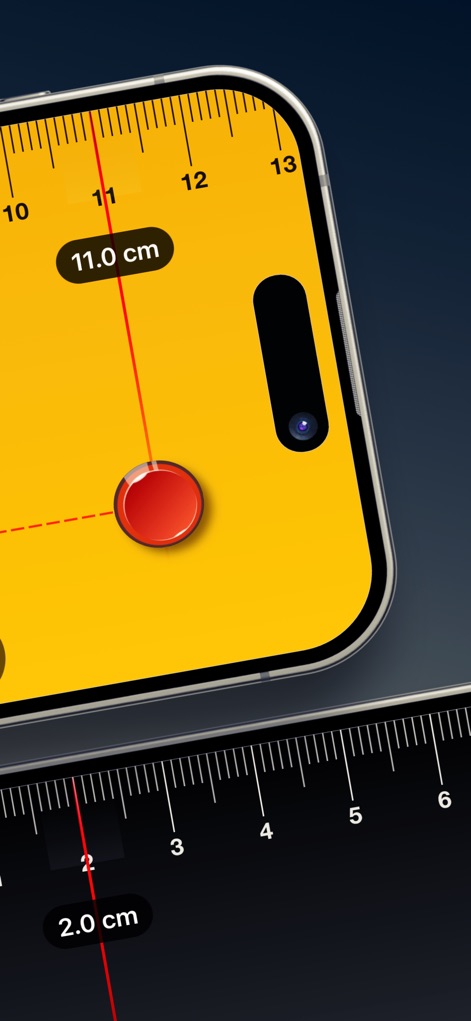
Observe the app's real-time AR measurement capabilities, seamlessly integrating digital rulers with precise centimeter readings directly on the device screen.
Real-time AR Measurement
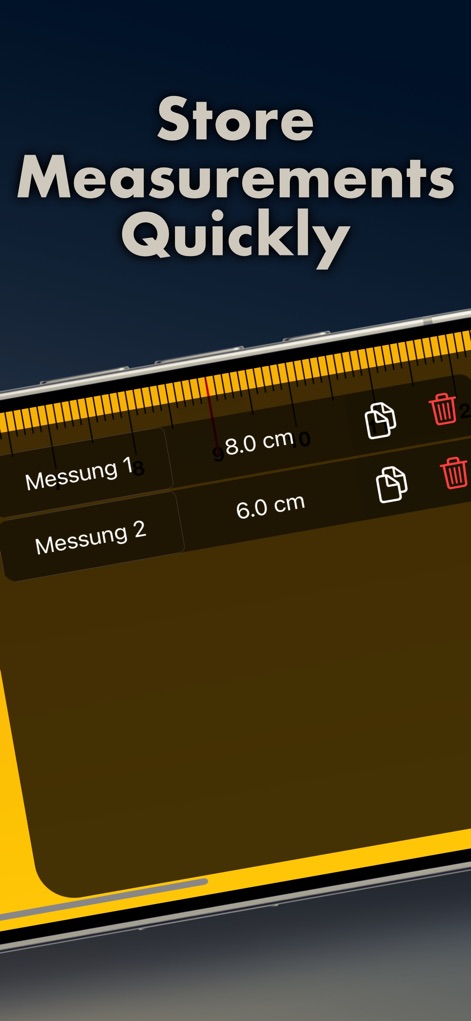
The app offers a streamlined measurement history feature, enabling users to quickly store and manage multiple readings with copy and delete management icons.
Organized Measurement History
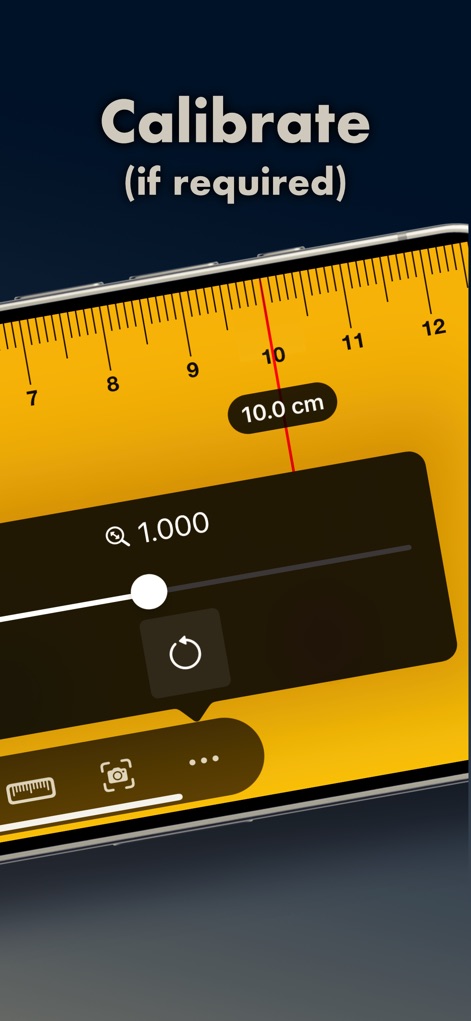
This tool includes an essential calibration function, allowing users to precisely adjust measurements using a dedicated slider and a convenient reset button for optimal accuracy.
Effortless Calibration
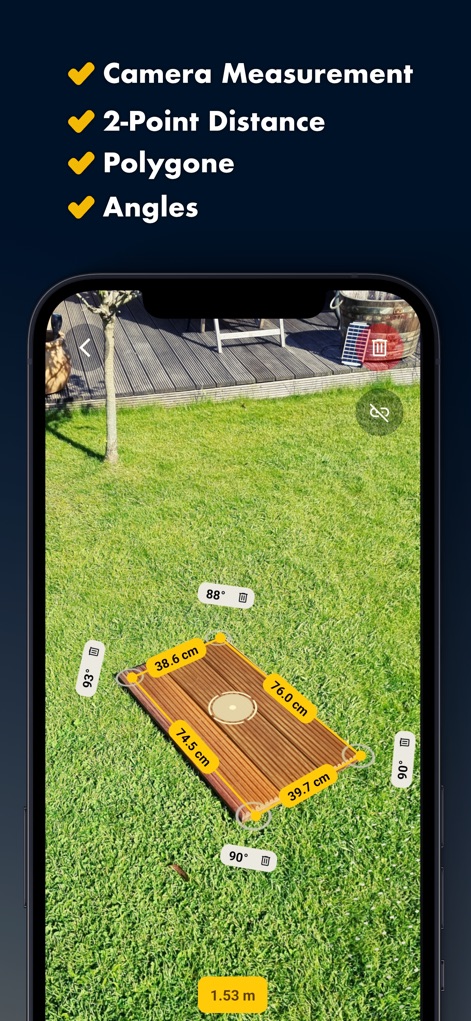
Discover the app's advanced AR capabilities for comprehensive area measurement, visually presenting complex shapes with multiple side lengths and precise angle calculations.
Advanced AR Capabilities
Description
Download
More Like This
Apps with similar features and user experience

Pocket Bubble Level XXL
ExaMobile S.A.

Measuring Tape +ㅤ
Rocket Apps GmbH

CamToPlan - 3D Scanner & LiDAR
Tasmanic Editions

Tape Measure: AR Ruler
Veysel OTI

Home Planner - AI Room Design
Room Planner Ltd

Polycam 3D Scanner, LiDAR, 360
Polycam Inc.

Measuring Tape+ Measure AR app
MEASURE TECH SOCIEDAD LIMITADA

Tape Measure®
AI Photo Editor Lab SRL

Bubble Level for iPhone
Lemondo Apps LLC
This page is not an official page of the app or its developer, but an independent editorial publication created for informational and commentary purposes. Unless expressly stated otherwise, neither the app nor its developer is affiliated with, endorsed by, sponsored by, authorized by, or otherwise officially connected with MWM, Apple, Google Play, the app publisher, or the app's developer, and nothing on this page implies that the app was developed using MWM's services. Any trademarks, logos, screenshots, and other content remain the property of their respective owners.