
This page is not an official page of the app or its developer, but an independent editorial publication created for informational and commentary purposes. Unless expressly stated otherwise, neither the app nor its developer is affiliated with, endorsed by, sponsored by, authorized by, or otherwise officially connected with MWM, Apple, Google Play, the app publisher, or the app's developer, and nothing on this page implies that the app was developed using MWM's services. Any trademarks, logos, screenshots, and other content remain the property of their respective owners.


Safety Watch APP
Real-time GPS tracking, instant messaging, and geofencing at your fingertips. Give your children the freedom they want and get the peace of mind you deserve.
Downloads
351K+User Rating
Total Ratings
1K+Publisher
Category
LifestyleLocales
18Latest Version
3.2.3Size
121.1 MBFirst Released
Dec 21, 2019Empowering Independence, Ensuring Safety
Discover the essential tools that allow your child to explore the world while staying securely connected to your iPhone.
Precise GPS Location
View your child's real-time position on a map, giving you peace of mind whether they are at school or playing with friends.
Custom Safe Zones
Define geofenced areas like home or the park and get instant alerts on your phone when your child crosses those boundaries.
Frequently Asked Questions
Everything you need to know about Safety Watch APP
What is Safety Watch APP?
The Safety Watch APP is a companion application designed for smartwatch phones. It enables parents and guardians to monitor and connect with their loved ones by checking location, sending chat messages, and receiving real-time updates.
How do I register for the Safety Watch APP?
To register for the Safety Watch APP, parents must use their mobile phone number. After registration, scan the QR code displayed on the smartwatch to establish a secure connection.
Does the smartwatch need a SIM card for Safety Watch APP to work?
Yes, the smartwatch requires an active SIM card to complete the binding process with the Safety Watch APP and access all its features. This ensures full functionality and connectivity.
Can I track the location of the smartwatch with Safety Watch APP?
Yes, the Safety Watch APP allows users to check the location of the smartwatch in real-time. This feature helps parents and guardians stay informed about their loved ones' whereabouts.
What are the exclusive features for the administrator in Safety Watch APP?
The administrator in Safety Watch APP manages exclusive features including watch settings, adding family members, modifying profiles, and controlling safety features like geofencing to set safe zones.
Can Safety Watch APP send chat messages to the smartwatch?
Yes, the Safety Watch APP allows users to send chat messages to the smartwatch. It also facilitates receiving real-time updates, enhancing communication between family members.
How does geofencing work in Safety Watch APP?
The Safety Watch APP administrator controls geofencing. They can set safe zones on a map, and the app sends messages or notifications accordingly when the smartwatch enters or exits these defined areas.
What is the contact email for Safety Watch APP support?
For any questions regarding the Safety Watch APP, users can contact support via email at zh-service@360.cn.
The following screenshots and description are sourced directly from the app's official store listing and are the property of the app developer.
App Store
Screenshots
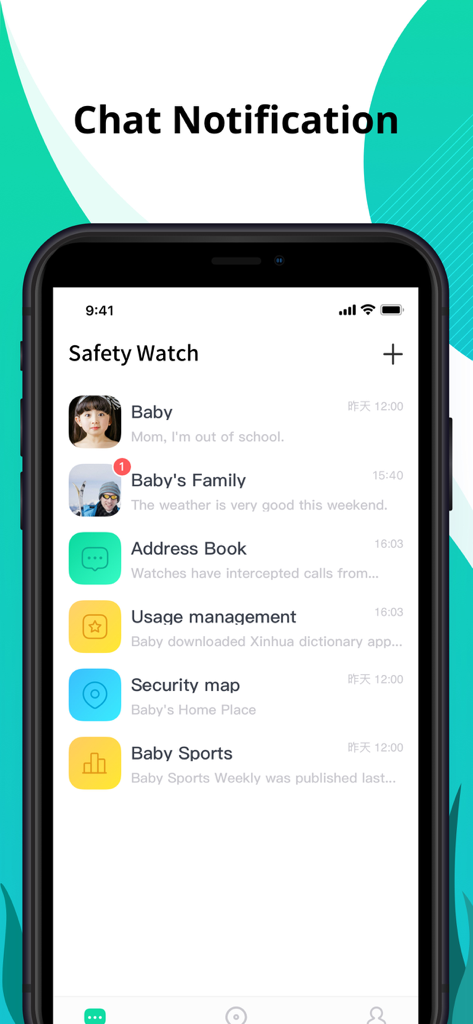
Interface of the Safety Watch app showing chat messages and status updates from a child smartwatch including school arrival and location info.
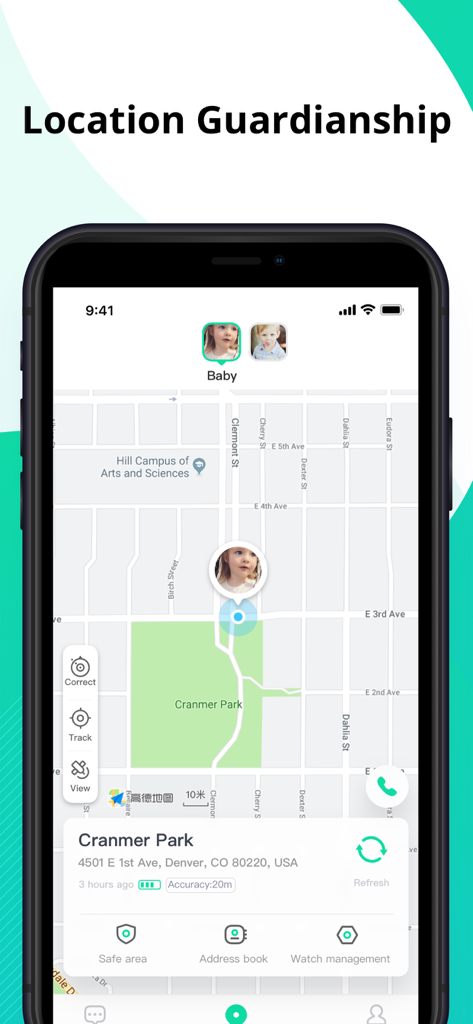
Safety Watch app screen displaying a child's real-time GPS location on a map.
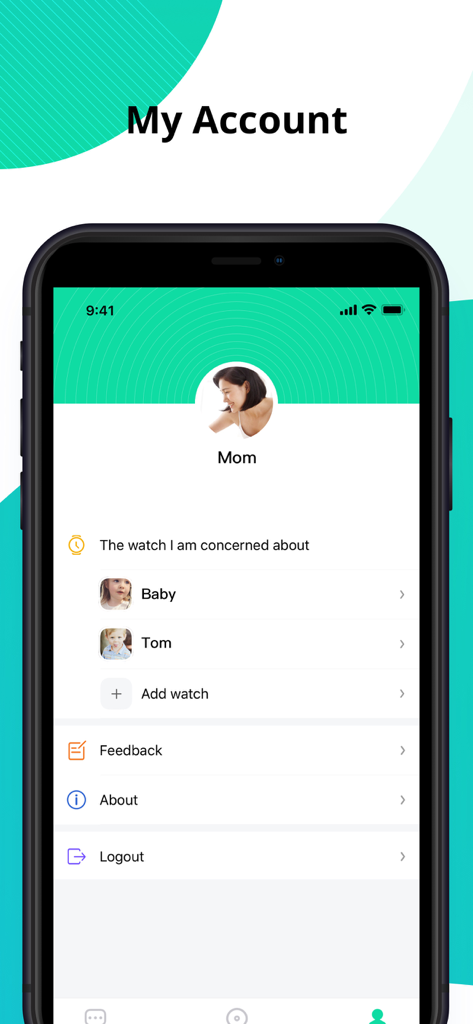
The My Account dashboard of the Safety Watch app showing a parent profile and two connected children's smartwatches
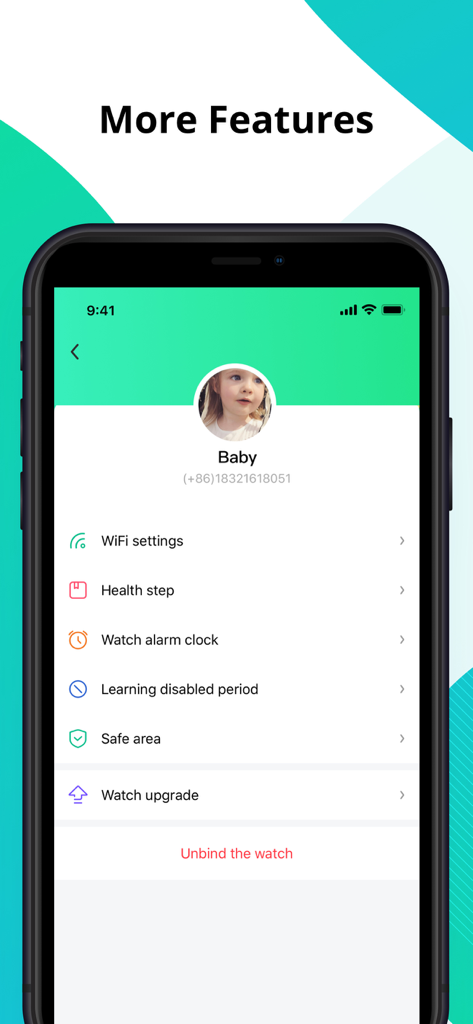
Safety Watch app features screen showing parental control settings for a child smartwatch
Description
Download
More Like This
Apps with similar features and user experience

作业帮智能
Guangzhou Polar Future Culture Technology Co., Ltd

Prodigy for Parents
Prodigy Education Inc.

小寻
Zhenshi

Garmin Jr.™
Garmin International

360儿童卫士
Beijing Qihoo Technology Co Ltd

tonies
tonies GmbH

小布咕国际版
BABYBUS CO., LIMITED

MyFaba – Il tuo Raccontastorie
FABA S.R.L.

Lunii
Lunii
This page is not an official page of the app or its developer, but an independent editorial publication created for informational and commentary purposes. Unless expressly stated otherwise, neither the app nor its developer is affiliated with, endorsed by, sponsored by, authorized by, or otherwise officially connected with MWM, Apple, Google Play, the app publisher, or the app's developer, and nothing on this page implies that the app was developed using MWM's services. Any trademarks, logos, screenshots, and other content remain the property of their respective owners.