
This page is not an official page of the app or its developer, but an independent editorial publication created for informational and commentary purposes. Unless expressly stated otherwise, neither the app nor its developer is affiliated with, endorsed by, sponsored by, authorized by, or otherwise officially connected with MWM, Apple, Google Play, the app publisher, or the app's developer, and nothing on this page implies that the app was developed using MWM's services. Any trademarks, logos, screenshots, and other content remain the property of their respective owners.


Sansan
Centralize your company's contacts with 99.9% accuracy. Empower your entire team with shared insights and real-time updates to build stronger professional relationships and close deals faster.
Downloads
1M+User Rating
Total Ratings
700Publisher
Category
BusinessLocales
3Latest Version
9.73.0Size
152.7 MBFirst Released
Jan 6, 2014Turn Every Handshake into Organizational Intelligence
Sansan centralizes your entire company's professional network, combining high-precision scanning with collaborative tools to drive sales and strengthen relationships.
99.9% Accuracy Digitization
Eliminate manual data entry with a proprietary mix of AI scanning and human verification. Ensure your CRM data is always flawless and professional.
Collaborative Network Management
Break down departmental silos. Access a shared company-wide database to see who in your organization already has the warm connection you need.
Frequently Asked Questions
Everything you need to know about Sansan
What is Sansan and what does it do?
Sansan is a business database that centralizes business card and contact data, corporate information, and sales history. It creates a shareable, internal repository to uncover sales opportunities and reduce costs for users.
Can I scan physical business cards with the Sansan app?
Yes, Sansan allows users to scan physical business cards using their phone's camera. The application supports scanning up to four business cards simultaneously to quickly digitize contact information.
Does Sansan support creating and sharing virtual business cards?
Yes, Sansan enables users to create their own virtual business cards. These cards can be easily exchanged with contacts by sharing a unique URL or via a QR code displayed within the app.
How does Sansan digitize scanned business cards?
Sansan manually digitizes scanned business cards into comprehensive contact profiles. From these profiles, users can directly call, email, or write notes and meeting reports, ensuring accurate and actionable data.
Does Sansan provide updates on changes to contact information?
Yes, Sansan actively tracks and displays contact updates, including changes in a contact's position or department. It also notifies users about colleagues exchanging contacts, keeping the network information current.
Can I view my colleagues' contacts using Sansan?
Yes, Sansan allows users to view and access their colleagues' contacts. The platform also facilitates instant messaging with colleagues to discuss contacts or coordinate meetings directly within the app.
What reporting features does the Sansan application offer?
Sansan provides robust reporting functionalities, including options to create new reports and view outgoing, incoming, and online reports. It displays detailed meeting summaries with interactive features like likes and comments.
The following screenshots and description are sourced directly from the app's official store listing and are the property of the app developer.
App Store
Screenshots
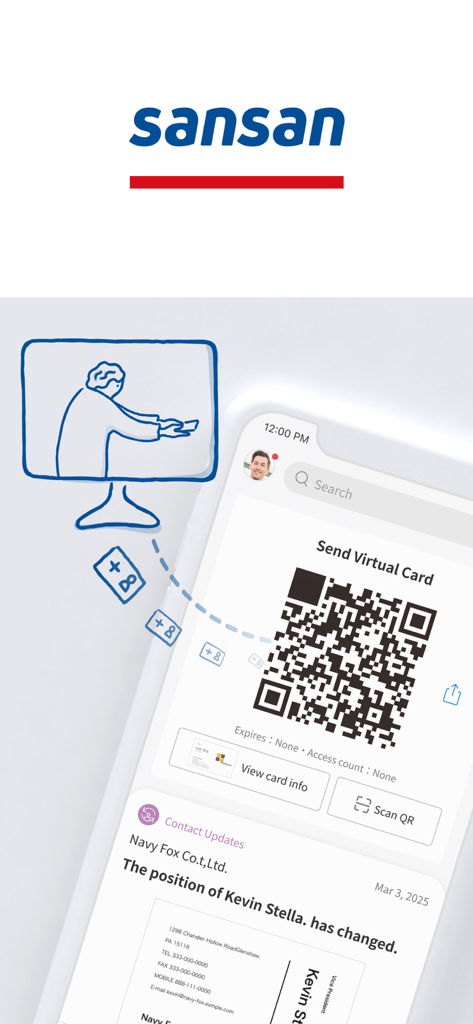
Sansan app screen showing a virtual business card QR code and a feed update about a contact changing positions
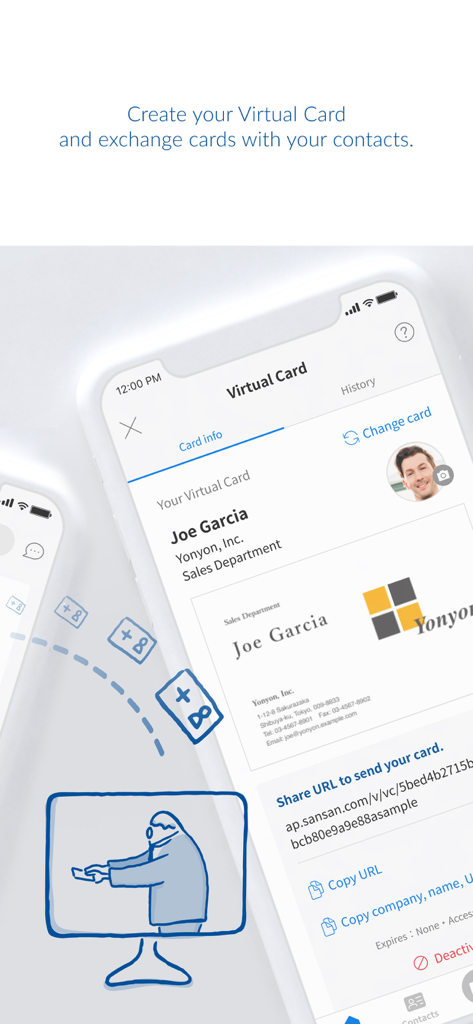
Sansan app interface showing a virtual business card and digital exchange options
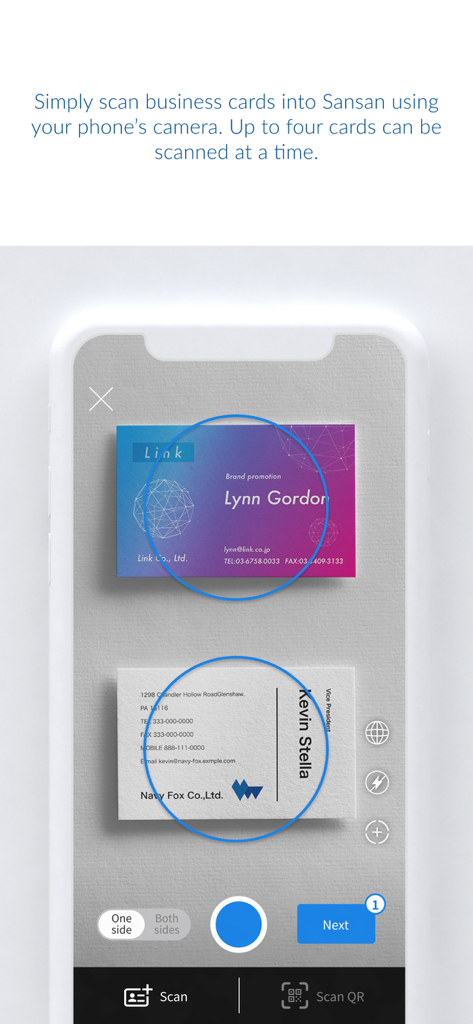
Sansan app interface for scanning multiple business cards at once
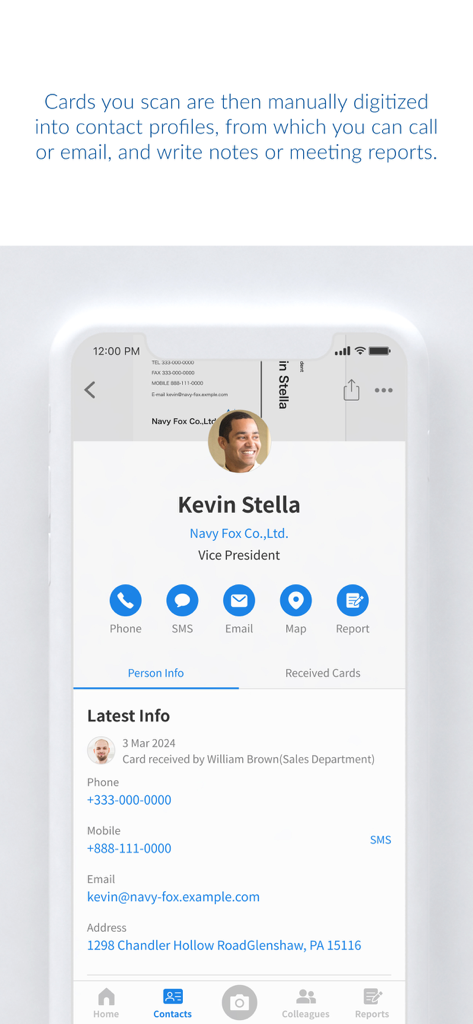
Sansan mobile app interface showing a digitized professional contact profile for Kevin Stella with quick action buttons for phone and email
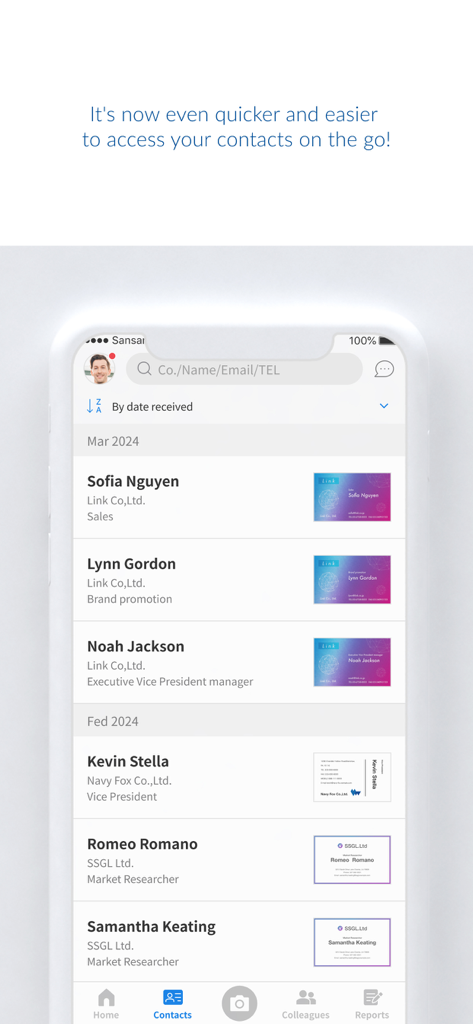
Sansan mobile app screen displaying a list of professional contacts with their digitized business cards.
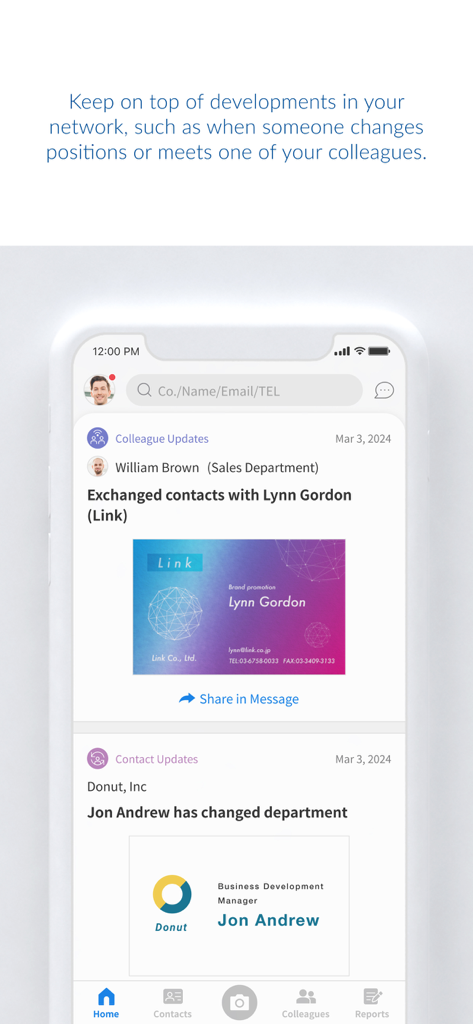
Sansan mobile app news feed displaying colleague networking activity and professional contact updates
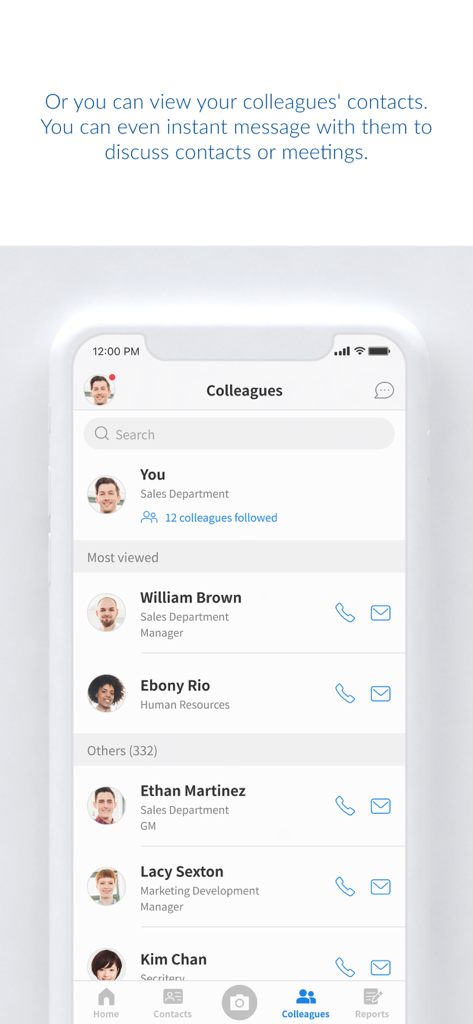
Sansan app interface showing an internal corporate directory of colleagues with job titles and contact options
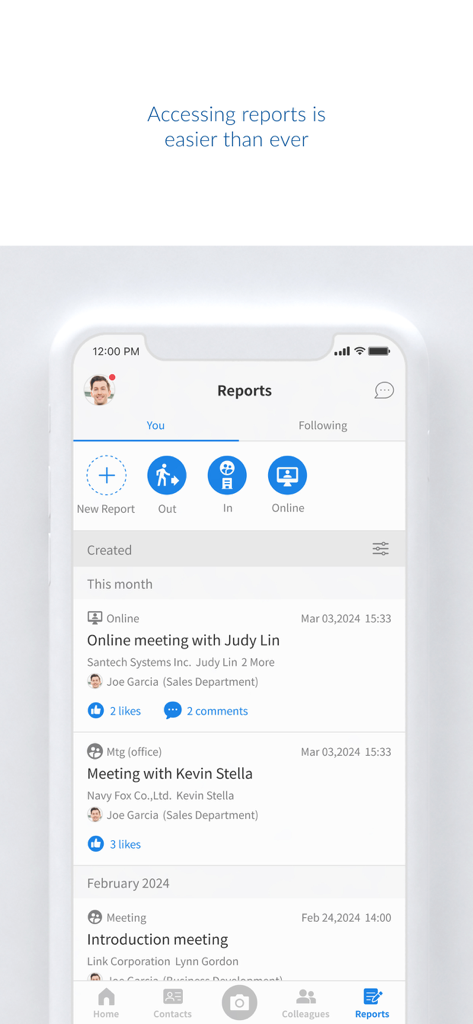
Sansan app screen displaying a list of recent business meeting reports and contact activities
Description
Download
More Like This
Apps with similar features and user experience

Blinq: Digital Business Card
Blinq Technologies Pty Ltd

HiHello: Digital Business Card
HiHello, Inc.

Popl: AI Lead Capture
Popl Co

CamCard AI Business Assistant
INTSIG Information Co., Ltd

Evernote Scannable
Evernote Corporation

Business Card Scanner by Covve
Covve Visual Network Limited

bCard: Digital Business Card
Oleksandr Solodkyi

BizConnect Card Scanner
ATMAS SOFTWARES PRIVATE LIMITED

DBC: Digital Business Card
IT FOR TOMORROW LTD
This page is not an official page of the app or its developer, but an independent editorial publication created for informational and commentary purposes. Unless expressly stated otherwise, neither the app nor its developer is affiliated with, endorsed by, sponsored by, authorized by, or otherwise officially connected with MWM, Apple, Google Play, the app publisher, or the app's developer, and nothing on this page implies that the app was developed using MWM's services. Any trademarks, logos, screenshots, and other content remain the property of their respective owners.