
This page is not an official page of the app or its developer, but an independent editorial publication created for informational and commentary purposes. Unless expressly stated otherwise, neither the app nor its developer is affiliated with, endorsed by, sponsored by, authorized by, or otherwise officially connected with MWM, Apple, Google Play, the app publisher, or the app's developer, and nothing on this page implies that the app was developed using MWM's services. Any trademarks, logos, screenshots, and other content remain the property of their respective owners.


SaveTik : TikTok Videos Saver
Download videos instantly, add trending captions, and find the best hashtags to boost your reach and go viral across every social platform.
Downloads
240K+User Rating
Total Ratings
2K+Publisher
Category
Social NetworkingLocales
1Latest Version
4.5Size
140.2 MBFirst Released
May 14, 2022Supercharge Your Social Presence
The all-in-one toolkit designed for creators to save, edit, and repurpose viral content across all your social platforms effortlessly.
Instant Auto-Detection
No more jumping through hoops. Simply copy a TikTok link and SaveTik automatically fetches your video in seconds, keeping your workflow fast and frictionless.
Pro-Level Creator Tools
Transform raw videos into high-engagement posts. Add custom captions and edit clips directly in-app to ensure your content looks perfect for Reels, Shorts, and beyond.
Frequently Asked Questions
Everything you need to know about SaveTik : TikTok Videos Saver
How does SaveTik allow users to save TikTok videos?
Yes, SaveTik simplifies saving TikTok videos. Copy the video link from TikTok, open SaveTik, and the app automatically processes the video for saving or reposting.
Can users edit TikTok videos using the SaveTik app?
Yes, SaveTik provides features allowing users to edit their favorite TikTok videos directly within the application.
Does SaveTik offer the ability to add captions to videos?
Yes, SaveTik enables users to add captions to their videos. This functionality helps to increase reach to more viewers.
Is it possible to schedule video reposts with SaveTik?
Yes, SaveTik includes a feature to schedule the optimal time for reposting videos to maximize viewership.
What are the steps to save a TikTok video with SaveTik?
To save a TikTok video using SaveTik, copy the video's link from TikTok. Open SaveTik, and the app automatically detects and prepares the video for saving.
Does SaveTik offer any free video reposts?
Yes, SaveTik allows users to repost 3 videos for free. Additional video reposts require an in-app purchase.
Is SaveTik officially affiliated with TikTok?
No, SaveTik is not affiliated with or endorsed by TikTok. The app operates independently.
Can SaveTik help users discover trending videos?
Yes, SaveTik allows users to find trending videos directly through the application.
Does SaveTik include a function to copy hashtags?
Yes, SaveTik provides a feature for users to copy hashtags directly from within the app.
Where can I find the privacy policy for SaveTik?
The privacy policy for SaveTik is accessible via the URL: https://www.app-privacy-policy.com/live.php?token=W9K8zrGNTvdGYbeHScncdrZ2YZshm7ud.
The following screenshots and description are sourced directly from the app's official store listing and are the property of the app developer.
App Store
Screenshots
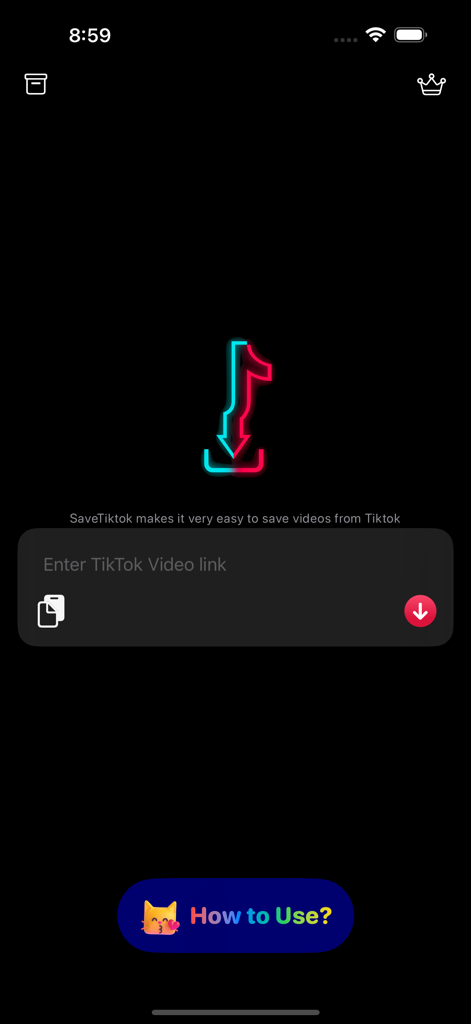
SaveTik app home screen with a text field to paste a TikTok video link for downloading.
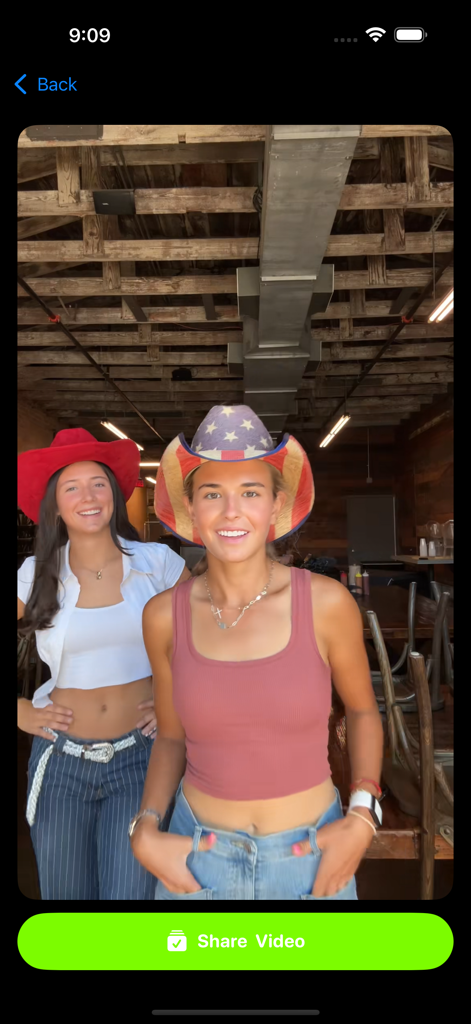
SaveTik app interface showing a TikTok video preview with a large green Share Video button at the bottom
Description
Download
More Like This
Apps with similar features and user experience

SSSTik Lite: Trend Video Saver
Alina Pustovit

Instant Save
sagar vaddoriya
InSaver : Video Downloader
Thembi Mothalo

Instant Saver : Story, Reels
Yousef Atieh

InstSave: Reels Story Repost
Narendra Sorathiya

Tik Saver: Save Tok Video Pro
SPEKTRUM EPPS, TOV

InDown・Reels Video Story Saver
FATMA MELIS CAN

TikPro : Save Tik Videos
Md Amdadul Hoque
InSaver: Videos, Story & Reels
Sarah Rotherforth
This page is not an official page of the app or its developer, but an independent editorial publication created for informational and commentary purposes. Unless expressly stated otherwise, neither the app nor its developer is affiliated with, endorsed by, sponsored by, authorized by, or otherwise officially connected with MWM, Apple, Google Play, the app publisher, or the app's developer, and nothing on this page implies that the app was developed using MWM's services. Any trademarks, logos, screenshots, and other content remain the property of their respective owners.