
This page is not an official page of the app or its developer, but an independent editorial publication created for informational and commentary purposes. Unless expressly stated otherwise, neither the app nor its developer is affiliated with, endorsed by, sponsored by, authorized by, or otherwise officially connected with MWM, Apple, Google Play, the app publisher, or the app's developer, and nothing on this page implies that the app was developed using MWM's services. Any trademarks, logos, screenshots, and other content remain the property of their respective owners.


SSSTik Lite: Trend Video Saver
Download high-quality videos, extract audio, and save trending moments for offline viewing or creative remixing. Simple, fast, and built for the next generation of content creators.
Downloads
34K+User Rating
Total Ratings
0Publisher
Category
Social NetworkingLocales
1Latest Version
1.0.6Size
62.6 MBFirst Released
May 3, 2025Elevate Your Content Creation Workflow
The professional-grade toolkit for creators and curators to capture, organize, and remix trending social content in high definition.
Lossless HD Downloads
Get the highest quality source material for your remixes. Save videos in full HD or extract crystal-clear audio tracks for your next viral project.
Format Versatility
More than just video downloads. Instantly convert image sets into slideshows or extract trending sounds to use as inspiration for your own brand.
Frequently Asked Questions
Everything you need to know about SSSTik Lite: Trend Video Saver
How do I use SSSTik Lite to download videos?
To use SSSTik Lite, copy the video link from the TT app, then open SSSTik Lite, paste the link, hit "Download," and select your desired format.
What file formats can SSSTik Lite save?
SSSTik Lite supports saving content in multiple formats including HD quality video, standard video, audio, images, or as a slideshow.
Does SSSTik Lite offer HD quality video downloads?
Yes, SSSTik Lite provides HD quality video downloads. Users can choose between standard and HD quality when saving videos.
Does SSSTik Lite remove watermarks from saved videos?
Yes, SSSTik Lite downloads media without watermarks. This feature applies to videos saved using the application.
Can I download audio with SSSTik Lite?
Yes, SSSTik Lite allows users to save content specifically as audio files. This is one of the available download format options.
Can I watch downloaded videos offline using SSSTik Lite?
Yes, SSSTik Lite enables offline viewing. Users can watch saved videos anytime without needing an internet connection.
Where does SSSTik Lite keep my saved content?
SSSTik Lite organizes all your downloaded content in your personal in-app library. This centralizes access to your saved media.
Does SSSTik Lite support sharing downloaded content?
Yes, SSSTik Lite offers easy sharing. You can instantly share your downloads with friends via messengers, email, or social media platforms.
Does SSSTik Lite require copyright authorization for downloads?
Yes, SSSTik Lite advises users to respect copyright. It is essential to ensure proper authorization before downloading or sharing content.
What is the purpose of SSSTik Lite?
SSSTik Lite is a powerful media saver designed to save favorite TT content, including videos, audio, images, and slideshows, with various quality options.
The following screenshots and description are sourced directly from the app's official store listing and are the property of the app developer.
App Store
Screenshots

Interface of the SSSTik Lite app showing a video download screen with a link pasted into the input field.
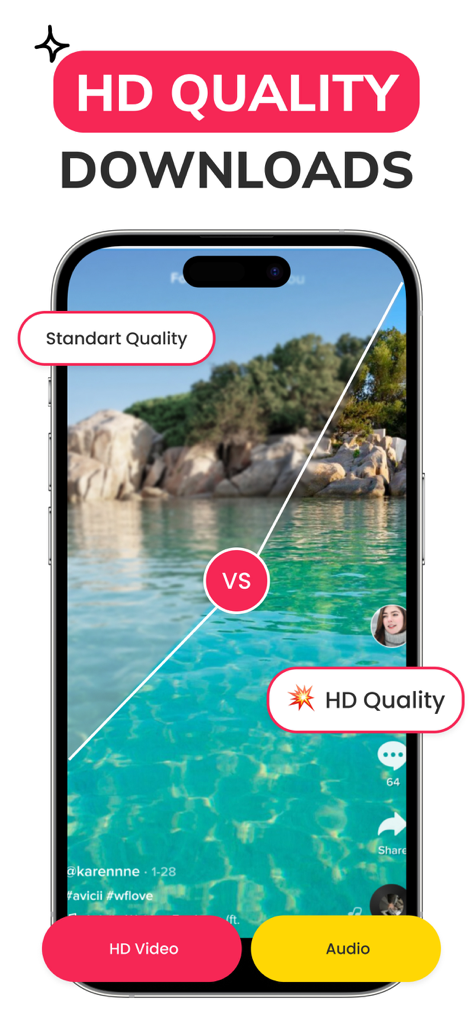
SSSTik Lite app interface showing a comparison between standard and HD video quality
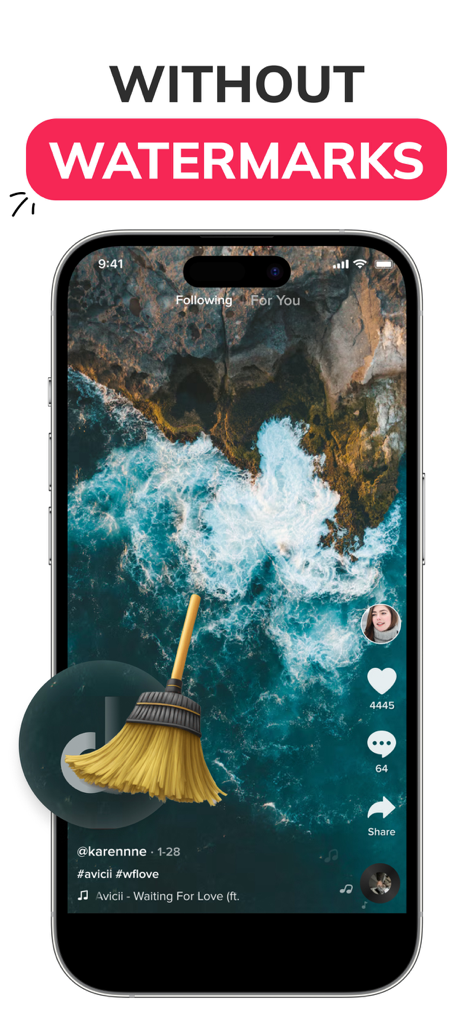
A smartphone screen showing a video being saved without watermarks with a broom icon sweeping away a logo.
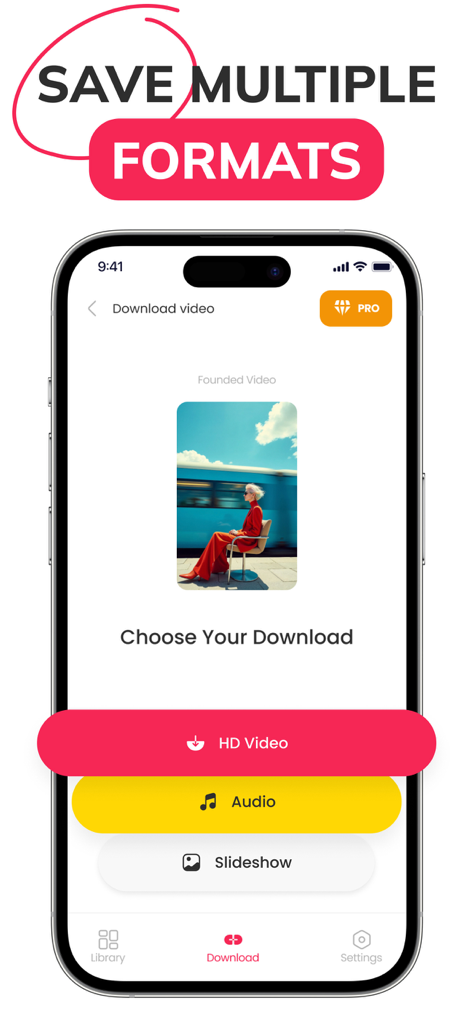
SSSTik Lite app interface showing options to download HD video audio or slideshow formats
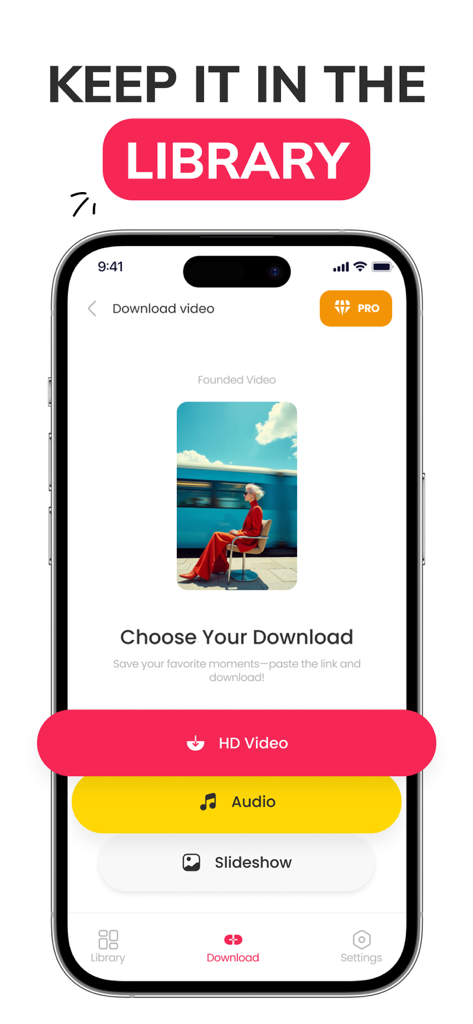
SSSTik Lite mobile interface showing options to download content as HD video, audio, or slideshow.
Description
Download
More Like This
Apps with similar features and user experience

Instant Save
sagar vaddoriya

InSaver : Video Downloader
Thembi Mothalo

Instant Saver : Story, Reels
Yousef Atieh

InstSave: Reels Story Repost
Narendra Sorathiya

Tik Saver: Save Tok Video Pro
SPEKTRUM EPPS, TOV

InDown・Reels Video Story Saver
FATMA MELIS CAN

SaveTik : TikTok Videos Saver
TOYIN- ISRAEL IBIYEMI

TikPro : Save Tik Videos
Md Amdadul Hoque

InSaver: Videos, Story & Reels
Sarah Rotherforth
This page is not an official page of the app or its developer, but an independent editorial publication created for informational and commentary purposes. Unless expressly stated otherwise, neither the app nor its developer is affiliated with, endorsed by, sponsored by, authorized by, or otherwise officially connected with MWM, Apple, Google Play, the app publisher, or the app's developer, and nothing on this page implies that the app was developed using MWM's services. Any trademarks, logos, screenshots, and other content remain the property of their respective owners.