ScanCopy: PDF Editor Converter
Download on App Store

This page is not an official page of the app or its developer, but an independent editorial publication created for informational and commentary purposes. Unless expressly stated otherwise, neither the app nor its developer is affiliated with, endorsed by, sponsored by, authorized by, or otherwise officially connected with MWM, Apple, Google Play, the app publisher, or the app's developer, and nothing on this page implies that the app was developed using MWM's services. Any trademarks, logos, screenshots, and other content remain the property of their respective owners.


Logo of ScanCopy: PDF Editor Converter
Download on App Store

ScanCopy: PDF Editor Converter

Digitize, edit, and sign documents on the go. From receipts to contracts, get high-quality scans with OCR and seamless cloud sync for a truly paperless workflow.

Key Figures

Downloads

0

User Rating

5.0/5

Total Ratings

0

Publisher

Charmi Kachara

Category

Productivity

Locales

21

Latest Version

1.14

Size

14.4 MB

First Released

Dec 14, 2020
Features

Master Your Workflow on the Go

Transform your iPhone into a professional mobile office. Scan, edit, sign, and organize documents with ease.

Intelligent HD Scanning

Produce professional-grade PDFs with AI-powered smart cropping and OCR text recognition that makes every document searchable.

E-Sign Like a Pro

Close deals faster by adding legally compliant digital signatures to contracts and forms directly from your mobile device.

The following screenshots and description are sourced directly from the app's official store listing and are the property of the app developer.

App Store

Screenshots
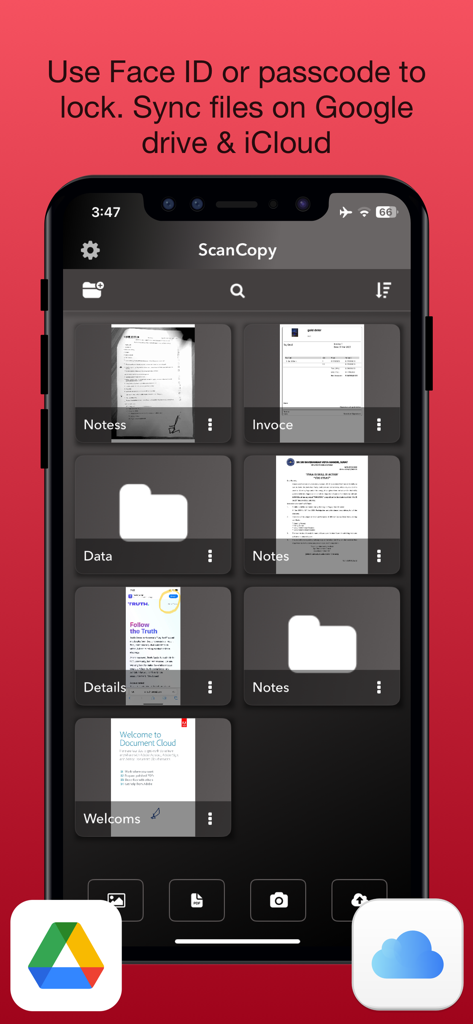
ScanCopy: PDF Editor Converter - Interface of ScanCopy app showing document organization with cloud sync and security options
Interface of ScanCopy app showing document organization with cloud sync and security options

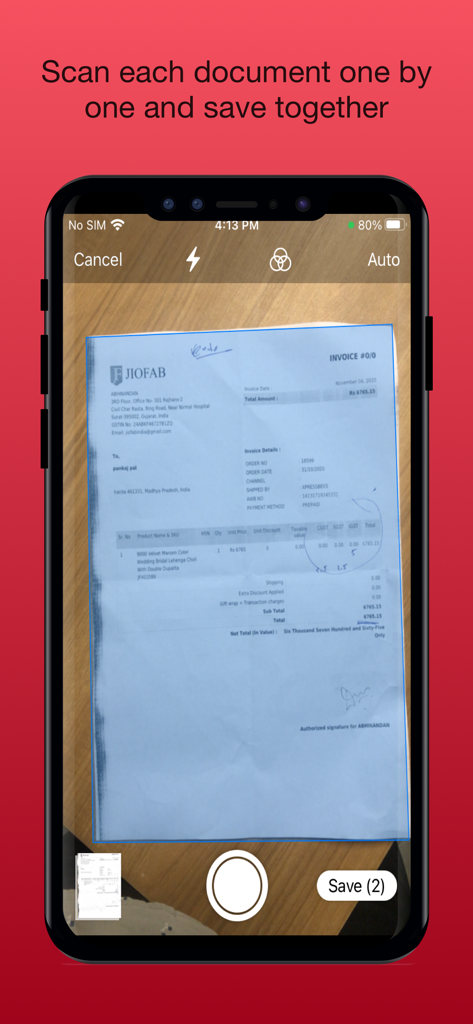
ScanCopy: PDF Editor Converter - iPhone screen showing the ScanCopy app scanning a paper document to create a multi page PDF
iPhone screen showing the ScanCopy app scanning a paper document to create a multi page PDF

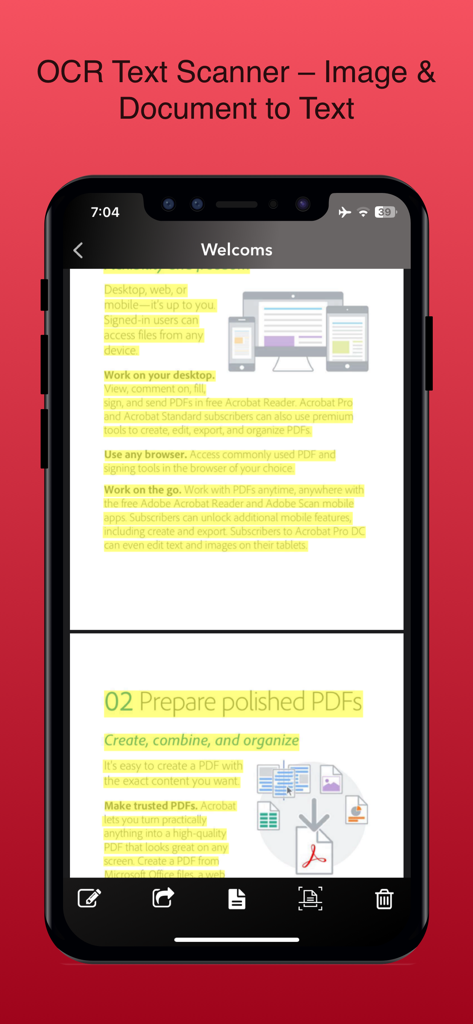
ScanCopy: PDF Editor Converter - A smartphone screen showing the ScanCopy app performing OCR text scanning on a highlighted document to convert image to text
A smartphone screen showing the ScanCopy app performing OCR text scanning on a highlighted document to convert image to text

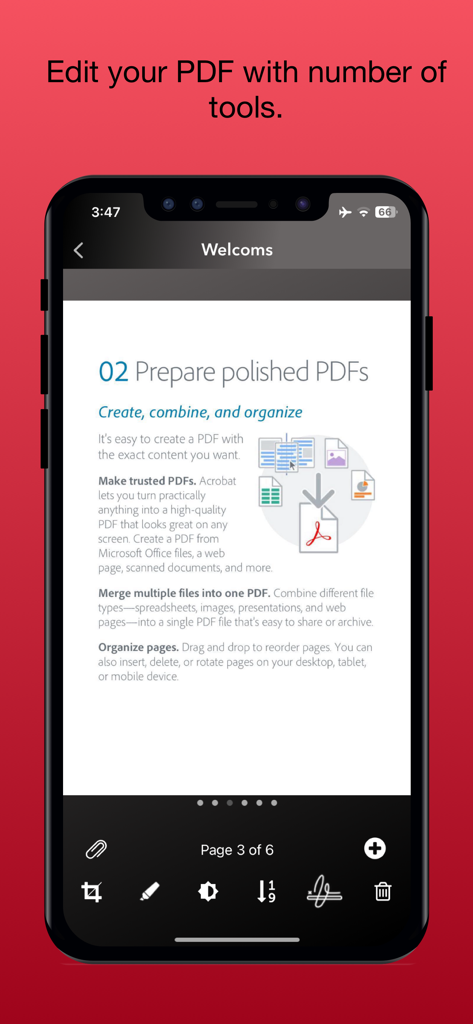
ScanCopy: PDF Editor Converter - Mobile interface of the ScanCopy app showing PDF editing and organization tools on an iPhone
Mobile interface of the ScanCopy app showing PDF editing and organization tools on an iPhone

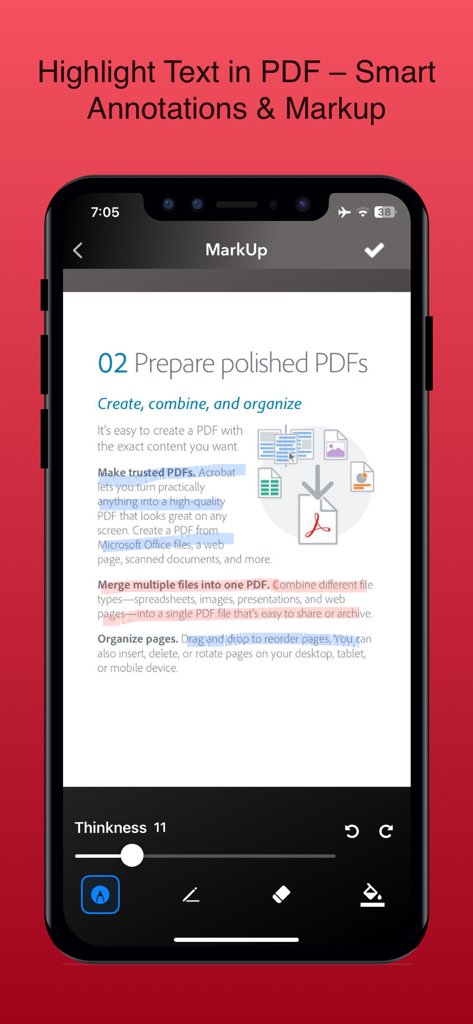
ScanCopy: PDF Editor Converter - Interface of ScanCopy app showing text highlighting and smart annotations on a PDF document.
Interface of ScanCopy app showing text highlighting and smart annotations on a PDF document.

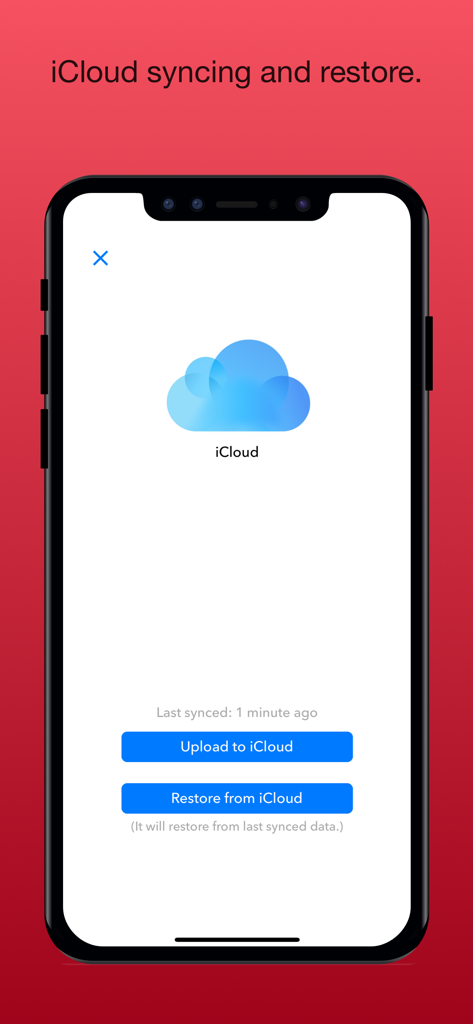
ScanCopy: PDF Editor Converter - iCloud synchronization and data restore interface in ScanCopy PDF editor app
iCloud synchronization and data restore interface in ScanCopy PDF editor app

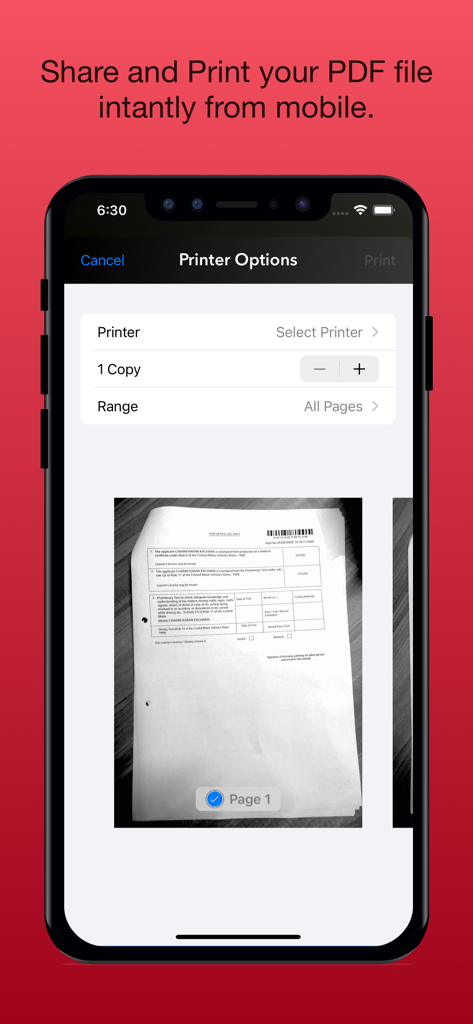
ScanCopy: PDF Editor Converter - Interface of a mobile PDF scanner app showing printer options and a document preview for instant printing
Interface of a mobile PDF scanner app showing printer options and a document preview for instant printing

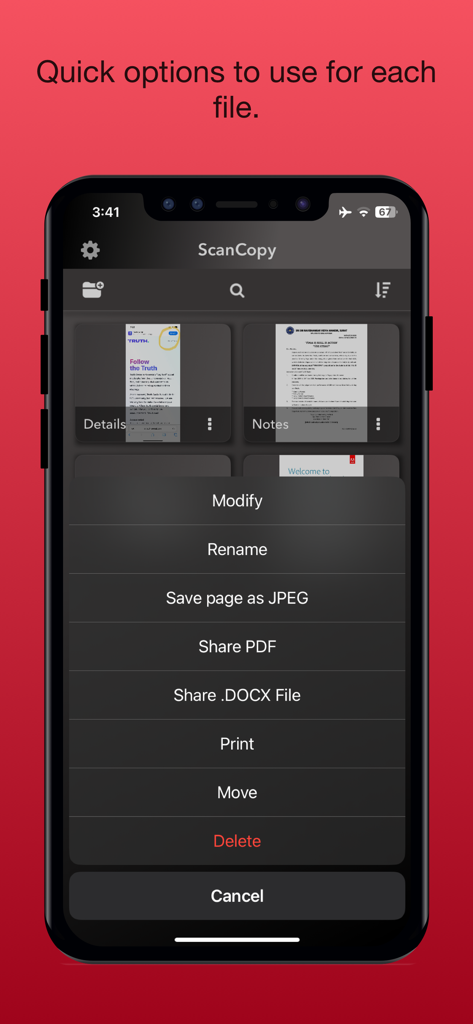
ScanCopy: PDF Editor Converter - ScanCopy mobile app interface showing a quick options menu for document management and sharing

ScanCopy mobile app interface showing a quick options menu for document management and sharing
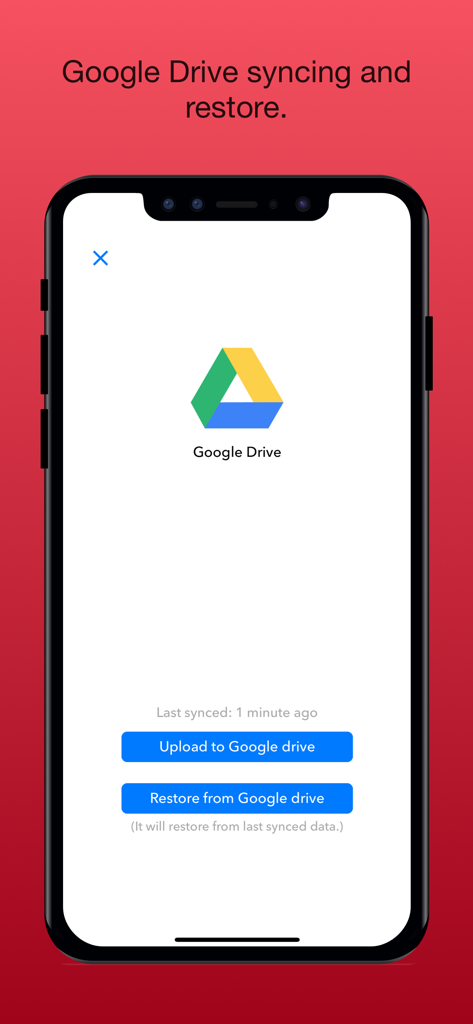
ScanCopy: PDF Editor Converter - Google Drive sync and restore interface in the ScanCopy PDF editor app
Google Drive sync and restore interface in the ScanCopy PDF editor app

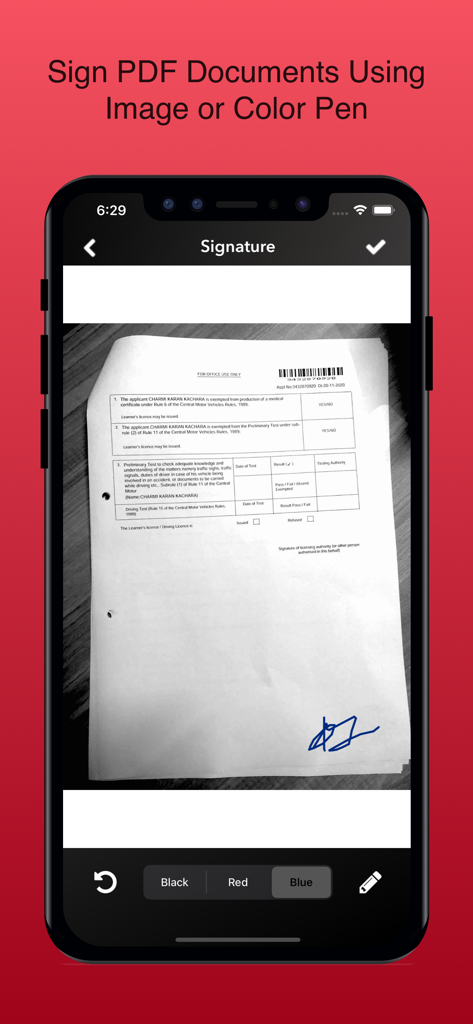
ScanCopy: PDF Editor Converter - Mobile screen showing the digital signature tool in ScanCopy app with a blue signature on a form

Mobile screen showing the digital signature tool in ScanCopy app with a blue signature on a form

Description

Transform any document into searchable PDFs instantly. Scan receipts, contracts, business cards, and sign documents professionally on your iPhone. Why Choose Document Scanner & PDF Signer? Professional Document Scanning High-quality PDF creation with smart cropping OCR text recognition for searchable documents Perfect for receipts, contracts, business cards, notes Advanced image enhancement and color correction Edit PDF Document Crop the document image Change color of page: Black & White, Grayscale Change sorting order of pages Highlight the text in PDF document Digital Signature Solution Add professional signatures to any document Upload signature images or create new ones Perfect for contracts, forms, and business documents Legally compliant digital signing Seamless Cloud Integration Auto-sync with iCloud and Google Drive Access documents across all devices Secure backup and organization Share via email, print, or fax instantly Business & Personal Use Expense management with receipt scanning Document organization with custom folders Password protection for sensitive files Paperless office solution For unlocking all features and content, Premium membership offers an auto-renewable subscription. 3 months Premium: subscription renewal time period is 3 months Yearly Premium: subscription renewal time period is one year Lifetime Premium: This is a one-time charge and never need to pay again. Content provided during subscription period: - Unlimited scan - Unlimited folder - No advertisement - iCloud syncing - Google Drive syncing End of trial and subscription renewal: * Payment will be charged to iTunes Account at confirmation of purchase * The price will be differed from country to country according to the Price Matrix. * Subscription automatically renews unless auto-renew is turned off at least 24-hours before the end of the current period. * Account will be charged for renewal within 24-hours prior to the end of the current period, and identify the cost of the renewal. * Subscriptions may be managed through https://support.apple.com/en-us/HT202039 by the user and auto-renewal may be turned off through the above link after purchase. * Any unused portion of a free trial period, if offered, will be forfeited when the user purchases a subscription to that publication, where applicable. Terms of Service & Privacy Policy: https://docs.google.com/document/d/1AjElXSMtf5d7BJTkElXtk8-qcv3M0SoR9ODUFQ1ani0/ For any query, drop mail us on mayihelpu4app@gmail.com

Download

Download on App Store

This page is not an official page of the app or its developer, but an independent editorial publication created for informational and commentary purposes. Unless expressly stated otherwise, neither the app nor its developer is affiliated with, endorsed by, sponsored by, authorized by, or otherwise officially connected with MWM, Apple, Google Play, the app publisher, or the app's developer, and nothing on this page implies that the app was developed using MWM's services. Any trademarks, logos, screenshots, and other content remain the property of their respective owners.