ScanMaster QR & Barcode: The All-in-One Productivity Powerhouse
Scan documents, count inventory, and generate custom codes instantly. Professional-grade OCR and business tools designed for your daily workflow—100% free and secure.
ScanMaster QR code scanner and barcode reader app for iPhone
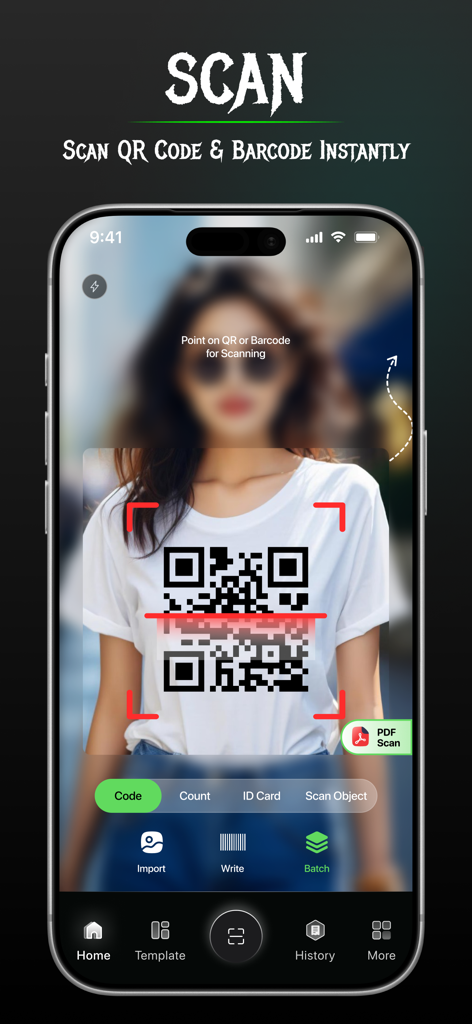
ScanMaster app interface scanning a QR code on a tshirt with a smartphone
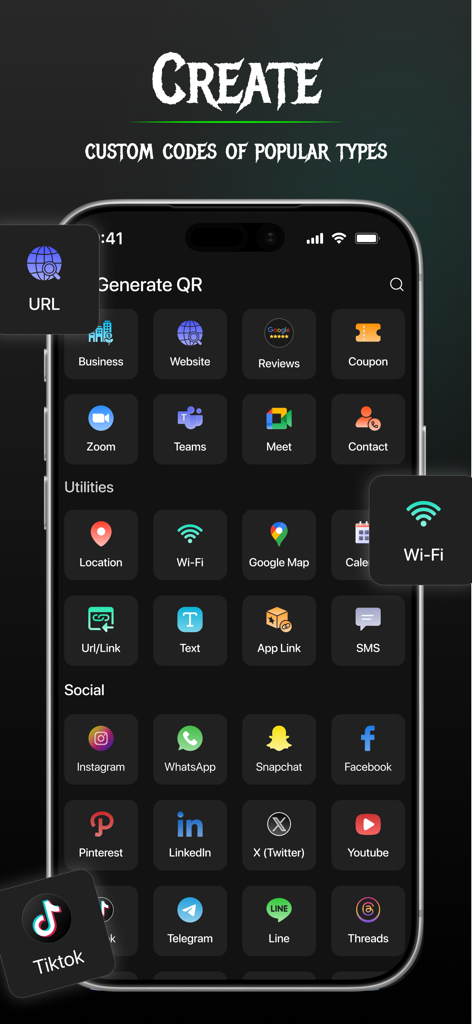
Interface of ScanMaster app for creating custom QR codes for social media and business links
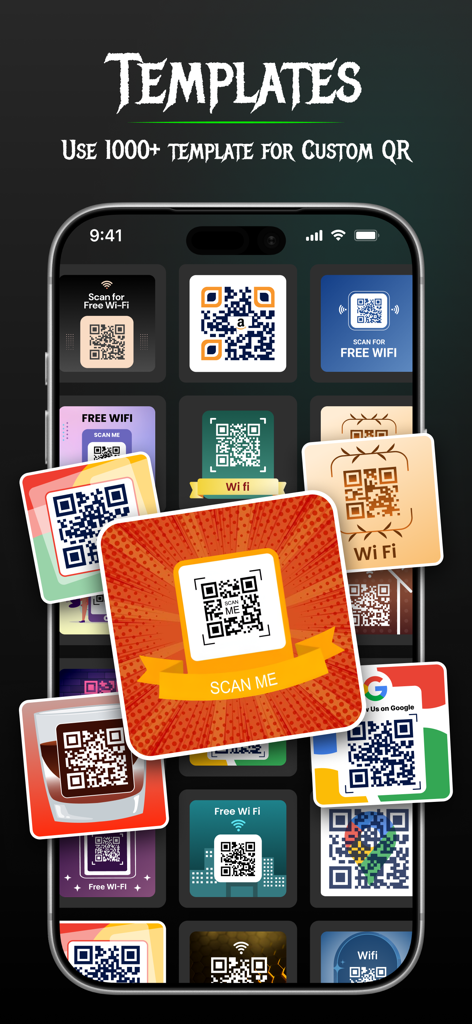
A variety of custom QR code templates for Wi-Fi, business, and social sharing within the ScanMaster app interface.
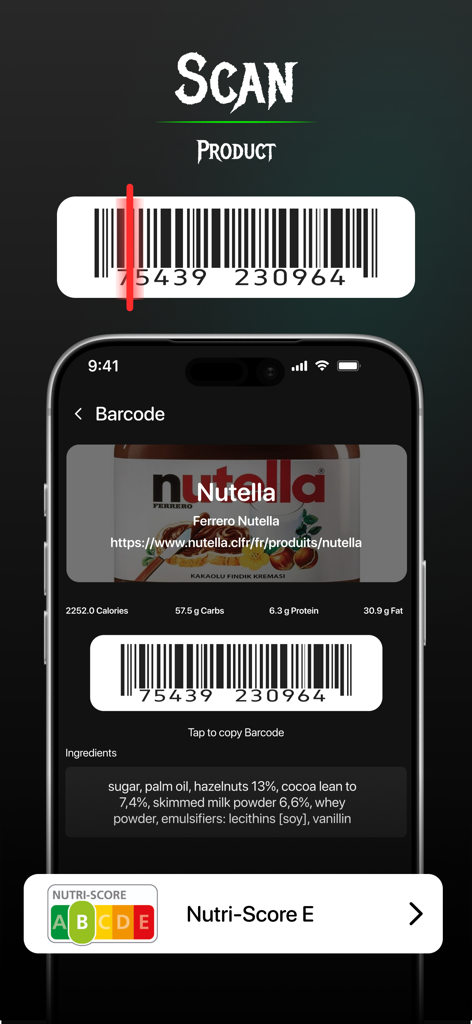
A smartphone displaying a product barcode scan with nutritional details and ingredients for a food item.
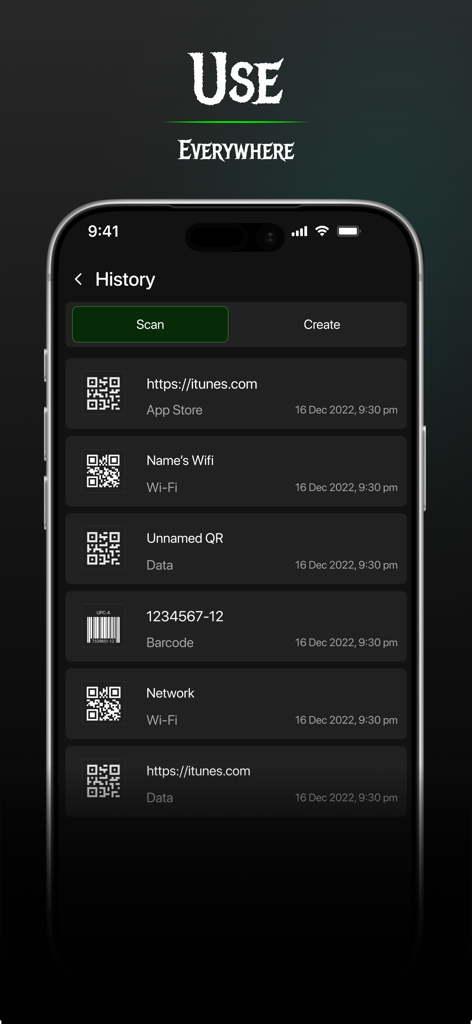
ScanMaster app history log displaying recent QR code and barcode scans
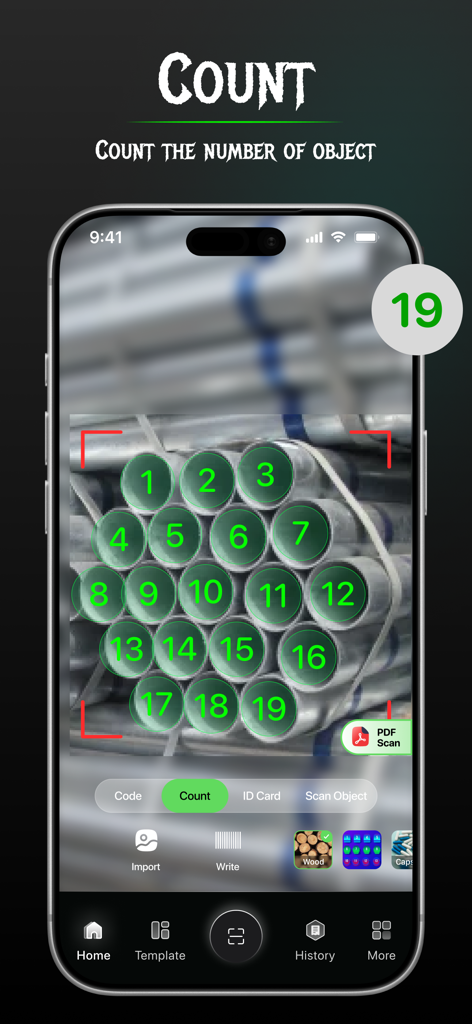
ScanMaster app interface showing the count scanner feature automatically numbering and totaling nineteen metal pipes for inventory
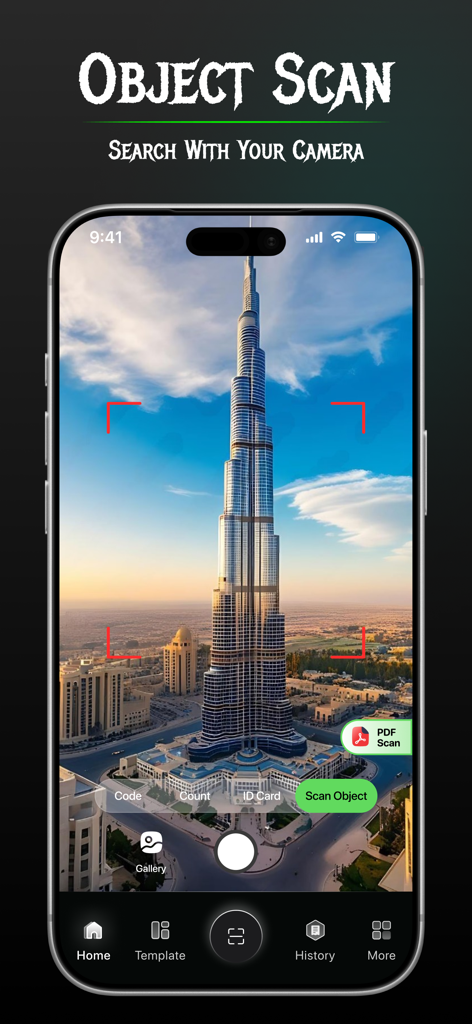
ScanMaster app interface showing the object scan feature identifying a tall building
Master Your Workflow with Pro Scanning Tools
The tools that make this app stand out, trusted by 11K+ users.
⚡
Lightning-Fast Scanning & Creation
Decode any QR or barcode in milliseconds. Create custom codes for contacts, Wi-Fi, or URLs to share your info with professional polish.
📝
Advanced OCR & Document Digitization
Turn photos into editable text or high-quality PDFs. Safely scan ID cards, passports, and receipts with full privacy and no cloud uploads.
🔢
Smart Inventory & Count Scanner
Stop counting by hand. Use AI-powered object detection and barcode writing to manage your stock, packages, or office supplies effortlessly.
About the app
Everything you need to know about ScanMaster QR & Barcode.
Description
ScanMaster QR & Barcode Generator App is the all-in-one tool to scan, generate, and manage QR codes with QR reader, QR writer, barcode scanner, or QR maker.
Whether you're scanning a product, ID Proof, Passport, travel documents, PDF Scan, extracting text, or creating a custom QR code, this QR code reader app makes the process fast and seamless.
Amazing Features of ScanMaster QR & Barcode:
1) QR Code Scanner – Point your camera and scan any QR code or barcode instantly.
2) Barcode Reader & Writer – Scan product barcodes quickly and generate new ones.
3) QR Code Generator (Maker) – Create custom QR codes with text, links, WiFi, contacts, or any data.
4) Text Extractor (OCR) – Extract and encode text directly from scanned images or documents. Take a picture or select an image from your gallery to extract text. Search the extracted text online, copy it, or share it.
5) Code Writer & Encoder – Write, save, and share QR codes or barcodes instantly.
6)History & Save Options – Keep track of all your scanned and generated codes for quick access.
Easily create QR codes for different purposes:
Text – Encode any text into a QR code.
Website URL – Create a QR code for your website or link.
Wi-Fi – Generate a QR code with your Wi-Fi details for easy sharing.
Business Contact – Share all business details Scan product labels to digital payments via QR code.
Location – Enter latitude/longitude or a place name to create a location-based QR code.
PDF Scanner - Scan documents, receipts, notes, and files instantly. Save scans as PDF or image formats.
ID Card Scanner - Scan and store ID cards, licenses, and badges.
Object Scanner - Detect product details, barcodes, or QR codes on objects with high clarity.
Count Scanner - Instantly count objects, items, or codes using your camera. Useful for inventory, products, documents, and packages.
Why is ScanMaster QR & Barcode the best?
* Lightweight & powerful
* Super-fast scanning – Smart camera instantly detects and decodes any QR code or barcode.
* All-in-one solution – Scan, generate, read, and write codes in one simple app.
* Free forever – No hidden charges, enjoy unlimited scanning and code generation.
* Works everywhere – From product scanning in stores to generating QR codes for business cards, events, WiFi networks, payments, and more.
* Secure & Offline Mode – Scan QR codes without needing internet, keeping your data safe.
* Flashlight Support – Scan barcodes and QR codes easily, even in dark environments.
* Multi-language support – Change the app language as per your preference.
Generate & Customize QR Codes : A must-have app for business owners, students, retailers, professionals, and everyday users looking for a powerful QR and barcode solution!
Download the Free ScanMaster QR & Barcode App today and start scanning, generate, encode, and share codes instantly!
Latest Version
1.2.9
Size
69.4 MB
First Released
Mar 18, 2025
Master Your Workflow with the All-in-One Scanner
Join thousands of professionals and side-hustlers who simplify their day with ScanMaster. Get the power of QR, OCR, and inventory tools in your pocket—completely free.
App information, icons, screenshots, and descriptions displayed on this page are sourced from the Apple App Store and are the property of their respective developers. Download estimates and rankings are based on MWM's proprietary models and may not reflect actual figures. This page is provided for informational and analytical purposes only.
Believe this page infringes your intellectual property? File a dispute