Screen Recorder - RecordX

Screen Recorder - RecordX


Download on App Store
Logo of Screen Recorder - RecordX

Screen Recorder - RecordX: The All-in-One 4K Studio for Creators

Capture stunning 60fps gameplay, produce professional tutorials, and edit on the go with powerful tools like voice-to-text, custom watermarking, and instant GIF exports.

Publisher

哲 魏

Category

Utilities

Downloads

298K+

User Rating

4.3/5

Total Ratings

2K+

Locales

33

Pixel-Perfect Performance

Discover the interface used by 298K+ users.
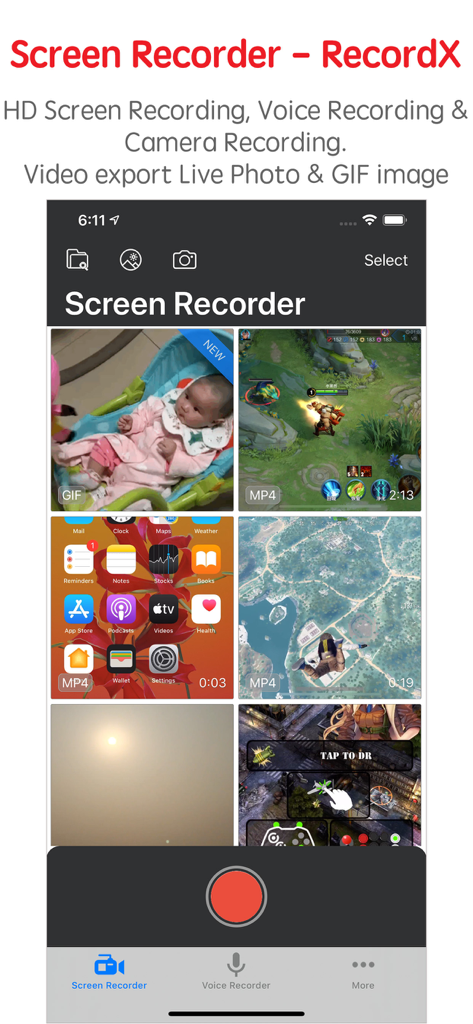
The library view of Screen Recorder RecordX featuring various video recordings and a record button

The library view of Screen Recorder RecordX featuring various video recordings and a record button

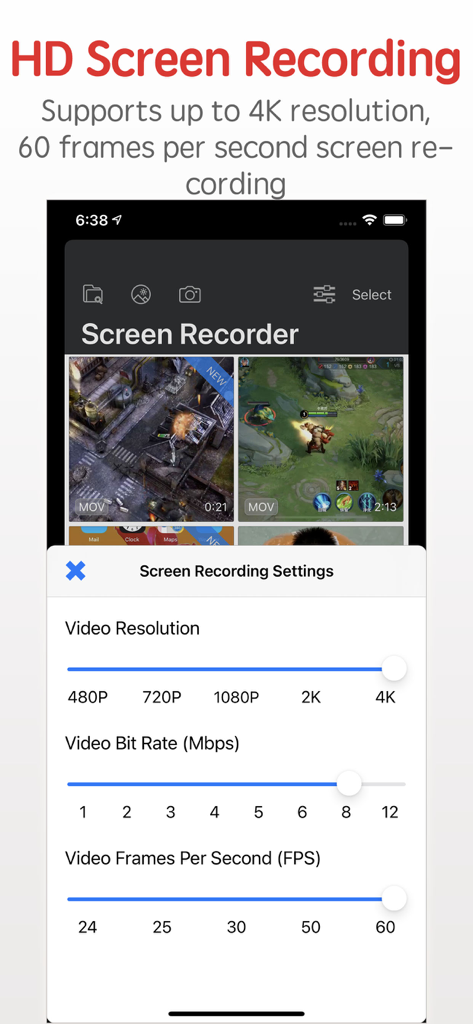
Interface of RecordX showing HD screen recording settings with options for 4K resolution and 60 FPS.

Interface of RecordX showing HD screen recording settings with options for 4K resolution and 60 FPS.

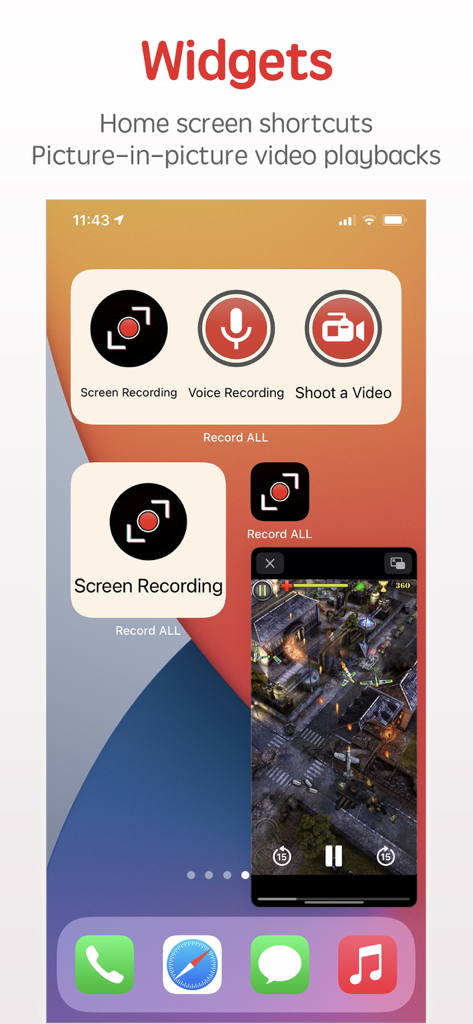
Screen Recorder RecordX widgets for home screen shortcuts and picture in picture video playback

Screen Recorder RecordX widgets for home screen shortcuts and picture in picture video playback

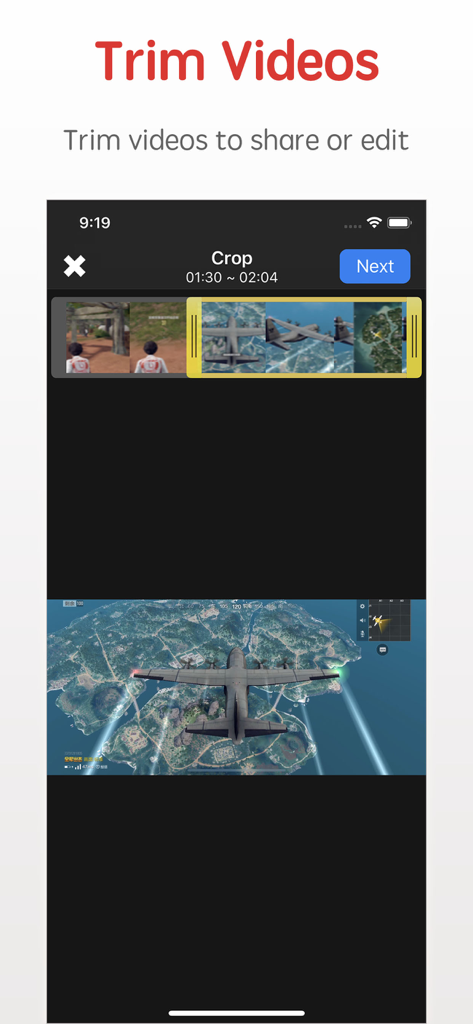
Interface of the RecordX screen recorder app showing the video trimming and cropping feature with a gaming clip

Interface of the RecordX screen recorder app showing the video trimming and cropping feature with a gaming clip

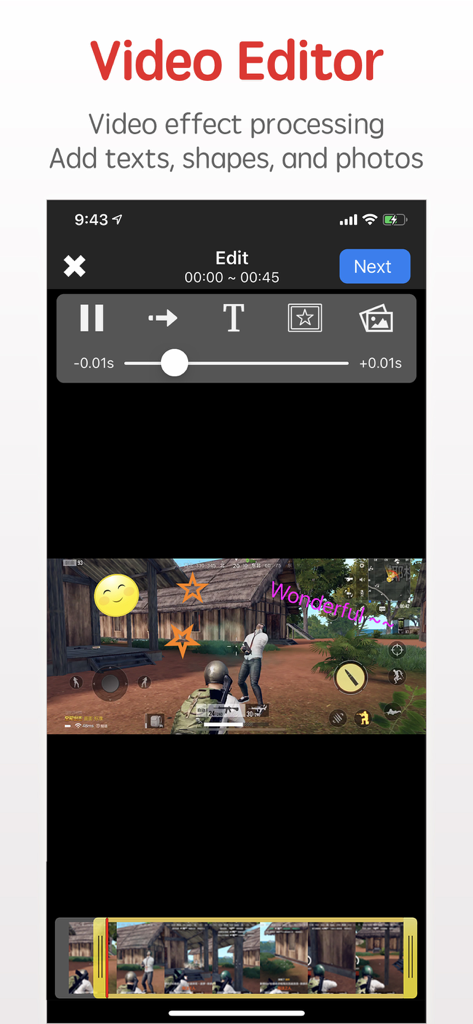
RecordX video editor interface showing text and sticker overlays on mobile gameplay

RecordX video editor interface showing text and sticker overlays on mobile gameplay

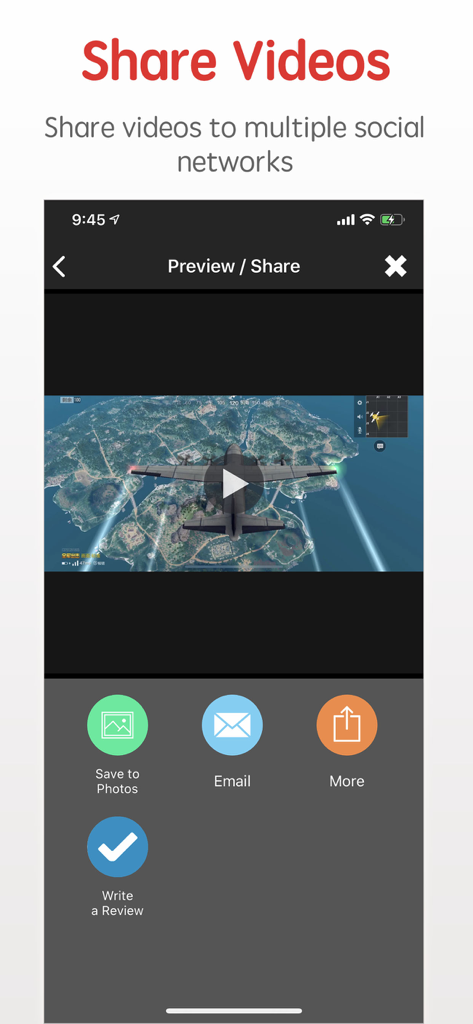
Interface for sharing recorded gameplay videos and saving to photos in the Screen Recorder RecordX app

Interface for sharing recorded gameplay videos and saving to photos in the Screen Recorder RecordX app

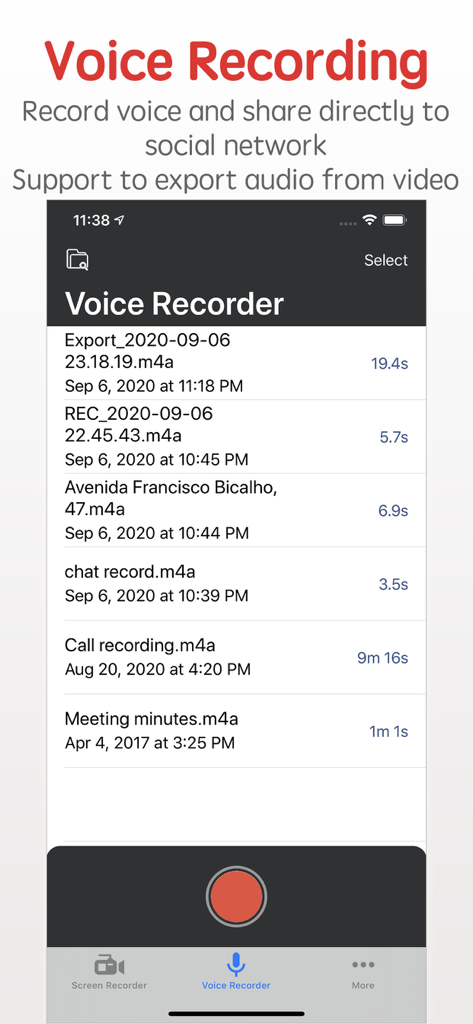
Screen Recorder RecordX app interface showing the voice recording list and a red record button

Screen Recorder RecordX app interface showing the voice recording list and a red record button

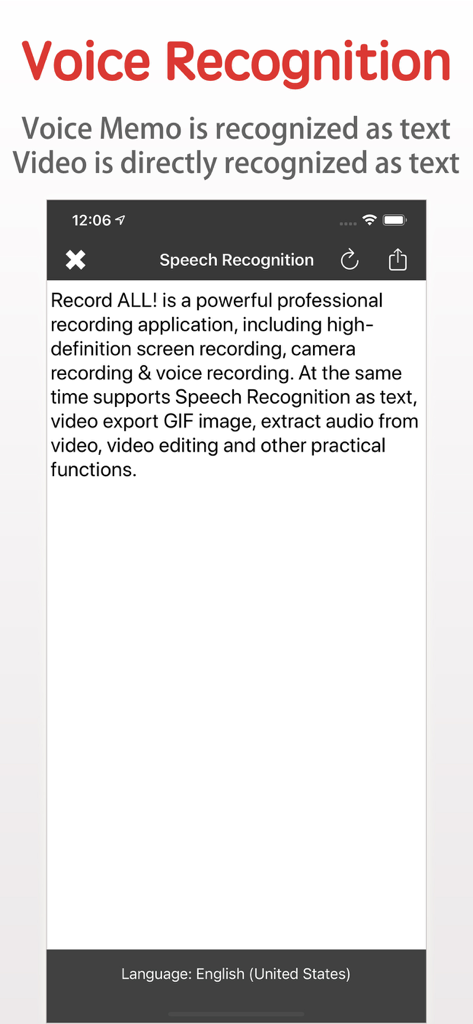
RecordX app voice recognition feature transcribing speech to text

RecordX app voice recognition feature transcribing speech to text

Everything You Need to Create Like a Pro

The tools that make this app stand out, trusted by 298K+ users.

🎬

Ultra-HD 4K Performance

Capture every frame of your gameplay or app tutorials in stunning 4K at 60FPS, ensuring your content looks professional on any screen.

📱

Studio-Quality Mobile Editing

Trim clips, add custom watermarks, and adjust speed within the app. Export directly as GIFs or Live Photos for instant social media impact.

🎙️

AI-Powered Voice Recognition

Turn your audio and video recordings into text instantly. Perfect for generating subtitles, meeting notes, or scripts without manual typing.

About the app

Everything you need to know about Screen Recorder - RecordX.

Description

Screen Recorder - RecordX is a powerful professional recording application, including high-definition screen recording up to 4K resolution 60 frames, camera recording & voice recording. At the same time supports Voice Recognition as text, video export Live Photo or GIF images, extracting audio from video, picture-in-picture video playback on the home screen, video editing, and other practical functions. With RecordX, You can easy to capture your favorite videos, music videos, games, apps for gameplay shows, app tutorials, game reviews, game walkthroughs, video chats, and other screen activities on your iPhone or iPad. Game players can share great moments or research game tactics. Features: - HIGH-QUALITY screen recording 1. Record Full-Screen videos without any limitations 2. Support up to 4K resolution 60 frames screen recording 3. Quick one-touch screen recording and directly close the screen recording on the home screen. 4. Record screen in multiple display directions: You can set the display orientation of the recording screen, and the default landscape screen recording (the video direction of most games). 5. Record screen with all kinds of audio 6. Build-in video player 7. Extract audio from video 8. PIP: Recorded video can be picture-in-picture played on the home screen - Export the video as a Live Photo or GIF image, which is convenient for you to share on social media - Camera Recording, the recorded video is directly edited or exported as a Live Photo or GIF image - Voice Recording 1. Record the voice of the microphone directly, and support background recording 2. Set the voice recording quality - Voice Recognition 1. Voice Memos are directly recognized as text 2. The audio in the video is directly recognized as text - Video Editor 1. Trim or cut the length of the recorded video 2. Add rotation and mirror effects to your videos 3. Adjust the video playback speed 4. Adjust the video playback direction, play forward or backward 5. Add a text watermark to set the text size, color, font, etc. 6. Add a graphic watermark or photo watermark, can set display transparency 7. Import video and edit from system Photo Library - Share videos & audio with your friends. 1. Share videos and voice recordings to social networks 2. The recorded videos can be saved directly to the system Photos app 3. WiFi file sharing to other mobile devices or computers 4. Import videos directly from the system Photos app 5. Import video and audio directly from iCloud Drive - Privacy protection 1. App password login 2. Emergency switch to other application functions - One-click control screen recording and voice recording on the desktop - One-click control screen recording and voice recording on the lock screen - Built-in video user guides * * * * * * * * * If you enjoy using RecordX, please give us a 5-star rating. Your 5-star rating for each version will keep the updates coming. Thanks in advance. ◆ Subscription Terms ◆ • You can subscribe for unlimited access to all features within RecordX • Subscriptions are billed annually, monthly, or weekly at the rate selected depending on the subscription plan. Payment will be charged to App Store Account at confirmation of purchase By using RecordX, you agree to our Privacy Policy and Terms of Use: http://www.elinapp.com/privacy_policy_new.html http://www.elinapp.com/terms.html

Latest Version

3.5

Size

39.4 MB

First Released

Aug 16, 2018

Ready to Capture Your Next Viral Moment?

Join over 298,000 creators and gamers who trust RecordX. Download now to start recording in 4K, editing on the go, and sharing professional content directly from your iPhone or iPad.

Download on App Store

App information, icons, screenshots, and descriptions displayed on this page are sourced from the Apple App Store and are the property of their respective developers. Download estimates and rankings are based on MWM's proprietary models and may not reflect actual figures. This page is provided for informational and analytical purposes only.

Believe this page infringes your intellectual property? File a dispute