SecureTeen Parental Control
Download on App Store

This page is not an official page of the app or its developer, but an independent editorial publication created for informational and commentary purposes. Unless expressly stated otherwise, neither the app nor its developer is affiliated with, endorsed by, sponsored by, authorized by, or otherwise officially connected with MWM, Apple, Google Play, the app publisher, or the app's developer, and nothing on this page implies that the app was developed using MWM's services. Any trademarks, logos, screenshots, and other content remain the property of their respective owners.


Logo of SecureTeen Parental Control
Download on App Store

SecureTeen Parental Control

Protect your teens from online dangers, manage screen time, and track their location with the all-in-one safety app designed for today’s proactive parents.

Key Figures

Downloads

12K+

User Rating

4.0/5

Total Ratings

1K+

Publisher

Infoweise Pty. Ltd.

Category

Lifestyle

Locales

1

Latest Version

273.1

Size

47.3 MB

First Released

May 17, 2014
Features

Complete Digital Peace of Mind

SecureTeen provides a 360-degree safety net for your child’s digital life, letting you manage screen time and filter content with ease from any device.

Advanced Web Filtering

Protect your kids from inappropriate content by blocking harmful websites and monitoring search history across all browsers.

Smart Screen Schedules

Eliminate digital distractions by setting daily time limits and automated schedules that prioritize schoolwork and sleep.

The following screenshots and description are sourced directly from the app's official store listing and are the property of the app developer.

App Store

Screenshots
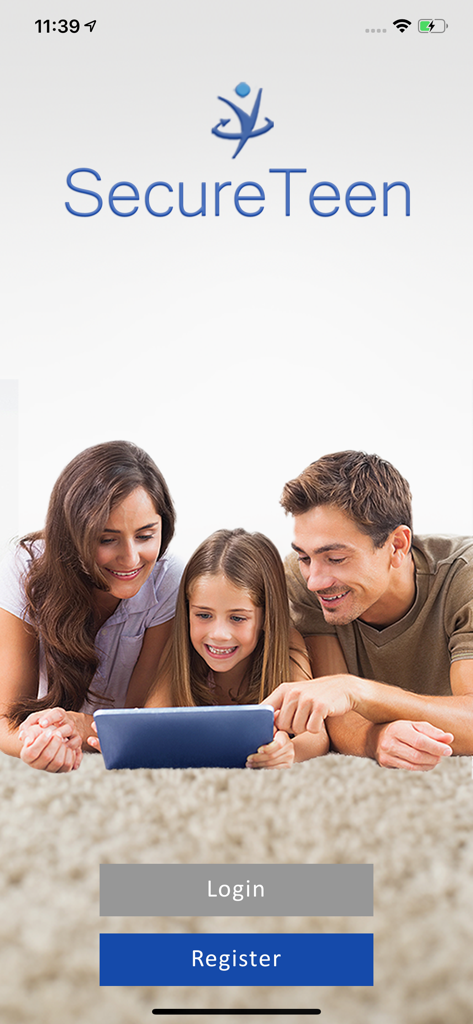
SecureTeen Parental Control - SecureTeen parental control app welcome screen showing a happy family using a tablet together
SecureTeen parental control app welcome screen showing a happy family using a tablet together

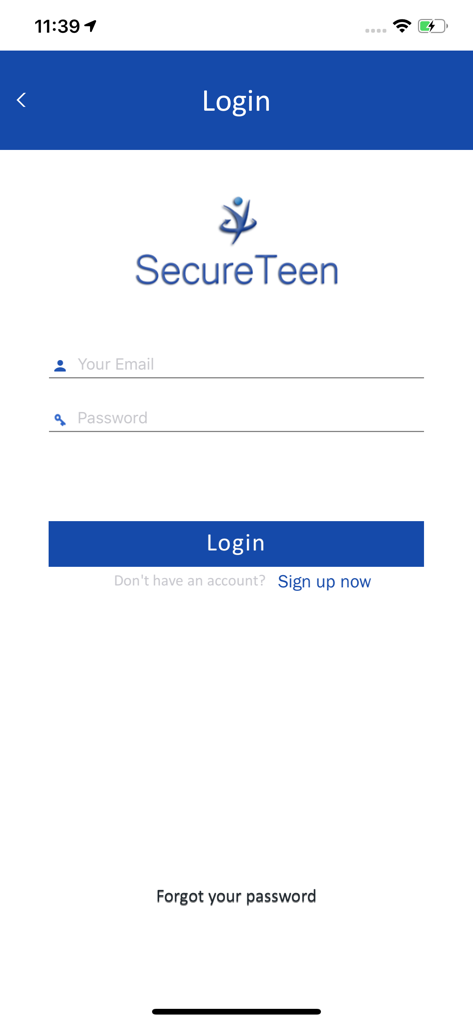
SecureTeen Parental Control - Login screen of the SecureTeen Parental Control app featuring email and password entry fields.
Login screen of the SecureTeen Parental Control app featuring email and password entry fields.

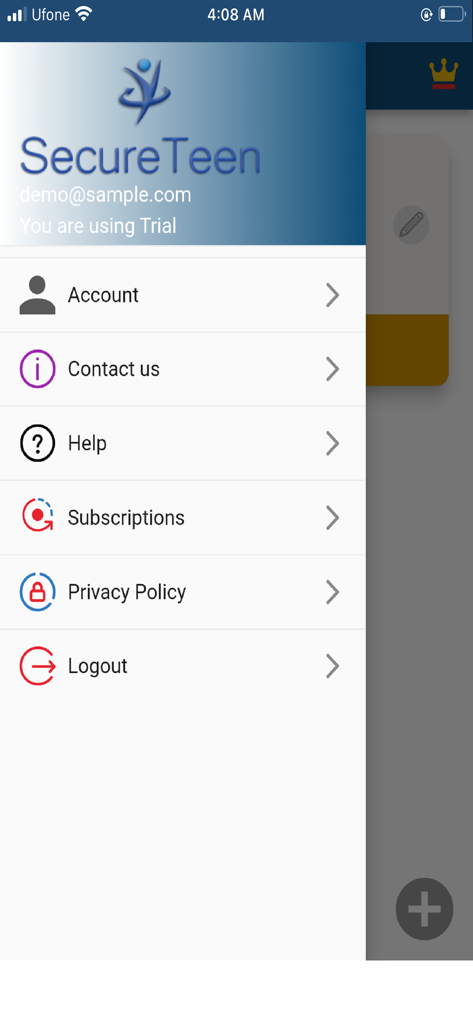
SecureTeen Parental Control - Side navigation menu of the SecureTeen app showing options for account settings, help, and subscriptions.
Side navigation menu of the SecureTeen app showing options for account settings, help, and subscriptions.

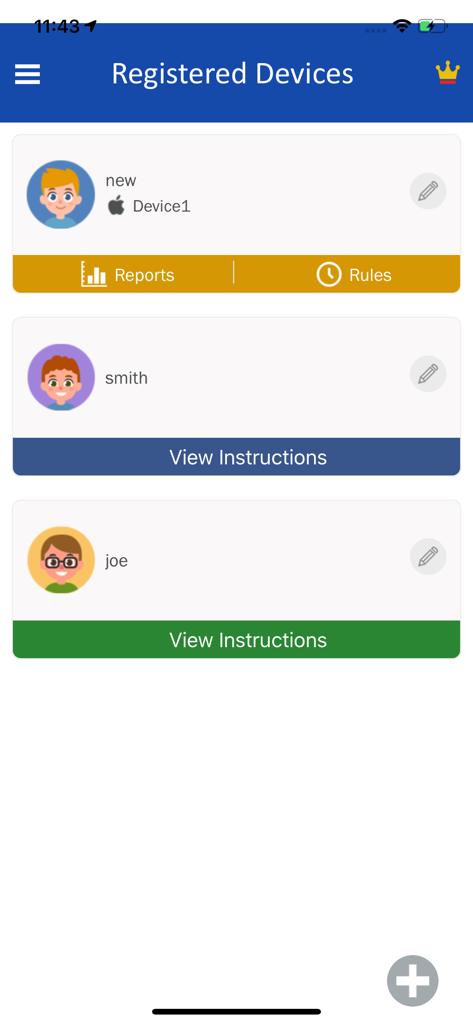
SecureTeen Parental Control - SecureTeen dashboard showing a list of registered child devices and monitoring options.
SecureTeen dashboard showing a list of registered child devices and monitoring options.

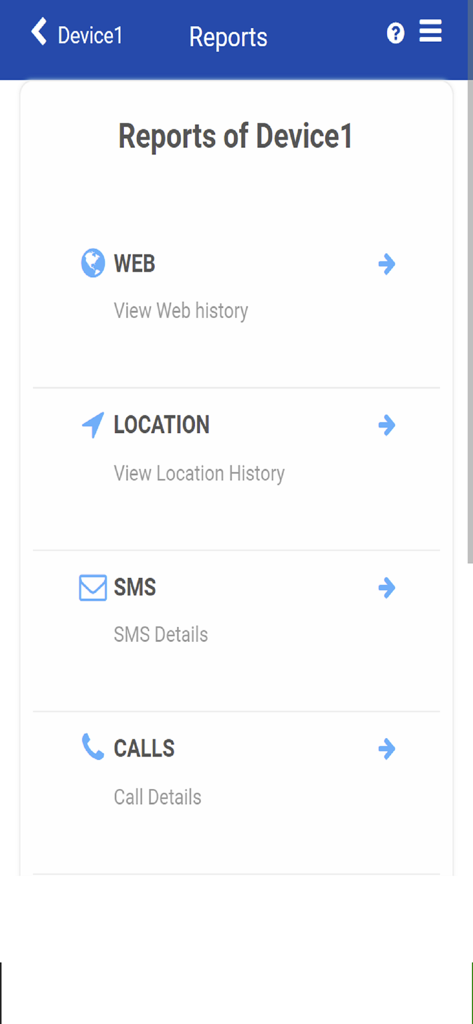
SecureTeen Parental Control - SecureTeen dashboard showing reporting categories for web history, location history, SMS, and call details.
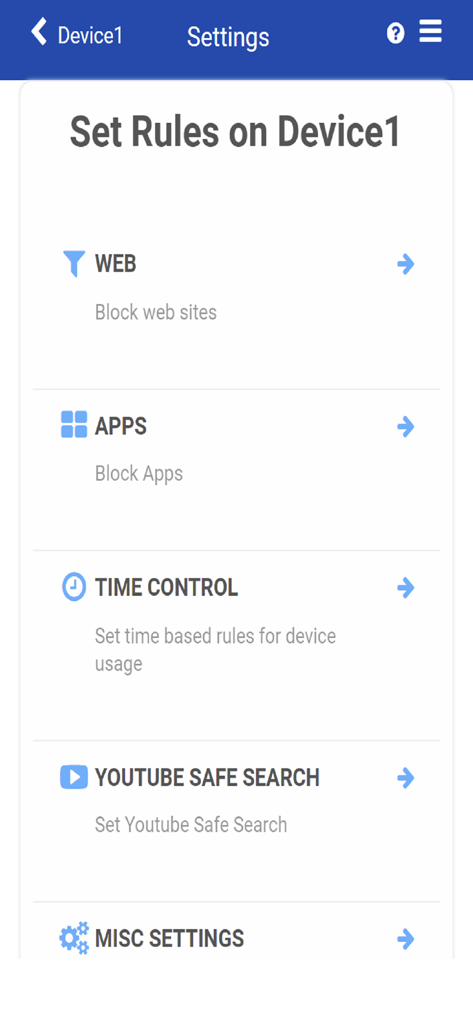
SecureTeen dashboard showing reporting categories for web history, location history, SMS, and call details.

SecureTeen Parental Control - Settings screen of the SecureTeen app showing options to set rules for web filtering, app blocking, and screen time control.
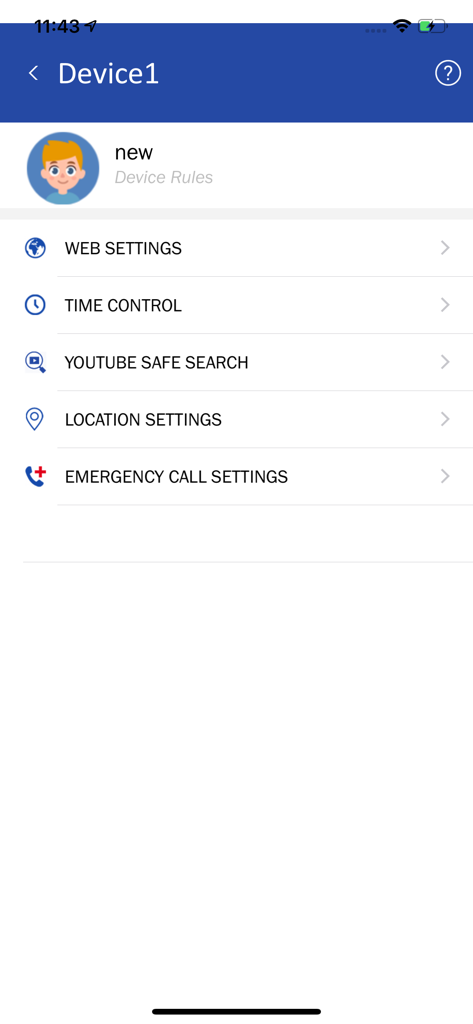
Settings screen of the SecureTeen app showing options to set rules for web filtering, app blocking, and screen time control.

SecureTeen Parental Control - SecureTeen mobile app dashboard showing device rules for web settings, time control, YouTube safe search, and location settings.
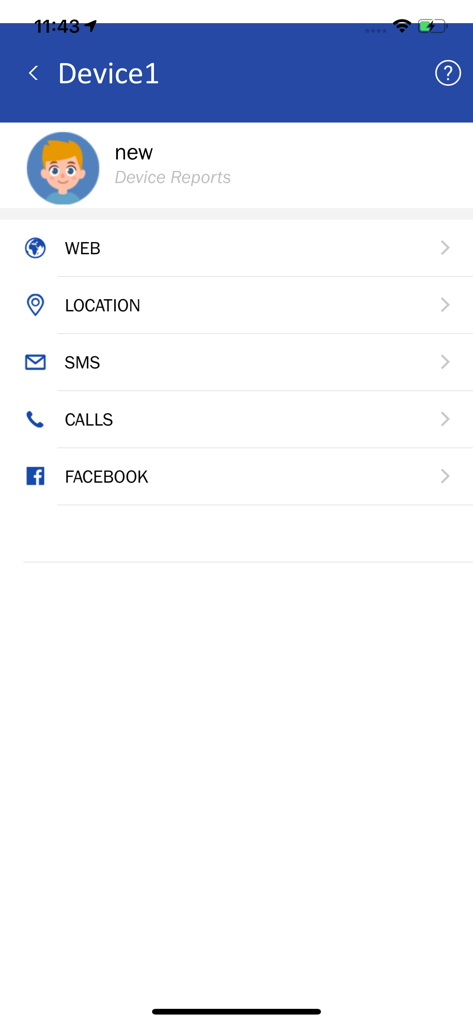
SecureTeen mobile app dashboard showing device rules for web settings, time control, YouTube safe search, and location settings.

SecureTeen Parental Control - SecureTeen parental control app dashboard showing monitoring categories for a child's device including web location and social media

SecureTeen parental control app dashboard showing monitoring categories for a child's device including web location and social media

Description

Is it your child’ internet safety that keeps you on your toes? Are you looking for a parental control app to limit the screen time of your child? Then SecureTeen is your all-in-one solution to protect your kids from dangers of the digital age. With SecureTeen Parental Control app, you can keep an eye on your child’s online activities, manage their screen time through device schedules and stay one step ahead of them through location alerts. Adolescence is a time when kids first become obsessed with the virtual world and absorb almost all the things that they learn there instantaneously. If they’re not protected from the pitfalls of digital space, then it can lead to serious complications and huge problems. SecureTeen web control filters all the bad content across Safari and all other major browsers so that your kids can absorb only the good content found online. Using SecureTeen parental control app, parents can configure and set rules for child devices as well, in case their children are using them other than the iOS devices. This parenting app also lets parents set time limits the on-screen time of children so that they can develop social skills and pay attention to other important things like homework, sports, etc. Here’s how SecureTeen delivers such amazing results: - -Stay in the know about your child’s online activities 24/7 through SecureTeen web control - Easily set a device schedule to control screen time -- Use Secureteen time scheduling feature to set a timer that lets you set a daily time limit on mobile and tablet usage. -SecureTeen parental control app allows parents to track their kids’ movements and remain aware of their whereabouts, thus being able to get to them immediately in emergency situations - Track all Facebook activity and get alerts for suspicious friends & posts with SecureTeen -Take advantage of SecureTeen’s built-in categories for an extra blanket of security against disgusting online content -SecureTeen offers keyword-based blocking which can help you shut harmful online content out completely. Use this along with white/black lists to keep your child secure -Web history logs are created constantly so that parents can keep an eye on what their child is doing online -Parents can use remote control options to not only keep their child safe but also enhance their device’s protection -Once you install SecureTeen on your child’s device you will never have to bother them for it ever again. All the information and details gathered by SecureTeen are available for your perusal through an online dashboard SecureTeen aims to facilitate parents in keeping their children safe with minimal supervision. The internet is the way of the future, and this app is the best choice you have to tackle these dangers. You can remotely manage SecureTeen at any time by logging into your online dashboard at http://www.secureteen.com/login Need help? Please call our Toll Free number 1-310-409-0451 or visit the support page at http://support.secureteen.com/ - 07-days free trial - free of charge; no commitment; cancel anytime - Payment will be charged to iTunes Account at confirmation of purchase - Subscription automatically renews unless auto-renew is turned off at least 24-hours before the end of the period - Length of subscription: one year. - The account will be charged for renewal within 24-hours prior to the end of the current period, and identify the cost of the renewal - Price of subscription: one year - $49.99. - Subscriptions may be managed by the user and auto-renewal may be turned off by going to the user's Account Settings after purchase - Any unused portion of a free trial period, if offered, will be forfeited when the user purchases a subscription to that publication. https://www.secureteen.com/privacy-policy.php https://www.secureteen.com/terms-and-conditions.php

Download

Download on App Store

This page is not an official page of the app or its developer, but an independent editorial publication created for informational and commentary purposes. Unless expressly stated otherwise, neither the app nor its developer is affiliated with, endorsed by, sponsored by, authorized by, or otherwise officially connected with MWM, Apple, Google Play, the app publisher, or the app's developer, and nothing on this page implies that the app was developed using MWM's services. Any trademarks, logos, screenshots, and other content remain the property of their respective owners.








