
This page is not an official page of the app or its developer, but an independent editorial publication created for informational and commentary purposes. Unless expressly stated otherwise, neither the app nor its developer is affiliated with, endorsed by, sponsored by, authorized by, or otherwise officially connected with MWM, Apple, Google Play, the app publisher, or the app's developer, and nothing on this page implies that the app was developed using MWM's services. Any trademarks, logos, screenshots, and other content remain the property of their respective owners.


Seetong
Security isn't just about cameras; it's about control. Seetong delivers just that.
Downloads
10M+User Rating
Total Ratings
4.5KPublisher
Category
Photo & VideoLocales
15Latest Version
8.3.9.5Size
95.1 MBFirst Released
Apr 16, 2014An analytical overview of features empowering secure and accessible monitoring for homes and small businesses.
Seetong App: Key Remote Surveillance Capabilities
Secure Access Control
The app provides robust identity authentication, ensuring that only authorized individuals can access sensitive surveillance feeds and system controls, protecting privacy and preventing unauthorized intrusion.
Instant Security Alerts
It allows users to receive immediate alarm push notifications to their mobile devices, ensuring prompt awareness and response to any detected security events or anomalies.
Reliable Video Recording
This tool features essential capabilities for capturing and recording video footage, providing users with a crucial visual record for evidence or review of past events.
On-Demand Footage Review
The app supports convenient front-end video query and playback, enabling users to easily access and review historical video recordings directly from their mobile device.
Integrated Multi-View Monitoring
It supports multi-channel preview and switching, allowing users to efficiently monitor several camera feeds simultaneously or toggle between them for comprehensive area surveillance.
Interactive Two-Way Audio
The app provides audio and intercom functions, allowing users to not only listen to the environment but also communicate verbally through the connected surveillance devices.
Frequently Asked Questions
Everything you need to know about Seetong
What iOS devices are compatible with the Seetong app?
The Seetong app supports iPhone 4s, iPhone 5, iPhone 5s, iPhone 6, iPhone 6 Plus, and iPad devices.
Does the Seetong app work with 4G networks?
Yes, the Seetong app supports WiFi, 3G, and 4G networks for connectivity.
Does Seetong app support H265 video format?
Yes, the Seetong app supports both H265 and H264 video encoding standards.
Can I view multiple cameras with the Seetong app?
Yes, the Seetong app supports multi-channel preview and switching between different camera feeds.
Does Seetong allow users to capture and record video?
Yes, the Seetong app supports capturing still images and recording video footage from connected devices.
Does the Seetong app have audio and intercom features?
Yes, the Seetong app provides audio functions and two-way intercom capabilities.
Can I play back recorded videos using the Seetong app?
Yes, the Seetong app supports front-end video query and playback for viewing recorded footage in real-time.
Does the Seetong app show past alarms?
Yes, the Seetong app supports querying historical alarm messages and provides alarm push notifications.
What login options does the Seetong app offer?
The Seetong app supports multi-platform registration, including Google, Facebook, Line, WeChat, and Apple ID.
Does the Seetong app allow PTZ camera control?
Yes, the Seetong app supports Pan-Tilt-Zoom (PTZ) control for compatible cameras.
Can I delete devices from the Seetong app?
Yes, users can manage connected devices within the Seetong app, including deletion and time zone settings.
Does the Seetong app support uploading log files?
Yes, the Seetong app provides a function for uploading log files.
The following screenshots and description are sourced directly from the app's official store listing and are the property of the app developer.
App Store
Screenshots
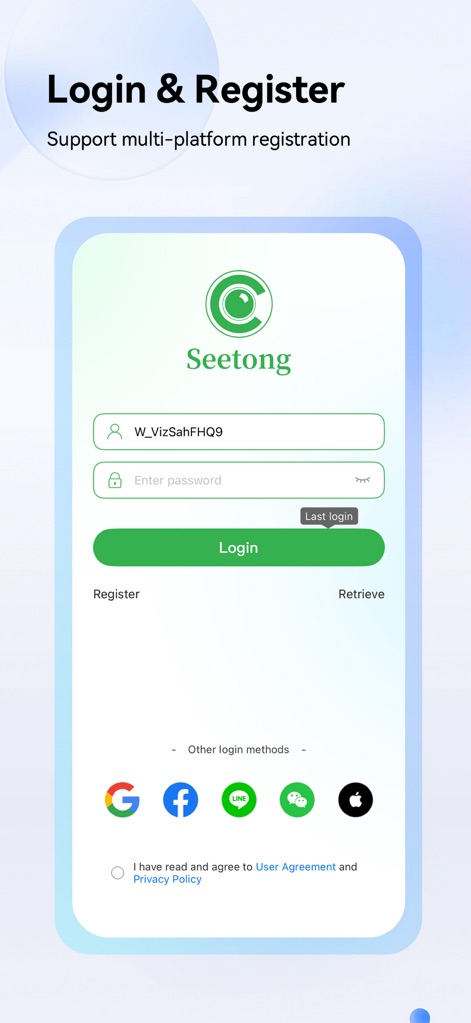
This initial view showcases the streamlined login process with clear input fields for credentials, alongside convenient multi-platform registration options including Google and Apple.
Secure Access Control
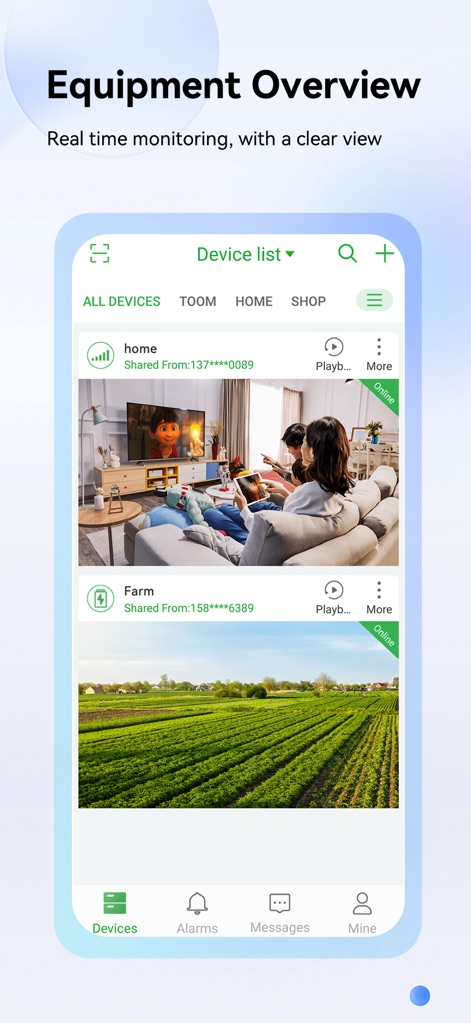
Users gain a clear overview of all connected surveillance equipment through the intuitive device list, displaying real-time previews and their online status for each location.
Comprehensive Device Monitoring
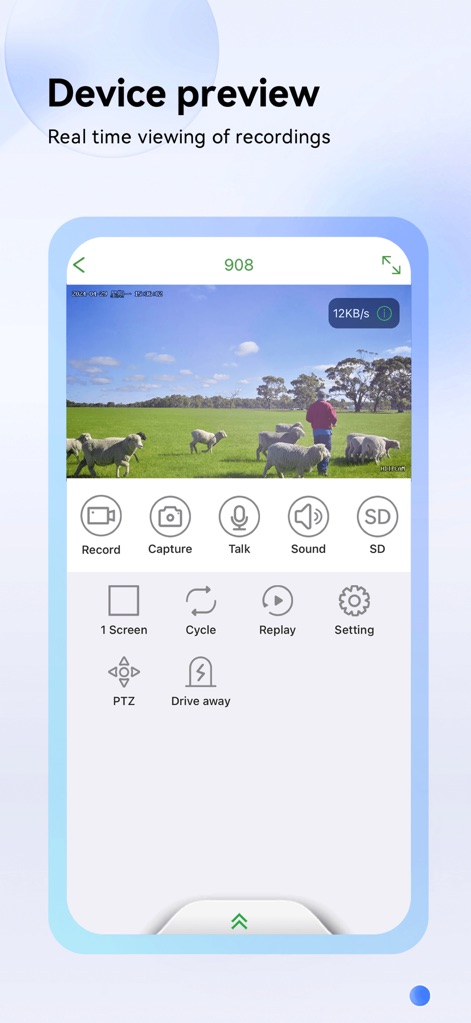
The app provides robust real-time viewing with immediate access to essential controls like 'Record' and 'Capture', alongside PTZ capabilities and two-way audio for direct interaction.
Live View Controls
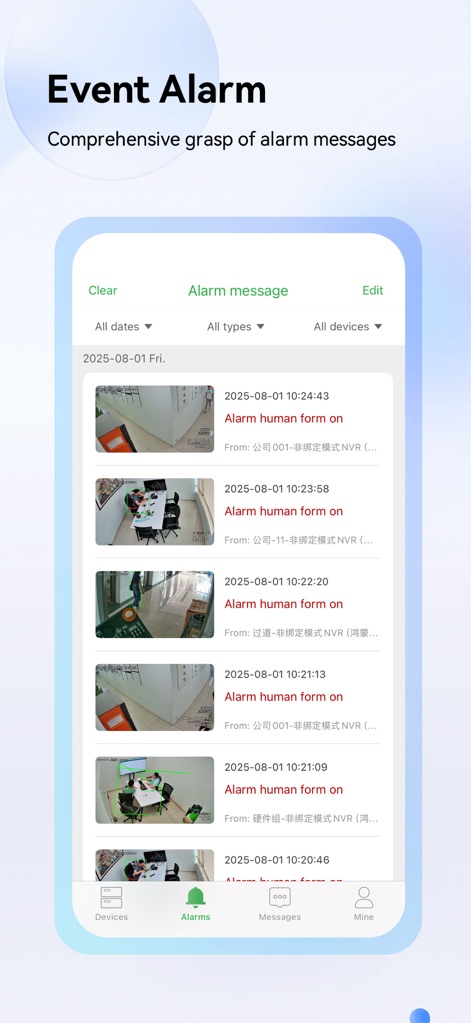
This section illustrates the comprehensive alarm messages feed, allowing users to efficiently review detected events with clear timestamps and preview images for immediate context.
Proactive Alert Management
Description
Download
More Like This
Apps with similar features and user experience

DMSS
Hangzhou Dong Bin Information Technology Co., Ltd.

Joolink
Shenzhen Jooan Technology Company

VicoHome: Smart Home Camera
PHOTON SAIL TECHNOLOGIES PTE. LTD.

Ubox
洪波 王

SimpliSafe Home Security App
SimpliSafe, Inc.

Active Mobile V4
JFL Equipamentos Eletronicos Industria e Comercio Ltda.

Dzees Home
Shenzhen Weixi Technology Co., Ltd

Ring - Always Home
Bot Home Automation, INC

Hik-Connect - for End user
Hangzhou Hikvision Digital Technology Co., Ltd.
This page is not an official page of the app or its developer, but an independent editorial publication created for informational and commentary purposes. Unless expressly stated otherwise, neither the app nor its developer is affiliated with, endorsed by, sponsored by, authorized by, or otherwise officially connected with MWM, Apple, Google Play, the app publisher, or the app's developer, and nothing on this page implies that the app was developed using MWM's services. Any trademarks, logos, screenshots, and other content remain the property of their respective owners.