
This page is not an official page of the app or its developer, but an independent editorial publication created for informational and commentary purposes. Unless expressly stated otherwise, neither the app nor its developer is affiliated with, endorsed by, sponsored by, authorized by, or otherwise officially connected with MWM, Apple, Google Play, the app publisher, or the app's developer, and nothing on this page implies that the app was developed using MWM's services. Any trademarks, logos, screenshots, and other content remain the property of their respective owners.

SenPlayer - Media Player
Stream high-bitrate 4K/8K content flawlessly from NAS, Plex, and Cloud drives. Experience buttery-smooth 120fps playback and seamless cross-device sync across your iPhone, Mac, and Apple TV.
Downloads
228K+User Rating
Total Ratings
5K+Publisher
Category
EntertainmentLocales
5Latest Version
5.8.7Size
89.9 MBFirst Released
Jan 20, 2023The Powerhouse Player for Your Private Collection
SenPlayer is engineered for the self-hosted enthusiast, delivering elite-tier decoding and seamless integration with your personal media ecosystem.
Universal Server Integration
Stream directly from Plex, Emby, Jellyfin, or your personal NAS. Support for SMB, FTP, and WebDAV ensures your entire library is always a tap away without the need for transcoding.
Uncompromising 8K HDR Quality
Push your hardware to its limits with native support for 4K/8K ultra-HD, 120fps high frame rates, and HDR10+. Experience every detail of your Blu-ray ISOs exactly as the director intended.
Frequently Asked Questions
Everything you need to know about SenPlayer - Media Player
What video formats does SenPlayer support?
SenPlayer supports video formats including MP4, MKV, VOB, BIK, DAT, TS, MTS, M2T, M2TS, MPG, MPEG, AVI, RMVB, FLV, SWF, WEBM, 3GP, MOV, and ISO. It also handles 4K/8K ultra-HD and 120fps high frame rate content.
Does SenPlayer support cloud streaming services?
Yes, SenPlayer supports streaming from popular cloud services like 115 Cloud, Aliyun Drive, and Baidu Netdisk. It also integrates with network protocols such as WebDAV, SMB, and FTP for versatile content access.
Which media servers does SenPlayer integrate with?
SenPlayer integrates with popular media servers like Plex, Emby, Jellyfin, and Feiniu. It offers multi-server backup and unified search features, allowing users to manage diverse media libraries efficiently.
Can SenPlayer sync playback progress across multiple devices?
Yes, SenPlayer offers cross-device synchronization for watch history and playback progress. This enables seamless resumption of content across iPhones, iPads, Apple TVs, and Macs. Server and IPTV settings also sync automatically.
What privacy protection features does SenPlayer offer?
SenPlayer provides privacy features such as app locking via password, Face ID, or fingerprint. It includes a Private Vault for encrypting media and blurs the background to prevent unauthorized viewing.
Does SenPlayer support Blu-ray disc playback?
Yes, SenPlayer plays ISO Blu-ray discs with smooth decoding and chapter selection for main features, extras, and trailers. It delivers lossless quality with ultra-high bitrates for pristine details.
How do custom gesture controls work in SenPlayer?
SenPlayer features custom gesture controls: long-press for variable playback speed, double-tap to skip or pause, pinch & drag to zoom/reposition, and edge swipes for brightness/volume. It also includes haptic feedback.
Can SenPlayer automatically skip intros and credits?
Yes, SenPlayer allows users to set custom skip durations for intros and credits per folder or show. It also automatically detects and skips intro/outro markers directly from Emby servers.
What subtitle features are available in SenPlayer?
SenPlayer enhances subtitles by supporting searches across multiple sites or local files like SRT, ASS, VTT, and SSA. Users can adjust size, position, timing, and benefit from HDR subtitle optimization.
What HDR standards does SenPlayer support?
SenPlayer supports various HDR standards, including HDR10, HDR10+, and HLG. This ensures it delivers a high-quality cinematic audiovisual experience with enhanced contrast and color fidelity.
The following screenshots and description are sourced directly from the app's official store listing and are the property of the app developer.
App Store
Screenshots
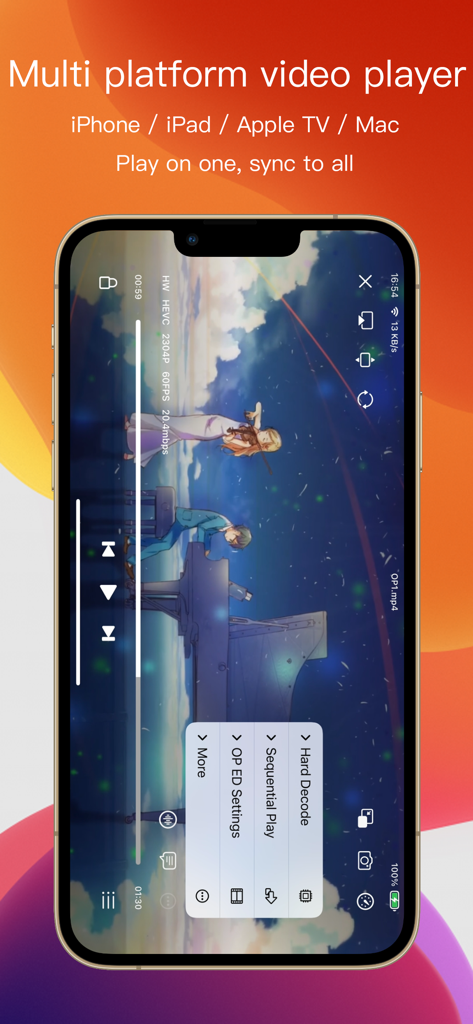
SenPlayer app interface on iPhone highlighting multi platform sync and advanced media playback features
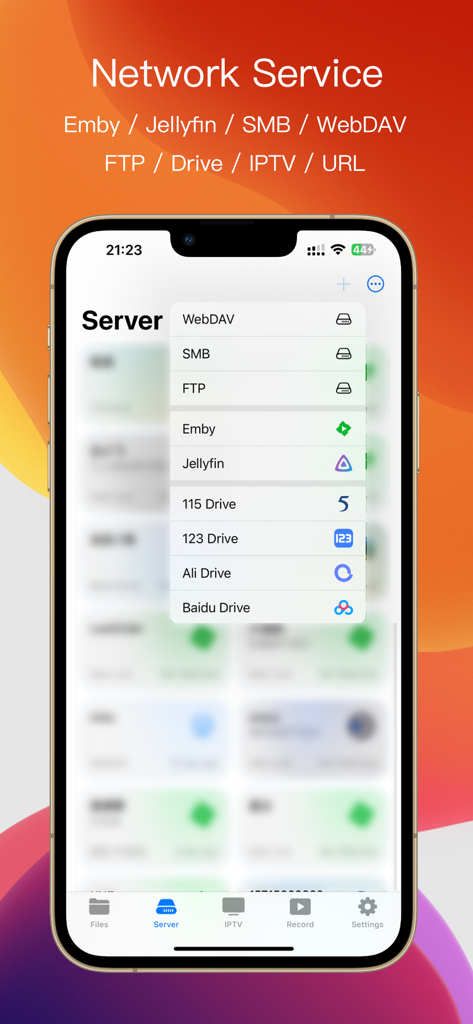
SenPlayer app interface showing supported network services including Emby Jellyfin SMB and cloud drives
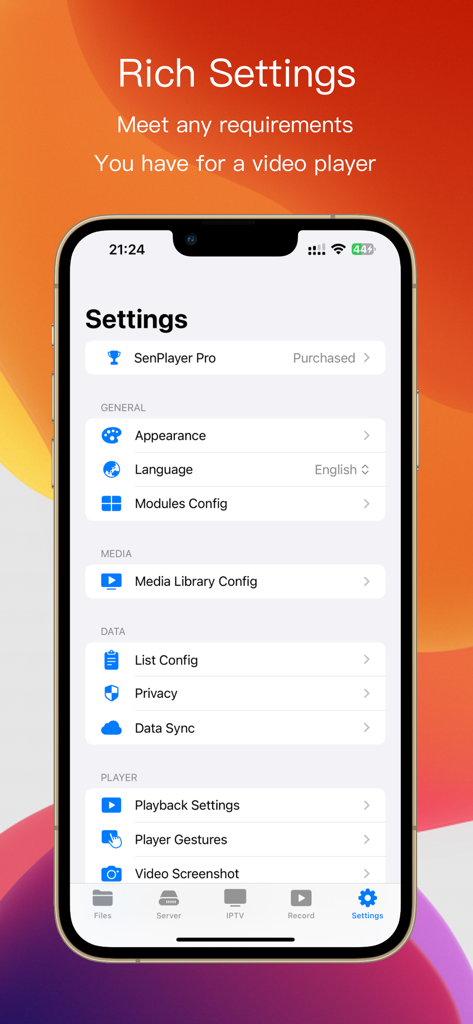
SenPlayer media player settings screen showing configuration options for appearance, media library, privacy, and playback.
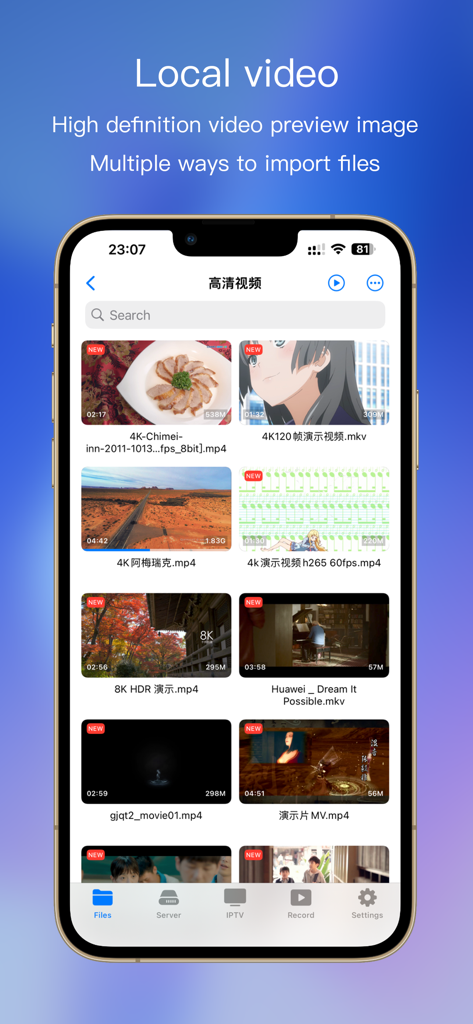
SenPlayer local video library screen displaying a grid of high-definition 4K and 8K video thumbnails with file details.
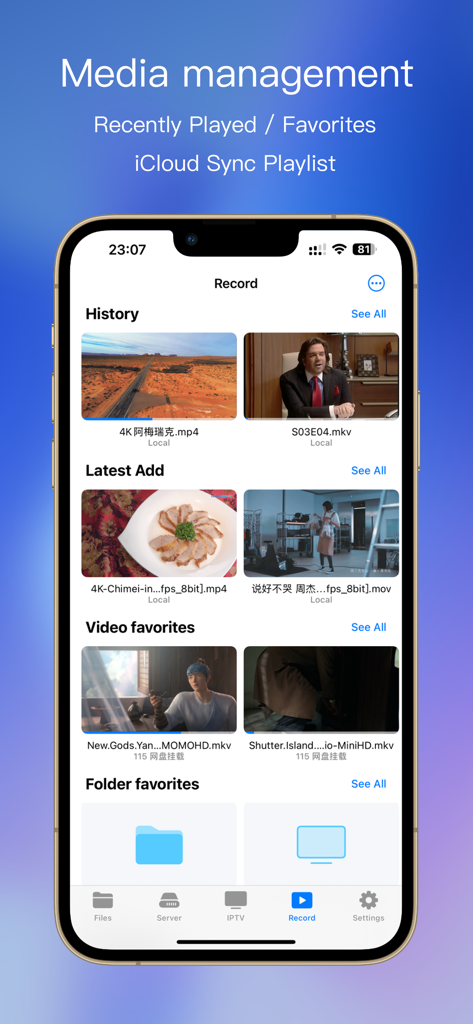
Smartphone display of SenPlayer media management screen with history and favorites
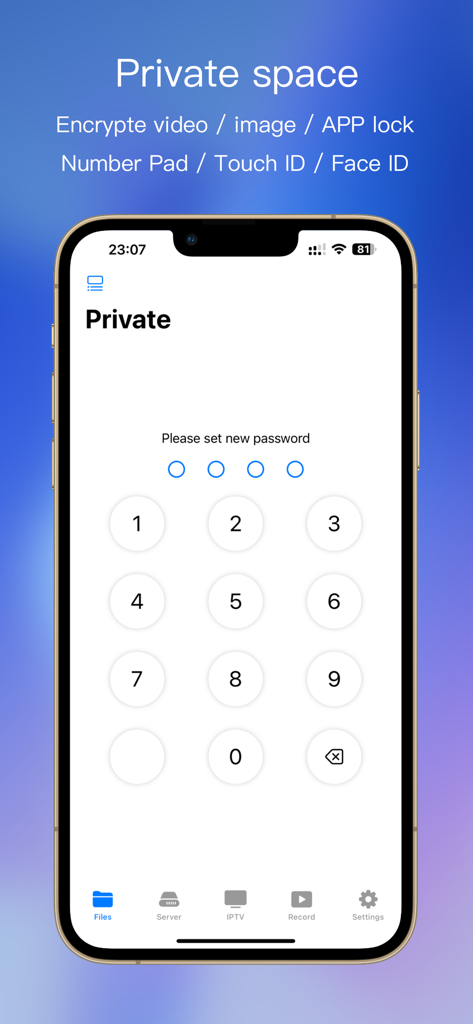
SenPlayer interface showing a numeric keypad to set a password for the private vault feature
Description
Download
More Like This
Apps with similar features and user experience

网易爆米花-智能媒体库,全能云盘网盘播放器
Guangzhou NetEase Computer System Co.Ltd

Immich
Hau Tran

飞牛
Guangzhou TR Intelligent Manufacturing Technology Co., Ltd.

nPlayer
Newin Inc.

MiraPlay
悦 刘

NipaPlay
荣广 梁

VidHub -Video Library & Player
Nanjing Oumi Software Development Co., Ltd.

Fast Player - video player
化媚 席

zFuse - Media Player
s-joys Technology Co., Ltd.
This page is not an official page of the app or its developer, but an independent editorial publication created for informational and commentary purposes. Unless expressly stated otherwise, neither the app nor its developer is affiliated with, endorsed by, sponsored by, authorized by, or otherwise officially connected with MWM, Apple, Google Play, the app publisher, or the app's developer, and nothing on this page implies that the app was developed using MWM's services. Any trademarks, logos, screenshots, and other content remain the property of their respective owners.