Sensor Logger: The Professional Mobile Laboratory for STEM & Research
Transform your iPhone, Apple Watch, and AirPods into a precision data acquisition system. Log raw sensor data, stream via MQTT/HTTP, and export to CSV or JSON with one-tap efficiency.
Publisher
Choi Tsz Hei
Category
Utilities
Downloads
0
User Rating
5.0/5
Total Ratings
0
Locales
1
The Lab in Your Pocket
Discover the interface used by 0 users.
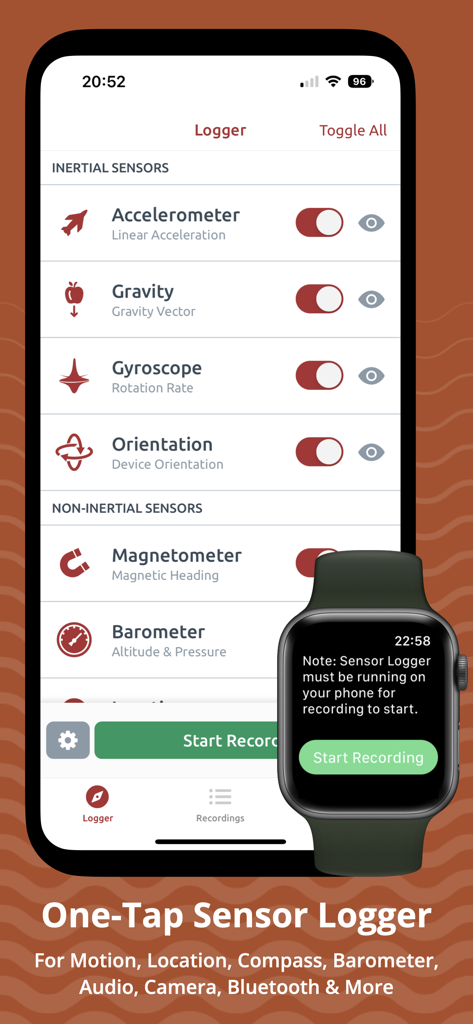
Sensor Logger app interface on iPhone and Apple Watch showing sensor toggles for accelerometer and gyroscope
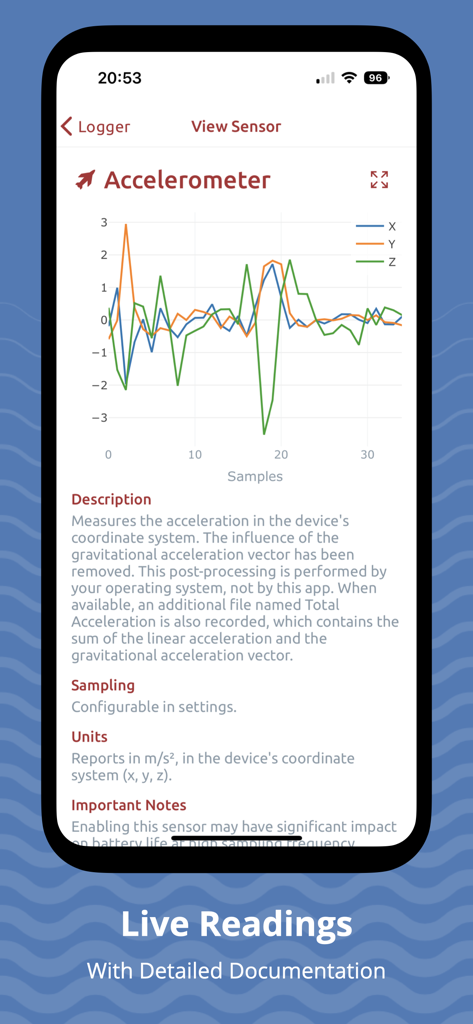
Interactive accelerometer graph and technical sensor documentation
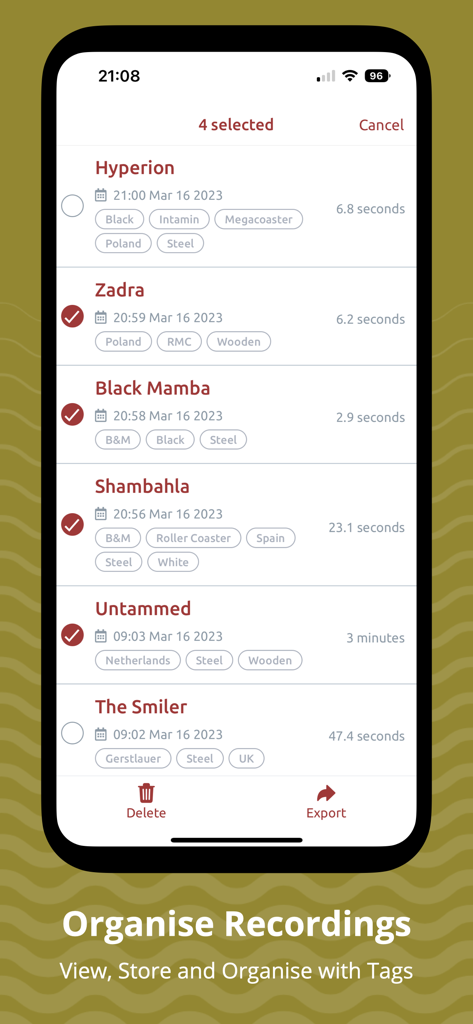
A screen of the Sensor Logger app showing a list of sensor data recordings with options to organize and tag them
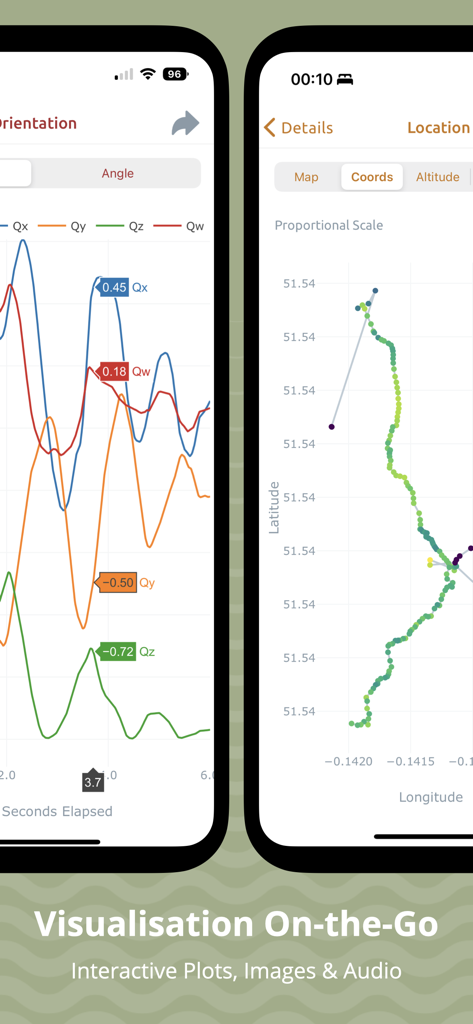
Mobile app screens showing interactive data plots for device orientation and GPS location coordinates
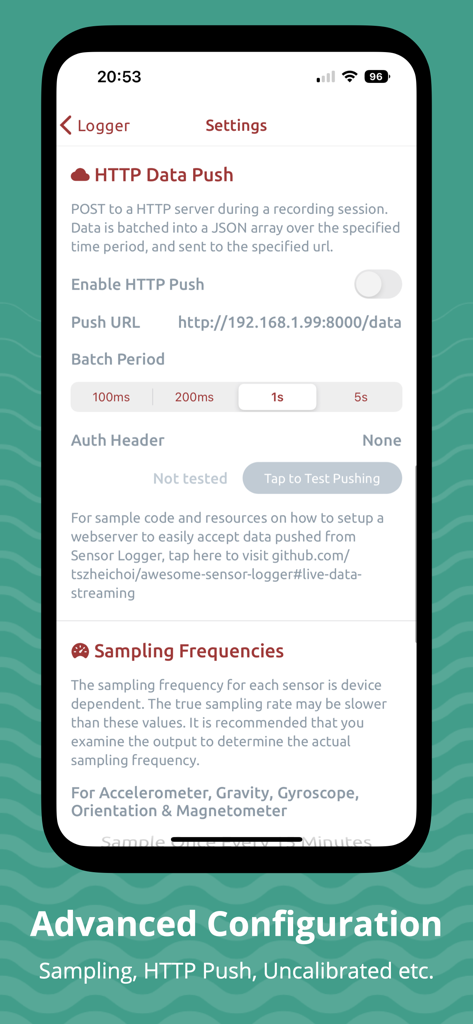
Advanced configuration screen in the Sensor Logger app showing HTTP Data Push and Sampling Frequencies settings.
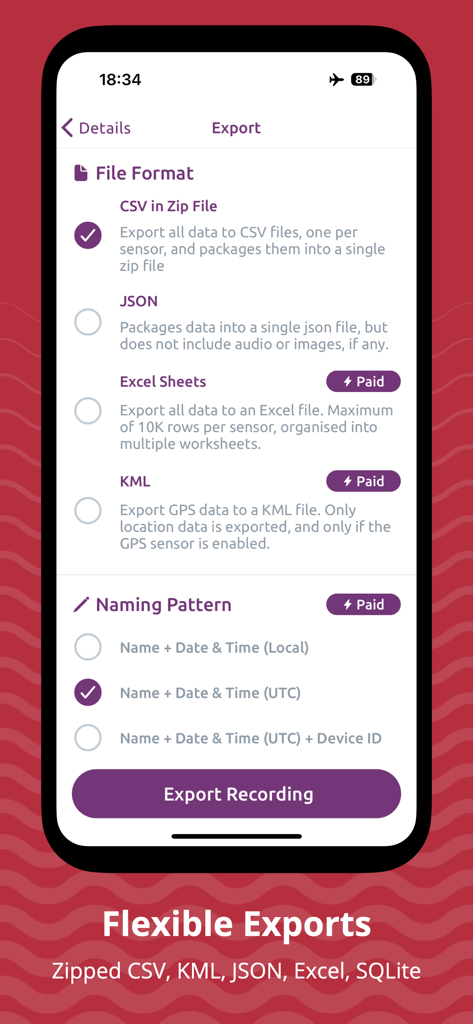
Export settings in the Sensor Logger app showing various file format options like CSV and JSON
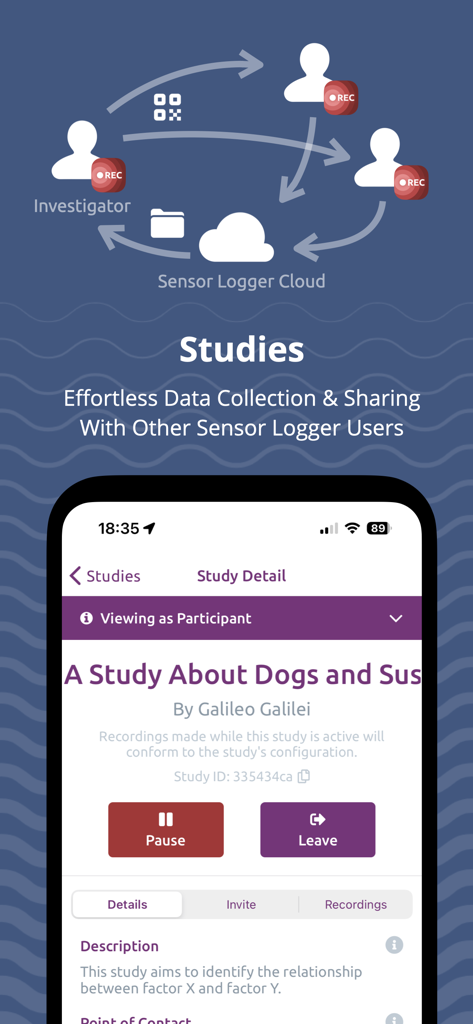
Interface of Sensor Logger app showing the Studies feature for collaborative data collection and cloud sharing
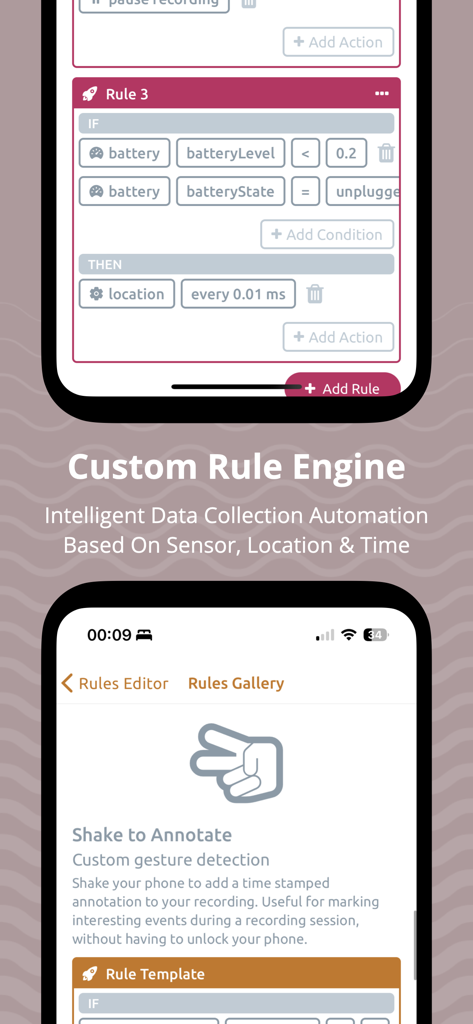
Custom rule engine interface in the Sensor Logger app showing automated data collection logic based on sensor states.
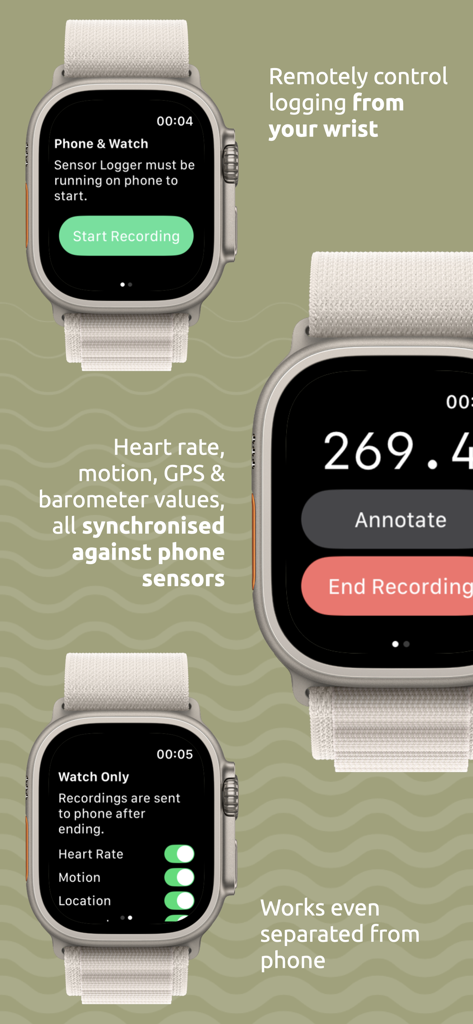
Sensor Logger app interface on Apple Watch displaying remote recording controls and sensor synchronization features.
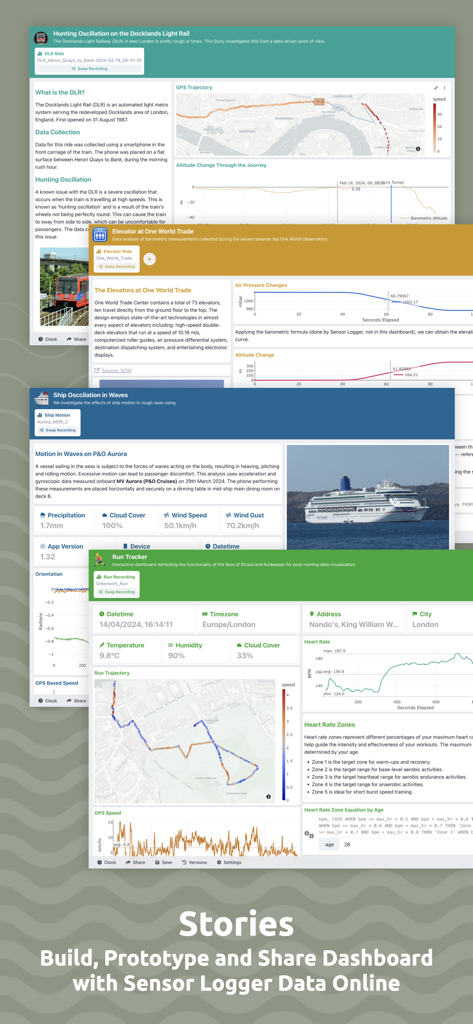
Examples of interactive data stories and dashboards created from mobile sensor recordings.
Professional-Grade Data at Your Fingertips
The tools that make this app stand out, trusted by 0 users.
🛠️
Unified Sensor Hub
Access 25+ internal and external sensors including IMU, GPS, heart rate, and Bluetooth beacons in a single interface with one-tap logging.
🚀
Stream & Export Anywhere
Instantly stream live data via MQTT/HTTP or export high-resolution CSV, JSON, and SQLite files directly into your Python or MATLAB workflow.
🎓
Scalable Research Studies
Deploy custom recording workflows to participants and sync results to a secure cloud for effortless, large-scale data collection and analysis.
About the app
Everything you need to know about Sensor Logger.
Description
Sensor Logger collects, records and displays data from a range of sensors on iPhone, Apple Watch, iPad and AirPods — including accelerometer, gyroscope, GPS, audio, camera and Bluetooth devices. You can log device properties such as screen brightness, battery and network state. Select and preview desired sensors in a few taps. A single tap initiates the recording function, which works even when the app is in the background. View and manage recordings within the app via interactive plots. The app supports many export formats, including Zipped CSV, JSON, Excel, KML and more. For advanced use cases, stream data via HTTP or MQTT, resample measurements from multiple sensors, create Studies to collect data from other users systematically and write custom automation rules based on sensor, time and location. Once you have collected your data, you can create Stories — data-driven dashboard with your recordings, hosted online for effortless sharing.
Sensor Logger is designed for researchers, educators, and anyone interested in collecting or monitoring sensors on their smartphone. It serves as the ultimate toolbox for exploring various fields, including physics, science, technology, engineering, and mathematics (STEM).
- One-tap logging
- Background recording
- Recordings on interactive plots
- Stream data via HTTP & MQTT
- Intelligent, custom rule engine
- Zipped CSV, JSON, Excel, KML & SQLite exports
- Resample and aggregate measurements
- Enable & disable specific sensors
- Scan and log nearby Bluetooth devices
- Add timestamp-synchronised annotations during recording
- Adjust sampling frequency for sensor groups
- Custom recording workflow
- Raw and calibrated measurements available
- Live plots and readings for sensors
- Organise, sort and filter recordings
- Control & track recording session from Watch
- Bulk export & delete recordings
- Resources to help you analyse your data
- Data stays on-device and private
- Create and share dashboard-style, data-driven Stories using your recordings, hosted online.
Studies & Sensor Logger Cloud
Create Studies to collect data from other Sensor Logger users efficiently. When activated, Studies use the investigator's specified sensor configuration for consistent data collection. Participants can upload their recordings to a secure cloud and join, pause, or switch Studies anytime. Studies include clear data usage descriptions, privacy statements, and contact details to ensure privacy compliance. Customize Study size, duration, sensor configuration, and export formats.
Optional Paid Features (Plus, Pro & Ultimate)
- No limitations on the number of stored recordings
- Additional export formats
- Combined CSV export
- Customise recording workflow
- Advanced sensor configurations
- Custom naming templates
- Theme and icon customizations
- Unlimited Bluetooth beacons and no limit on the minimum RSSI
- Create larger Studies with more participants
- More allocated storage on Sensor Logger Cloud
- Email support
- Advanced study customization
Supported Measurements
- Device Acceleration (Accelerometer; Raw & Calibrated)
- Gravity Vector (Accelerometer)
- Device Rotation Rate (Gyro)
- Device Orientation (Gyro Raw & Calibrated)
- Magnetic Field (Magnetometer Raw & Calibrated)
- Compass
- Barometric Altitude (Barometer)
- GPS Coordinate, Altitude, Speed & Heading
- Audio (Microphone)
- Loudness (Microphone)
- Images (Front/Back)
- Video (Front/Back)
- Depth
- Pedometer
- Activity
- Heart Rate (Watch)
- Wrist Motion (Watch)
- Location & Barometer (Watch)
- Annotations (Timestamp and text)
- Device battery level and state
- Device screen brightness level
- Nearby Bluetooth beacons (advertised data)
- Headphone Motion (AirPods)
- Network
Heart rate logging requires integration with the Health app on the watch. Permission to access the heart rate from HealthKit on the watch is needed for the app to log the measurements.
Terms of Service: https://www.apple.com/legal/internet-services/itunes/dev/stdeula/
Latest Version
1.54
Size
60.1 MB
First Released
Sep 27, 2020
Turn Your iPhone Into a Professional-Grade Research Lab
Stop wasting time building custom logging tools. Join thousands of researchers and engineers capturing high-fidelity sensor data with one-tap exports to CSV, JSON, and MQTT.
App information, icons, screenshots, and descriptions displayed on this page are sourced from the Apple App Store and are the property of their respective developers. Download estimates and rankings are based on MWM's proprietary models and may not reflect actual figures. This page is provided for informational and analytical purposes only.
Believe this page infringes your intellectual property? File a dispute