SentryView: For Tesla Cars

SentryView: For Tesla Cars


Download on App Store
Logo of SentryView: For Tesla Cars

SentryView: For Tesla Cars - The Ultimate Mobile Viewer for Your Tesla’s Security

Instantly review, sync, and export Sentry Mode clips directly on your iPhone or iPad. Use AI-powered detection to skip the noise and see all four camera angles in a single, perfectly synced view—no computer required.

Publisher

MaaDoTaa LLC

Category

Utilities

Downloads

60K+

User Rating

3.5/5

Total Ratings

400

Locales

1

The Full Picture

Discover the interface used by 60K+ users.
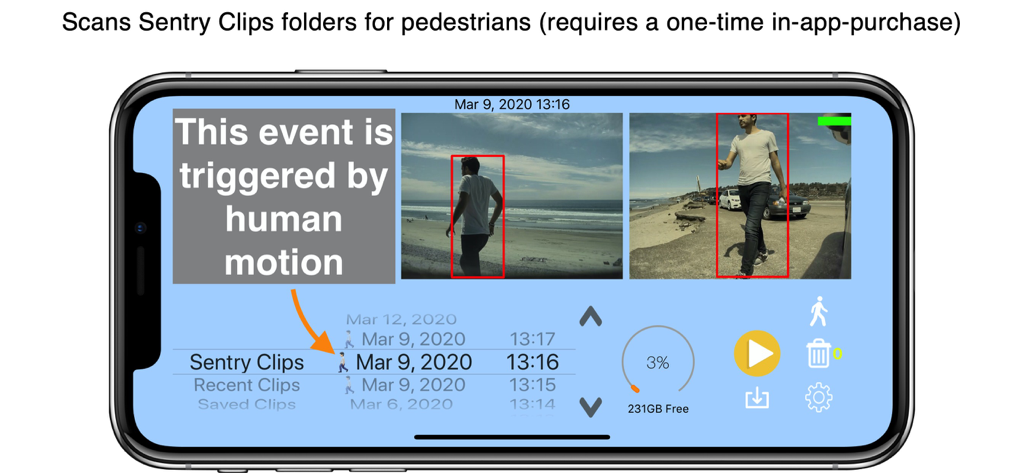
SentryView app interface showing human motion detection in Tesla security clips

SentryView app interface showing human motion detection in Tesla security clips

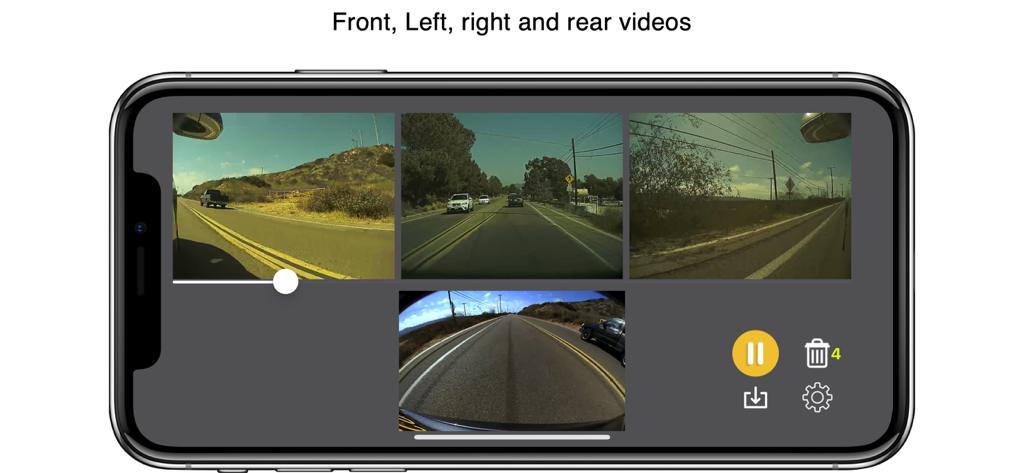
Four-way synchronized camera view of Tesla dashcam footage on an iPhone in landscape mode

Four-way synchronized camera view of Tesla dashcam footage on an iPhone in landscape mode

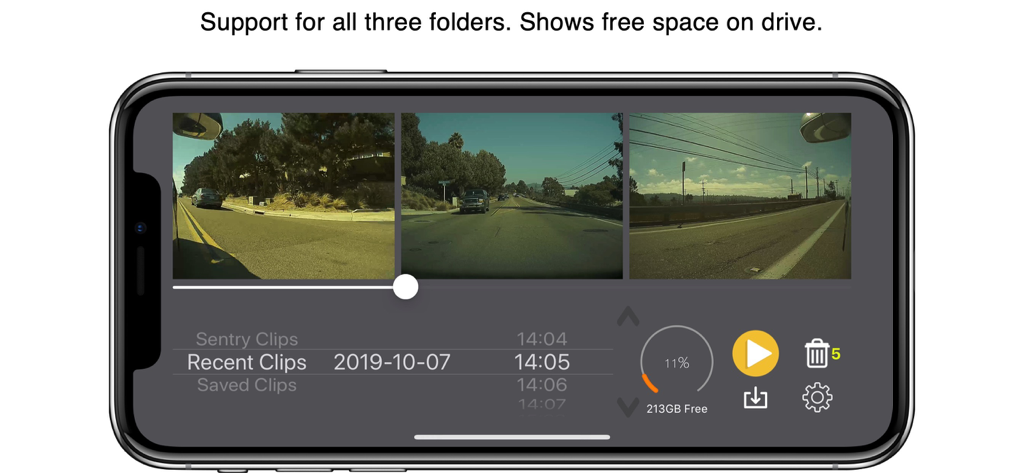
SentryView app showing three synchronized Tesla camera feeds and storage details on an iPhone

SentryView app showing three synchronized Tesla camera feeds and storage details on an iPhone

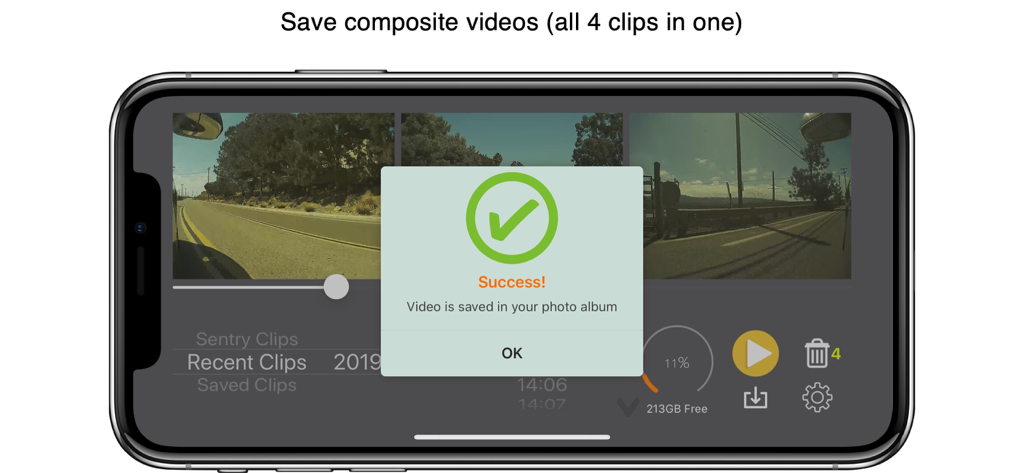
A success message on an iPhone showing a composite Tesla Sentry video saved to the photo album

A success message on an iPhone showing a composite Tesla Sentry video saved to the photo album

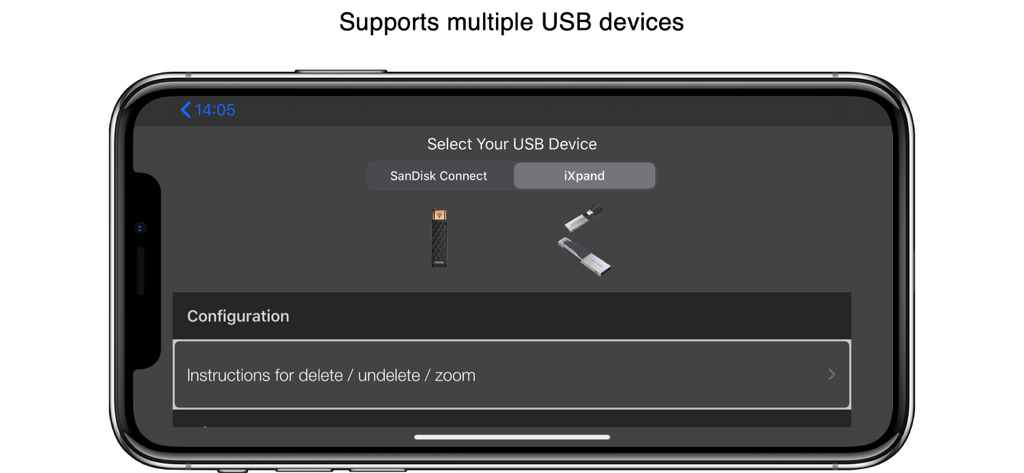
SentryView app interface showing selection of SanDisk Connect and iXpand USB devices for Tesla dashcam footage

SentryView app interface showing selection of SanDisk Connect and iXpand USB devices for Tesla dashcam footage

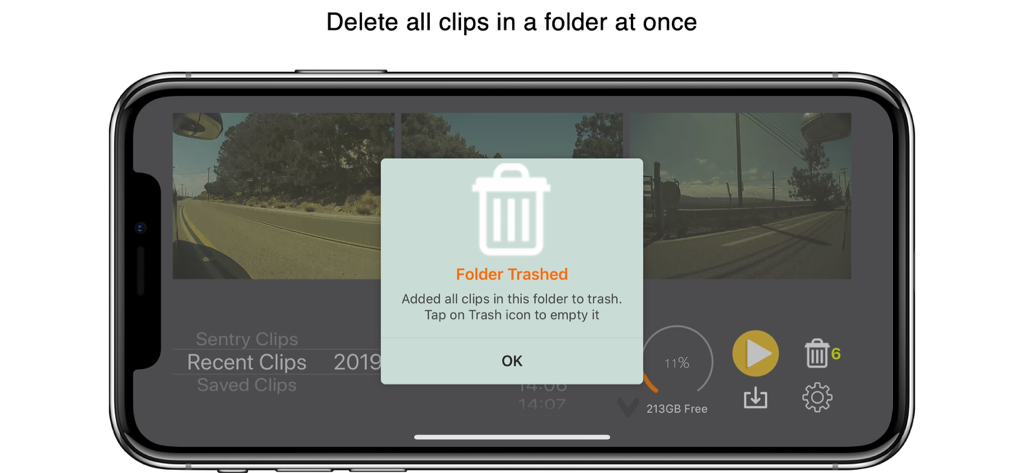
SentryView app interface on iPhone showing a notification for deleting all Tesla dashcam clips in a folder.

SentryView app interface on iPhone showing a notification for deleting all Tesla dashcam clips in a folder.

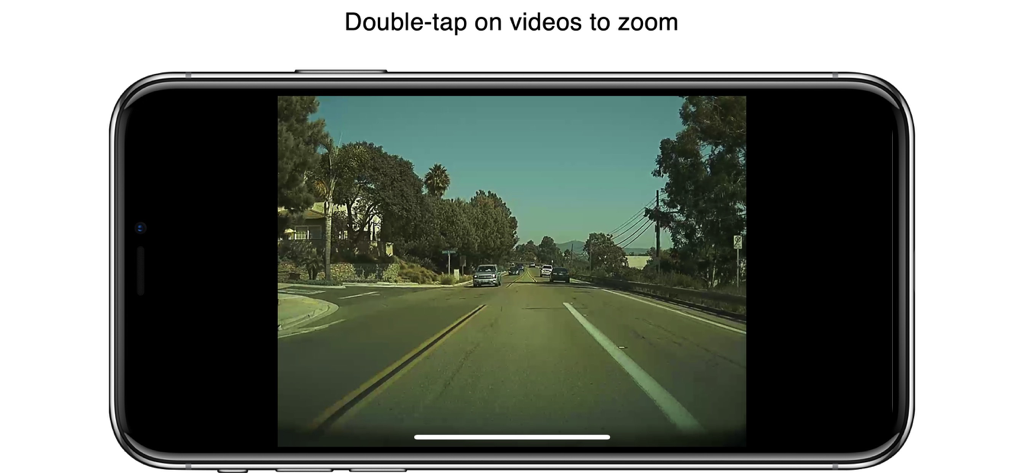
Smartphone screen displaying Tesla dashcam footage with zoom functionality

Smartphone screen displaying Tesla dashcam footage with zoom functionality

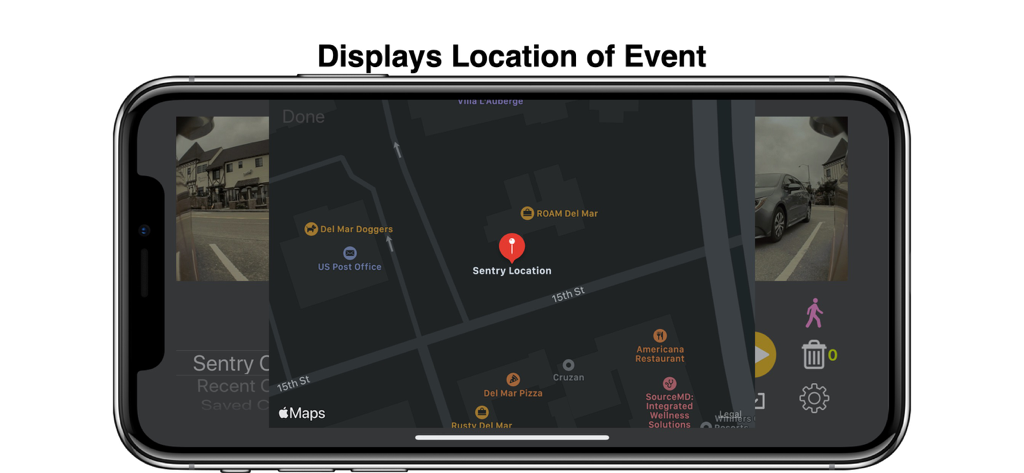
Tesla Sentry Mode event location displayed on a map in SentryView

Tesla Sentry Mode event location displayed on a map in SentryView

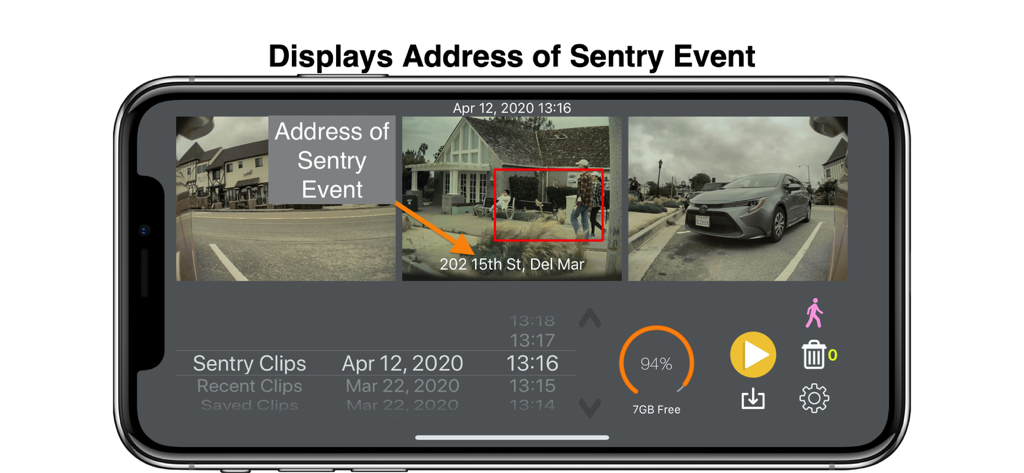
SentryView app interface showing Tesla dashcam feeds and sentry event location address

SentryView app interface showing Tesla dashcam feeds and sentry event location address

Take Total Control of Your Tesla's Security

The tools that make this app stand out, trusted by 60K+ users.

🔄

Unified 4-Way Perspective

Experience your footage like never before. Automatically sync and view front, rear, and side cameras in a single, perfectly timed window to see exactly what happened from every angle.

🤖

Smart AI Event Filtering

Stop wasting time on false alarms. Our advanced algorithm scans your Sentry clips and highlights events triggered specifically by human movement, so you find the relevant footage in seconds.

📲

Instant Mobile Export

Merge all four camera feeds into one high-quality video file. Perfect for sharing incident reports with insurance, law enforcement, or social media—no laptop or desktop required.

About the app

Everything you need to know about SentryView: For Tesla Cars.

Description

This app works with any storage device (SSD, SD card, etc) which can be connected to iPhone/iPad and is compatible with iOS 13 and above. To test compatibility, plug in your device (using an adapter) and make sure that its contents will show up in the Files app. *** Exclusive: This app works with these versions of iXpand USB drives without requiring any adapter (in addition to other storage devices) *** https://www.sandisk.com/home/mobile-device-storage/ixpand-go https://www.sandisk.com/home/mobile-device-storage/ixpand-mini https://www.sandisk.com/ixpand *** Exclusive: the app allows you to export all four videos (left, right, center, rear) in a single video file. *** Exclusive: the app shows the location of the sentry event *** The app includes an AI-based algorithm which scans the Sentry Clips folder and marks events that are triggered by human movement in the scene (requires a one-time in-app purchase) This app allows you to view Sentry videos and DashCam videos generated by your Tesla on your iOS device without needing a computer. - Fully supports v10 features (SentryClips folder and rear camera footage) - The left, right, center and rear videos are automatically shown next to each other. - All clips are organized by date and time. - You can see thumbnail of clips as you browse through videos. - The app allows you to delete left, right, center, rear videos associated with a time that you choose - You can also delete all the videos in the Saved/Recent folder in one shot and empty up space on the drive. Your Tesla must be able to record Sentry/DashCam videos. You can also obtain pre-formatted USB devices that work with this app here: https://puretesla.com/product/teslacam-for-ios-bundle/

Latest Version

4.9.2

Size

141.4 MB

First Released

Jun 3, 2019

Ready to See What Happened to Your Tesla?

Join over 60,000 tech-forward owners who skip the laptop and review Sentry Mode clips instantly on iPhone or iPad. Download SentryView and gain peace of mind in the palm of your hand.

Download on App Store
FAQ

Frequently Asked Questions

Everything you need to know about SentryView: For Tesla Cars

What storage devices are compatible with the SentryView app for Tesla cars?

SentryView works with any storage device (SSD, SD card, etc.) connectable to iPhone/iPad, provided it is compatible with iOS 13 or above. Users can test compatibility via the Files app.

Does SentryView for Tesla Cars support SanDisk iXpand USB drives without an adapter?

Yes, SentryView exclusively supports specific versions of SanDisk iXpand USB drives (iXpand Go, iXpand Mini, iXpand) without requiring an adapter. Other storage devices may require one.

Can SentryView detect human movement in Tesla Sentry Clips?

Yes, SentryView features an AI-based algorithm that scans Sentry Clips folders. It marks events specifically triggered by human movement in the scene. This feature requires a one-time in-app purchase.

Can SentryView combine all four Tesla camera videos into a single file?

Yes, SentryView allows users to export all four videos (left, right, center, rear) captured by their Tesla into a single combined video file.

Does the SentryView app display the location of Sentry events?

Yes, SentryView exclusively shows the precise location of Sentry events. It displays the geographical position and address where the event occurred.

What types of Tesla video footage can SentryView display on an iOS device?

SentryView allows users to view both Sentry videos and DashCam videos generated by their Tesla. It supports v10 features, including the SentryClips folder and rear camera footage.

How does SentryView organize and present Tesla video clips?

SentryView automatically displays the left, right, center, and rear videos together. Clips are organized by date and time, with thumbnails visible for easy browsing.

Can users delete Tesla video clips directly within the SentryView app?

Yes, SentryView enables users to delete specific left, right, center, or rear videos. It also allows deleting all videos in the Saved/Recent folder simultaneously to free up space.

Is the AI-based human movement detection feature a free option in SentryView?

No, the AI-based algorithm in SentryView, which scans Sentry Clips for human movement, requires a one-time in-app purchase to activate.

Where can I purchase pre-formatted USB devices compatible with SentryView?

Users can obtain pre-formatted USB devices designed to work with SentryView at puretesla.com/product/teslacam-for-ios-bundle/. These devices are ready for use with the app.

App information, icons, screenshots, and descriptions displayed on this page are sourced from the Apple App Store and are the property of their respective developers. Download estimates and rankings are based on MWM's proprietary models and may not reflect actual figures. This page is provided for informational and analytical purposes only.

Believe this page infringes your intellectual property? File a dispute