
This page is not an official page of the app or its developer, but an independent editorial publication created for informational and commentary purposes. Unless expressly stated otherwise, neither the app nor its developer is affiliated with, endorsed by, sponsored by, authorized by, or otherwise officially connected with MWM, Apple, Google Play, the app publisher, or the app's developer, and nothing on this page implies that the app was developed using MWM's services. Any trademarks, logos, screenshots, and other content remain the property of their respective owners.

SharkClean
Take total control of your home with custom mapping, smart scheduling, and voice-activated cleaning. Experience the ultimate convenience of a spotless home without lifting a finger.
Downloads
5M+User Rating
Total Ratings
462K+Publisher
Category
LifestyleLocales
8Latest Version
6.11.0Size
177.5 MBFirst Released
Sep 8, 2017Take Command of Every Corner
The SharkClean app turns your smartphone into a high-tech cleaning command center, designed to fit seamlessly into your busy, modern lifestyle.
Precision Home Mapping
Define specific rooms and high-traffic zones to target the messiest areas of your home with surgical precision and total control.
Set-and-Forget Scheduling
Automate your daily routine by scheduling whole-home cleanings at times that never interrupt your work, family, or fitness time.
Frequently Asked Questions
Everything you need to know about SharkClean
What is the SharkClean app?
The SharkClean app provides control and convenience for managing your Shark® Wi-Fi-Connected Robotic Vacuum. Users can customize cleaning schedules, map their homes, and activate specific cleaning modes directly from their mobile device.
Can I schedule cleanings with the SharkClean app?
Yes, the SharkClean app allows users to schedule whole-home cleanings. You can easily adjust the days and times your Shark robot cleans your home to fit your convenience.
Does the SharkClean app support voice control?
Yes, the SharkClean app supports voice control. It is compatible with Amazon Alexa and Google Assistant enabled devices, allowing users to start cleaning using simple voice commands.
What is UltraClean Mode™ in the SharkClean app?
UltraClean Mode™ is a specialized vacuuming and coverage mode available in the SharkClean app. It provides a deep clean in targeted areas, offering more suction power and 2-Pass, crosshatch vacuuming for thorough cleaning.
Which Shark robot models are compatible with the SharkClean app?
The SharkClean app is compatible with Shark® Wi-Fi-Connected Robotic Vacuum models 700, 800, 900, 1000, and 2000 series. It also requires Wi-Fi with 2.4GHz band support.
Does the SharkClean app offer precision mapping?
Yes, the SharkClean app offers precision home mapping for 1000 and 2000 series robots. Users can create rooms, high-traffic zones, and customize cleaning with an interactive map interface.
Can I set areas for the SharkClean robot to avoid?
Yes, the SharkClean app allows you to mark areas for your robot to avoid altogether. This feature provides customized cleaning control for your unique home layout.
What are Recharge & Resume and Extended Clean features in the SharkClean app?
Recharge & Resume allows the robot to return to its base, recharge, and then continue cleaning where it left off. Extended Clean enables the robot to continue cleaning with remaining battery power after a full home clean.
Can the SharkClean app vacuum and mop simultaneously?
Yes, the SharkClean app supports VACMOP™ MODE for RV2000WD series robots, enabling simultaneous vacuuming and mopping. It also allows adding carpet zones to ensure the robot intelligently avoids them while mopping.
Can I view cleaning reports with the SharkClean app?
Yes, the SharkClean app provides custom cleaning reports. Users can see when, where, and for how long their robot cleaned, although this feature varies by robot series.
The following screenshots and description are sourced directly from the app's official store listing and are the property of the app developer.
App Store
Screenshots
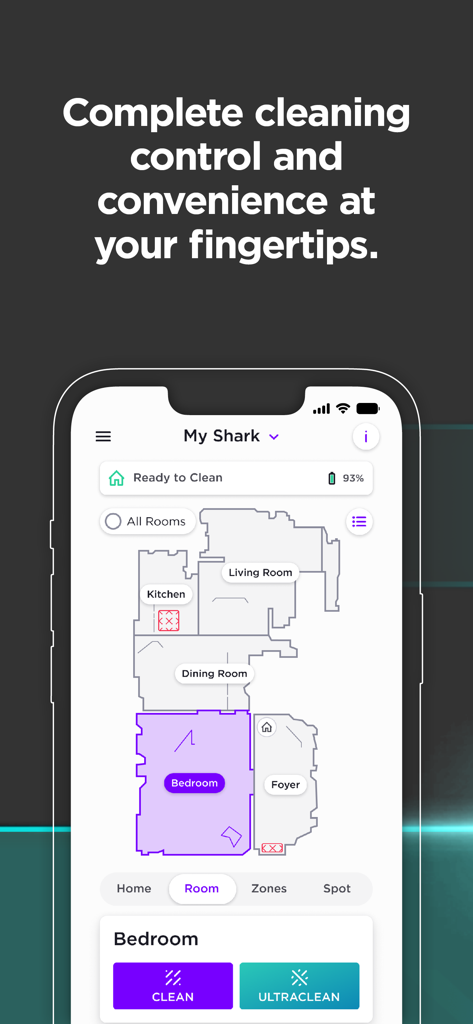
SharkClean app interface displaying a detailed home map and cleaning controls
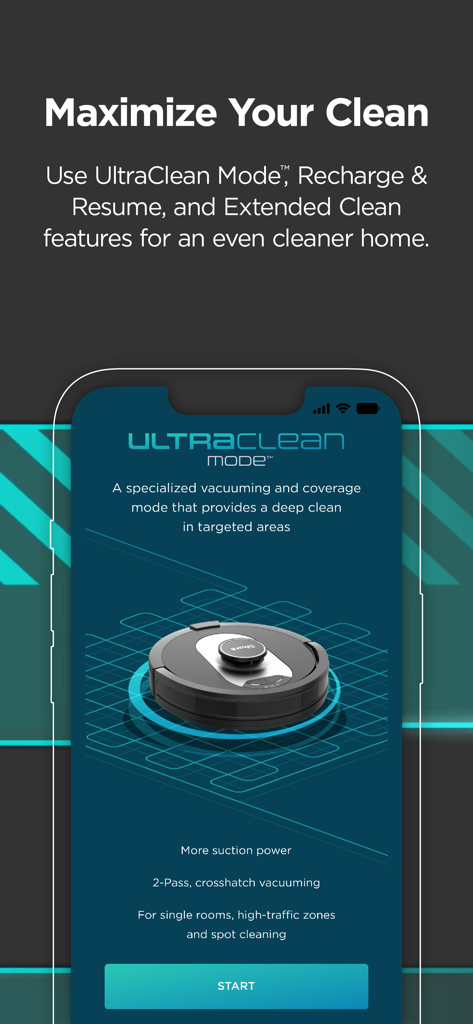
SharkClean app interface displaying the UltraClean Mode feature for deep cleaning specific home areas
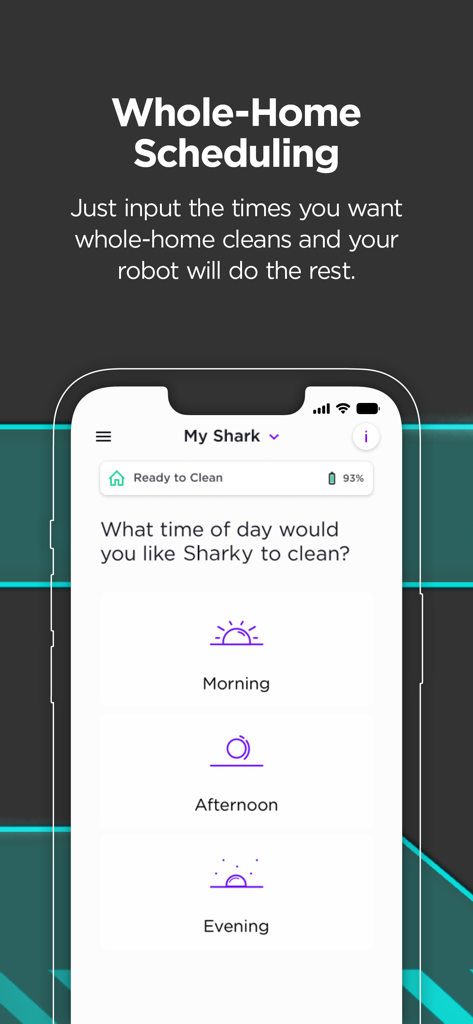
SharkClean app screen for scheduling robot vacuum cleaning cycles for morning afternoon or evening
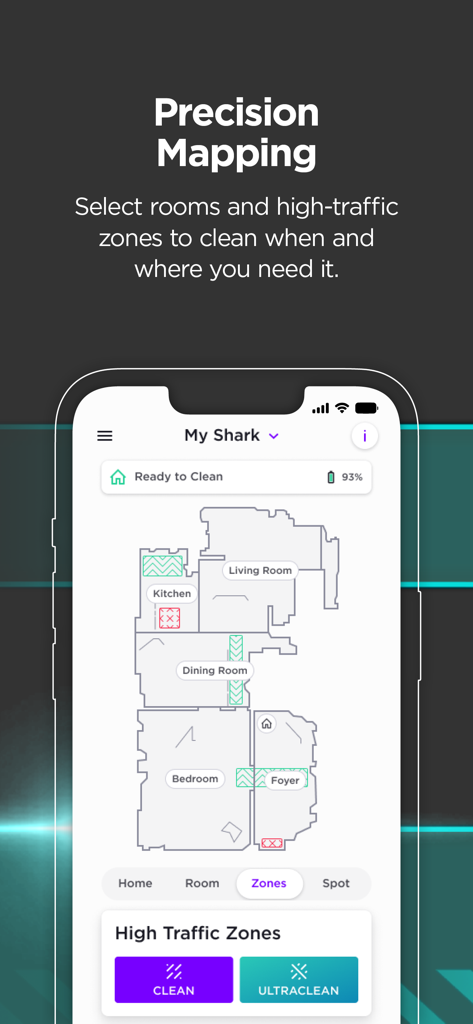
Smartphone screen showing the SharkClean app interface with a house floor plan map and high-traffic cleaning zones
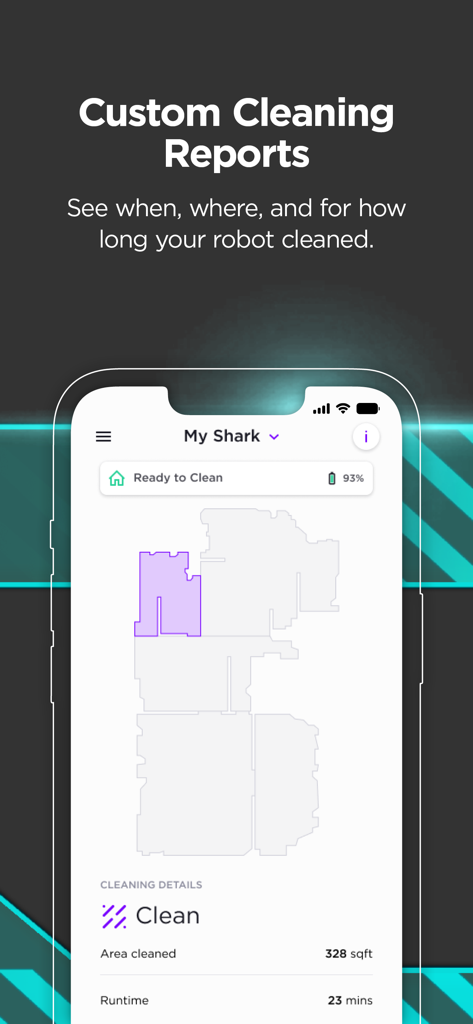
SharkClean app screen showing a detailed cleaning report with a home floor map and runtime stats
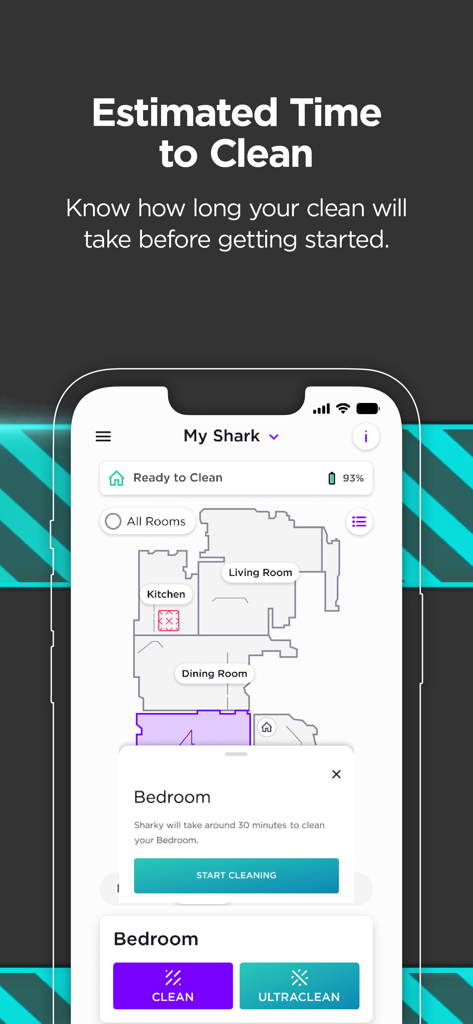
SharkClean app interface showing a house map with an estimated 30-minute cleaning time for the bedroom
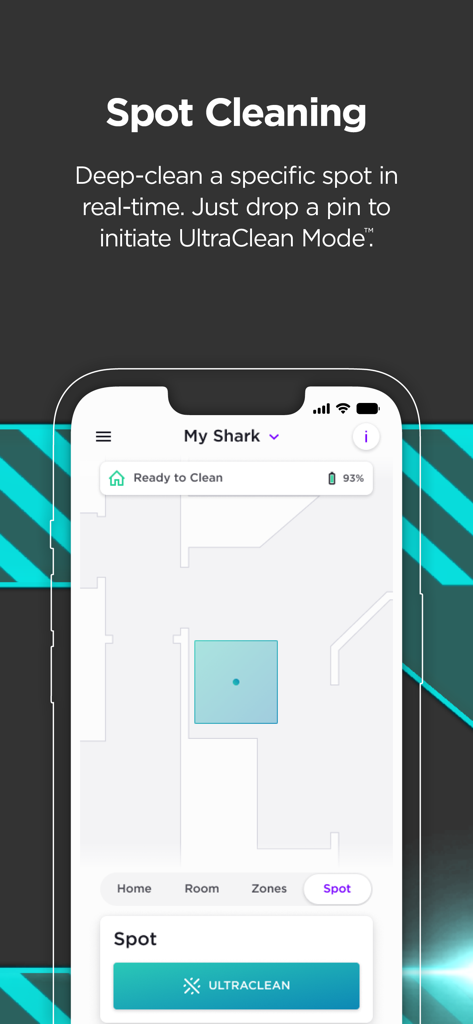
SharkClean app interface showing spot cleaning feature with UltraClean mode on a home map
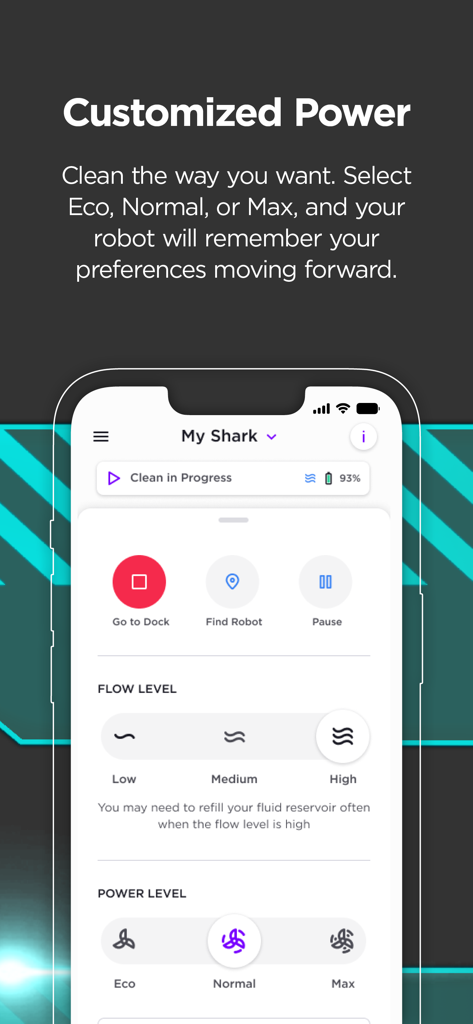
SharkClean mobile app screen showing customized power and flow level settings for a robot vacuum
Description
Download
More Like This
Apps with similar features and user experience

Roborock
Beijing Rockrobo Technology Co., Ltd.

Dreamehome
Dreame Innovation Technology (Suzhou) Co., Ltd.

Tineco Life
Tineco Appliances Co,.Ltd.

YEEDI
YEEDI TECHNOLOGY LIMITED
ECOVACS HOME
Ecovacs Robotics Inc.

Roomba Home
iRobot Corporation

iRobot Home (Classic)
iRobot Corporation
Philips HomeRun Robot App
Versuni Netherlands B.V

Robot Vacuum App
GloryskyX Studio LLC
This page is not an official page of the app or its developer, but an independent editorial publication created for informational and commentary purposes. Unless expressly stated otherwise, neither the app nor its developer is affiliated with, endorsed by, sponsored by, authorized by, or otherwise officially connected with MWM, Apple, Google Play, the app publisher, or the app's developer, and nothing on this page implies that the app was developed using MWM's services. Any trademarks, logos, screenshots, and other content remain the property of their respective owners.