Shelly Smart Control

Shelly Smart Control


Download on App Store
Logo of Shelly Smart Control

Shelly Smart Control: Total Mastery Over Your Private Smart Home

Take full command of your environment with local or cloud-based control, real-time energy monitoring, and advanced automation tailored for the modern prosumer.

Publisher

SHELLY EUROPE EOOD

Category

Lifestyle

Downloads

1M+

User Rating

3.7/5

Total Ratings

4K+

Locales

23

Smart Living, Visualized

Discover the interface used by 1M+ users.
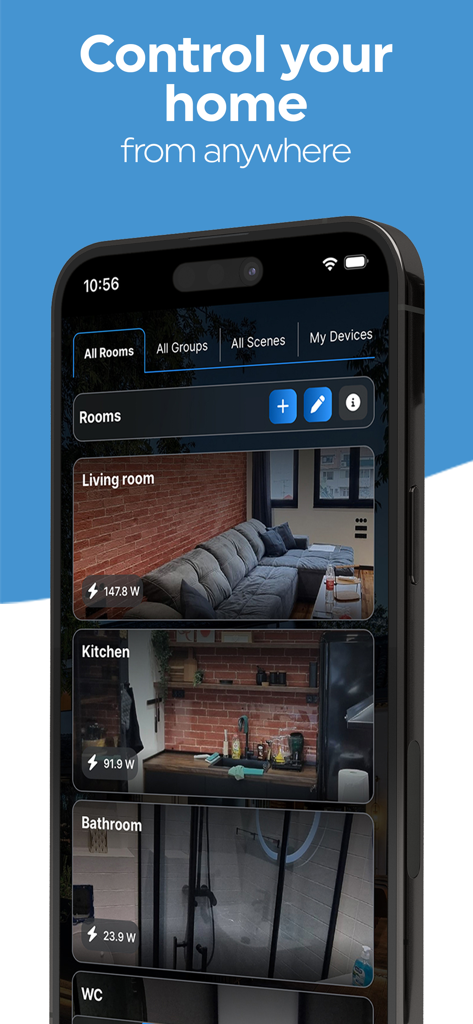
Shelly Smart Control app dashboard displaying home rooms and real-time energy monitoring

Shelly Smart Control app dashboard displaying home rooms and real-time energy monitoring

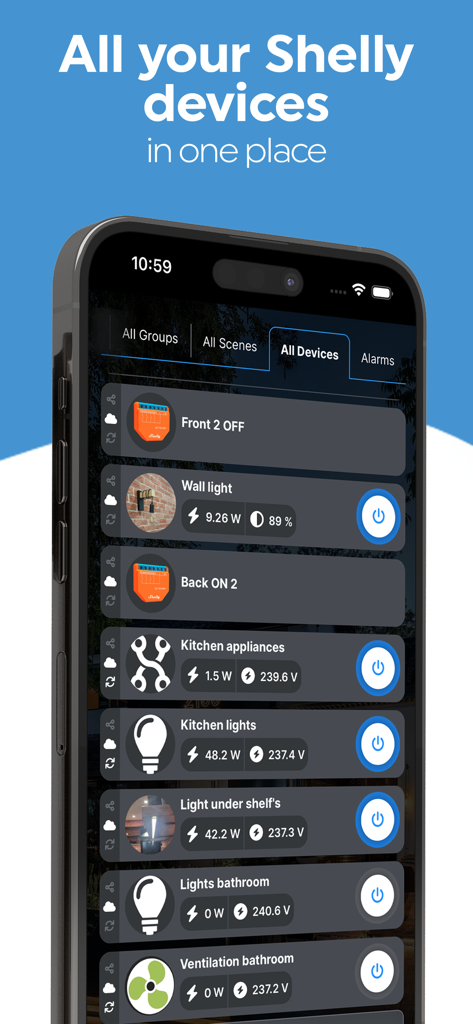
Smartphone screen showing the Shelly Smart Control app device list with real time energy consumption metrics

Smartphone screen showing the Shelly Smart Control app device list with real time energy consumption metrics

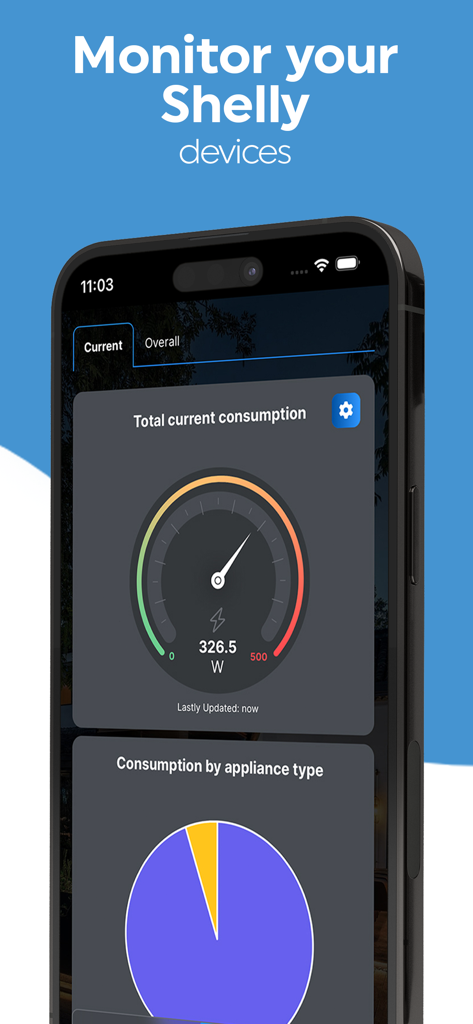
Shelly Smart Control energy monitoring dashboard showing power consumption gauge and appliance pie chart

Shelly Smart Control energy monitoring dashboard showing power consumption gauge and appliance pie chart

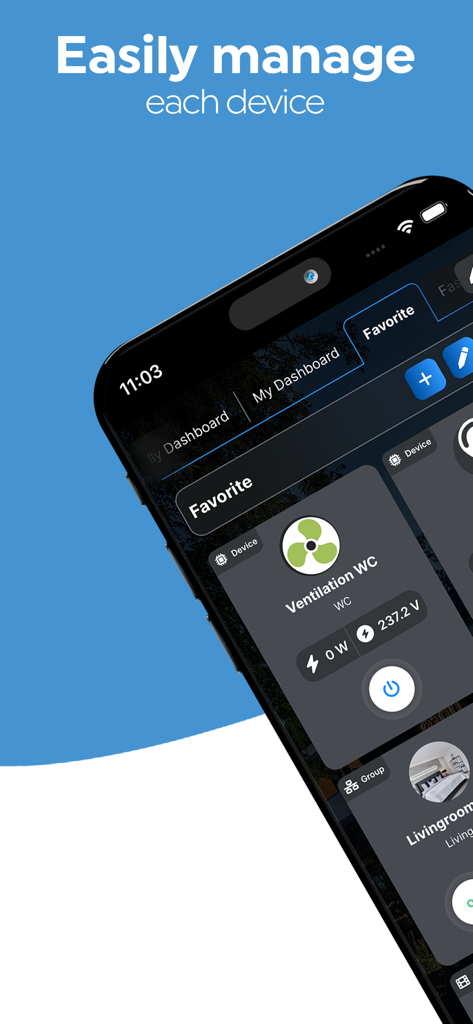
Shelly Smart Control app dashboard showing a ventilation device with real time energy consumption monitoring

Shelly Smart Control app dashboard showing a ventilation device with real time energy consumption monitoring

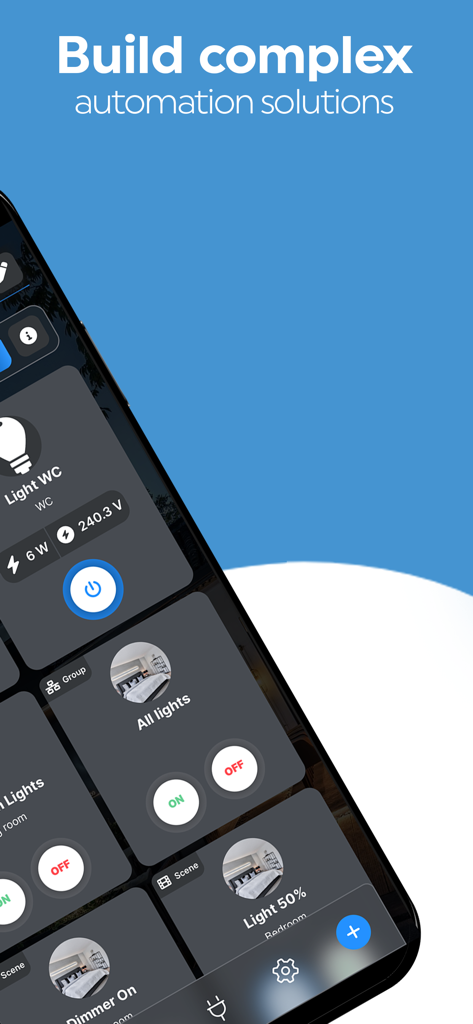
Shelly Smart Control app interface showing home automation scenes and real-time energy monitoring of devices

Shelly Smart Control app interface showing home automation scenes and real-time energy monitoring of devices

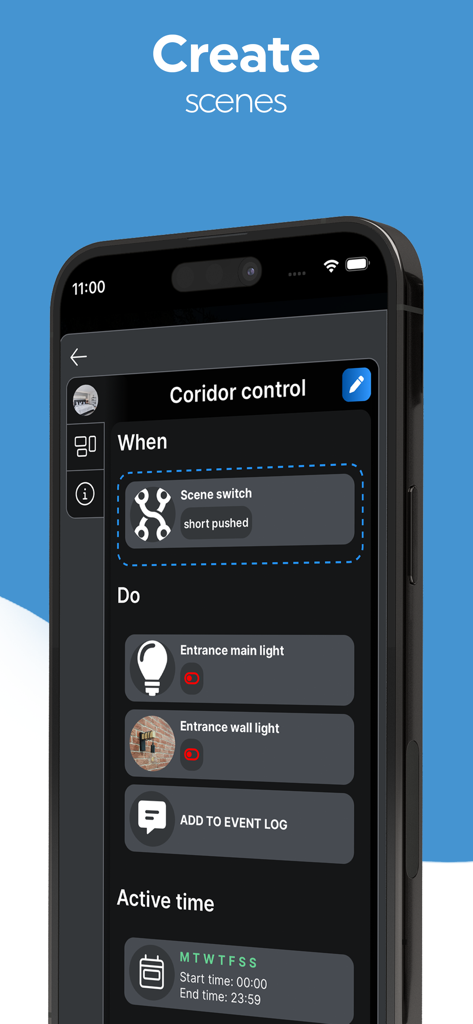
Mobile app interface for creating automated home scenes

Mobile app interface for creating automated home scenes

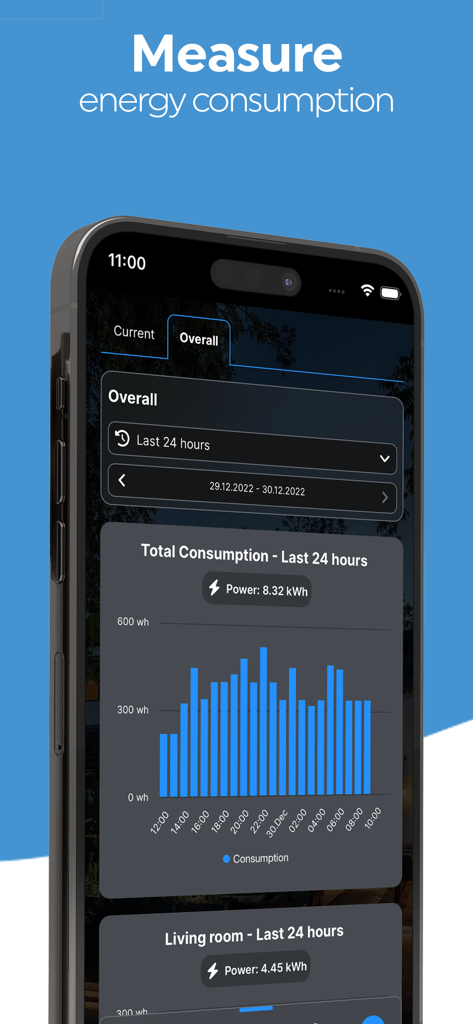
Shelly Smart Control app energy consumption dashboard showing a bar chart of power usage in kilowatt hours over 24 hours

Shelly Smart Control app energy consumption dashboard showing a bar chart of power usage in kilowatt hours over 24 hours

Professional Control for Your Smart Home

The tools that make this app stand out, trusted by 1M+ users.

🔒

Local Network Independence

Retain full control even without internet. Shelly operates on your LAN, keeping your smart home private, secure, and independent of the cloud.

📈

Data-Driven Energy Insights

Monitor real-time and historical power usage. Build intelligent scenes that automatically deactivate appliances to maximize operational efficiency.

🛠️

Advanced Scene Customization

Design complex automation logic using sensors and custom groups. Integrate with open APIs to tailor your ecosystem exactly to your lifestyle.

About the app

Everything you need to know about Shelly Smart Control.

Description

This app offers the possibility to control all Shelly devices remotely. You can monitor and control your devices from anywhere (by using the cloud option) or, if you do not want the Cloud option, you will still be able to monitor and control your devices from within your local network. Shelly devices do not need to be connected to the cloud or to send data there. The Shelly Home Automation portfolio includes a variety of relay switches, sensors, plugs, bulbs, and other controllers, all connected and controlled through your Wi-Fi network. The new Shelly Plus and Shelly Pro lines of products additionally support Bluetooth connectivity for faster device inclusion and communication, and the new Shelly Pro line offers LAN and Wi-Fi usage simultaneously. The entire Shelly portfolio is available at https://shelly.cloud/ Shelly devices are suitable to control lights, garage doors, curtains, window blinds, or other appliances, trigger actions based on certain parameters from sensor devices. Devices provide near real time notification on changes of the parameters they are measuring - energy consumption, temperature other environment values. All Shelly devices have: - Embedded Web server - Wi-Fi control and connectivity - APIs for observation and control A user account is required to access, include, and control Shelly devices through the application. Once Shelly account is registered, you can: - Connect the devices to an existing W-Fi network or use their Access Point mode locally to control other Shelly devices; - Include, manage, and operate as many Shelly devices as you need; - Configure devices and manage individual settings on every device; - Configure custom scheduling for automatic actions; - Create personalized rooms for more convenient organising and control of the devices; - Define custom Groups of devices to control multiple devices with one command within the app; - Build simple and complex scenes by combining Shelly devices to trigger certain actions in your home automation; - Monitor current and past electrical power consumption of the electrical circuit(s) and loads (for Shelly devices equipped with Power-measuring capabilities); - Build complex automation solutions for improved energy and operational efficiency; - Receive real time alerts and notifications based on your preference. Shelly devices are compatible with other widely used both local and cloud-based home automation platforms like Google Home or Alexa.

Latest Version

1.7.8

Size

136.8 MB

First Released

Feb 25, 2023

Ready for Total Local Control?

Join the community of prosumers who prioritize privacy and performance. Download Shelly Smart Control to master your energy consumption and automate your home on your own terms—cloud optional, control absolute.

Download on App Store
FAQ

Frequently Asked Questions

Everything you need to know about Shelly Smart Control

Can Shelly Smart Control operate without cloud connectivity?

Yes, the Shelly Smart Control app allows local network control of Shelly devices, even without the cloud option. Shelly devices do not require cloud connection or data transmission for operation.

What types of devices are compatible with Shelly Smart Control?

The Shelly Smart Control app supports various Shelly devices, including relay switches, sensors, plugs, bulbs, and other controllers, all connected through your Wi-Fi network.

Does Shelly Smart Control support Bluetooth connectivity for devices?

Yes, the Shelly Smart Control ecosystem supports Bluetooth connectivity for the new Shelly Plus and Shelly Pro product lines. This enables faster device inclusion and communication within the app.

Is a user account required to use the Shelly Smart Control app?

Yes, a user account is required to access, include, and control Shelly devices through the Shelly Smart Control application. Account registration is a prerequisite for use.

Can Shelly Smart Control monitor energy consumption?

Yes, Shelly Smart Control monitors current and past electrical power consumption for Shelly devices equipped with power-measuring capabilities. It provides real-time readings and historical data visualizations.

How can I automate actions with Shelly Smart Control?

Shelly Smart Control enables automation through custom scheduling, personalized rooms, device groups, and the creation of simple or complex scenes that combine Shelly devices to trigger actions.

Is Shelly Smart Control compatible with other smart home platforms?

Yes, Shelly devices, managed by Shelly Smart Control, are compatible with other widely used local and cloud-based home automation platforms, including Google Home and Amazon Alexa.

Can I manage individual settings for each Shelly device within the app?

Yes, the Shelly Smart Control app allows users to configure devices and manage individual settings for every connected Shelly device within the application interface.

Does Shelly Smart Control provide real-time alerts?

Yes, the Shelly Smart Control app provides real-time alerts and notifications. These are based on user preferences and changes in device parameters, such as energy consumption or temperature.

Can Shelly Smart Control group multiple devices for simultaneous control?

Yes, users can define custom Groups of Shelly devices within the Shelly Smart Control app. This allows controlling multiple devices simultaneously with a single command.

App information, icons, screenshots, and descriptions displayed on this page are sourced from the Apple App Store and are the property of their respective developers. Download estimates and rankings are based on MWM's proprietary models and may not reflect actual figures. This page is provided for informational and analytical purposes only.

Believe this page infringes your intellectual property? File a dispute