试试双拼-打字练习

试试双拼-打字练习

Download on App Store
Logo of 试试双拼-打字练习

试试双拼-打字练习: Master High-Speed Chinese Typing

Unlock the efficiency of two-stroke typing. The first dedicated app to help you master Shuangpin schemes and transform your native iOS typing experience.

Download on App Store

Publisher

光辉 张

Category

Utilities

Downloads

4K+

User Rating

4.5/5

Total Ratings

400

Locales

3

Efficiency in Every Stroke

Discover the interface used by 4K+ users.
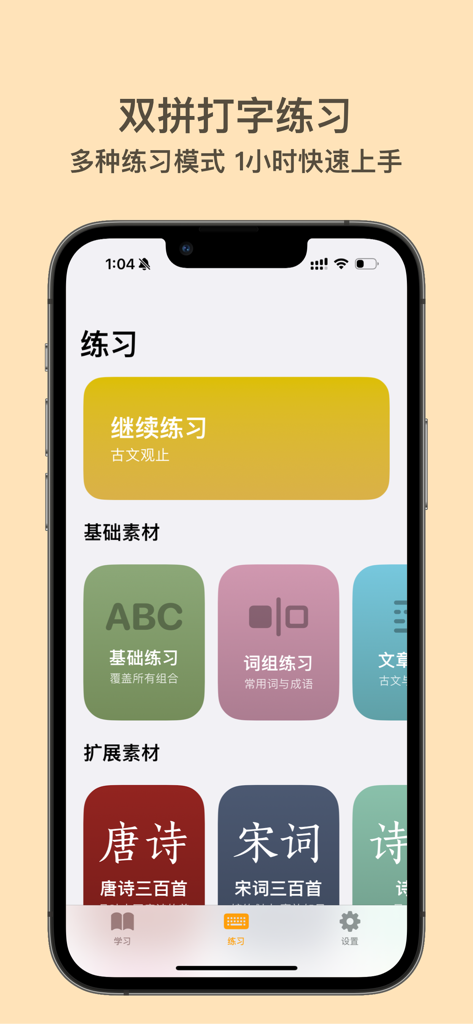
Screenshot of Try Shuangpin app showing various typing practice categories including basic exercises and classical Chinese literature

Screenshot of Try Shuangpin app showing various typing practice categories including basic exercises and classical Chinese literature

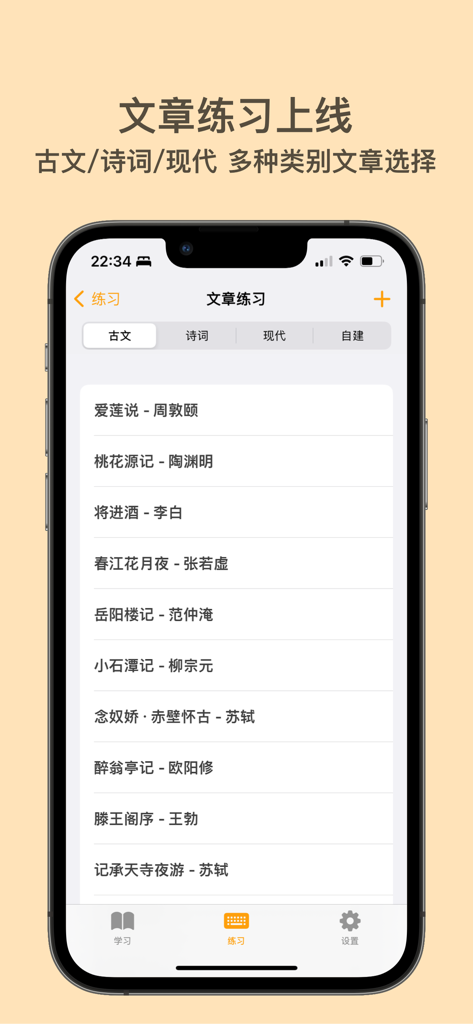
Try Shuangpin app article practice screen with a list of classical Chinese literary works for typing practice

Try Shuangpin app article practice screen with a list of classical Chinese literary works for typing practice

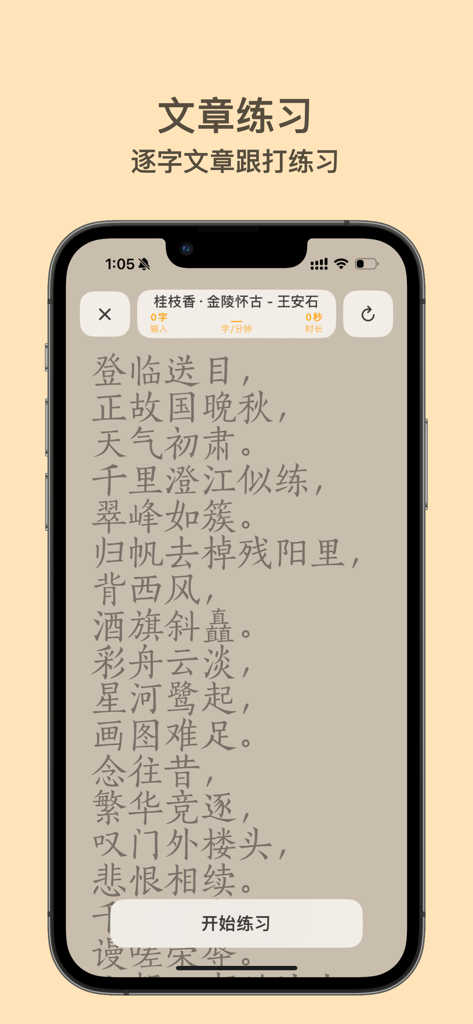
Screenshot of the Article Practice mode in the Try Shuangpin app featuring a Chinese poem for typing exercise.

Screenshot of the Article Practice mode in the Try Shuangpin app featuring a Chinese poem for typing exercise.

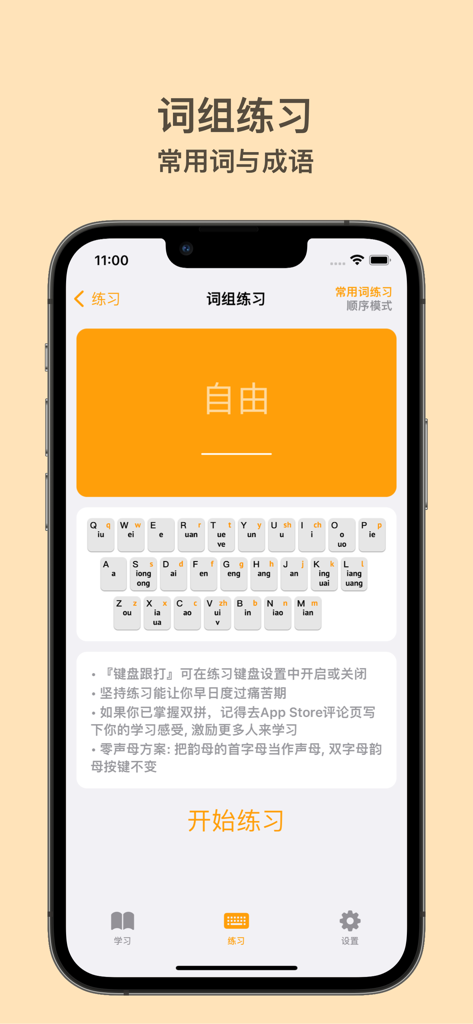
Shuangpin typing practice app interface showing a phrase exercise screen with a custom keyboard layout

Shuangpin typing practice app interface showing a phrase exercise screen with a custom keyboard layout

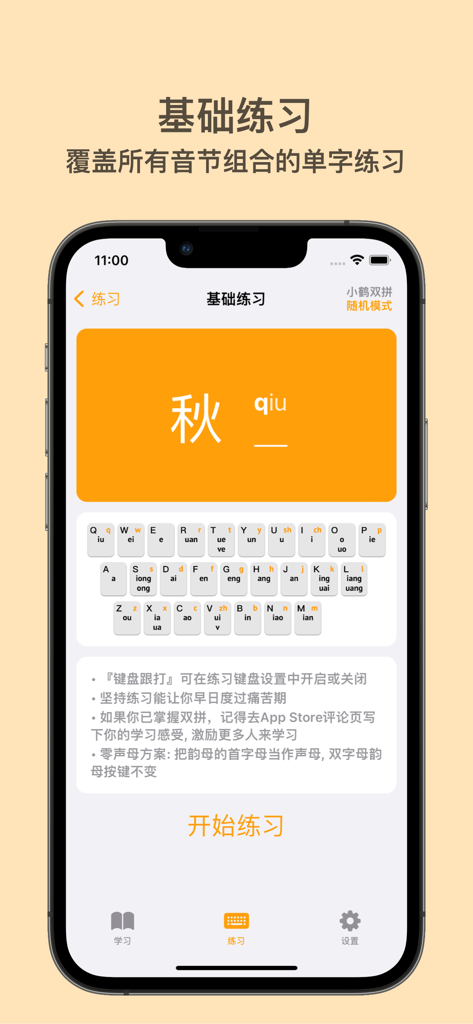
A screenshot of the Try Shuangpin app showing a basic typing practice screen with a character card and a visual keyboard layout.

A screenshot of the Try Shuangpin app showing a basic typing practice screen with a character card and a visual keyboard layout.

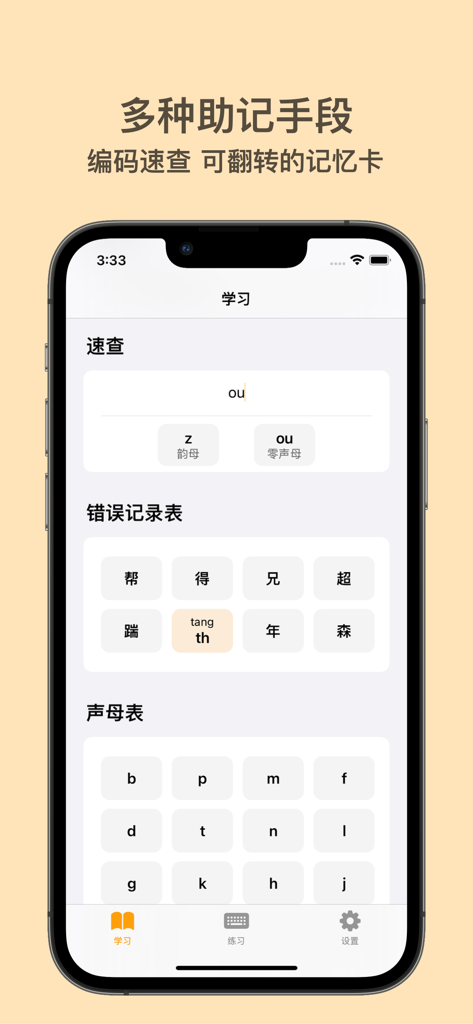
Learning interface of the Try Shuangpin app showing mnemonic aids and an initials chart for Chinese typing practice.

Learning interface of the Try Shuangpin app showing mnemonic aids and an initials chart for Chinese typing practice.

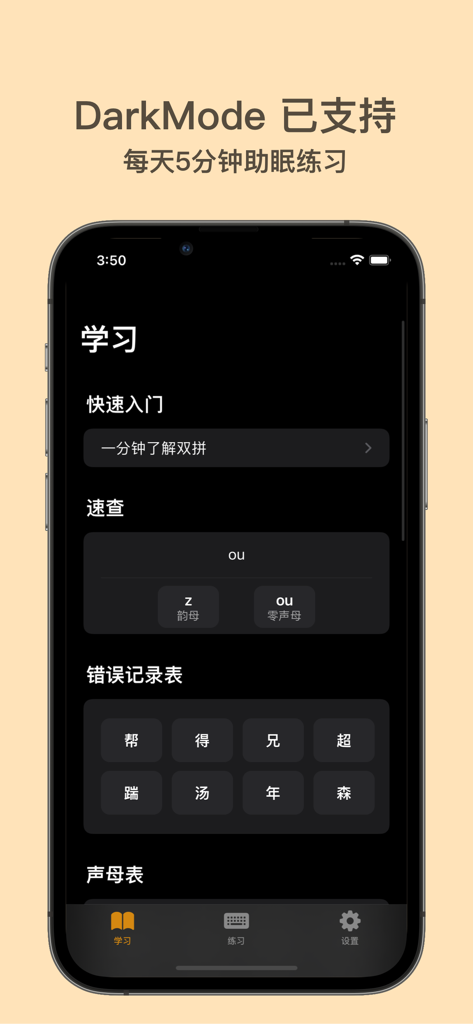
Screenshot of the Try Shuangpin typing practice app in dark mode displaying the learning menu.

Screenshot of the Try Shuangpin typing practice app in dark mode displaying the learning menu.

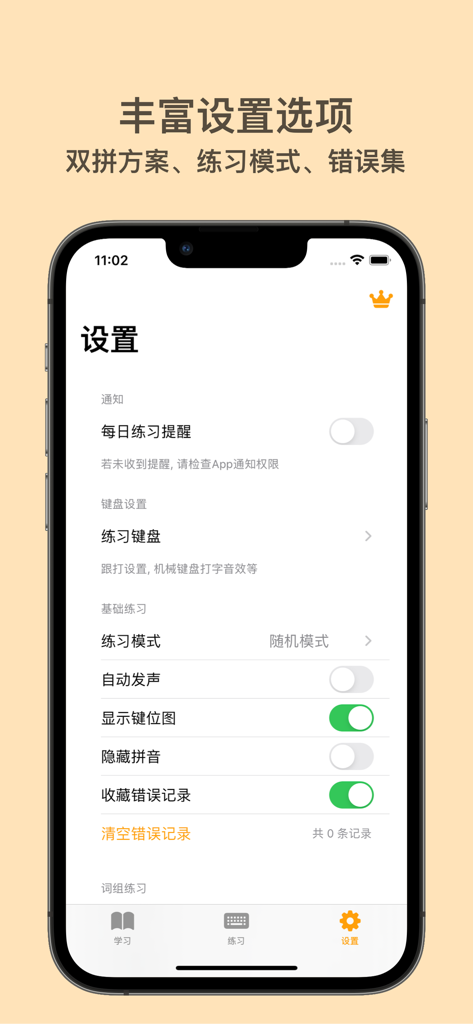
Settings screen of the Shuangpin typing practice app showing customization options for practice modes and reminders on an iPhone

Settings screen of the Shuangpin typing practice app showing customization options for practice modes and reminders on an iPhone

Master the Art of Efficient Chinese Typing

The tools that make this app stand out, trusted by 4K+ users.

Double Your Speed, Half the Effort

Reduce every Chinese character to exactly two keystrokes. Our interactive drills help you build muscle memory for the most efficient input method available today.

⚙️

All Major Schemes Supported

Whether you prefer Xiaohe, Microsoft, or Sogou, we support all popular layouts. You can even create custom configurations to match your unique typing habits.

🎯

Track Your Path to Mastery

Monitor your progress with real-time speed testing and accuracy metrics. Turn a steep learning curve into an engaging, gamified daily habit during your commute.

About the app

Everything you need to know about 试试双拼-打字练习.

Description

# 简介 试试双拼是App Store上第一款双拼输入法练习软件,通过这个软件你能方便的学习双拼规则,练习双拼键位,最终达到熟练使用双拼输入法提高打字速度与准确度的目的。iOS11开始苹果也加入了对双拼输入法的原生支持,现在你在系统键盘中就能开启双拼打字模式。 # 双拼输入法 双拼输入法是一种高效的汉字输入方法,它可以让你用两个按键就打出一个汉字,大大提高了输入速度和准确率。双拼输入法有多种方案可供选择,比如小鹤双拼、微软双拼、搜狗双拼等。你可以根据自己的习惯和喜好,选择适合自己的方案,或者自定义方案。双拼输入法不仅适合专业人士和高频用户,也适合普通用户和初学者。只要花一点时间练习,就可以掌握双拼输入法的技巧和规律。如果你想提升你的汉字输入水平,那就赶快试试双拼输入法吧! # 开发故事 事情是从两年前我刚接触双拼输入法开始的,当时发现并没有一款软件来帮助初学者入门双拼,双拼作为一种在难度与速度上平衡很好的输入法,感觉不太被人知道很可惜,它应该被更多人知道被更多人使用,在这种背景下开发一款专门的双拼练习软件的想法的种子就种下了,再到后来学习了苹果全新高效的UI开发框架SwiftUI,用了两个周末的时间完成了试试双拼的第一个MVP并上架App Store。 上架之后收到了很多用户的建议反馈,看到这个小小的软件能帮助越来越多的朋友了解双拼、入门双拼到完全使用双拼打字交流,我很开心。 # 后续 目前软件还在迭代中,后续会加入如下功能: 1. 文章练习 2. 双拼打字小游戏 3. 打字测速 4. 自定义双拼方案 对双拼感兴趣的朋友不如现在就开始下载试试吧 ~ # 双拼爱好者交流群 QQ群: 881569373 Telegram: https://t.me/ulpbApp 【会员自动订阅说明】 成为会员后,可以无限制使用App所有功能,享受未来的免费更新. 确认购买后,将向您的 iTunes 账户收款。购买连续包月或包周项目,除非您在当前计费周期结束前至少24小时取消订单,否则项目会自动续订,您的账户将在当前计费周期结束前24小时内收取续订费用。您可在App Store的账户设置中取消订阅。 你可通过下述途径取消已开通的连续包年服务: 苹果手机在 iOS 设备“设置” → “iTunes Store 与 App Store” → 选择“Apple ID” → 点击“查看 Apple ID” → 在账户设置页面点击“订阅” → 取消订阅。 【会员服务协议】 https://www.apple.com/legal/internet-services/itunes/dev/stdeula/ 【隐私协议】 https://pages.flycricket.io/shi-shi-shuang-pin/privacy.html

Latest Version

2.4.6

Size

70.3 MB

First Released

Mar 7, 2022

Ready to Become a Chinese Typing Power User?

Join thousands of efficiency-obsessed professionals and students mastering Shuangpin. Download now to unlock a faster, more fluid communication experience on all your Apple devices.

Download on App Store

App information, icons, screenshots, and descriptions displayed on this page are sourced from the Apple App Store and are the property of their respective developers. Download estimates and rankings are based on MWM's proprietary models and may not reflect actual figures. This page is provided for informational and analytical purposes only.

Believe this page infringes your intellectual property? File a dispute