
This page is not an official page of the app or its developer, but an independent editorial publication created for informational and commentary purposes. Unless expressly stated otherwise, neither the app nor its developer is affiliated with, endorsed by, sponsored by, authorized by, or otherwise officially connected with MWM, Apple, Google Play, the app publisher, or the app's developer, and nothing on this page implies that the app was developed using MWM's services. Any trademarks, logos, screenshots, and other content remain the property of their respective owners.

Show StopWatch
Stop the manual math and focus on the cues. Automate your run times, track union-mandated intervals, and generate instant show reports with the tool built by stage managers, for stage managers.
Downloads
32K+User Rating
Total Ratings
100Publisher
Category
ProductivityLocales
1Latest Version
3.3.1Size
25.6 MBFirst Released
May 6, 2017Built for the Wings, Perfected for the Booth
The all-in-one timing solution for stage managers that eliminates manual calculations and keeps your production running like clockwork.
Seamless Act & Interval Management
Effortlessly track multiple acts and intermissions. Color-coded timers alert you the moment your interval overruns, keeping you on schedule and union-compliant.
Automated Show Reporting
Eliminate post-show math. Capture total run times and show stops instantly, then export professional reports to your production team with a single tap.
The following screenshots and description are sourced directly from the app's official store listing and are the property of the app developer.
App Store
Screenshots
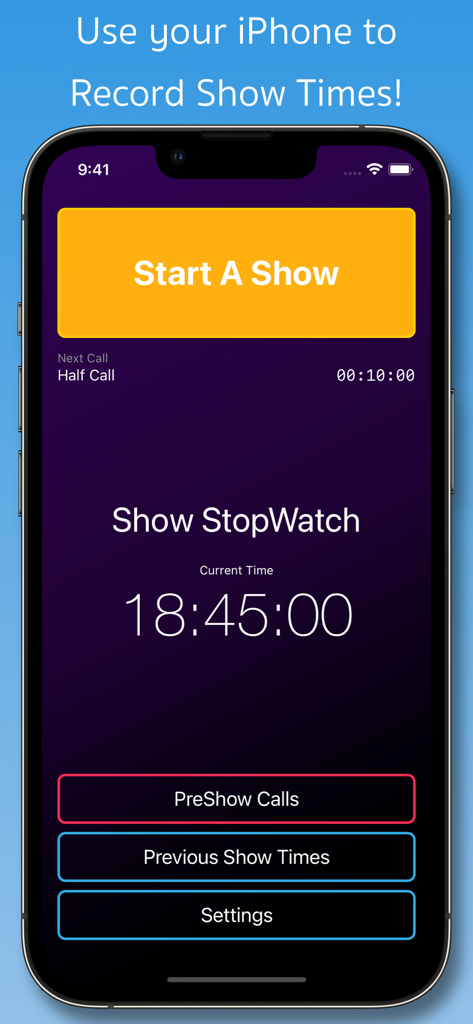
Main interface of Show StopWatch app showing the Start A Show button and current time display for stage management
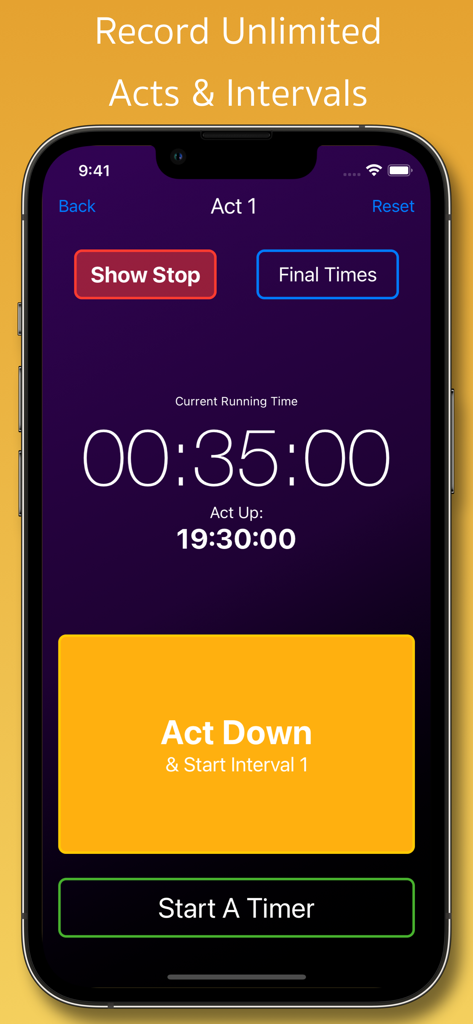
Interface of the Show StopWatch app for stage managers tracking act and interval times
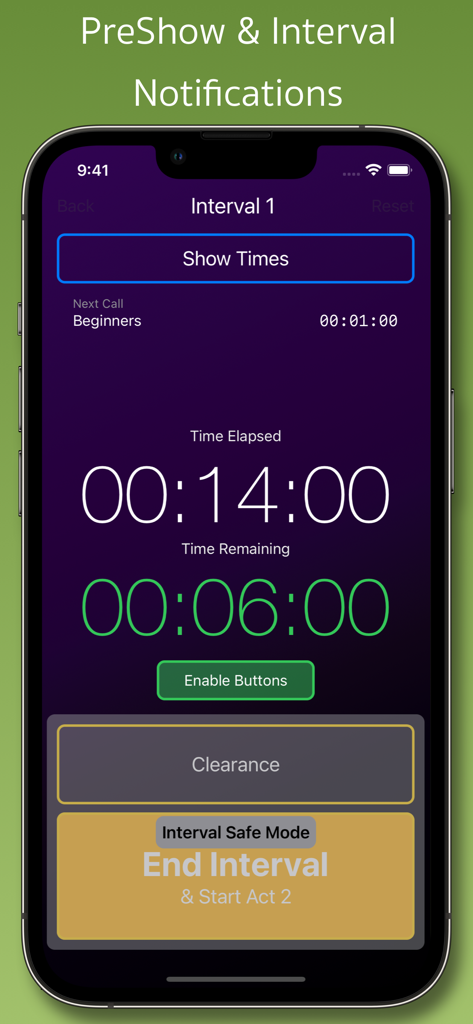
Show StopWatch app interface showing interval countdown and backstage call notification
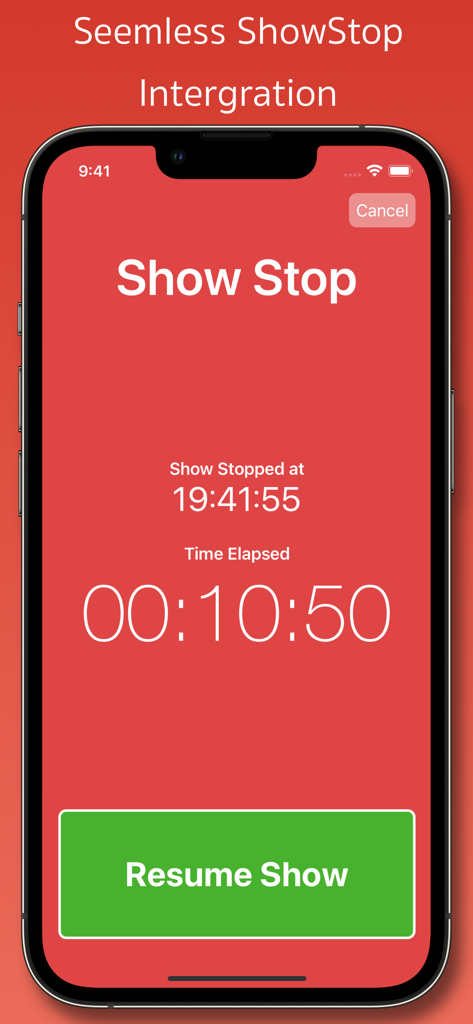
iPhone screen of the Show StopWatch app showing a red interface with a timer for a show stop and a green button to resume the performance
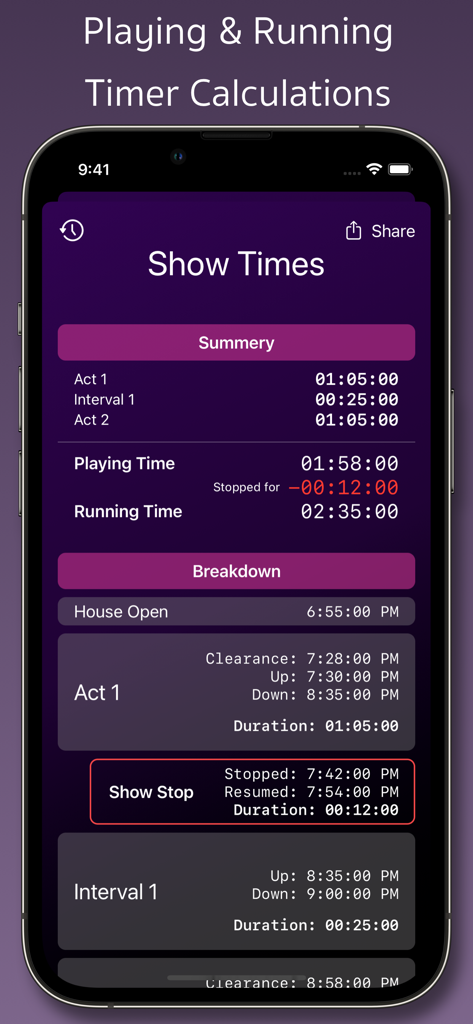
Show StopWatch app interface displaying theater performance summary and timing calculations for stage managers
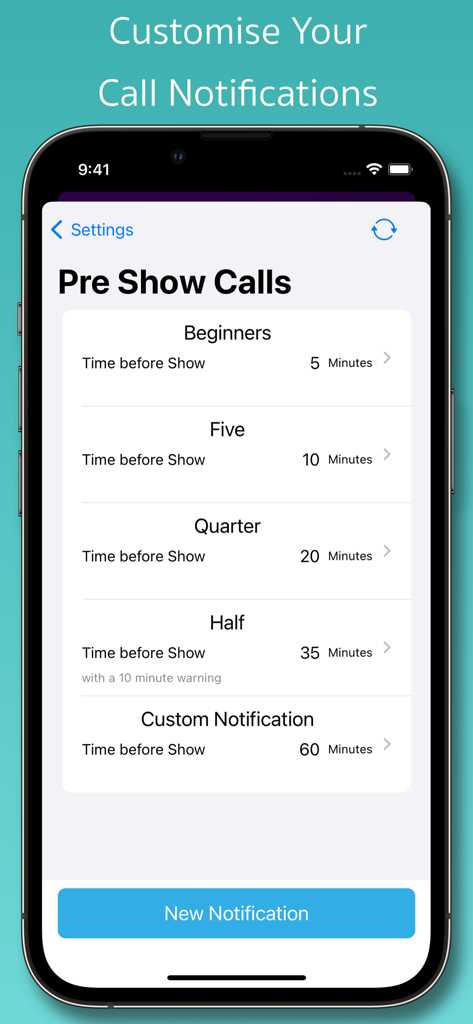
Show StopWatch app interface for customizing pre-show call notifications
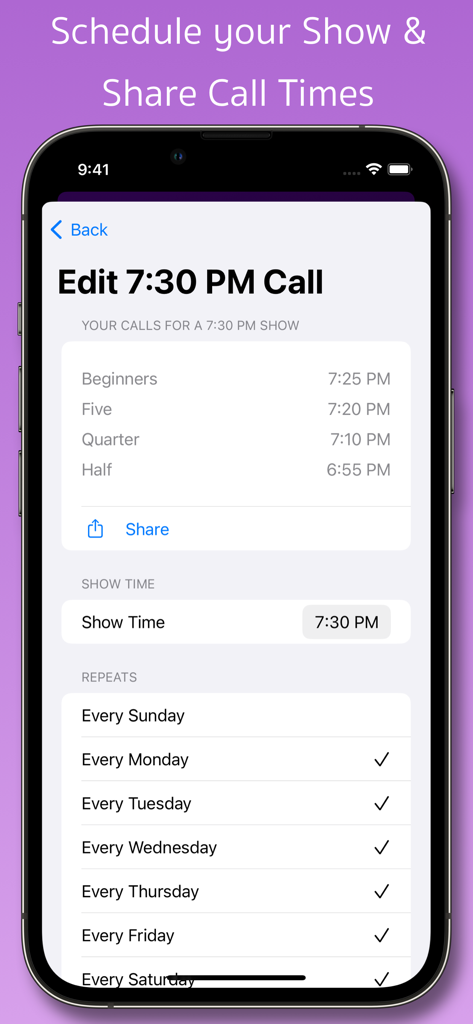
Interface for editing theater call times and scheduling show repeats in the Show StopWatch app.
Description
Download
More Like This
Top-ranked apps in the same category

ChatGPT
OpenAI OpCo, LLC

Google Gemini
Google LLC

Grok
X.AI Corporation

Gmail - Email by Google
Google LLC

千问 - 阿里最强大模型官方AI助手
Shanghai Zhixin Puhui Technology Co., Ltd.

Google Drive
Google LLC

Microsoft Authenticator
Microsoft Corporation

Google Sheets
Google LLC

Google Docs
Google LLC
This page is not an official page of the app or its developer, but an independent editorial publication created for informational and commentary purposes. Unless expressly stated otherwise, neither the app nor its developer is affiliated with, endorsed by, sponsored by, authorized by, or otherwise officially connected with MWM, Apple, Google Play, the app publisher, or the app's developer, and nothing on this page implies that the app was developed using MWM's services. Any trademarks, logos, screenshots, and other content remain the property of their respective owners.