ShutterCount Mobile
ShutterCount Mobile
Download on App Store

This page is not an official page of the app or its developer, but an independent editorial publication created for informational and commentary purposes. Unless expressly stated otherwise, neither the app nor its developer is affiliated with, endorsed by, sponsored by, authorized by, or otherwise officially connected with MWM, Apple, Google Play, the app publisher, or the app's developer, and nothing on this page implies that the app was developed using MWM's services. Any trademarks, logos, screenshots, and other content remain the property of their respective owners.

Logo of ShutterCount Mobile
Download on App Store

ShutterCount Mobile

Instantly verify camera usage, track wear, and forecast shutter life. Whether you are buying used gear or managing a professional kit, get the reliable odometer reading you need right on your iPhone or iPad.

Key Figures

Downloads

305K+

User Rating

3.1/5

Total Ratings

200

Publisher

DIRE Studio Kft.

Category

Photo & Video

Locales

2

Latest Version

7.0

Size

3.9 MB

First Released

Apr 4, 2016
Features

Professional Gear Intelligence

Stop guessing and start tracking. ShutterCount Mobile provides deep insights into your camera's health, usage history, and remaining lifespan to help you shoot with confidence.

Instant Shutter Readings

Skip the service center. Get precise actuation counts directly from your camera via USB or Wi-Fi to verify usage in seconds.

Wear & Life Forecasting

Visualize your camera's rated life expectancy with graphical wear indicators and predictive analytics to avoid failure on the job.

The following screenshots and description are sourced directly from the app's official store listing and are the property of the app developer.

App Store

Screenshots
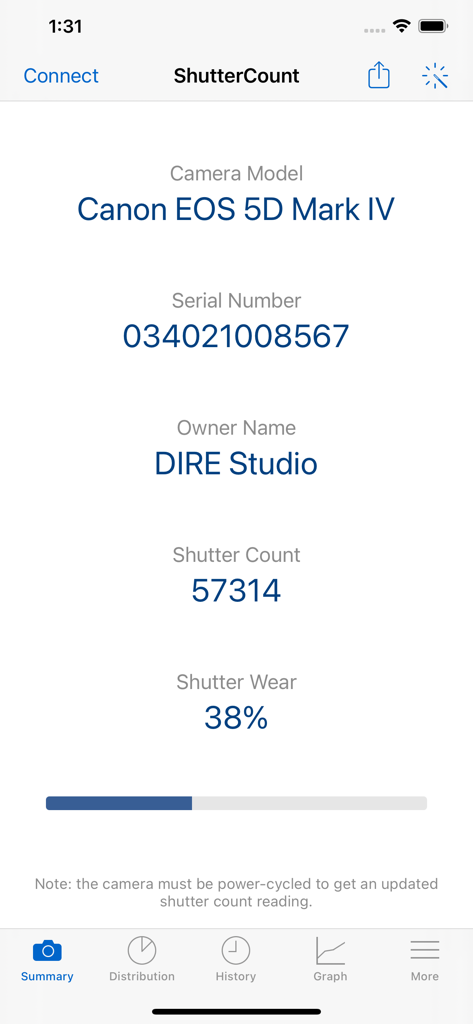
ShutterCount Mobile - ShutterCount Mobile app showing the shutter count and wear percentage for a Canon EOS 5D Mark IV camera
ShutterCount Mobile app showing the shutter count and wear percentage for a Canon EOS 5D Mark IV camera

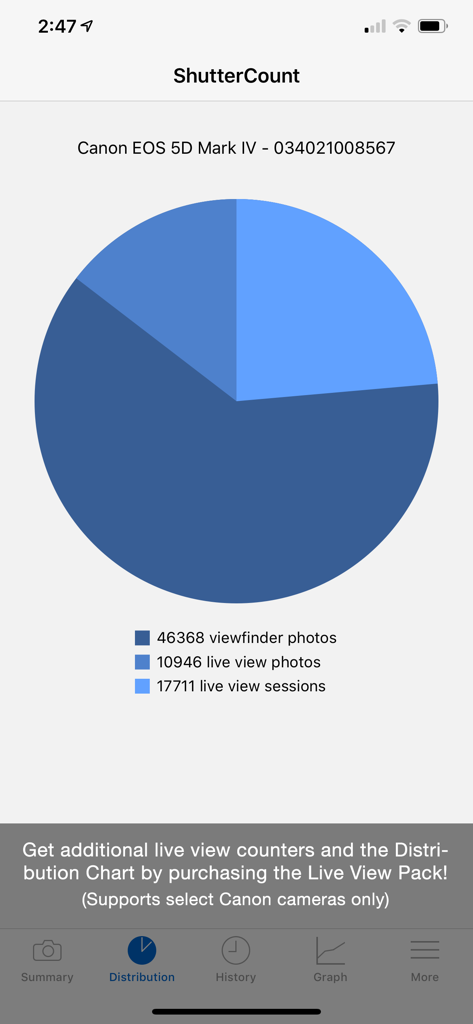
ShutterCount Mobile - A pie chart in the ShutterCount Mobile app showing the distribution of viewfinder photos, live view photos, and live view sessions for a Canon EOS 5D Mark IV.
A pie chart in the ShutterCount Mobile app showing the distribution of viewfinder photos, live view photos, and live view sessions for a Canon EOS 5D Mark IV.

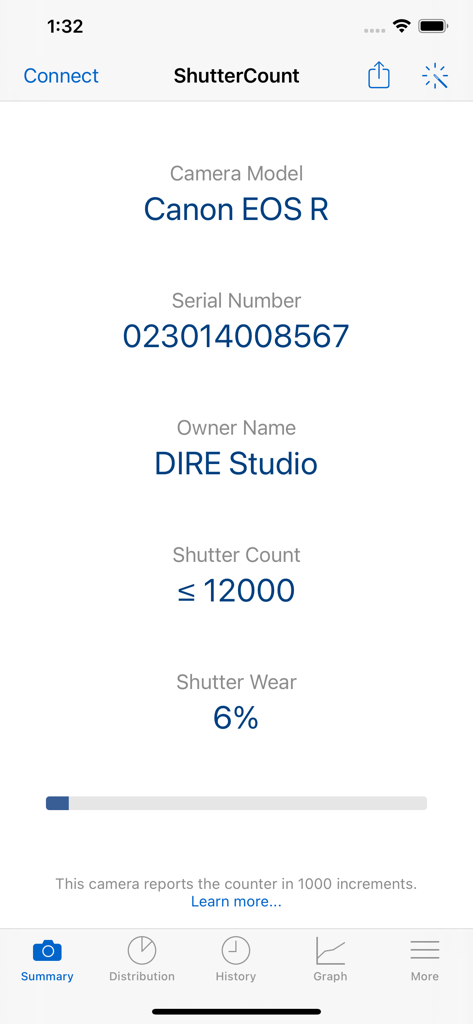
ShutterCount Mobile - ShutterCount Mobile app interface displaying shutter count and wear statistics for a Canon EOS R camera
ShutterCount Mobile app interface displaying shutter count and wear statistics for a Canon EOS R camera

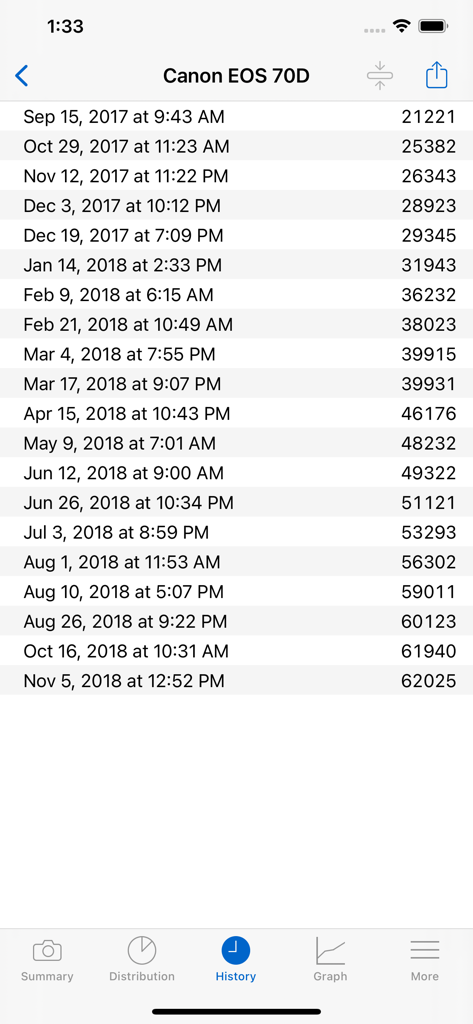
ShutterCount Mobile - ShutterCount Mobile history screen showing a list of shutter actuation readings for a Canon EOS 70D camera
ShutterCount Mobile history screen showing a list of shutter actuation readings for a Canon EOS 70D camera

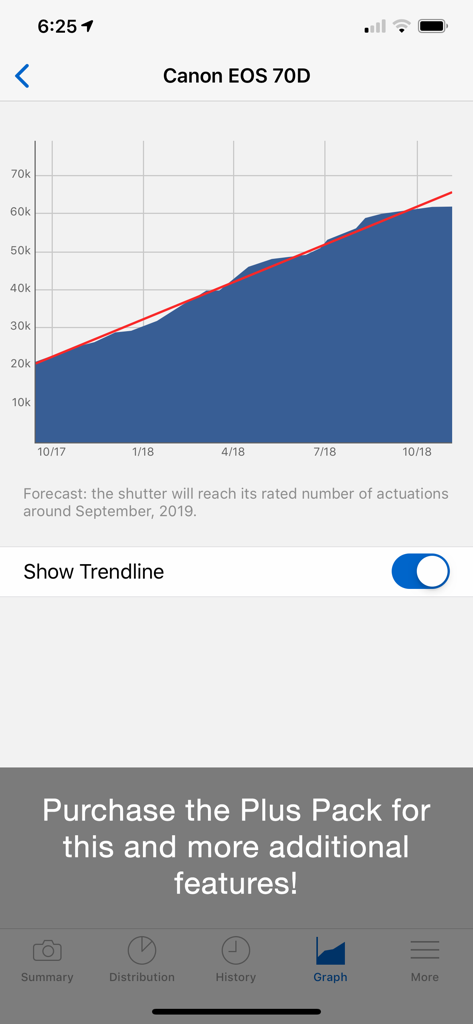
ShutterCount Mobile - ShutterCount Mobile app displaying a shutter actuation history graph and life forecasting for a Canon EOS 70D.
ShutterCount Mobile app displaying a shutter actuation history graph and life forecasting for a Canon EOS 70D.

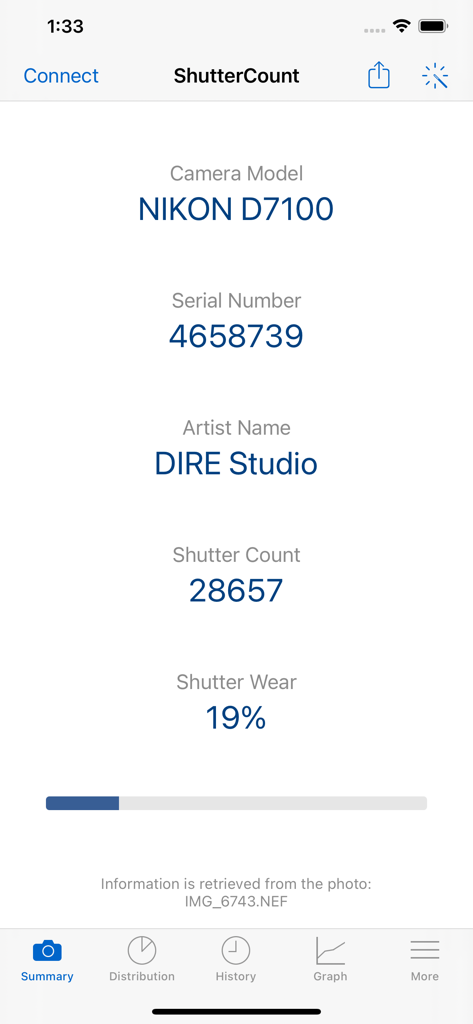
ShutterCount Mobile - ShutterCount Mobile app summary screen displaying the shutter count and wear percentage for a Nikon D7100 camera.
ShutterCount Mobile app summary screen displaying the shutter count and wear percentage for a Nikon D7100 camera.

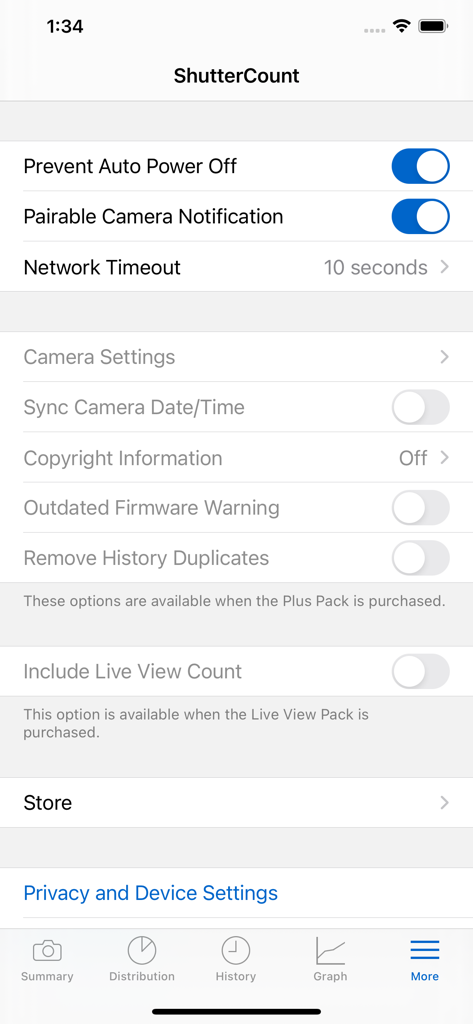
ShutterCount Mobile - ShutterCount Mobile settings menu showing camera management and advanced feature options.
ShutterCount Mobile settings menu showing camera management and advanced feature options.

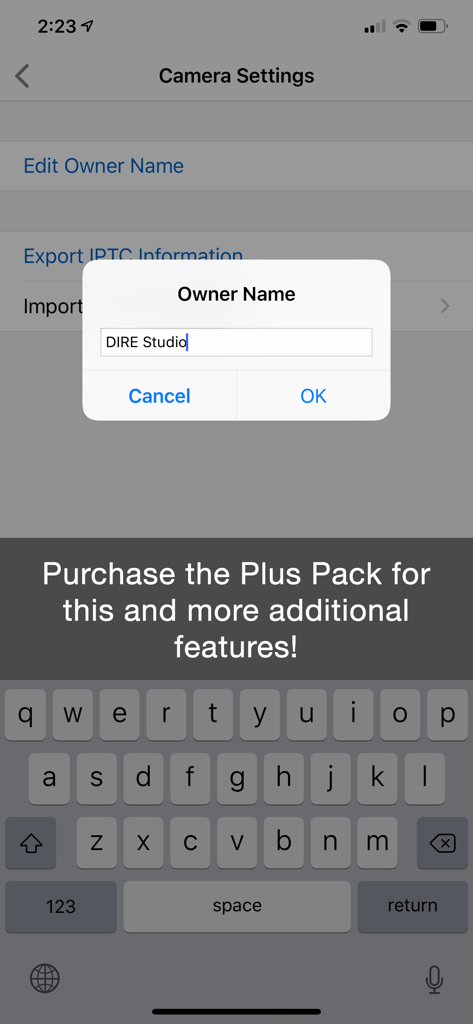
ShutterCount Mobile - ShutterCount Mobile camera settings screen showing the edit owner name feature
ShutterCount Mobile camera settings screen showing the edit owner name feature

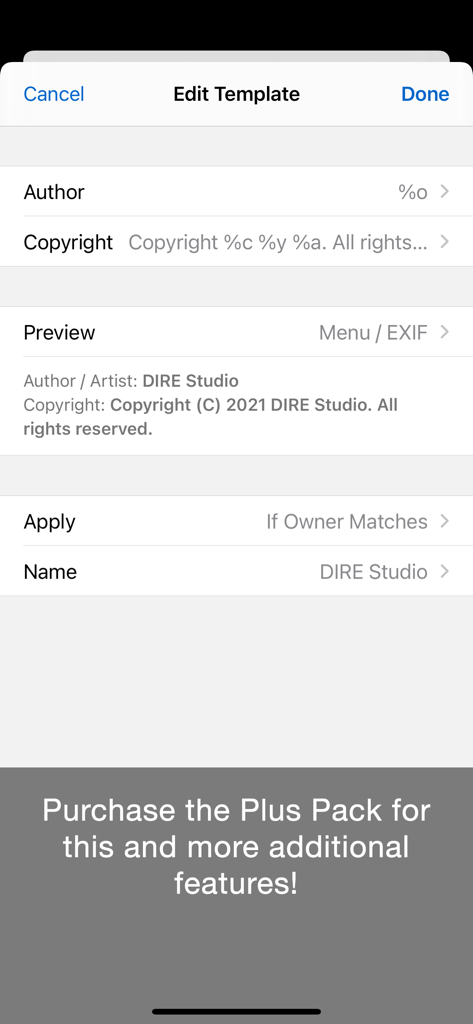
ShutterCount Mobile - The Edit Template interface of ShutterCount Mobile for setting camera copyright and author information.
The Edit Template interface of ShutterCount Mobile for setting camera copyright and author information.

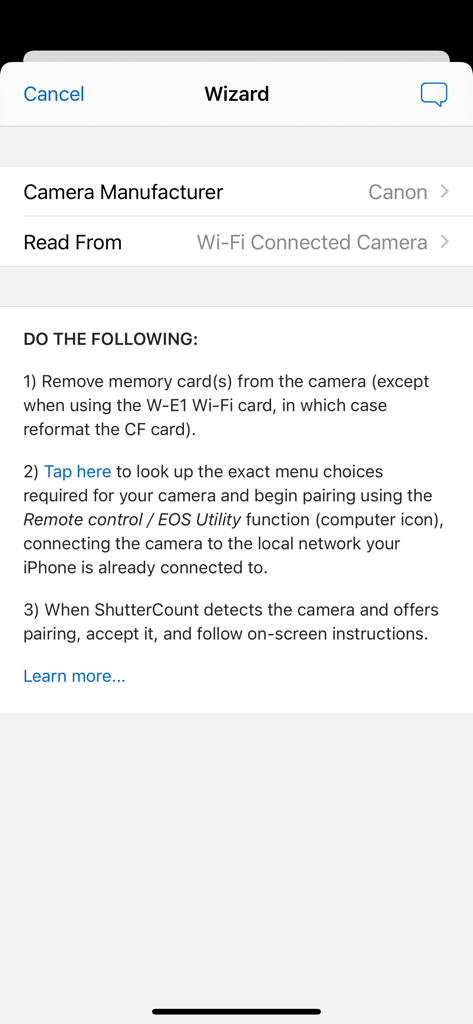
ShutterCount Mobile - Connection wizard screen in ShutterCount Mobile showing instructions for pairing a Canon camera via Wi-Fi

Connection wizard screen in ShutterCount Mobile showing instructions for pairing a Canon camera via Wi-Fi

Description

*** The original, most feature-rich and only iOS shutter count reader that works with all new Canons *** ShutterCount displays the number of shutter actuations (the shutter count) of your Canon EOS, Nikon or Pentax digital camera - see the complete list of certified models below. The shutter count is read directly from USB or Wi-Fi connected Canons, and from image files for Nikon and Pentax cameras. With ShutterCount you can easily check whether a newly purchased camera is really new, or how heavily used a pre-owned item is. And you can save a trip to a service center by doing the reading for yourself. BASE FEATURES • Unlimited readings • Counter for still photos • Wear indicator with numeric and graphical rated shutter life percentage display • History logging to track camera usage; logs are stored in CSV format that can be imported into Numbers or Excel for further processing • Reports in plain text format • Wizard to guide you through the reading process LIVE VIEW PACK (optional in-app purchase supporting select Canon models) • Counters for live view/videos and electronic shutter • Distribution chart PLUS PACK (optional in-app purchase) • Graphing • Shutter life forecasting (not available for some Nikon and Pentax models) • History deduplication • Canon EOS camera management (date/time sync, owner name editing, copyright information setting, outdated firmware warning, IPTC export/import) • Raw copyright information display and secure personal data wiping for Canons CERTIFIED CAMERAS USB connection (requires a Lightning to USB Camera Adapter or a USB-C equipped iPad; Wi-Fi on the camera must be disabled): • Canon 1D4/1DC/1DX/1DX2/1DX3/5D2/5D3/5D4/5DS/5DSR/6D/6D2/7D/7D2/40D/50D/60D/60Da/70D/77D/80D/90D/100D/200D/200D2/250D/450D/500D/550D/600D/650D/700D/750D/760D/800D/850D/1000D/1100D/1200D/1300D/1500D/2000D/3000D/4000D/8000D/9000D/M6II/M50/M50II/R/R1/R3/R5/R5C/R5II/R6/R6II/R7/R8/R10/R50/R100/Ra/RP; Kiss F/M/M2/X2/X3/X4/X5/X6i/X7/X7i/X8i/X9/X9i/X10/X10i/X50/X70/X80/X90; Rebel SL1/SL2/SL3/T1i/T2i/T3/T3i/T4i/T5/T5i/T6/T6i/T6s/T7/T7i/T8i/T100/XS/XSi Wi-Fi/Ethernet connection is supported using built-in networking or Canon transmitters on the above cameras having the "EOS Utility" function. The camera must be paired directly with ShutterCount using this function. Image files: • Nikon D2H/D2X/D2Xs/D3/D3S/D3X/D4/D4S/D5/D6/D40/D40X/D50/D60/D70/D70s/D80/D90/D200/D300/D300S/D500/D600/D610/D700/D750/D780/D800/D800E/D810/D850/D3000/D3100/D3200/D3300/D3400/D3500/D5000/D5100/D5200/D5300/D5500/D5600/D7000/D7100/D7200/D7500/Df/Z5/Z6/Z6II/Z6III/Z7/Z7II/Z8/Z9/Z30/Z50/Zf/Zfc; 1 AW1/J1/J3/J4/J5/V1/V2/V3; Coolpix A • Pentax *istDL/*istDL2/645D/645Z/K1/K1II/K3/K3II/K3III/K3IIIMono/K5/K5II/K5IIs/K7/K10D/K20D/K30/K50/K70/K100D/K100D Super/K200D/K500/K2000/Km/KP/Kr/KS1/KS2/Kx Cameras not listed here are not supported. FOR DETAILED COMPATIBILITY INFORMATION PLEASE VISIT: https://www.direstudio.com/shuttercount/tech-specs Questions? Problems? Check out the Getting Started Guide (https://www.direstudio.com/shuttercount/getting-started), the FAQ (https://www.direstudio.com/shuttercount/faq), or contact our support by tapping Report a Problem on the More tab! DISCLAIMER: The app displays the camera's internal counter. DIRE Studio is not responsible for how well and accurately the camera maintains that counter. The forecast is calculated based on your previous usage, and will change if you use the camera differently in the future.

Download

Download on App Store

This page is not an official page of the app or its developer, but an independent editorial publication created for informational and commentary purposes. Unless expressly stated otherwise, neither the app nor its developer is affiliated with, endorsed by, sponsored by, authorized by, or otherwise officially connected with MWM, Apple, Google Play, the app publisher, or the app's developer, and nothing on this page implies that the app was developed using MWM's services. Any trademarks, logos, screenshots, and other content remain the property of their respective owners.