
This page is not an official page of the app or its developer, but an independent editorial publication created for informational and commentary purposes. Unless expressly stated otherwise, neither the app nor its developer is affiliated with, endorsed by, sponsored by, authorized by, or otherwise officially connected with MWM, Apple, Google Play, the app publisher, or the app's developer, and nothing on this page implies that the app was developed using MWM's services. Any trademarks, logos, screenshots, and other content remain the property of their respective owners.


Sign.Me
Close deals and sign contracts in seconds without a printer. The trusted paperless solution for professionals who value speed and security.
Downloads
1M+User Rating
Total Ratings
74K+Publisher
Category
UtilitiesLocales
1Latest Version
2.5.3Size
68.9 MBFirst Released
Aug 17, 2021Streamline Your Business with a Single Tap
Sign.Me turns your iPhone into a high-performance legal hub, allowing you to execute contracts and manage documents without ever needing a printer.
Close Deals in Seconds
Eliminate the friction of 'print-sign-scan.' Sign NDAs and service agreements instantly while on the move to stay ahead of the competition.
Security You Can Trust
Protect your most sensitive documents with biometric authentication and enterprise-grade encryption that ensures full legal validity for every signature.
Frequently Asked Questions
Everything you need to know about Sign.Me
What is Sign.Me?
Sign.Me is a mobile application that provides electronic signature capabilities directly from a smartphone. It digitizes document management for both individuals and businesses.
Can Sign.Me be used by individuals and businesses?
Yes, Sign.Me is a modern solution for digitizing document management that serves both individuals and businesses. It simplifies signing documents like deals and contracts.
What types of documents can I sign with Sign.Me?
With Sign.Me, users can sign various documents, including deals, reporting documents, and employment contracts. It supports general document management needs for individuals and businesses.
Does Sign.Me support enhanced electronic signatures?
Yes, Sign.Me supports enhanced types of electronic signatures with crypto protection. This ensures that signatures cannot be hacked or forged, providing high reliability.
Are external USB devices required to use Sign.Me?
No, external USB devices are not required to use Sign.Me. Only a smartphone or computer is needed for its operation, ensuring convenience and simplicity.
Can I store signed documents within the Sign.Me application?
Yes, Sign.Me allows users to store the entire archive of signed documents. This storage is available either in a personal account or directly within the application.
How does Sign.Me ensure document security?
Sign.Me ensures document security by using enhanced electronic signatures with crypto protection. This makes signatures robust against hacking or forging attempts, safeguarding your documents.
What industries can benefit from using Sign.Me?
Sign.Me benefits various industries, including car service, medicine, production, and real estate. It also supports any business with document management needs involving individual clients.
Does Sign.Me offer customer support?
Yes, Sign.Me provides 24/7 customer support. Users can contact the support team by phone or email for any questions or assistance.
Can I sign documents online with individuals using Sign.Me?
Yes, Sign.Me enables users to sign documents online with any individuals. It supports both UKEP and UNEP electronic signature types for this purpose.
The following screenshots and description are sourced directly from the app's official store listing and are the property of the app developer.
App Store
Screenshots
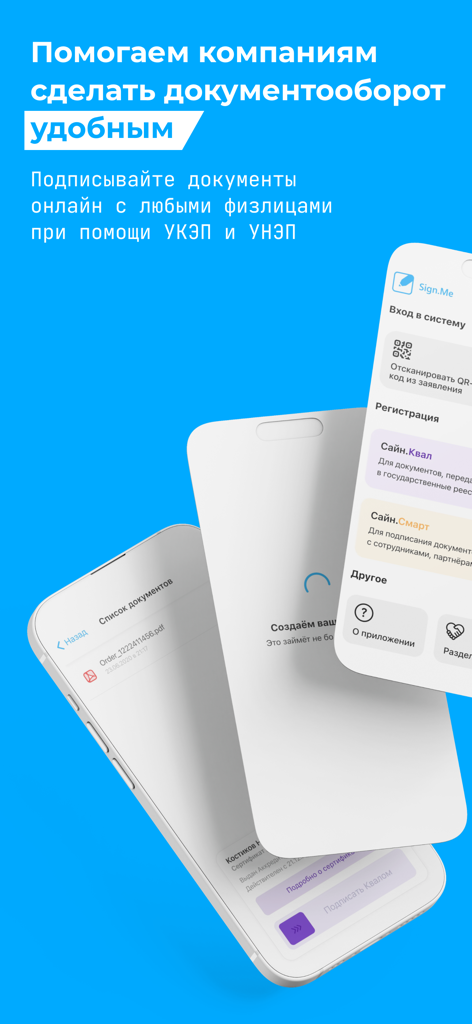
Three smartphone screens displaying the Sign.Me app interface for mobile electronic document signing
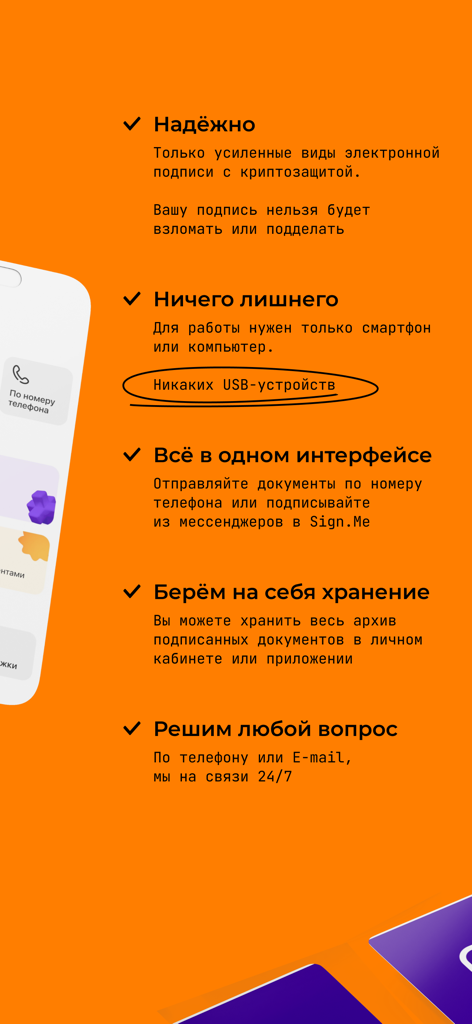
Infographic showing the key features of the Sign.Me electronic signature app including security and hardware-free mobile signing.
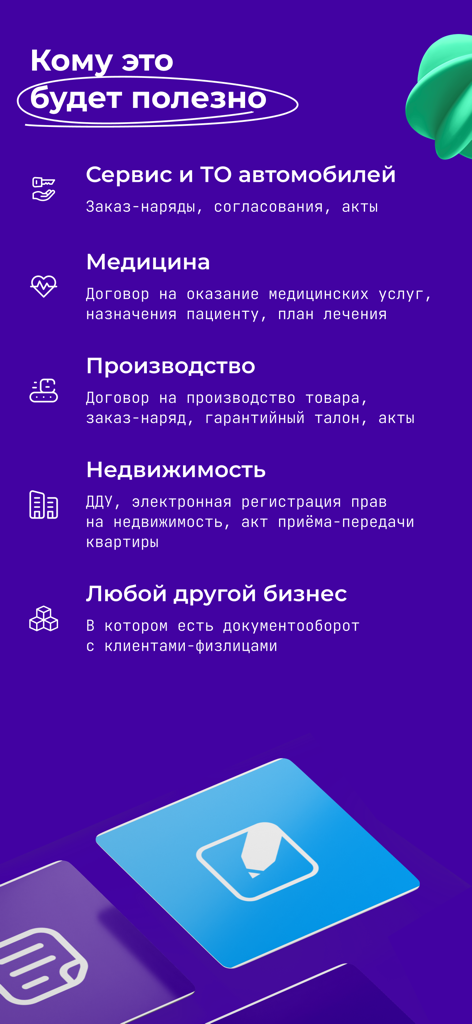
List of business sectors including real estate and medicine that benefit from the Sign.Me electronic signature app

Sign.Me app screen promoting convenient and secure document management
Description
Download
More Like This
Apps with similar features and user experience

Docusign - Upload & Sign Docs
Docusign

Signeasy-Sign Documents App
Glykka LLC

Genius Sign: PDF doc signature
The Grizzly Labs

eSign - Fill & Sign Form Docs
B TO J PTY LTD

Sign Documents: PDF Signature
MR BIKRAMJIT SINGH

Fill & Sign Documents PDF Scan
Upsquare Technosys Private Limited

Receipt Maker - Sign & Send
SVG Apps

Sign Documents - eSign PDF
Tola Marciniak

dotloop
DotLoop, LLC.
This page is not an official page of the app or its developer, but an independent editorial publication created for informational and commentary purposes. Unless expressly stated otherwise, neither the app nor its developer is affiliated with, endorsed by, sponsored by, authorized by, or otherwise officially connected with MWM, Apple, Google Play, the app publisher, or the app's developer, and nothing on this page implies that the app was developed using MWM's services. Any trademarks, logos, screenshots, and other content remain the property of their respective owners.