Slow Motion Video FX Editor ®
Download on App Store

This page is not an official page of the app or its developer, but an independent editorial publication created for informational and commentary purposes. Unless expressly stated otherwise, neither the app nor its developer is affiliated with, endorsed by, sponsored by, authorized by, or otherwise officially connected with MWM, Apple, Google Play, the app publisher, or the app's developer, and nothing on this page implies that the app was developed using MWM's services. Any trademarks, logos, screenshots, and other content remain the property of their respective owners.


Logo of Slow Motion Video FX Editor ®
Download on App Store

Slow Motion Video FX Editor ®

Master the art of speed ramping for your TikToks and Reels with advanced curve controls, cinematic filters, and trending background music.

Key Figures

Downloads

0

User Rating

5.0/5

Total Ratings

0

Publisher

Huynh Thuy

Category

Photo & Video

Locales

11

Latest Version

3.4

Size

23.7 MB

First Released

Jul 24, 2019
Features

Transform Every Shot into a Viral Masterpiece

Professional-grade slow motion and speed ramping tools designed for creators who want to stand out on TikTok, Reels, and Shorts.

Advanced Velocity Control

Master the art of speed ramping with intuitive curve editing to create the high-end cinematic transitions seen in professional edits.

Perfect Beat Syncing

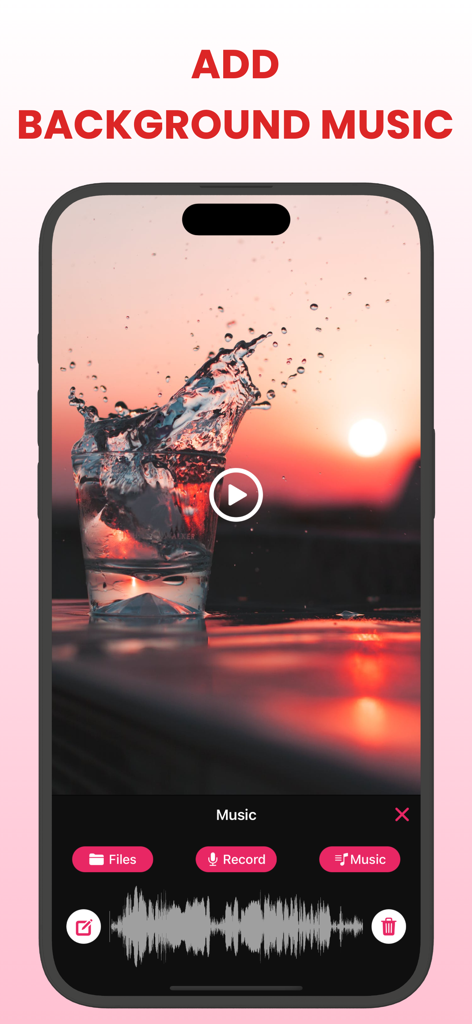
Layer trending background music and adjust audio levels to ensure your slow-mo highlights hit exactly when the beat drops.

The following screenshots and description are sourced directly from the app's official store listing and are the property of the app developer.

App Store

Screenshots
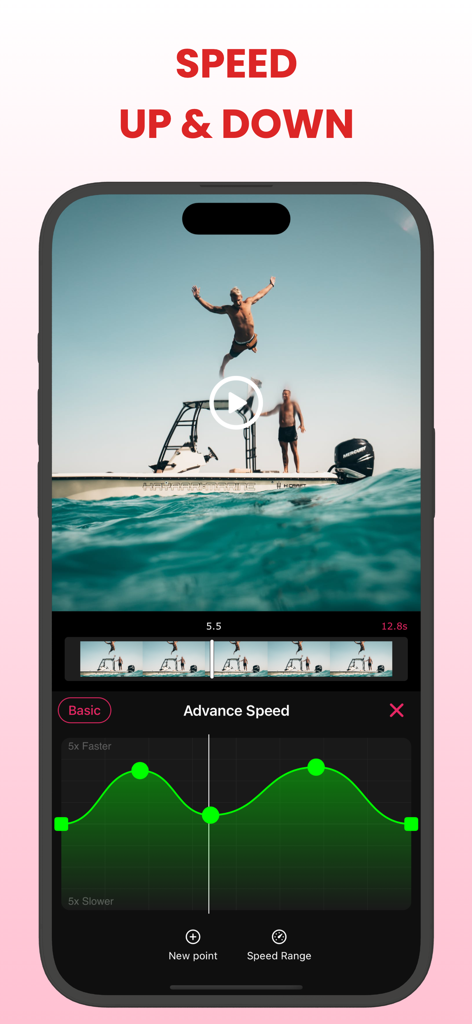
Slow Motion Video FX Editor ® - Mobile app interface showing the advance speed ramping curve editor for a video of a man jumping from a boat
Mobile app interface showing the advance speed ramping curve editor for a video of a man jumping from a boat

Slow Motion Video FX Editor ® - Interface showing how to add background music to a slow motion video with a sound waveform and import options
Interface showing how to add background music to a slow motion video with a sound waveform and import options

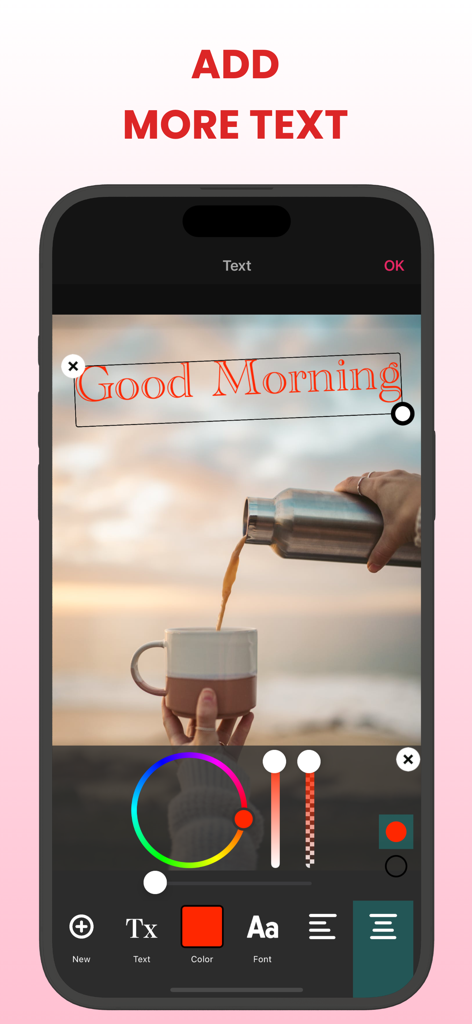
Slow Motion Video FX Editor ® - User interface of Slow Motion Video FX Editor showing text overlay and color selection tools on an iPhone
User interface of Slow Motion Video FX Editor showing text overlay and color selection tools on an iPhone

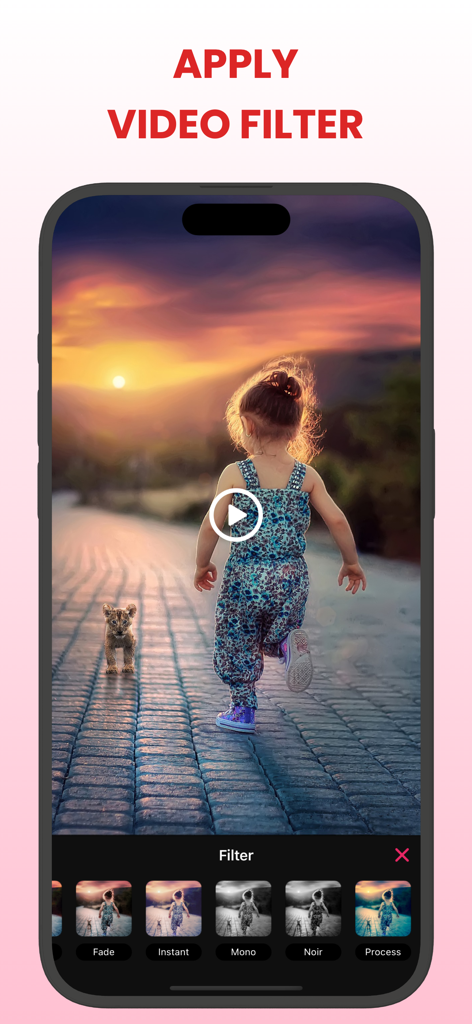
Slow Motion Video FX Editor ® - A mobile interface for the Slow Motion Video FX Editor app showing how to apply aesthetic filters to a video clip of a girl and a lion cub at sunset
A mobile interface for the Slow Motion Video FX Editor app showing how to apply aesthetic filters to a video clip of a girl and a lion cub at sunset

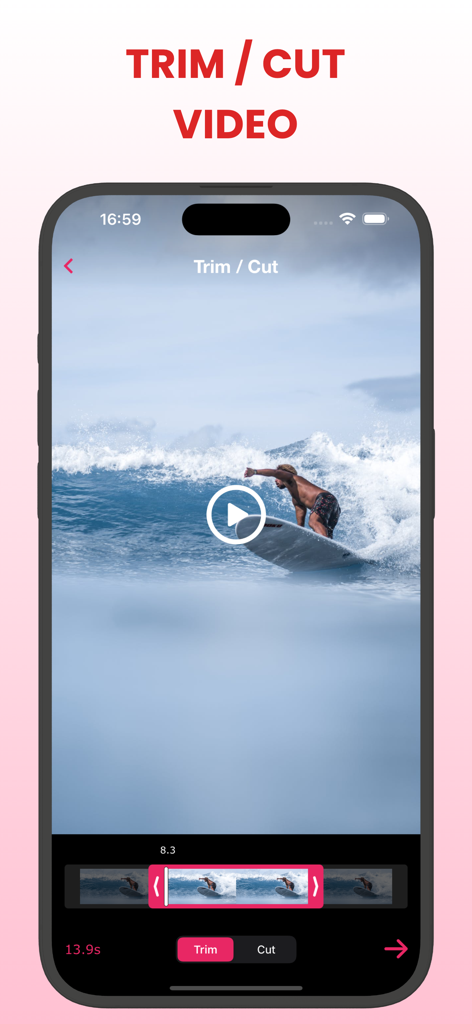
Slow Motion Video FX Editor ® - Interface of the Slow Motion Video FX Editor app showing the trim and cut tool with a video of a surfer on a wave.
Interface of the Slow Motion Video FX Editor app showing the trim and cut tool with a video of a surfer on a wave.

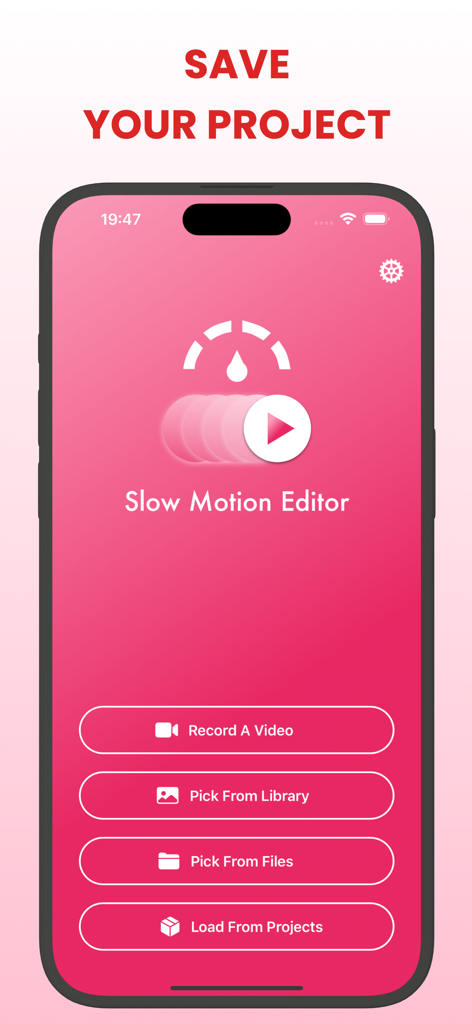
Slow Motion Video FX Editor ® - Main menu of the Slow Motion Video FX Editor app showing options to record a video or pick from library

Main menu of the Slow Motion Video FX Editor app showing options to record a video or pick from library

Description

The SlowMotion is a powerful application that allows you to create stunning slow motion videos effortlessly. Whether you want to capture a memorable moment in slow motion or enhance the visual appeal of your footage, this app has got you covered. With its intuitive interface, you can easily import your videos and choose the exact moments you want to slow down. Simply move the points up or down to adjust the speed and create the desired slow motion effect. You also have the option to apply different speeds to different parts of the video, giving you complete creative control. In addition to its speed adjustment feature, the Slow Motion Video Editor offers some editing tools to enhance your videos further. You can add filter, add background music and add text to personalize your creations. Once you are satisfied with your slow motion masterpiece, you can save it in various formats and resolutions, making it compatible with different devices and platforms. You can also directly share your videos on social media platforms, allowing you to showcase your creativity and impress your friends and followers. Whether you are a professional videographer or someone who enjoys capturing and editing videos for fun, the Slow Motion Video Editor is a must-have app for creating captivating slow motion videos. Its user-friendly interface, versatile editing features, and seamless sharing options make it the perfect tool to bring your videos to life in slow motion. Features: + Choose a video from Photo Library, Files or record a new video with the camera. + Trim/cut the selected video. + Adjust slow and fast motion speed with 2 modes: basic and advance. + Add background music to the video + Apply video filter to make your video more lively and stylish + Add text to video + Adjust between video volume and music volume + Save your projects to edit them later. Premium Subscription: • Length of subscriptions: one week, one month & one year • Check in app for exact pricing in your region • Payment will be charged to your iTunes account at confirmation of purchase and will automatically renew (at the duration/price selected) unless auto-renew is turned off at least 24 hours before the end of the current period. • Account will be charged for renewal within 24-hours prior to the end of the current period, and identify the cost of the renewal. • Any unused portion of a free trial period, if offered, will be forfeited when the user purchases a subscription to that publication, where applicable • You can manage your subscription and/or turn off auto-renewal by going to your iTunes Account Settings, but refunds will not be given for any unused portion of the term. By subscribing our product, you agree our Term of Use and Privacy Policy: https://huynhthuyapps.blogspot.com/2021/06/terms-of-service.html https://huynhthuyapps.blogspot.com/2021/05/privacy-policy.html

Download

Download on App Store

This page is not an official page of the app or its developer, but an independent editorial publication created for informational and commentary purposes. Unless expressly stated otherwise, neither the app nor its developer is affiliated with, endorsed by, sponsored by, authorized by, or otherwise officially connected with MWM, Apple, Google Play, the app publisher, or the app's developer, and nothing on this page implies that the app was developed using MWM's services. Any trademarks, logos, screenshots, and other content remain the property of their respective owners.