
This page is not an official page of the app or its developer, but an independent editorial publication created for informational and commentary purposes. Unless expressly stated otherwise, neither the app nor its developer is affiliated with, endorsed by, sponsored by, authorized by, or otherwise officially connected with MWM, Apple, Google Play, the app publisher, or the app's developer, and nothing on this page implies that the app was developed using MWM's services. Any trademarks, logos, screenshots, and other content remain the property of their respective owners.


Smart-ID
Online identity is broken. Smart-ID fixes it, giving you unshakeable digital proof.
Downloads
1M+User Rating
Total Ratings
61.4KPublisher
Category
BusinessLocales
8Latest Version
32.1.526Size
81.3 MBFirst Released
Jan 18, 2017An evaluation of the key features that empower secure and efficient digital interactions for its target audience.
Smart-ID: Core Capabilities Analysis
Advanced Security Design
The app employs an advanced security architecture where user identity and PIN codes are not stored directly on the device, with the app solely managing key generation and mediating requests.
Secure Online Authentication
The app provides a secure and convenient method for online authentication, enabling users to access online bank accounts, various e-services, and confirm transactions safely.
Qualified Digital Signatures
It allows users to apply legally binding digital signatures that are equivalent to handwritten signatures, complying with stringent EU regulations for qualified electronic signatures.
Multi-Device Access
This tool features the flexibility for users to access their online accounts and services from an unlimited number of smart devices, ensuring their digital identity is always within reach.
Easy Registration Process
The app offers a straightforward and easy registration process that guides users through identity confirmation steps, requiring no additional confirmation once completed.
Free and Unlimited Use
It provides its services completely free of charge and without any usage limitations, making it accessible for frequent and extensive use by its target audience.
Frequently Asked Questions
Everything you need to know about Smart-ID
What is Smart-ID?
Smart-ID is an online authentication tool. It enables users to check bank accounts, access e-services, and confirm transactions. It also provides qualified electronic signatures adhering to EU regulations.
How do I register for the Smart-ID app?
To register for Smart-ID, download the app. Then, follow the in-app steps to confirm your identity and complete the registration. No other confirmation is needed.
Is the Smart-ID app free to use?
Yes, the Smart-ID app is free to use. Its usage is totally unlimited.
Which countries support Smart-ID for residents?
Smart-ID is available for residents of Estonia, Latvia, Lithuania, and Belgium. It also supports Estonian e-residents.
Does the Smart-ID app store user identity or PIN codes?
No, the Smart-ID app does not store your identity or PIN codes. The app manages cryptographic keys. The service provider securely manages user identity.
Can Smart-ID be used on multiple smart devices?
Yes, Smart-ID can be used on as many smart devices as desired. This allows users to access online accounts from any device, any time, any place.
What types of electronic signatures does Smart-ID provide?
Smart-ID provides electronic signatures equal to handwritten signatures, excluding the Basic level. These signatures comply with EU regulations for qualified electronic signatures.
What are the supported countries of residence during Smart-ID setup?
During Smart-ID setup, the supported countries of residence are Estonia, Latvia, and Lithuania. Users choose their country with an assigned identity or e-residency document.
What authentication methods are available for Smart-ID setup?
Smart-ID setup offers Mobile-ID, ID-card, Online bank or branch office, and Biometric identification as authentication methods.
How do I confirm authentication requests on the Smart-ID portal?
To confirm authentication requests on the Smart-ID portal, users receive a notification screen on their device. They then select "Confirm" to proceed.
How do I log in to the Smart-ID portal?
To log in to the Smart-ID portal, enter the specific PIN1 code after receiving a numerical code. The system then displays a "Login successful" message.
The following screenshots and description are sourced directly from the app's official store listing and are the property of the app developer.
App Store
Screenshots
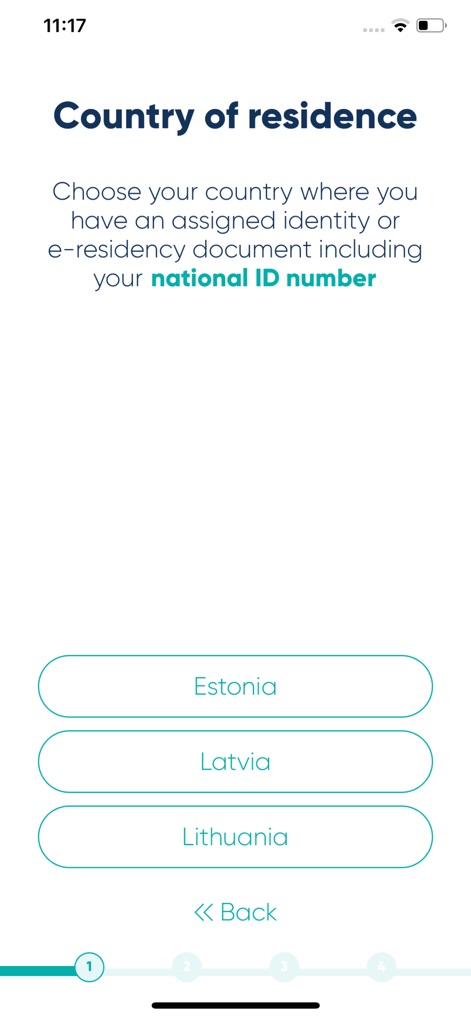
The app guides users through initial setup by allowing them to select their country of residence and enter their national ID number for identity verification.
Seamless Onboarding Setup
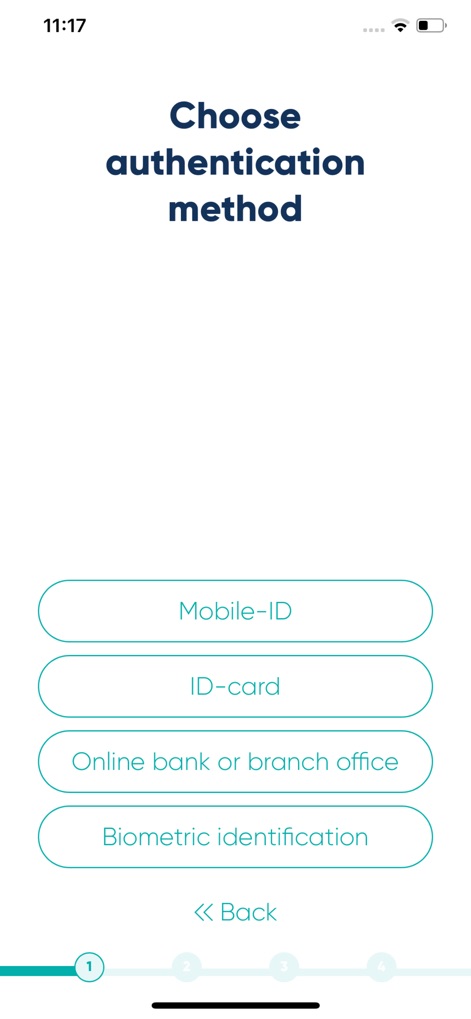
Users can conveniently select from multiple authentication methods, including Mobile-ID or Biometric identification, ensuring adaptable access.
Flexible Authentication Choices
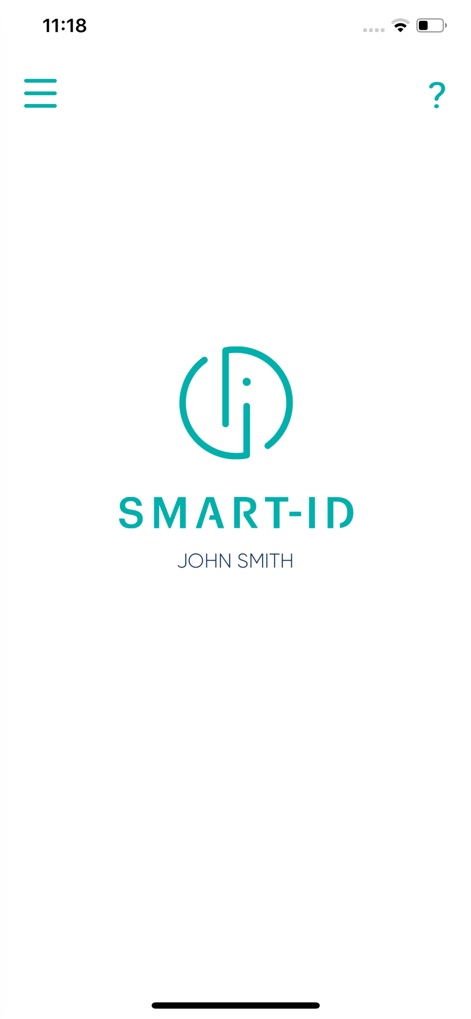
This tool presents a clear, personalized welcome screen displaying the user's name ('JOHN SMITH') beneath the distinct Smart-ID logo.
Personalized User Experience
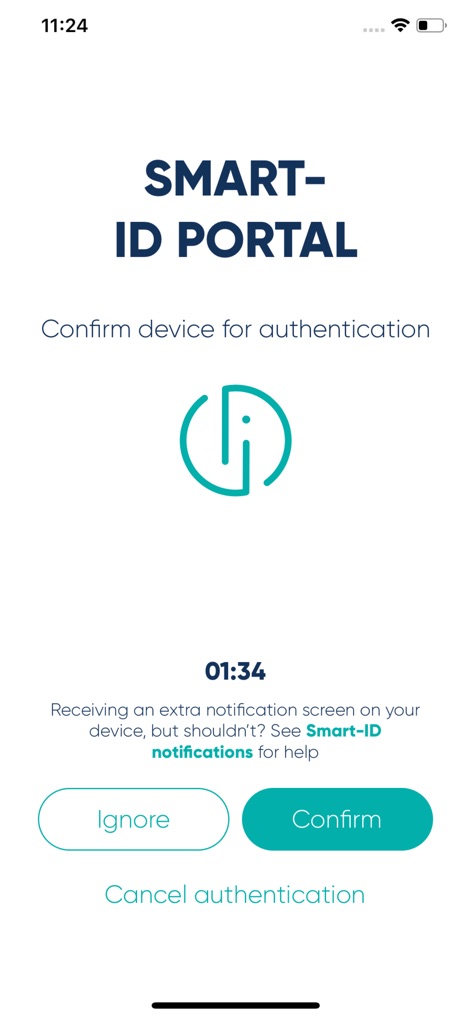
The app facilitates secure authentication by requiring users to confirm their device for authentication within a timed window (01:34) via clear action buttons.
Secure Device Confirmation
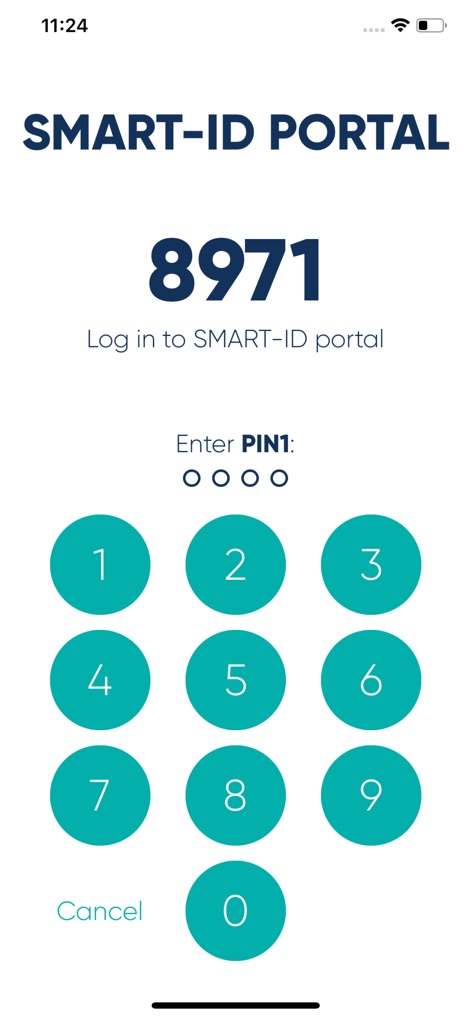
Users securely log in by entering their PIN1 using a dedicated numeric keypad, reinforcing protection for their online accounts.
PIN Entry Security

The app provides instant feedback with a 'Login successful' message and a prominent green checkmark, indicating completion of the authentication process.
Effortless Login Confirmation
Description
Download
More Like This
Apps with similar features and user experience

itsme
Belgian Mobile ID SA

myDSS 2.0
SafeTech Ltd
SİMA - Rəqəmsal İmza
Data Processing Center of the Ministry of Communications and High Technologies

Singpass
Government Technology Agency

SoyYo - Identidad Digital
Servicios de Identidad Digital SAS

VIDaaS
valid certificadora digital ltda

TrustMe: Your Digital Identity
A3BC GROUP

Bird ID
Vault Id Solucoes em Criptografia e Identificacao Ltda ME
eDO App
Polska Wytwornia Papierow Wartosciowych S.A.
This page is not an official page of the app or its developer, but an independent editorial publication created for informational and commentary purposes. Unless expressly stated otherwise, neither the app nor its developer is affiliated with, endorsed by, sponsored by, authorized by, or otherwise officially connected with MWM, Apple, Google Play, the app publisher, or the app's developer, and nothing on this page implies that the app was developed using MWM's services. Any trademarks, logos, screenshots, and other content remain the property of their respective owners.