
This page is not an official page of the app or its developer, but an independent editorial publication created for informational and commentary purposes. Unless expressly stated otherwise, neither the app nor its developer is affiliated with, endorsed by, sponsored by, authorized by, or otherwise officially connected with MWM, Apple, Google Play, the app publisher, or the app's developer, and nothing on this page implies that the app was developed using MWM's services. Any trademarks, logos, screenshots, and other content remain the property of their respective owners.


Smart Life - Smart Home App
Complexity, begone. The app grants users total command over their connected environments.
Downloads
250k+User Rating
Total Ratings
5.0KPublisher
Category
LifestyleLocales
65Latest Version
1.1.20Size
232.6 MBFirst Released
Dec 18, 2024An evaluation of core features designed for tech-savvy homeowners seeking unified control and automation.
Key Capabilities Analysis: Smart Life - Smart Home App
Unified Device Management
The app provides comprehensive control over a vast ecosystem of smart devices from numerous brands, centralizing management and eliminating the need for multiple applications.
Smart Automation & Scene Creation
It allows users to create personalized scenes and automated routines, significantly enhancing convenience by enabling devices to work together based on schedules, conditions, or user commands.
Family Sharing
This tool features seamless family sharing capabilities, allowing multiple household members to manage and interact with smart devices, fostering a truly connected living environment.
Customizable Device Organization
The app enables users to organize smart devices into custom areas, such as rooms or zones, for intuitive control and simplified navigation within their smart home setup.
Frequently Asked Questions
Everything you need to know about Smart Life - Smart Home App
What is the Smart Life - Smart Home App?
The Smart Life - Smart Home App offers unified control and management for over 7,600 brands of smart devices, including lighting, appliances, cameras, and sensors. It provides a central platform to seamlessly manage your smart home.
How many brands does the Smart Life - Smart Home App support?
Yes, the Smart Life - Smart Home App supports over 7,600 brands of smart devices. This extensive compatibility allows users to connect and manage a wide variety of smart home products from different manufacturers within one application.
Can I organize devices by room in the Smart Life - Smart Home App?
Yes, the Smart Life - Smart Home App allows users to organize and control smart devices by customizable areas like rooms or zones. This feature, shown as 'My Home', enhances convenience and simplifies device management.
Does the Smart Life - Smart Home App offer automation features?
Yes, the Smart Life - Smart Home App includes robust smart automation features. Users can create personalized scenes and routines that automate daily tasks based on conditions like weather changes, schedules, or device status.
Can I share device access with family members using the Smart Life - Smart Home App?
Yes, the Smart Life - Smart Home App provides a Family Sharing feature. This allows users to easily share access to their smart devices with loved ones, enabling collaborative control and a truly connected home environment.
Where can I find the privacy policy for the Smart Life - Smart Home App?
The privacy policy for the Smart Life - Smart Home App is located at https://leostudio.global/policies. This resource details how the application handles user data and ensures compliance with privacy standards.
The following screenshots and description are sourced directly from the app's official store listing and are the property of the app developer.
App Store
Screenshots
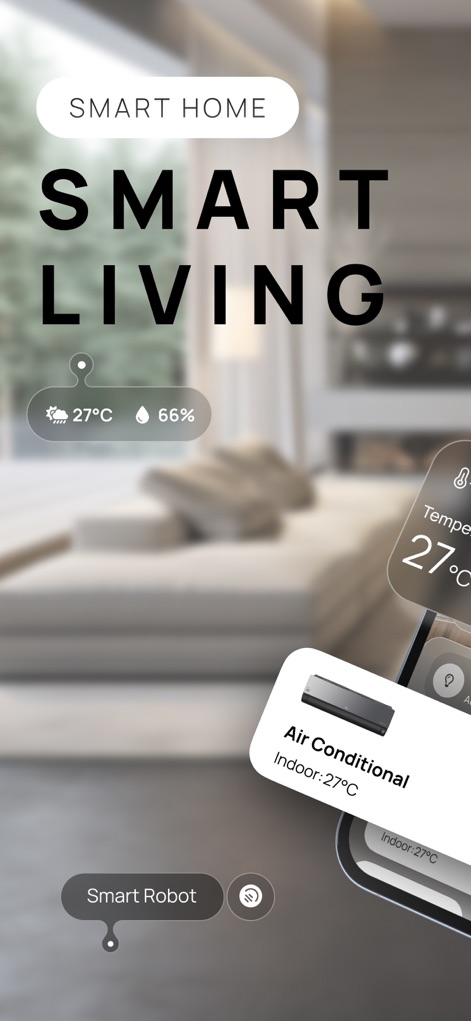
This initial view presents real-time environmental data like temperature and humidity, alongside direct controls for devices such as the Air Conditioner.
Smart Living Dashboard

The app highlights its extensive compatibility, supporting over 7600+ brands, and enables users to manage unified scenes like "Morning scene Automation."
Universal Device Support

Users can efficiently group and manage devices by specific areas like the Living Room and Bedroom, displaying the number of devices and scenes within each zone.
Organized Home Zones

This interface provides a central hub for managing all home devices, featuring a search bar and individual power toggles with status displays for each connected appliance.
Centralized Device Management

The app empowers users to create sophisticated automation routines with diverse triggers such as weather or location changes, alongside flexible scene creation options like "Launch Tap-to-Run" and "Schedule."
Smart Automation Builder
Description
Download
More Like This
Apps with similar features and user experience

TP-Link Tapo
TP-Link Systems Inc.

Дом с Алисой
DIRECT CURSUS COMPUTER SYSTEMS TRADING LLC

VeSync
Vesync Technology Corporation

Kasa Smart
TP-Link Systems Inc.

ecobee
ecobee Ltd.

Hubspace
Afero, Inc.

ADT Control ®
ADT LLC

First Alert by Resideo
Resideo Technologies, Inc.

Mibo Smart: Casa Inteligente
Intelbras S.A. Ind. de Telecom. Elet. Brasileira
This page is not an official page of the app or its developer, but an independent editorial publication created for informational and commentary purposes. Unless expressly stated otherwise, neither the app nor its developer is affiliated with, endorsed by, sponsored by, authorized by, or otherwise officially connected with MWM, Apple, Google Play, the app publisher, or the app's developer, and nothing on this page implies that the app was developed using MWM's services. Any trademarks, logos, screenshots, and other content remain the property of their respective owners.