
SMART Mirror (For Tablets)

Transform your classroom or boardroom by wirelessly mirroring your iPad to any SMART Board® with iQ. No cables, no dongles—just enter the code and start sharing in seconds.
Publisher
Category
UtilitiesDownloads
1K+User Rating
Total Ratings
0Locales
1Discover the interface used by 1K+ users.
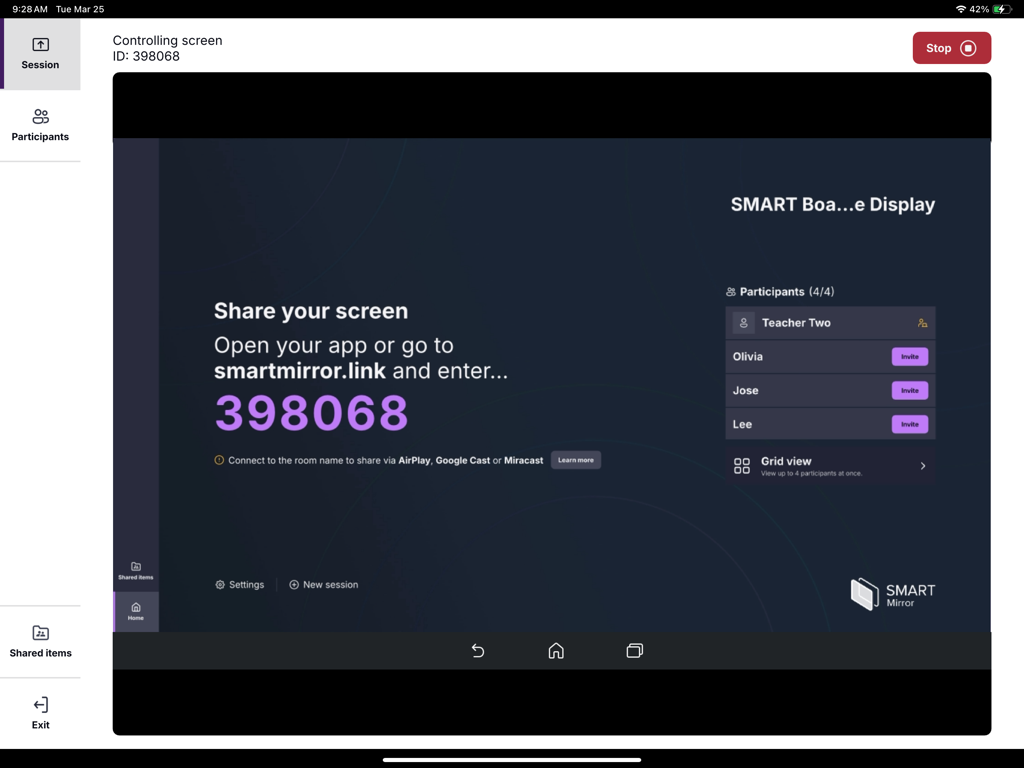
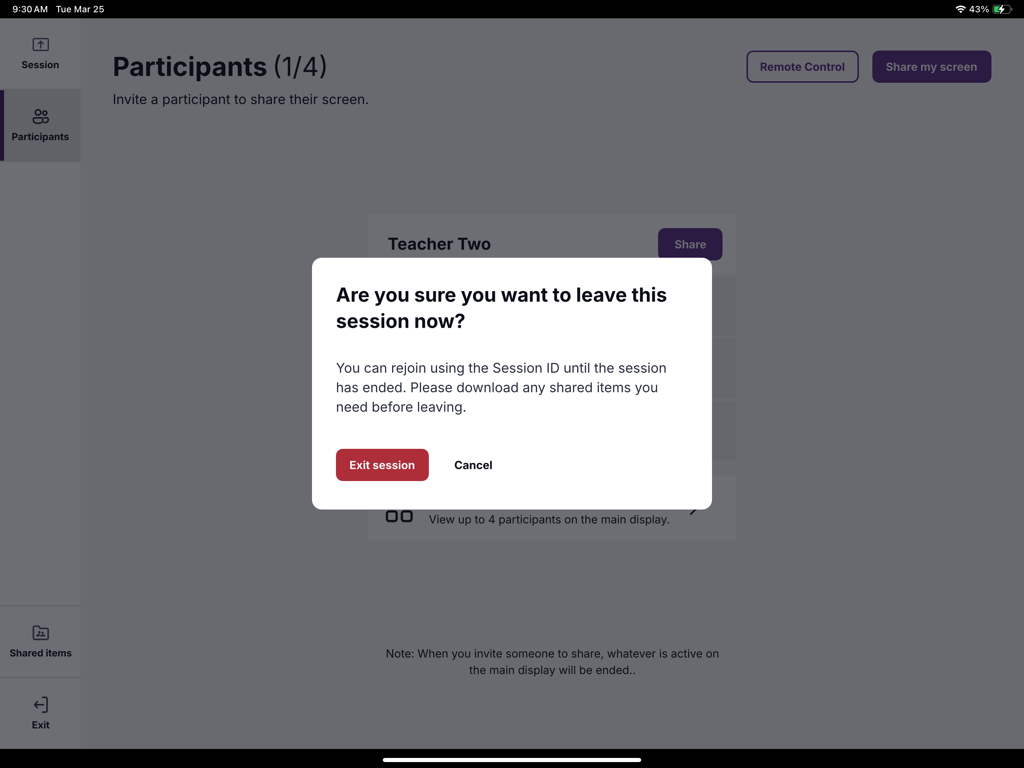
The tools that make this app stand out, trusted by 1K+ users.
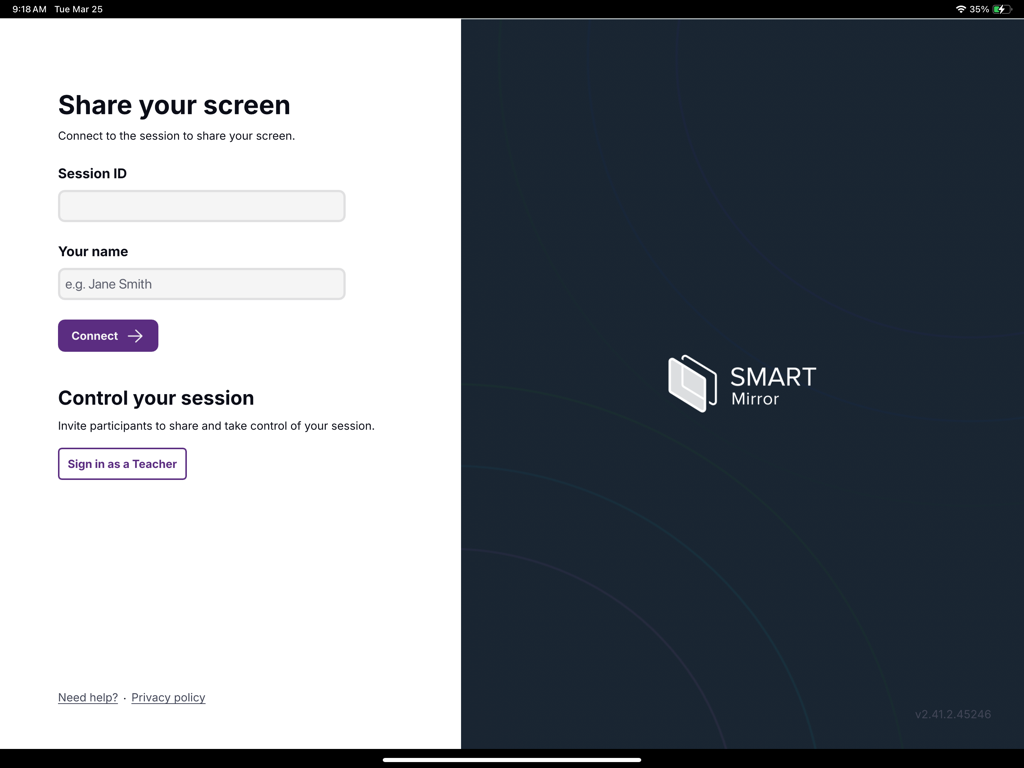
Connect in seconds by simply entering the on-screen code. No cables, no dongles, and no technical delays to interrupt your flow.
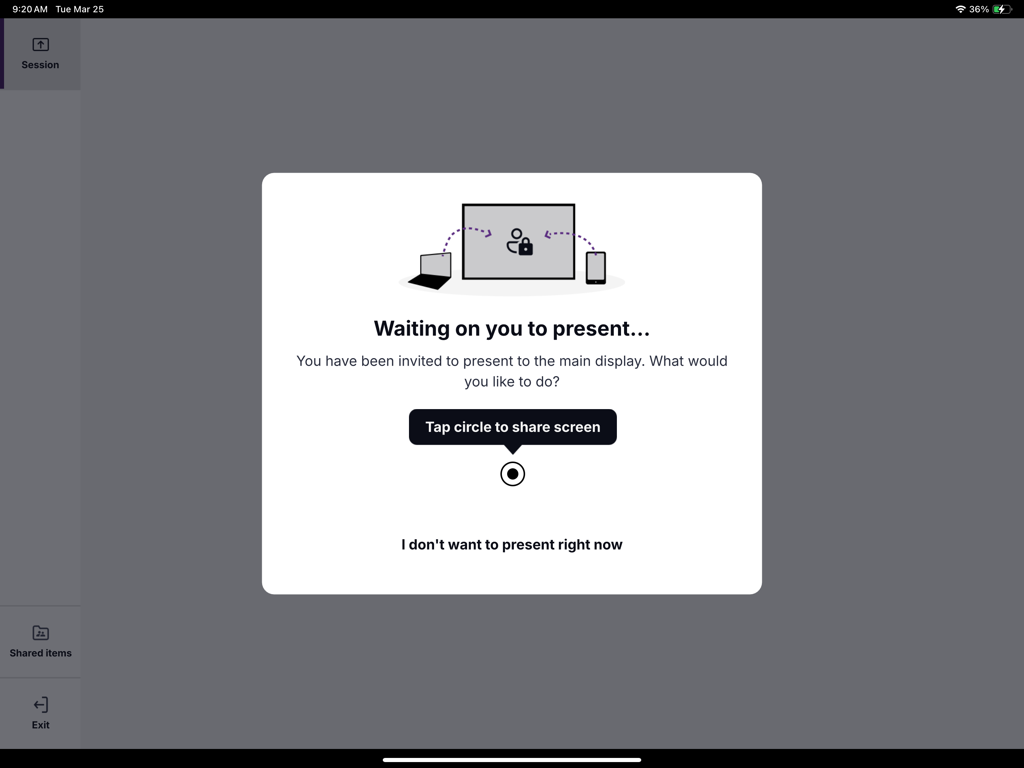
Break free from the podium. Teach or lead meetings from anywhere in the room while maintaining full control of your tablet.
Easily showcase student work and facilitate real-time collaboration that transforms passive viewing into active participation.
Everything you need to know about SMART Mirror (For Tablets).
Description
Latest Version
2.49.1.50572
Size
61.9 MB
First Released
Jul 18, 2025
Download the SMART Mirror app for iPad and start sharing your screen to any compatible SMART Board® in seconds. No cables, no hassle—just pure collaboration.
Everything you need to know about SMART Mirror (For Tablets)
The SMART Mirror app displays content from your screen to a compatible SMART Board interactive display that has iQ embedded computing.
To share your screen with SMART Mirror, open the app, enter the connection code from the SMART Board with iQ, and then begin sharing.
The SMART Mirror app requires a SMART Board interactive display equipped with a SMART Mirror receiver, version 4.32.2 or greater.
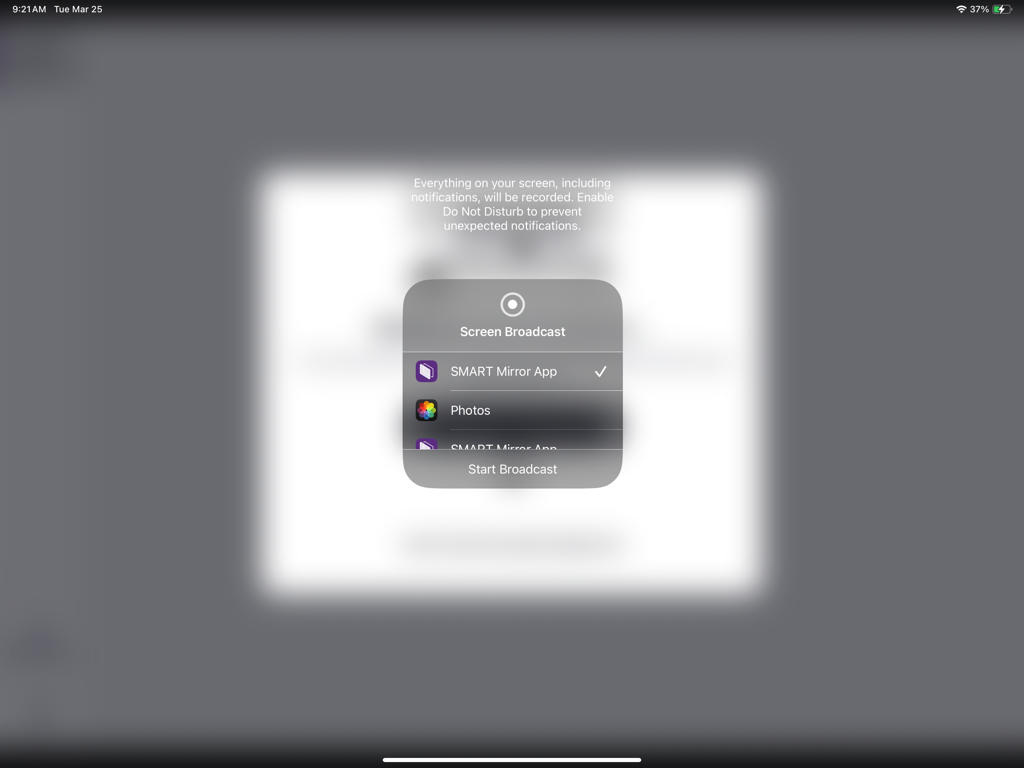
Yes, the SMART Mirror app facilitates screen broadcasting. Users select the SMART Mirror App from system options to start broadcasting their screen.
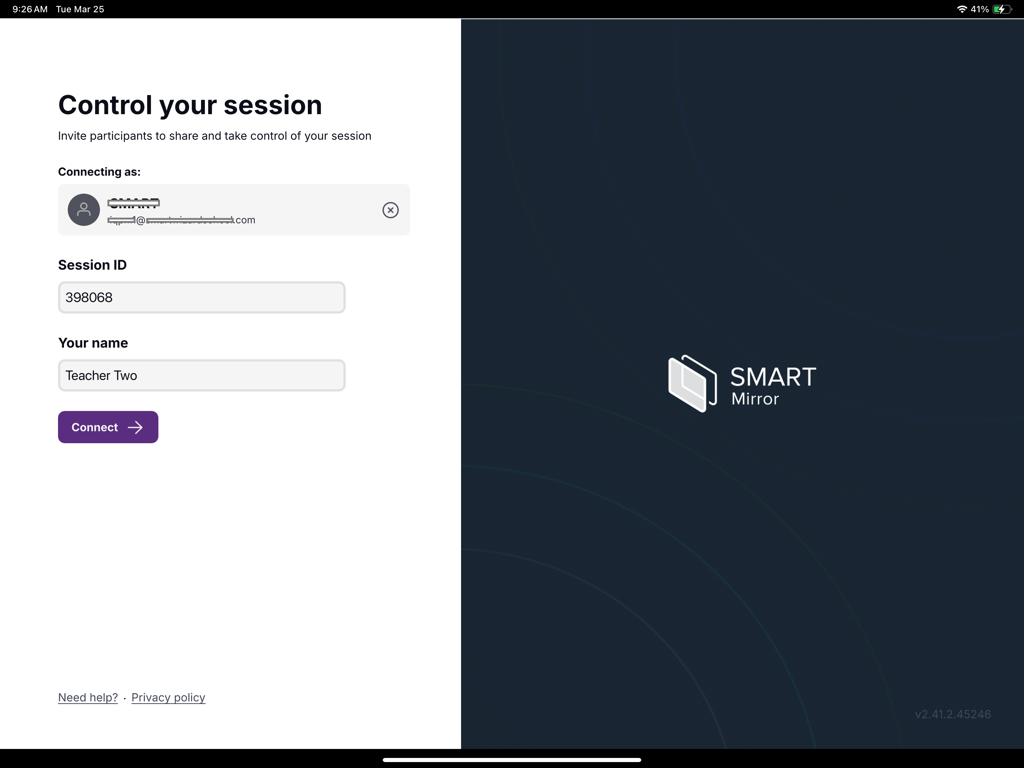
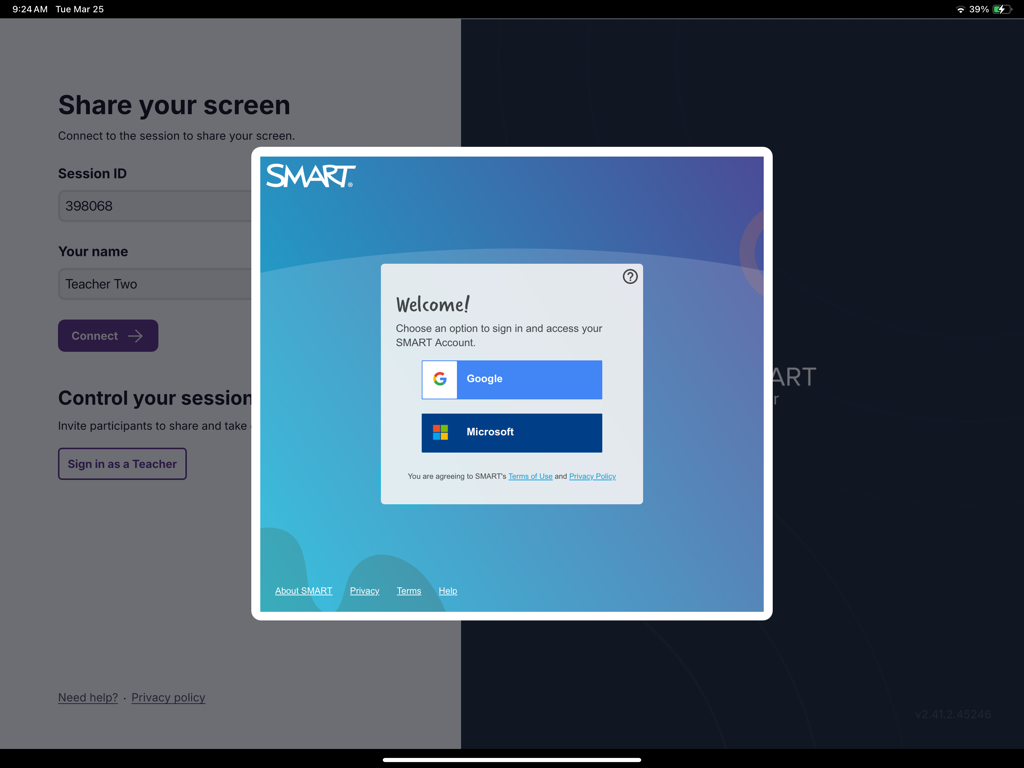
Yes, you can sign in as a Teacher within the SMART Mirror app. The interface includes a dedicated button for this role.
To connect, enter the Session ID and your name into the designated fields on the "Share your screen" interface, then tap the "Connect" button.
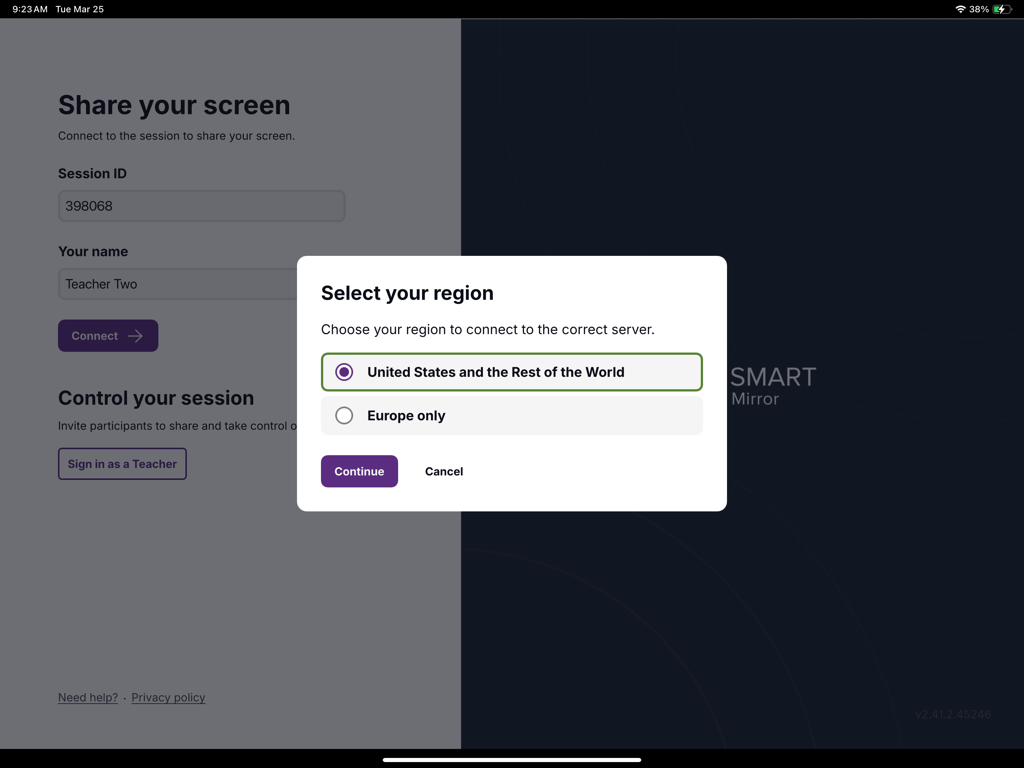
Yes, SMART Mirror allows users to select a region for connecting to the correct server. Options include "United States and the Rest of the World" or "Europe only."
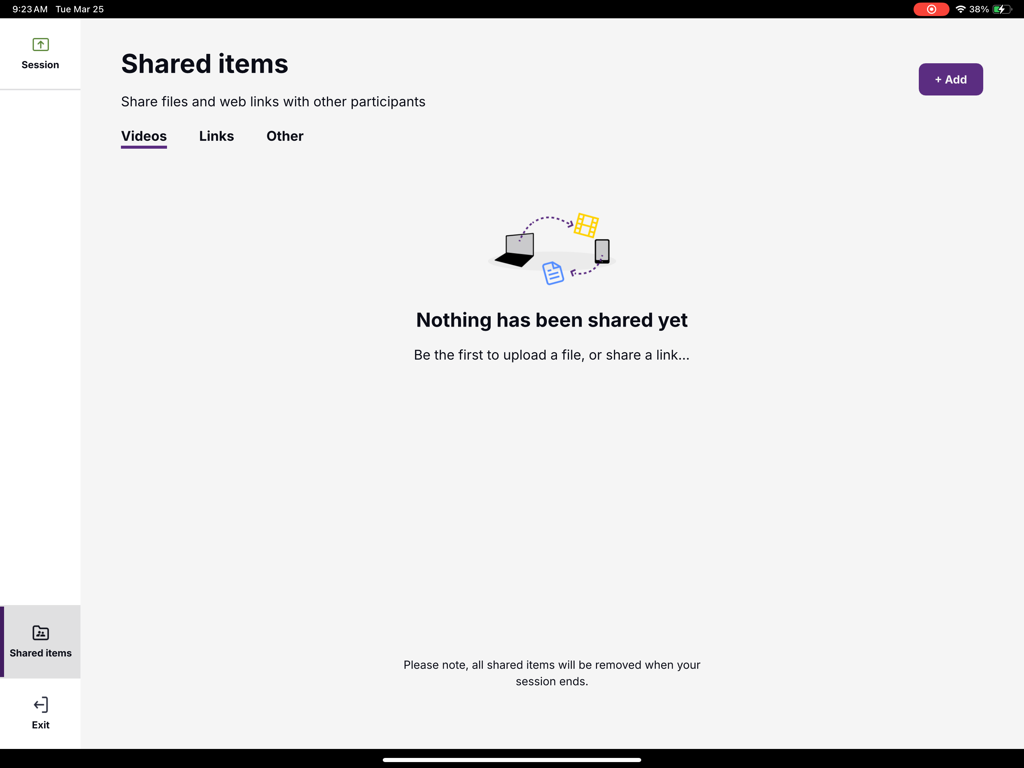
Yes, users can share files and web links with other participants during a SMART Mirror session. This functionality is accessible via the "Shared items" section.
The SMART Mirror app offers sign-in options through Google or Microsoft accounts to access SMART Account services.
A SMART Mirror session can display up to 4 participants at once in the grid view on the main display.
No, all shared items uploaded during a SMART Mirror session are removed when the session ends.
Top-ranked apps in the same category

Google LLC

Google LLC

China Mobile Online Services Co., Ltd.

Google LLC

Servicos e Informacoes do Brasil

DEEP FLOW SOFTWARE SERVICES - FZCO

Servicos e Informacoes do Brasil

CHINA TELECOM Corporation Ltd.

Microsoft Corporation
App information, icons, screenshots, and descriptions displayed on this page are sourced from the Apple App Store and are the property of their respective developers. Download estimates and rankings are based on MWM's proprietary models and may not reflect actual figures. This page is provided for informational and analytical purposes only.
Believe this page infringes your intellectual property? File a dispute