Smart Planner: Calendar, Tasks

Smart Planner: Calendar, Tasks


Download on App Store
Logo of Smart Planner: Calendar, Tasks

Smart Planner: Calendar, Tasks – The Aesthetic All-in-One Organizer for Your Life

Bring your calendar, tasks, notes, and diary into one beautiful, private sanctuary. Fully customizable and ready to use instantly—no registration required.

Publisher

Komorebi Inc.

Category

Business

Downloads

928K+

User Rating

4.5/5

Total Ratings

26K+

Locales

33

A Glimpse of Zen

Discover the interface used by 928K+ users.
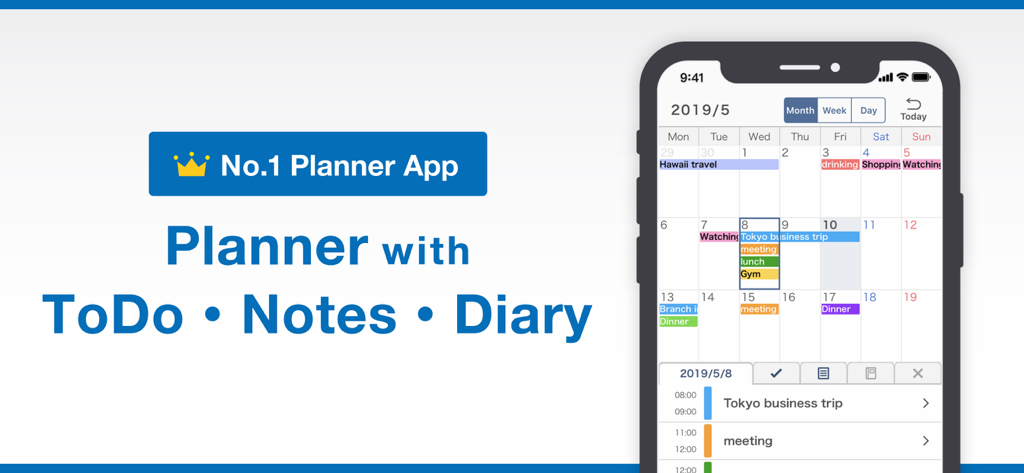
Smart Planner mobile app showing integrated calendar to-do list and diary features

Smart Planner mobile app showing integrated calendar to-do list and diary features

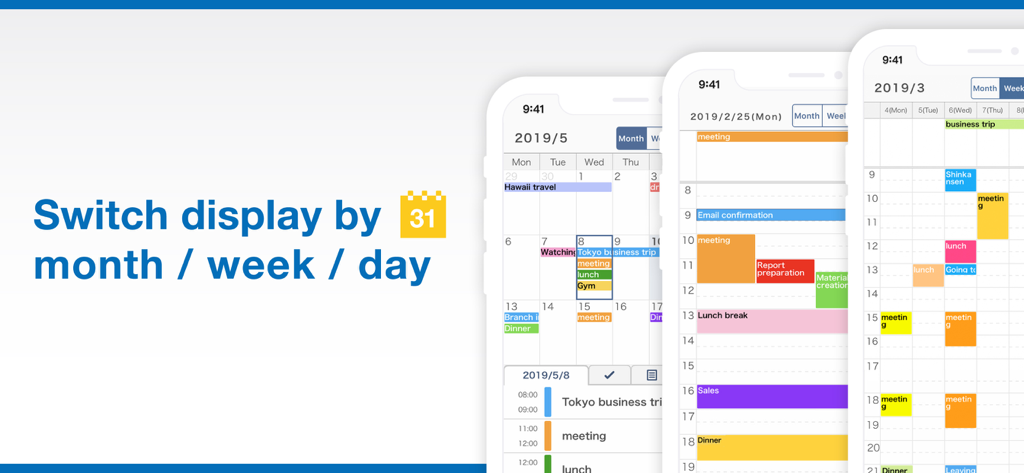
Three iPhone screens showcasing the Smart Planner app switching between month week and day calendar displays

Three iPhone screens showcasing the Smart Planner app switching between month week and day calendar displays

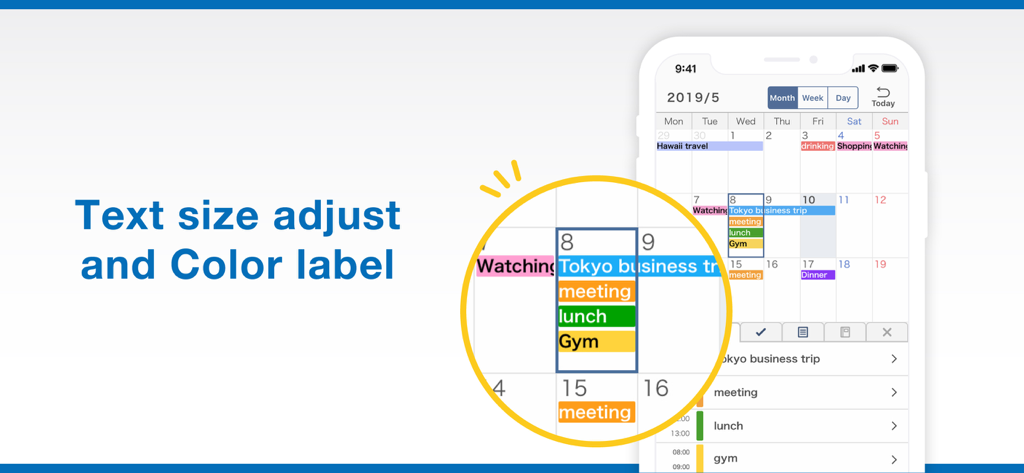
Smart Planner app screen showing text size adjustment and color coded labels in the calendar

Smart Planner app screen showing text size adjustment and color coded labels in the calendar

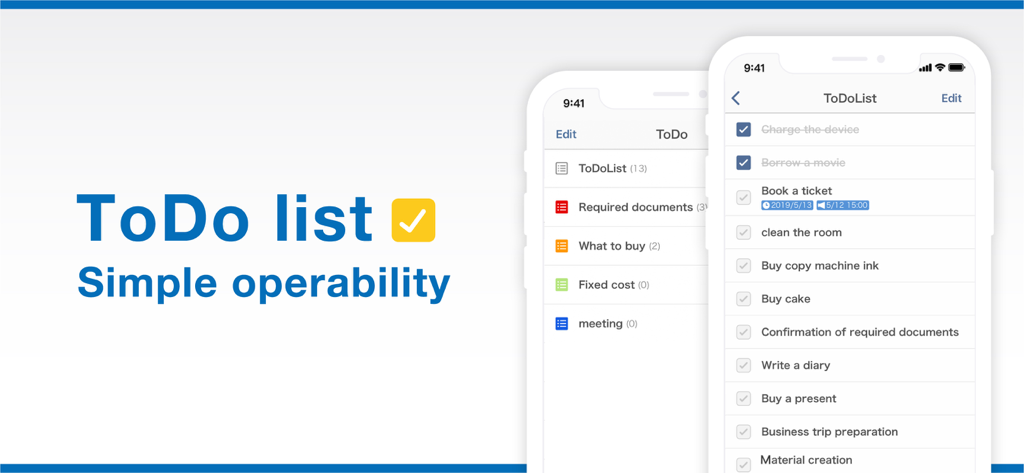
Smart Planner app displaying a simple and aesthetic ToDo list interface.

Smart Planner app displaying a simple and aesthetic ToDo list interface.

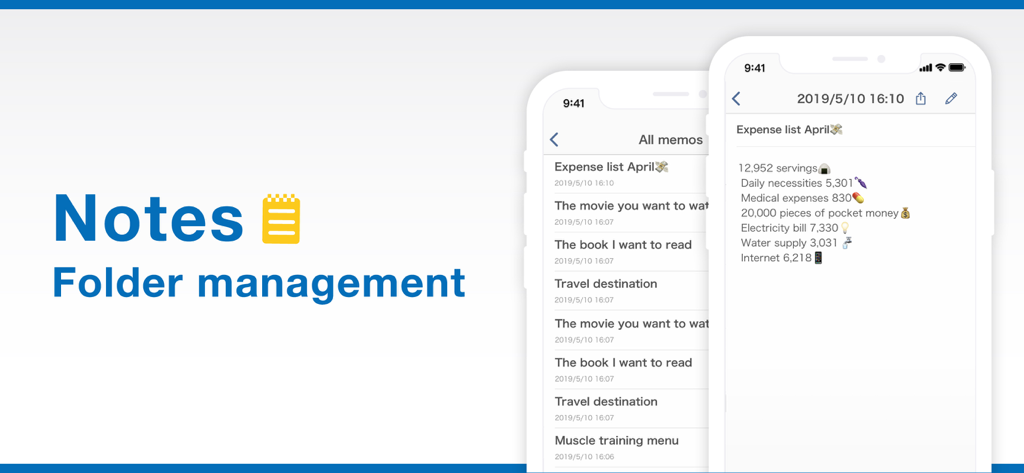
Smart Planner app notes and folder management screens showing an expense list.

Smart Planner app notes and folder management screens showing an expense list.

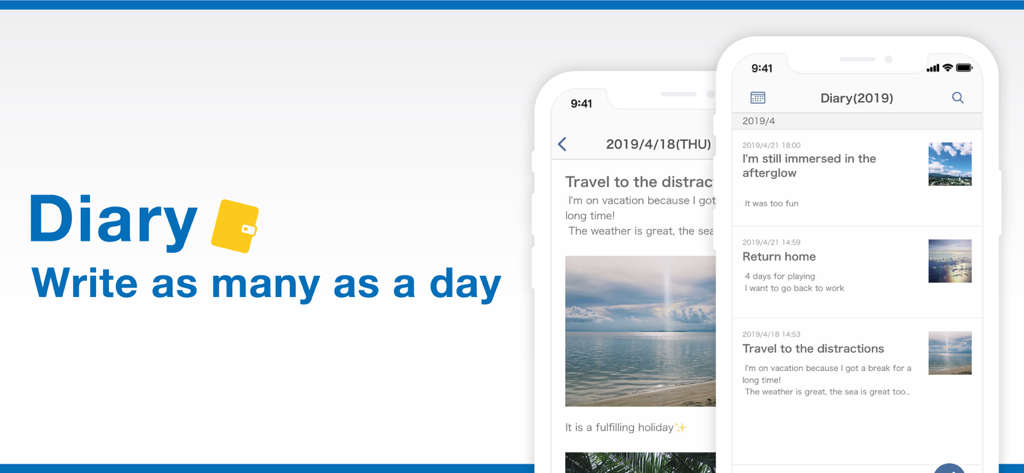
Digital diary interface in the Smart Planner app showing daily entries with photos and text.

Digital diary interface in the Smart Planner app showing daily entries with photos and text.

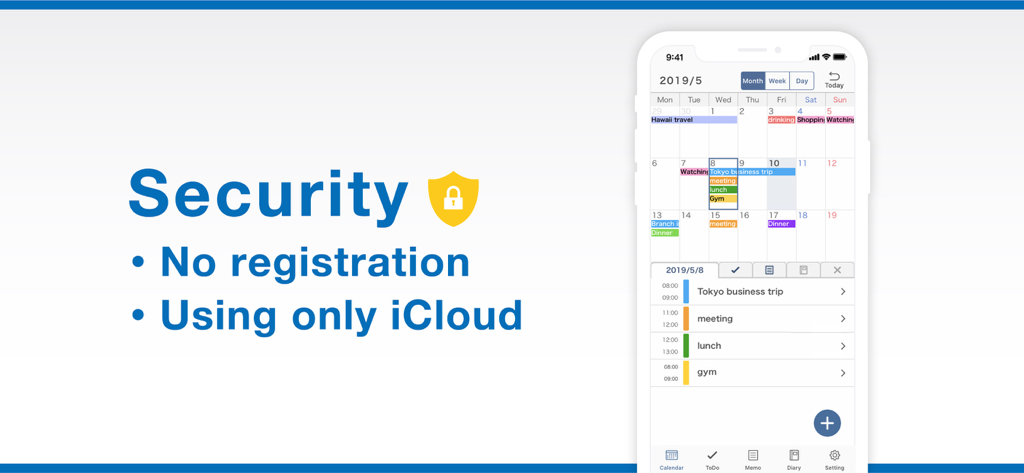
Smart Planner security features screen showing no registration and iCloud sync highlights with a calendar mockup

Smart Planner security features screen showing no registration and iCloud sync highlights with a calendar mockup

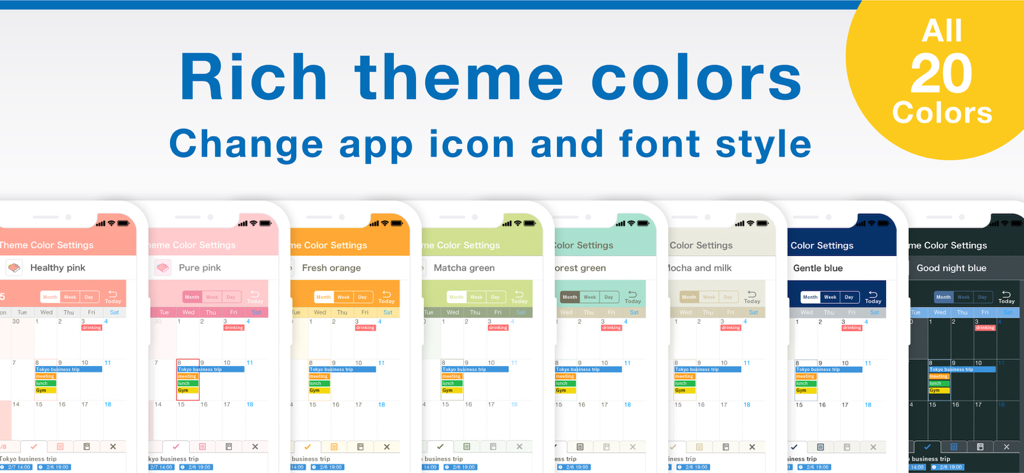
A variety of colorful aesthetic theme options for the Smart Planner app calendar interface displayed on multiple smartphones.

A variety of colorful aesthetic theme options for the Smart Planner app calendar interface displayed on multiple smartphones.

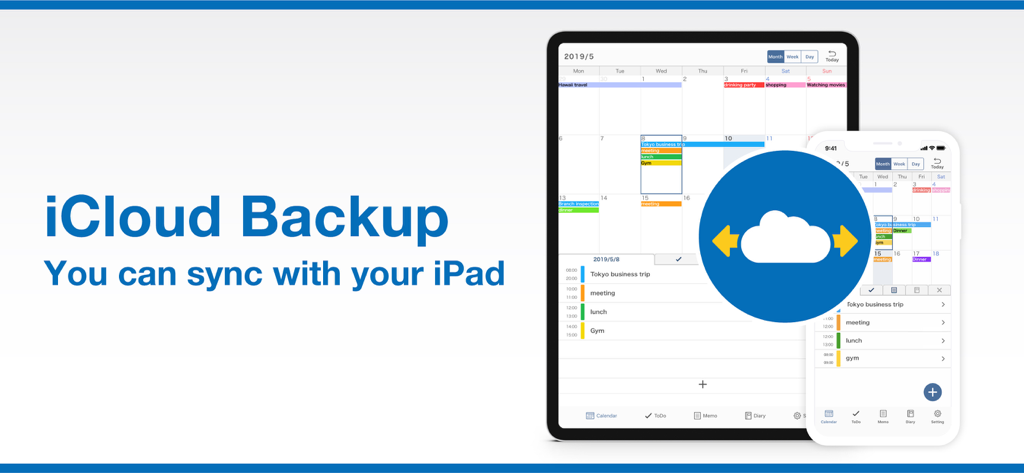
Smart Planner app interface showing iCloud sync and backup features between an iPad and an iPhone.

Smart Planner app interface showing iCloud sync and backup features between an iPad and an iPhone.

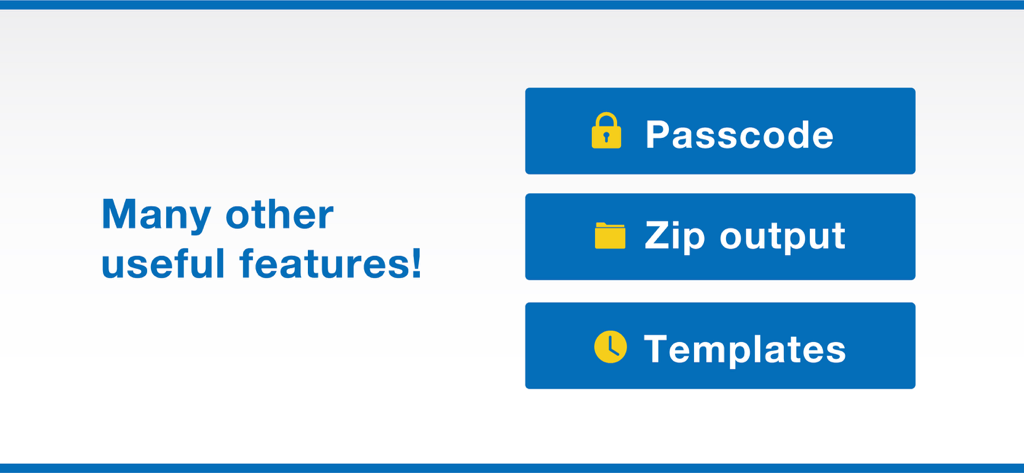
A list of additional features for the Smart Planner app including passcode protection, zip output, and templates

A list of additional features for the Smart Planner app including passcode protection, zip output, and templates

Your Life, Beautifully Organized

The tools that make this app stand out, trusted by 928K+ users.

🗓️

The Ultimate All-in-One Hub

Unify your calendar, task lists, and notes in one place. Save mental energy by managing your professional deadlines and personal memories from a single dashboard.

Endless Aesthetic Customization

Express your style with 50+ theme colors and 18 boutique fonts. Create a digital planning sanctuary that is as beautiful as it is functional.

🔒

Privacy First, Friction Zero

Start planning instantly with no registration required. Keep your data private with Face ID protection and secure iCloud syncing—no data harvesting, just your life.

About the app

Everything you need to know about Smart Planner: Calendar, Tasks.

Description

All-in-One Planner App! Smart Planner combines a calendar, to-do list, notepad, and diary in a single easy-to-use app. No registration needed — just open the app and start planning. Main Features: ● Calendar - View by month, week, or day - Sync with iCloud and Google Calendar - Add memos, links, and maps to events - Supports recurring events and templates - Includes widgets for quick access - Adjust text size and font style ● To-Do - Set deadlines and reminders - Organise tasks with colour-coded lists - Check tasks directly on the calendar ● Notes - Organise notes into folders - Customise font size, spacing, and density - Export notes to your computer ● Diary - Write multiple entries per day - Attach multiple photos to each entry - Export diary entries to your computer ● Customisation & Security - Choose from 50+ theme colours and app icons - Select from 18 different fonts - Supports passcode, Face ID, and Touch ID - iCloud sync and backup - Set default startup tab - Hide unused features ◆ About Premium Plan The Premium Plan is available as a monthly or yearly subscription. First-time users can enjoy a one-month free trial. Subscriptions renew automatically unless cancelled at least 24 hours before the end of the period. Manage your subscription via iPhone or iPad settings anytime. Note: Cancelling mid-period does not refund the current month or year. Terms of Use: https://komorebi-studio.com/planner/tos.html Privacy Policy: https://komorebi-studio.com/planner/policy.html

Latest Version

7.0.1

Size

210.9 MB

First Released

May 8, 2019

Ready to Design Your Perfect Day?

Join over 900,000 users who have found their all-in-one digital sanctuary. Start planning instantly with no registration required—just you, your goals, and your style.

Download on App Store
FAQ

Frequently Asked Questions

Everything you need to know about Smart Planner: Calendar, Tasks

What are the main features of the Smart Planner app?

Smart Planner integrates a calendar, to-do list, notepad, and diary. It offers event syncing, task management, note organization with folders, and photo-enabled diary entries.

Does Smart Planner require an account or registration?

No, Smart Planner does not require any registration. Users can simply open the app and begin planning immediately without creating an account.

How can I customize the appearance of Smart Planner?

Smart Planner provides extensive customization options. You can select from over 50 theme colors, 18 different fonts, and change app icons to personalize its look.

Can Smart Planner sync with external calendars like Google Calendar?

Yes, Smart Planner supports synchronization with both iCloud and Google Calendar. This feature allows for integrated management of your events across platforms.

Is there a free trial available for Smart Planner's Premium Plan?

Yes, Smart Planner offers a one-month free trial for first-time users interested in the Premium Plan. Subscriptions automatically renew after the trial unless canceled.

What security features does Smart Planner offer?

Smart Planner enhances security with passcode, Face ID, and Touch ID support. It also uses iCloud sync for backup, ensuring your data is protected and accessible.

Can I export my notes and diary entries from Smart Planner?

Yes, Smart Planner allows you to export notes and diary entries to your computer. This feature facilitates external backup and sharing of your important data.

App information, icons, screenshots, and descriptions displayed on this page are sourced from the Apple App Store and are the property of their respective developers. Download estimates and rankings are based on MWM's proprietary models and may not reflect actual figures. This page is provided for informational and analytical purposes only.

Believe this page infringes your intellectual property? File a dispute