SmartWatch & BT Sync Watch App

SmartWatch & BT Sync Watch App

Logo of SmartWatch & BT Sync Watch App

SmartWatch & BT Sync Watch App: Your Unified Wearable & Fitness Hub

Seamlessly sync your device, track workouts offline, and unlock deep health insights with a secure, on-device experience built for your privacy.

Publisher

Thi Be Doan

Category

Utilities

Downloads

0

User Rating

1.0/5

Total Ratings

0

Locales

1

Your Progress, Visualized

Discover the interface used by 0 users.
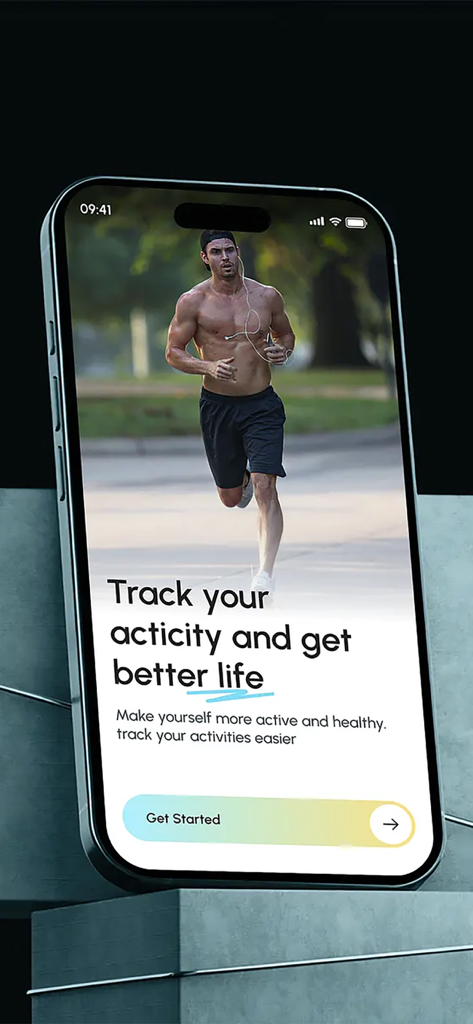
SmartWatch and BT Sync app welcome screen with a man running and a get started button

SmartWatch and BT Sync app welcome screen with a man running and a get started button

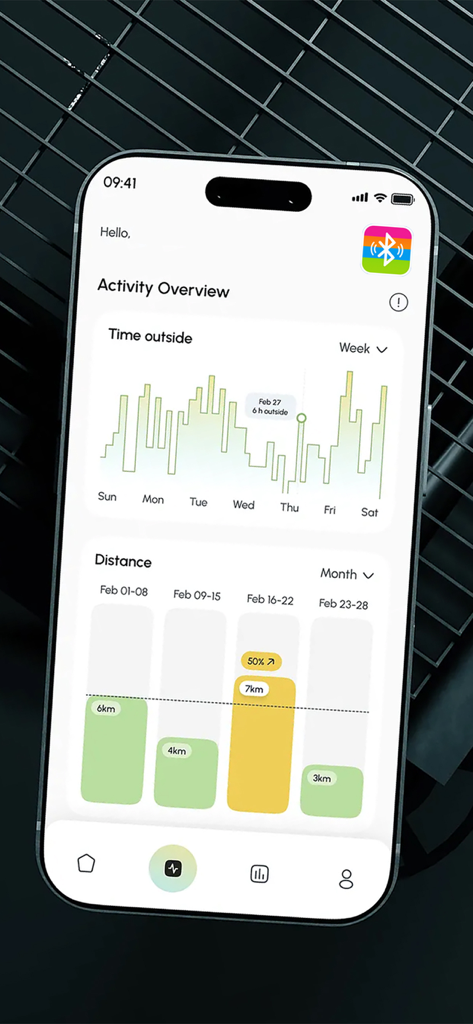
Activity overview screen showing time outside and distance charts

Activity overview screen showing time outside and distance charts

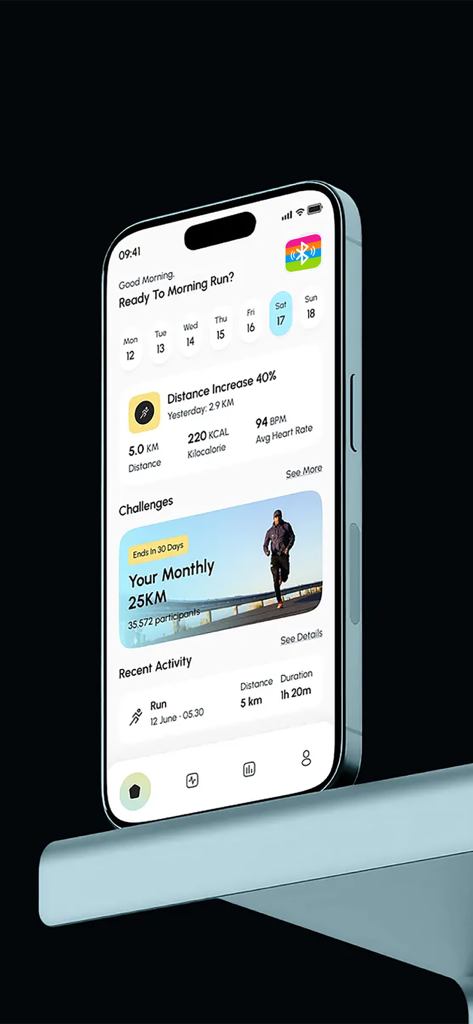
Dashboard of the SmartWatch and BT Sync app on an iPhone showing daily activity stats including distance, calories, and heart rate.

Dashboard of the SmartWatch and BT Sync app on an iPhone showing daily activity stats including distance, calories, and heart rate.

Unlock the Full Potential of Your Wearable

The tools that make this app stand out, trusted by 0 users.

🔗

Universal Bluetooth Sync

Bridge the gap between your non-Apple wearable and iOS. Sync all your activity data into one beautiful, unified dashboard.

🛡️

Private & On-Device

Your health data is personal. We process everything locally on your iPhone, ensuring your stats stay private and secure.

📶

Offline Workout Logging

From basement gyms to remote trails, log your workouts and use custom timers without needing an internet connection.

About the app

Everything you need to know about SmartWatch & BT Sync Watch App.

Description

Connect your wearable device and keep all your activity data in one place. View detailed insights, daily stats, and performance trends right on your phone. Log your own workouts, set custom timers, and track progress over time — even when offline. Everything runs smoothly on-device, designed for clarity, privacy, and ease of use. – Payment will be charged to iTunes Account at confirmation of purchase. – Subscription automatically renews unless auto-renew is turned off at least 24-hours before the end of the current period. – Account will be charged for renewal within 24-hours prior to the end of the current period, and identify the cost of the renewal. The cost depends on the selected plan. – Subscriptions may be managed by the user and auto-renewal may be turned off by going to the user's Account Settings after purchase. If you have questions or feedback, please reach out through our official contact page: https://telegra.ph/Contact-Us-10-23-3 Privacy Policy: https://telegra.ph/Privacy-Policy-10-23-348 Terms of Use: https://telegra.ph/Term-Of-Use-10-23

Latest Version

1.3

Size

24.6 MB

First Released

Oct 23, 2025

Ready to Sync Your Success?

Join the community of privacy-conscious athletes optimizing their performance. Download now to unify your smartwatch data, track your workouts offline, and take full control of your progress.

App information, icons, screenshots, and descriptions displayed on this page are sourced from the Apple App Store and are the property of their respective developers. Download estimates and rankings are based on MWM's proprietary models and may not reflect actual figures. This page is provided for informational and analytical purposes only.

Believe this page infringes your intellectual property? File a dispute