Snap Pro Camera - DSLR Photo

Snap Pro Camera - DSLR Photo


Download on App Store
Logo of Snap Pro Camera - DSLR Photo

Snap Pro Camera: The Ultimate DSLR Powerhouse for Your iPhone

Unlock full manual control, ProRAW precision, and AI-powered studio tools to create professional photography and cinematic videos effortlessly.

Download on App Store

Publisher

MIOPS TEKNOLOJI ANONIM SIRKETI

Category

Photo & Video

Downloads

676K+

User Rating

4.8/5

Total Ratings

15K+

Locales

32

Pro Power at a Glance

Discover the interface used by 676K+ users.
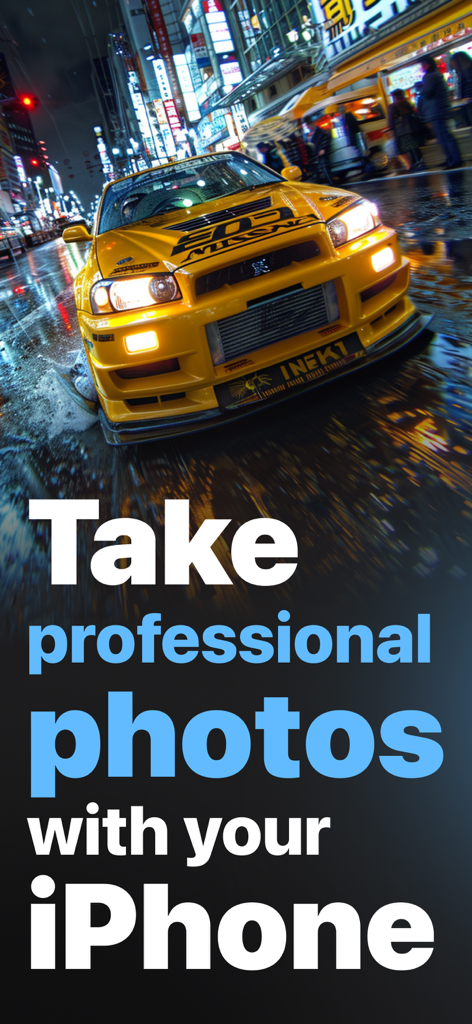
A yellow sports car on a rainy city street at night with text advertising professional iPhone photography with Snap Pro Camera

A yellow sports car on a rainy city street at night with text advertising professional iPhone photography with Snap Pro Camera

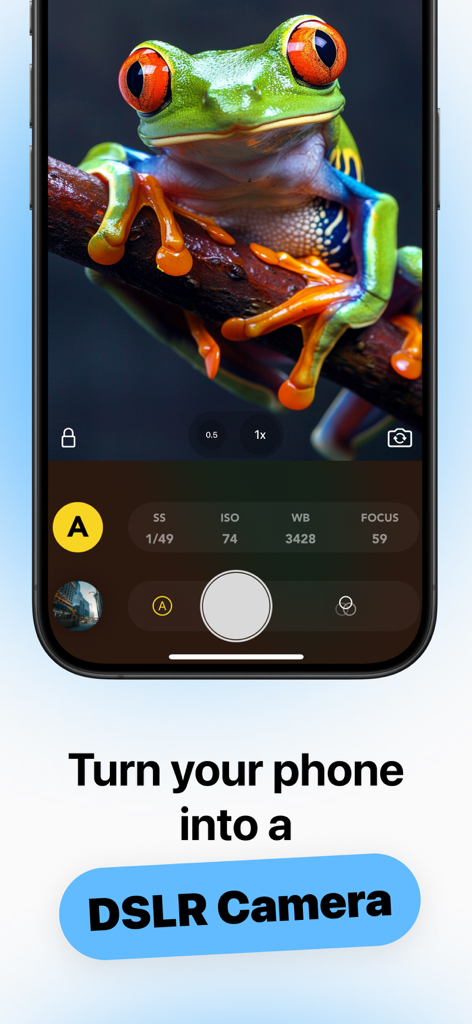
Snap Pro Camera app interface showing manual DSLR settings and a macro photo of a red-eyed tree frog.

Snap Pro Camera app interface showing manual DSLR settings and a macro photo of a red-eyed tree frog.

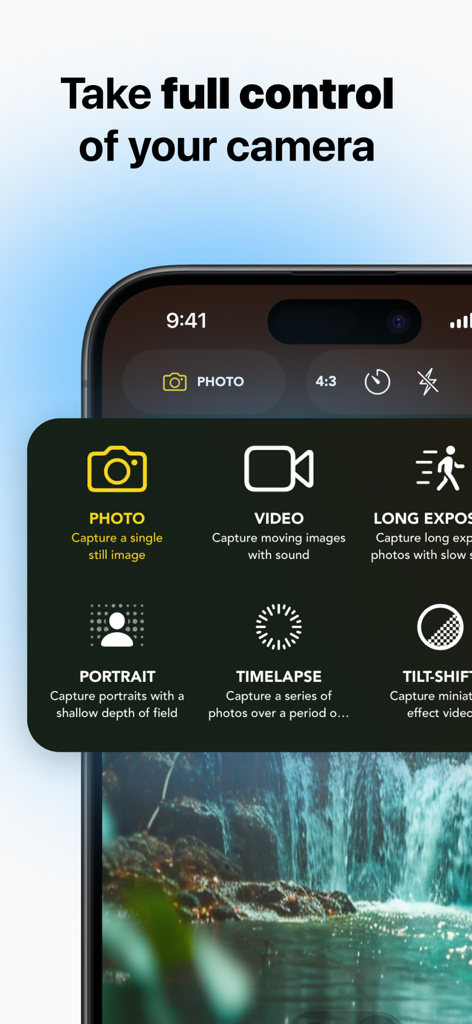
Snap Pro Camera app interface showing a selection of photography and video modes including manual controls and timelapse on an iPhone.

Snap Pro Camera app interface showing a selection of photography and video modes including manual controls and timelapse on an iPhone.

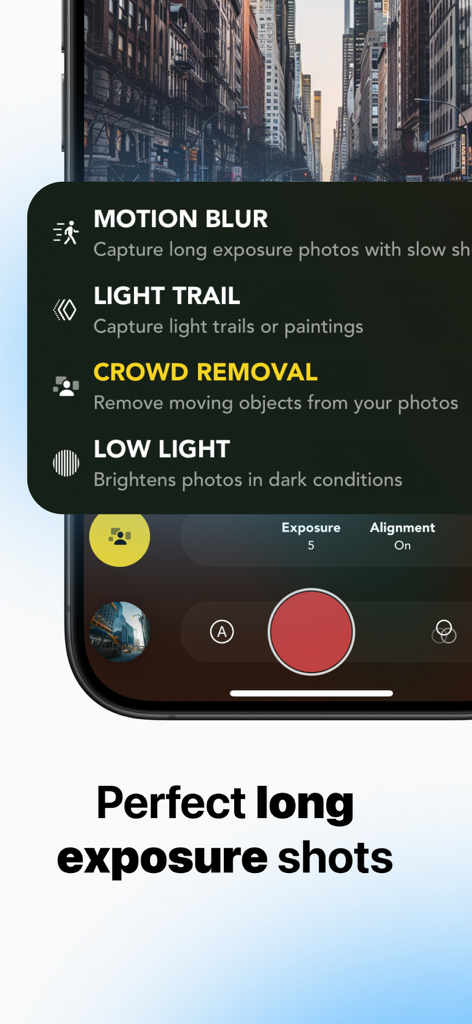
Snap Pro Camera app interface showing long exposure modes including motion blur and light trails

Snap Pro Camera app interface showing long exposure modes including motion blur and light trails

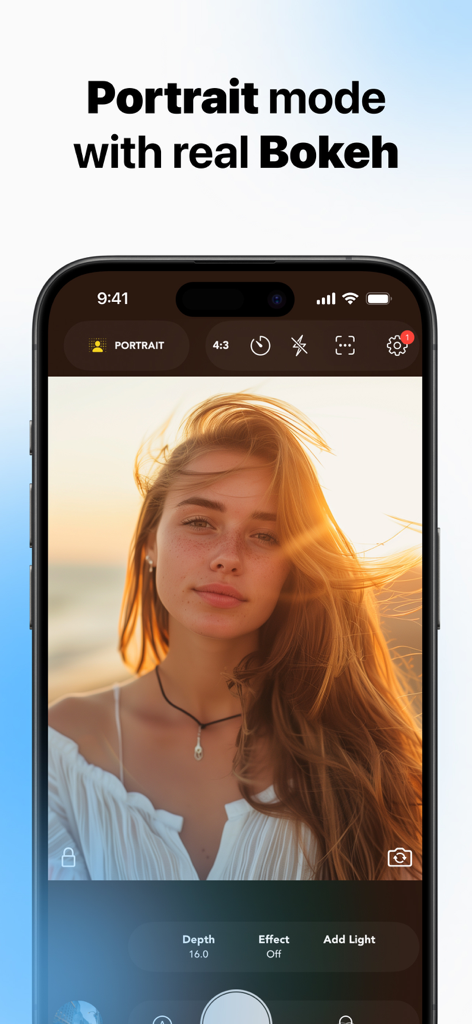
Snap Pro Camera app interface showing portrait mode with professional bokeh effect and depth control

Snap Pro Camera app interface showing portrait mode with professional bokeh effect and depth control

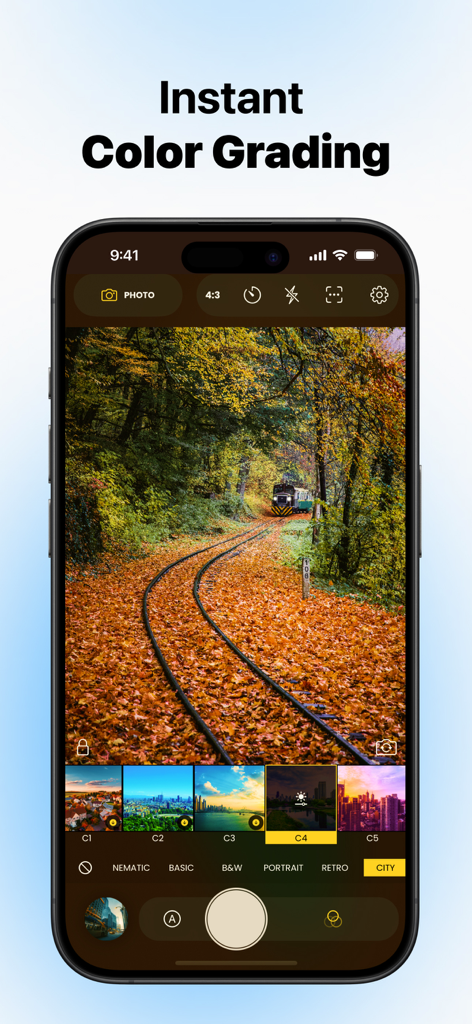
Snap Pro Camera app interface showing instant color grading filters with a preview of a train track in autumn.

Snap Pro Camera app interface showing instant color grading filters with a preview of a train track in autumn.

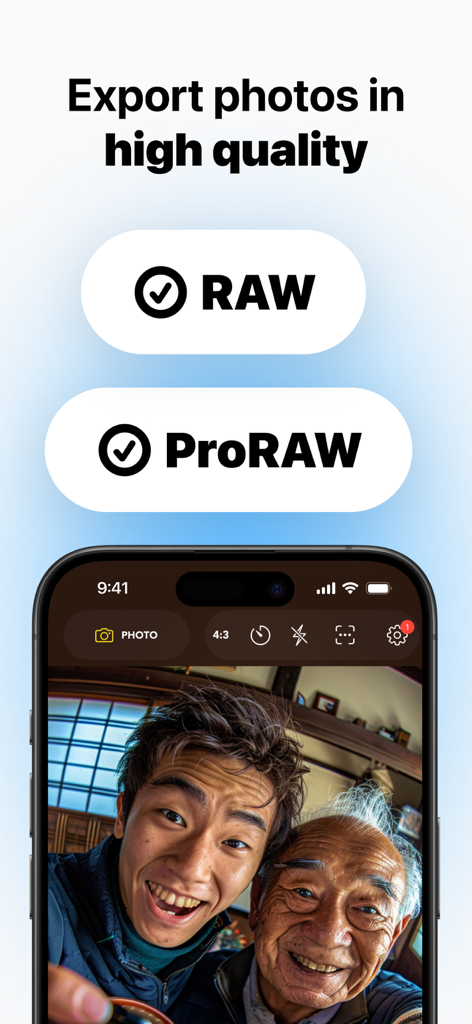
Snap Pro Camera app interface highlighting high quality RAW and ProRAW photo export options

Snap Pro Camera app interface highlighting high quality RAW and ProRAW photo export options

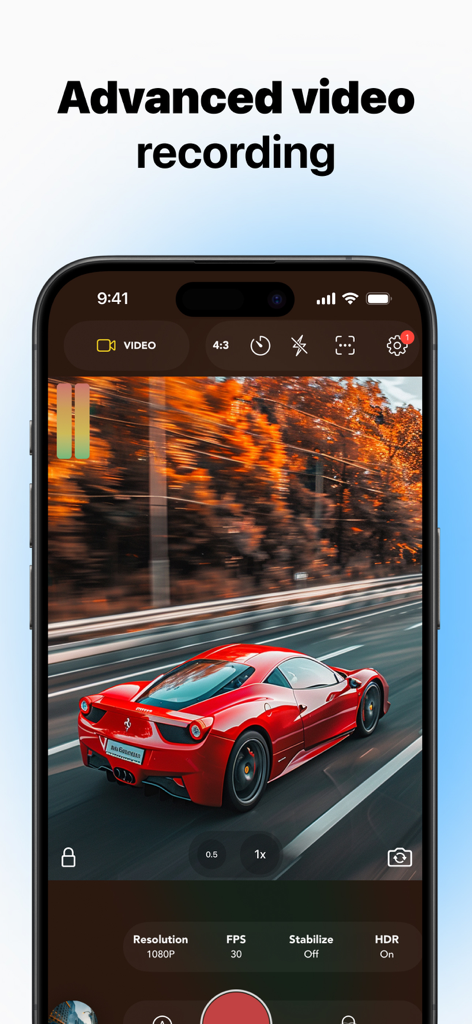
Snap Pro Camera app interface showing advanced video recording with manual controls and a red sports car

Snap Pro Camera app interface showing advanced video recording with manual controls and a red sports car

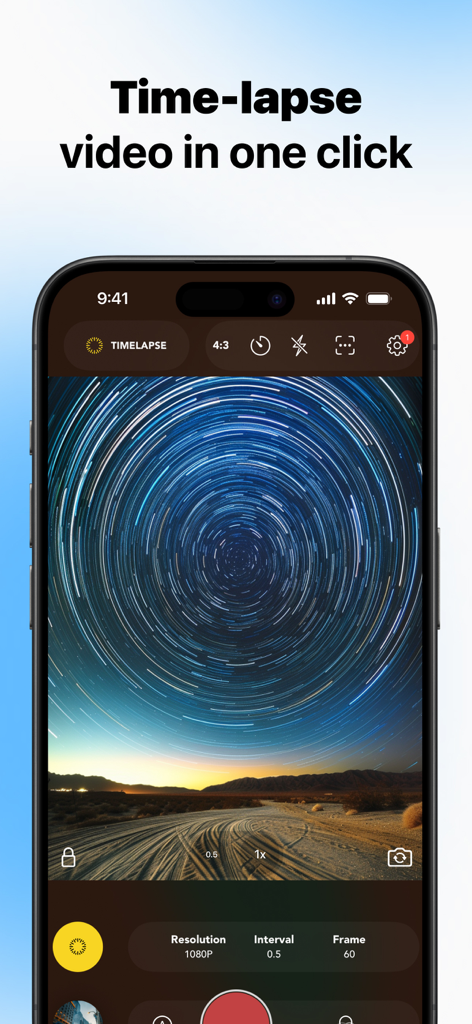
Snap Pro Camera app interface displaying a star trail time-lapse capture with manual resolution and interval settings.

Snap Pro Camera app interface displaying a star trail time-lapse capture with manual resolution and interval settings.

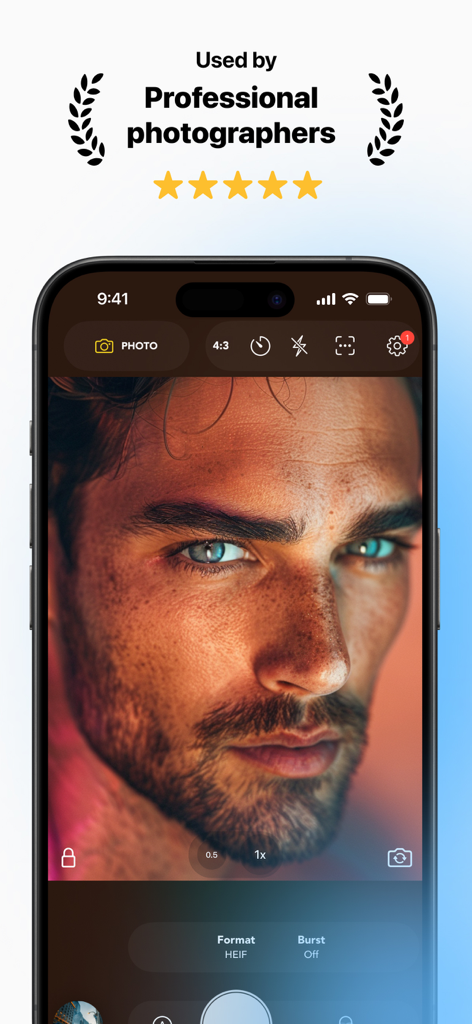
A professional portrait of a man displayed within the Snap Pro Camera app interface on an iPhone with a headline stating it is used by professional photographers.

A professional portrait of a man displayed within the Snap Pro Camera app interface on an iPhone with a headline stating it is used by professional photographers.

Professional Tools for the Visionary Creator

The tools that make this app stand out, trusted by 676K+ users.

📸

Total Manual DSLR Control

Take full command of ISO, shutter speed, and white balance to capture exactly what you see, avoiding the flat look of standard auto-processing.

🎬

Live Cinematic Grading

Skip the hours of post-production. Apply professional LUTs and film-like color grades in real-time as you record video or snap photos.

🤖

AI-Powered Pro Studio

Generate professional headshots, remove backgrounds instantly, and shoot in ProRAW to unlock the full power of your high-end lens.

About the app

Everything you need to know about Snap Pro Camera - DSLR Photo.

Description

Snap Pro Camera is the most advanced photo and video app that transforms your iPhone into a powerful DSLR camera. With full manual controls, AI-powered features, instant color grading, and professional filters, Snap Pro Camera+ lets you capture stunning photos and cinematic videos effortlessly. PRO CAMERA FEATURES ● Manual Controls: Adjust ISO, shutter speed, and white balance for perfect shots. ● RAW Mode: Capture in RAW to fine-tune every detail with professional editing. ● Advanced Effects: Enhance your photos with precise focus and white balance adjustments. ● Multiple Formats: Shoot in ProRAW, RAW, JPG, and TIFF for flexible editing options. LONG EXPOSURE & SLOW SHUTTER ● Motion Blur: Capture motion blur for smooth, dreamy effects. ● Light Trails: Create stunning light streaks in nighttime photography. ● Low Light: Capture clear, vibrant photos in dim settings without unwanted grain. INSTANT COLOR GRADING & FILTERS ● Pro Color Presets: Apply cinematic, film-like color to your photos and videos with one tap. ● Instant Grade: Use live LUTs and color grading during capture, no need for post-editing. ● Digital Filters: Enhance your photos with professional camera-style filters. PRO VIDEO FEATURES ● Cinematic Stabilization: Record smooth, professional-quality videos with advanced stabilization. ● Instant Color Grading: Apply live cinematic color grades while recording. ● FPS Control: Adjust frame rates from 24, 30, and 60 fps and more. PORTRAIT & BOKEH EFFECTS ● Depth Control: Achieve DSLR-like bokeh with automatic depth adjustments. ● Aperture Simulation: Get stunning background blur from F1.4 to F22.0. ● Automatic Bokeh: Add beautiful background blur to any portrait effortlessly. CREATIVE TIMELAPSE MODES ● Timelapse: Capture dynamic sequences at intervals for stunning time-lapse videos. ● Zoom Timelapse: Add a zoom effect during your time-lapse to enhance the visual impact. ● Tilt-Shift: Create miniature world effects with tilt-shift photography. PHOTO EDITOR ● Advanced Adjustments: Fine-tune brightness, contrast, saturation, and more. ● Preset Filters: Instantly apply professional-grade preset filters to your photos. ● Constant Updates: Regularly updated filters keep your edits fresh. AI STUDIO – CREATE PRO & FUN HEADSHOTS Snap Pro Camera's AI Studio enables you to create professional or fun headshots in just a few taps: ● Background Removal: Remove backgrounds from photos or product shots, or replace them with solid black or white backdrops. ● Background Replacement: Choose from preset backgrounds or upload your own image for a custom look. ● AI Bokeh Effect: Apply background blur even to non-portrait photos. ● Face Transformations: Create unique images with your face across hundreds of creative themes. CAMERA+ FEATURES ● Auto & Manual Modes: Switch between auto and manual control for perfect shots. ● Focus Assist: Easily achieve sharp focus with focus peaking. ● Zebra Stripes: Identify overexposed areas for better exposure. ● Multiple Formats: Shoot in RAW, ProRAW, TIFF, JPG, and HEIF. ● White Balance: Manually adjust color accuracy for perfect lighting. ● Histogram: Monitor exposure with real-time feedback. Terms of Use: https://www.apple.com/legal/internet-services/itunes/dev/stdeula/ Privacy Policy: https://www.miopsteknoloji.com/privacy-policy/

Latest Version

2.5.1

Size

97.2 MB

First Released

Mar 25, 2023

Ready to Ditch Your DSLR?

Join over 676,000 visual perfectionists unlocking the full power of their iPhone. Start capturing ProRAW details, cinematic motion, and studio-quality AI headshots today.

Download on App Store
FAQ

Frequently Asked Questions

Everything you need to know about Snap Pro Camera - DSLR Photo

What is Snap Pro Camera - DSLR Photo?

Snap Pro Camera transforms your iPhone into a powerful DSLR camera. It offers full manual controls, AI features, instant color grading, and professional filters to capture stunning photos and cinematic videos.

Does Snap Pro Camera offer manual camera controls?

Yes, Snap Pro Camera provides comprehensive manual controls. Users can adjust ISO, shutter speed, white balance, and focus for precise photographic control, mimicking a DSLR experience.

Can Snap Pro Camera capture photos in RAW format?

Yes, Snap Pro Camera supports capturing photos in multiple high-quality formats including RAW, ProRAW, JPG, TIFF, and HEIF. This allows for flexible and professional editing options.

How does Snap Pro Camera improve long exposure photography?

Snap Pro Camera enhances long exposure photography with Motion Blur, Light Trails, and Low Light modes. It also includes Crowd Removal for clear shots in dynamic environments.

What AI-powered features are in Snap Pro Camera's AI Studio?

Snap Pro Camera's AI Studio offers background removal, background replacement, AI Bokeh effects for any photo, and face transformations to create professional or fun headshots.

Does Snap Pro Camera support advanced video recording features?

Yes, Snap Pro Camera includes advanced video recording features. These include cinematic stabilization, instant live color grading, and adjustable frame rates (24, 30, and 60 fps).

How does Snap Pro Camera create DSLR-like portrait effects?

Snap Pro Camera achieves DSLR-like portrait effects through depth control and aperture simulation from F1.4 to F22.0. It also offers automatic bokeh for effortless background blur.

Where can I find the privacy policy for Snap Pro Camera?

The privacy policy for Snap Pro Camera is accessible via the link provided in the app description: https://www.miopsteknoloji.com/privacy-policy/. It details user data handling practices.

App information, icons, screenshots, and descriptions displayed on this page are sourced from the Apple App Store and are the property of their respective developers. Download estimates and rankings are based on MWM's proprietary models and may not reflect actual figures. This page is provided for informational and analytical purposes only.

Believe this page infringes your intellectual property? File a dispute