SnapPage - Web Page Capture

SnapPage - Web Page Capture


Download on App Store
Logo of SnapPage - Web Page Capture

SnapPage - Web Page Capture: Your Ultimate Digital Archive

Instantly turn any webpage into high-quality PDFs or images. Annotate key insights, organize your research into folders, and enjoy seamless offline access for all your professional and academic needs.

Download on App Store

Publisher

Shahzad Ahsan

Category

Utilities

Downloads

0

User Rating

1.0/5

Total Ratings

0

Locales

1

The Web, Perfectly Captured

Discover the interface used by 0 users.
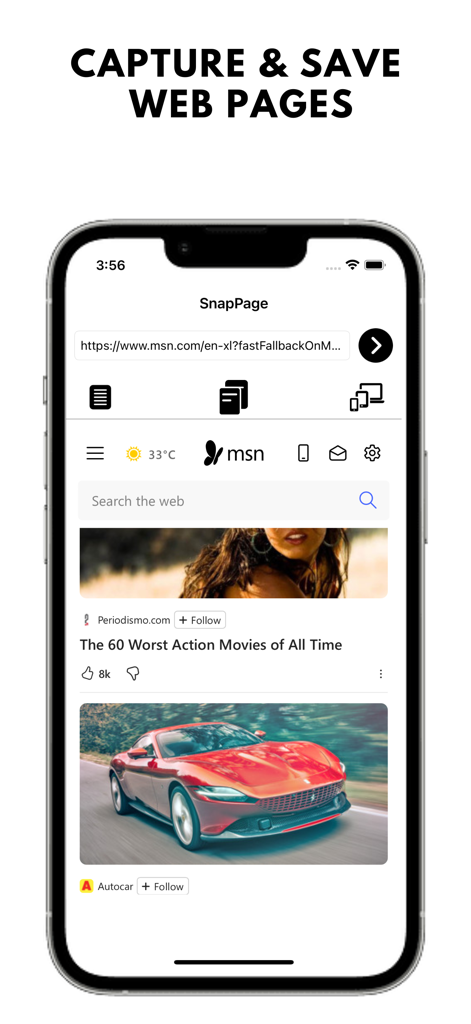
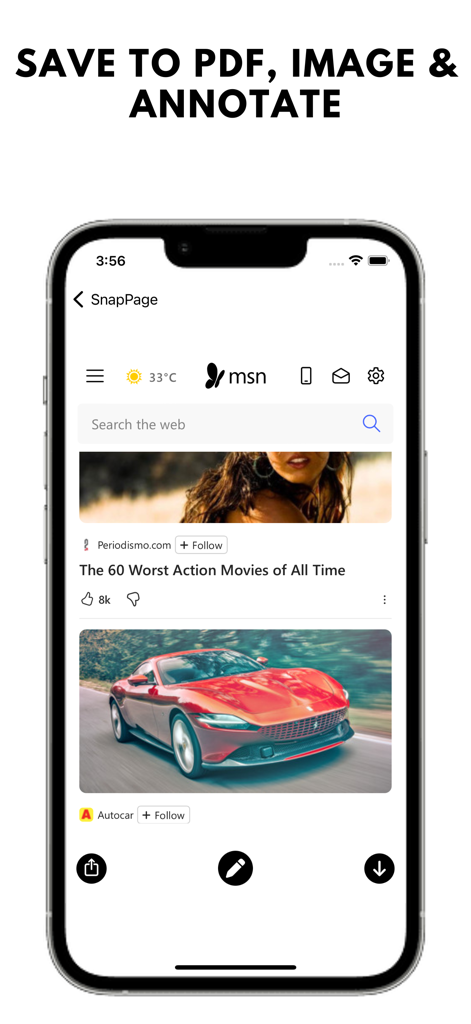
SnapPage mobile app interface on an iPhone screen showing features to capture and save web pages

SnapPage mobile app interface on an iPhone screen showing features to capture and save web pages

SnapPage app interface for capturing web pages and annotating content

SnapPage app interface for capturing web pages and annotating content

Capture the Entire Web in a Tap

The tools that make this app stand out, trusted by 0 users.

📄

Seamless Full-Page Capture

Save entire articles or research papers as high-resolution PDFs, ensuring you never lose a single detail from top to bottom.

✍️

Annotate and Organize

Highlight key insights, add notes, and categorize your captures into custom folders for a perfectly structured digital library.

🖥️

Desktop and Mobile Views

Switch between device agents to capture exactly how a page appears on desktop or mobile, perfect for QA and design audits.

About the app

Everything you need to know about SnapPage - Web Page Capture.

Description

SnapPage - Web Page Capture is the ultimate solution for capturing and saving web pages in both PDF and image formats. Designed for users who need quick and reliable access to their online content, SnapPage lets you easily capture entire web pages, regardless of length, with just a tap. Whether you're browsing an important research document, a lengthy article, or a web page you want to revisit later, SnapPage ensures that you can save it for offline use, future reference, or easy sharing. Key Features: Full Page Capture: Save entire web pages as high-quality PDFs or images. Perfect for archiving content for offline reading or sharing important resources. Visible Area Capture: Quickly capture only the visible section of a webpage if you don't need the whole page. Annotate Your Screenshots: Use our built-in editor to add notes, highlights, stickers, and more to your screenshots before saving them. Custom User-Agent Selection: View pages exactly how they appear on different devices by changing the user agent to iPhone or desktop. Export & Share: Easily export saved content as PDFs or images. Share files via email, cloud storage (Google Drive, Dropbox), or directly through social media apps. Organize Your Files: Organize your saved pages in folders for easy access. Categorize your captures for work, study, or personal use. Multilingual Support: Available in multiple languages, so you can enjoy SnapPage no matter where you are. Save to Photos: Store captured images directly to your device’s gallery for easy access and further use. Who Should Use SnapPage? Students & Researchers: Ideal for capturing lengthy research papers, academic articles, or online resources for offline review or annotation. Professionals: Save important documents, web designs, or work-related articles for easy sharing and future access. Casual Users: Capture online shopping pages, recipes, or any web content you want to keep for later. Why Choose SnapPage? Easy to Use: SnapPage's intuitive interface makes capturing web pages a breeze, even for non-tech-savvy users. High-Quality Output: Save your captures in high resolution, ensuring clear and precise rendering every time. Frequent Updates: We’re constantly adding new features and improving the user experience based on feedback from our community. Upcoming Features: Cloud Syncing: Automatically sync your captures to the cloud so you can access them from any device. Customizable Themes: Personalize SnapPage with light and dark mode themes for a more comfortable browsing experience. Batch Capture: Capture multiple web pages simultaneously with our batch capture feature (coming soon). Developer's Note: Developed by MyAppsDaily, SnapPage is designed to make saving web content as efficient as possible. At MyAppsDaily, we listen closely to our users’ feedback to ensure we deliver the best possible experience. We are always working on improvements, so if you have suggestions, feel free to contact us through the app’s support section or leave us a review. Stay tuned for more updates and new features!

Latest Version

1.0.2

Size

5.1 MB

First Released

Nov 4, 2024

Turn the Web Into Your Private Library

Join thousands of students and professionals who capture, annotate, and organize the web for offline access. Start your smarter research journey today.

Download on App Store

App information, icons, screenshots, and descriptions displayed on this page are sourced from the Apple App Store and are the property of their respective developers. Download estimates and rankings are based on MWM's proprietary models and may not reflect actual figures. This page is provided for informational and analytical purposes only.

Believe this page infringes your intellectual property? File a dispute