Speed Test & Wifi Analyzer +

Speed Test & Wifi Analyzer +

Download on App Store
Logo of Speed Test & Wifi Analyzer +

Speed Test & Wifi Analyzer +: The All-in-One Toolkit for a Faster, Securer Connection

Eliminate dead zones with AR, detect network intruders, and optimize your performance. Pro-grade diagnostics for your home office, gaming setup, and digital privacy.

Publisher

Appenvision Ltd

Category

Utilities

Downloads

6M+

User Rating

4.4/5

Total Ratings

45K+

Locales

31

Master Your Network

Discover the interface used by 6M+ users.
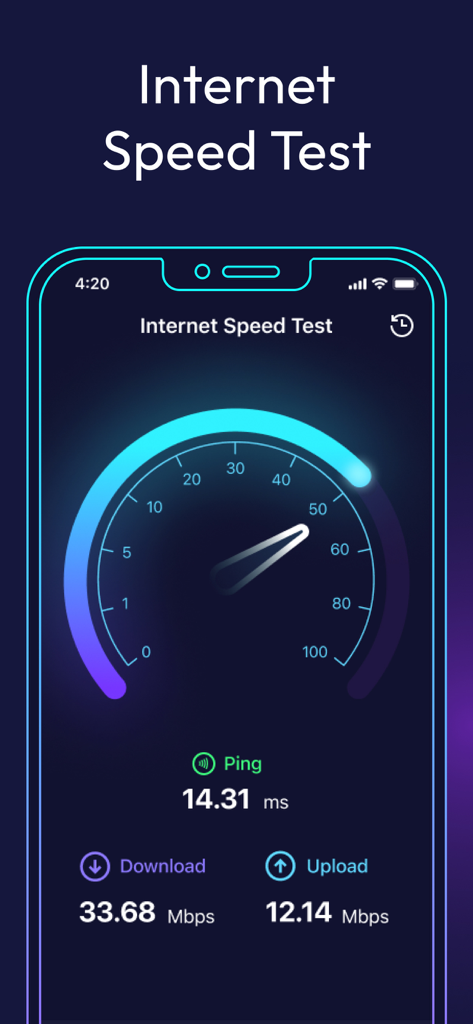
Interface of the Speed Test and Wifi Analyzer app showing download and upload speeds with a ping of 14 ms

Interface of the Speed Test and Wifi Analyzer app showing download and upload speeds with a ping of 14 ms

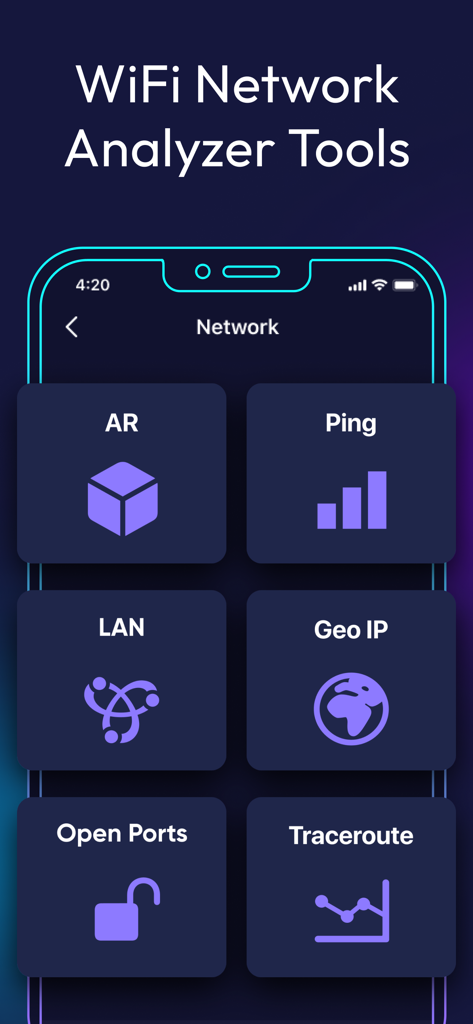
Speed Test and Wifi Analyzer app showing network diagnostic tools like AR and Ping

Speed Test and Wifi Analyzer app showing network diagnostic tools like AR and Ping

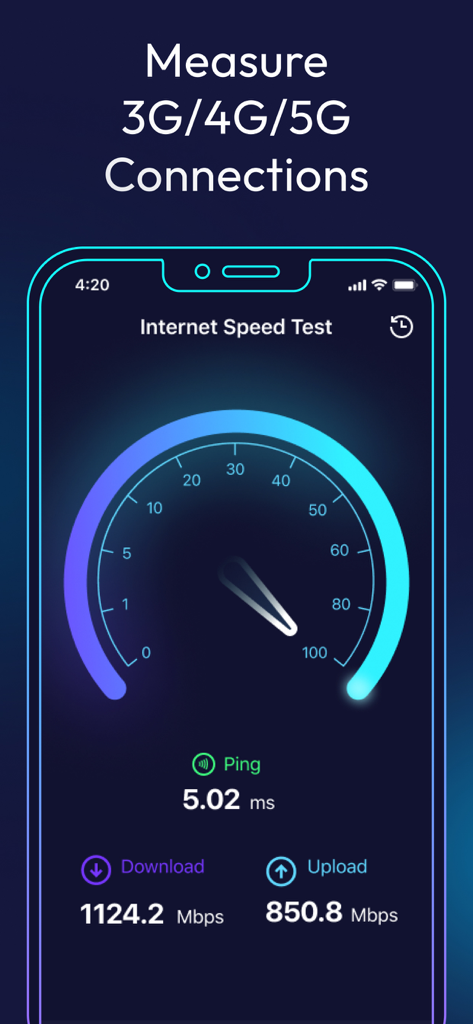
Mobile interface of Speed Test and Wifi Analyzer app showing download and upload speed results with a gauge

Mobile interface of Speed Test and Wifi Analyzer app showing download and upload speed results with a gauge

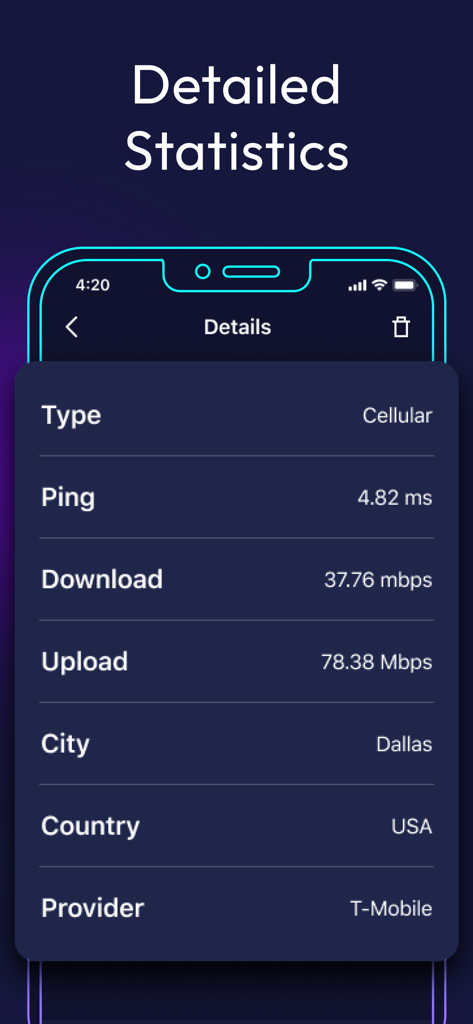
Detailed statistics screen showing network ping download and upload speeds

Detailed statistics screen showing network ping download and upload speeds

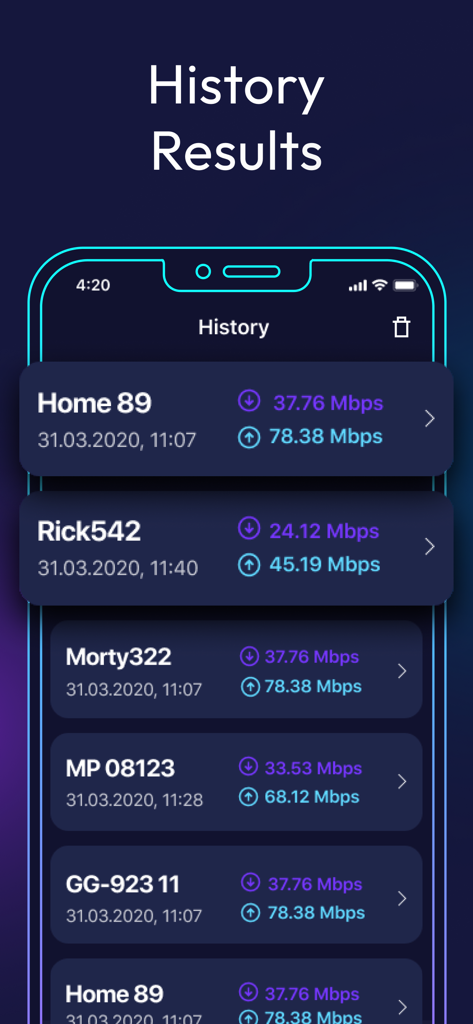
Interface of the app showing a list of past internet speed test results including download and upload speeds.

Interface of the app showing a list of past internet speed test results including download and upload speeds.

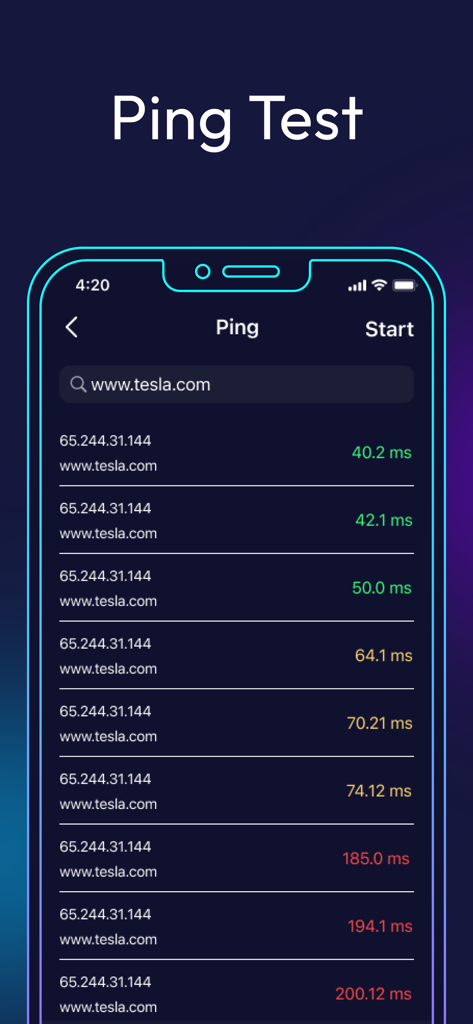
Ping test screen showing network latency results for a website in the Wifi Analyzer app

Ping test screen showing network latency results for a website in the Wifi Analyzer app

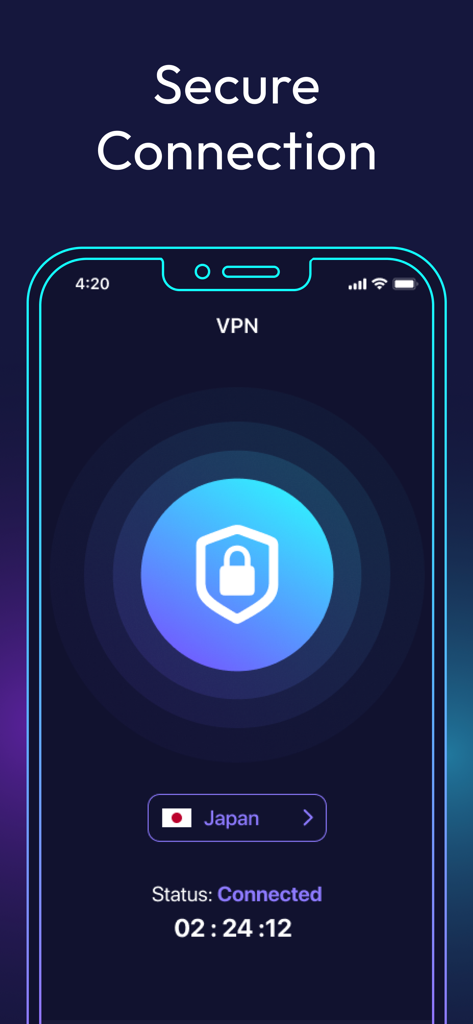
Secure VPN connection interface showing a connected status and shield icon

Secure VPN connection interface showing a connected status and shield icon

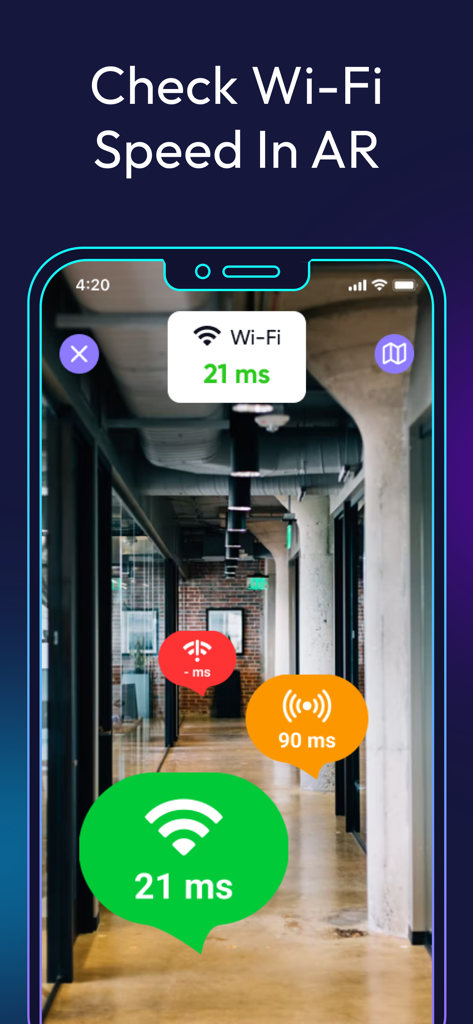
Smartphone screen displaying WiFi signal strength and latency markers in augmented reality mode inside an office hallway

Smartphone screen displaying WiFi signal strength and latency markers in augmented reality mode inside an office hallway

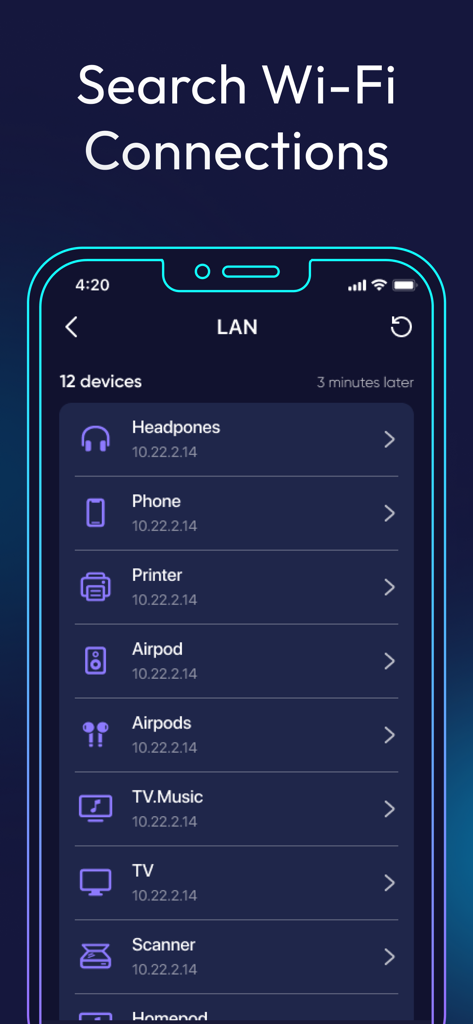
A mobile screen showing the LAN scanner feature of the Speed Test and Wifi Analyzer app listing connected devices like headphones and a printer.

A mobile screen showing the LAN scanner feature of the Speed Test and Wifi Analyzer app listing connected devices like headphones and a printer.

A mobile interface displaying a list of open network ports and their protocols for a website scan.

A mobile interface displaying a list of open network ports and their protocols for a website scan.

Professional Network Mastery

The tools that make this app stand out, trusted by 6M+ users.

📶

AR Signal Visualization

Eliminate dead zones with Augmented Reality. Visualize your signal strength to find the perfect placement for your router and devices.

🛡️

Network Security Shield

Detect unauthorized devices instantly with our LAN scanner and enjoy anonymous, secure browsing through our integrated VPN.

Deep Dive Diagnostics

Fix lag before it hits. Use pro-level tools like Traceroute, Port Scanning, and Ping tests to ensure peak performance for work and gaming.

Review Analysis

Insights from user reviews.

Sentiment Score

12%
Negative

Summary

The mobile app receives overwhelmingly negative feedback from users, primarily due to an excessive number of intrusive advertisements that often make the app unusable and prevent core functionality. Many users reported being deceptively pushed into unwanted subscriptions, experiencing automatic charges, and facing significant difficulties in canceling or obtaining refunds. Furthermore, several users criticized the app's poor reliability and frequent malfunctions, including failure to measure speed or even open. While a small minority of users found the app to be 'excellent' or 'well made', the vast majority perceive it as a scam focused on monetization rather than providing a functional speed test service.

Common Themes

Overwhelming Ads(20)
Subscription & Pricing Issues(15)
Functionality & Reliability(13)
Deceptive Practices(8)
Usability Issues(7)
Refund & Cancellation Problems(6)
Overall Positive Experience(5)

About the app

Everything you need to know about Speed Test & Wifi Analyzer +.

Description

Speed Test & Wifi Analyzer is a multifunctional app for scanning and diagnosing a network. It helps: • Identify problems with your Internet connection and WiFi setup; • Detect unauthorized connections; • Find out the geolocation of any IP address; • Scan open ports; • Traceroute; • VPN; • Find out the speed of the Internet or WiFi; • Get full information about WiFi networks and your cellular connection. AVAILABLE TOOLS: AR MODE Use router and ping markers to visualize the delay data between your router and your smartphone. AR will tell you the exact location of the device in the room to get the best result. LAN SCANNER A quick and reliable way to discover all network devices with information about the IP address and provider name. OPEN PORT SCANNING Find out which ports are open on your device and what they are responsible for. IP GEOPOSITIONING Locate the exact location of the IP on the world map. TRACEROUTE Makes it possible to find out the features of the query path by identifying a specific route point on which problems arise when transmitting information. SPEED TEST Find out the true speed of your Internet connection. VPN Virtual Private Network is a convenient and useful utility that provides anonymous and secure Internet connection through a proxy server. SUBSCRIPTION Become free from ads, get unlimited number of tests and GEO IP with premium access: - Check it's advantages, by getting a free three-day trial. After 3 days, the trial will automatically turn to the week paid subscription. - The paid subscription is divided into the 3 types: weekly, monthly and year. - A week paid subscription costs $9.99. Month - $15.99. Year - $49.99. - Payment will be charged to your iTunes Account at confirmation of purchase. - You can cancel the subscription or a free trial at any time, but at least 24-hours before the end of the current period. OTHERWISE, it will be automatically renewed. - The account will be charged for renewal within 24-hours prior to the end of the current period. - You can manage the subscription and turn off the auto-renewal in your Account Settings after purchase. - Any unused portion of a free trial will be forfeited when you purchase the subscription. - Read our privacy policy https://appenvisions.com/privacy.html. And EULA https://appenvisions.com/eula.html.

Latest Version

1.15

Size

143.7 MB

First Released

Feb 8, 2021

Ready for a Faster, More Secure Connection?

Join over 6 million professionals and homeowners who trust our pro-grade tools to eliminate lag, scan for intruders, and optimize WiFi performance. Start your 3-day free trial today.

Download on App Store
FAQ

Frequently Asked Questions

Everything you need to know about Speed Test & Wifi Analyzer +

What is Speed Test & Wifi Analyzer +?

Speed Test & Wifi Analyzer + is a multifunctional app for scanning and diagnosing networks. It helps identify internet connection problems, detect unauthorized connections, analyze Wi-Fi setups, and perform various network tests.

What are the core features of Speed Test & Wifi Analyzer +?

The Speed Test & Wifi Analyzer + app helps identify Internet connection and WiFi issues, detect unauthorized connections, find IP geolocation, scan open ports, perform traceroute, provide VPN, and measure Internet/WiFi speed.

Does Speed Test & Wifi Analyzer + offer a VPN service?

Yes, Speed Test & Wifi Analyzer + includes a VPN. This utility provides an anonymous and secure Internet connection through a proxy server to enhance user privacy and security.

How does AR mode function within Speed Test & Wifi Analyzer +?

AR mode in Speed Test & Wifi Analyzer + visualizes delay data between your router and smartphone using markers. It pinpoints the exact device location in the room for optimal Wi-Fi analysis and results.

Can Speed Test & Wifi Analyzer + scan my local area network (LAN)?

Yes, Speed Test & Wifi Analyzer + includes a LAN Scanner. This feature quickly and reliably discovers all network devices, providing information such as their IP addresses and provider names.

Can Speed Test & Wifi Analyzer + detect open ports on my device?

Yes, Speed Test & Wifi Analyzer + offers Open Port Scanning. Users find out which ports are open on their device and understand the functions these ports are responsible for.

How do I perform an Internet speed test using Speed Test & Wifi Analyzer +?

Speed Test & Wifi Analyzer + provides a Speed Test feature. Users access this to find their true Internet connection speed, displaying both download and upload rates, alongside ping measurements.

Does Speed Test & Wifi Analyzer + support testing 3G/4G/5G connection speeds?

Yes, Speed Test & Wifi Analyzer + measures 3G, 4G, and 5G connections. The app performs internet speed tests, providing detailed download, upload, and ping statistics for various cellular networks.

Does Speed Test & Wifi Analyzer + save a history of past test results?

Yes, Speed Test & Wifi Analyzer + maintains a history of results. Users view past internet speed tests, including download and upload speeds, along with the date and time of each test.

What is the cost of a weekly subscription for Speed Test & Wifi Analyzer +?

A weekly paid subscription for Speed Test & Wifi Analyzer + costs $9.99. This subscription provides benefits like ad-free usage, unlimited tests, and access to GEO IP features.

What subscription plans are available for Speed Test & Wifi Analyzer +?

Speed Test & Wifi Analyzer + offers weekly ($9.99), monthly ($15.99), and yearly ($49.99) paid subscriptions. These provide unlimited tests, ad-free access, and GEO IP features.

Is a free trial available for Speed Test & Wifi Analyzer +?

Yes, Speed Test & Wifi Analyzer + offers a free three-day trial. After this period, the trial automatically converts to a weekly paid subscription unless canceled at least 24 hours prior.

Where can I find the privacy policy for Speed Test & Wifi Analyzer +?

The privacy policy for Speed Test & Wifi Analyzer + is located at https://appenvisions.com/privacy.html. This document outlines the app's data handling practices and user information policies.

What is the purpose of the Traceroute feature in Speed Test & Wifi Analyzer +?

Traceroute in Speed Test & Wifi Analyzer + determines the query path features. It identifies specific route points where problems arise during information transmission across the network.

Can I view detailed connection statistics with Speed Test & Wifi Analyzer +?

Yes, Speed Test & Wifi Analyzer + provides detailed statistics. These include connection type, ping, download/upload speeds, as well as city, country, and provider information for the connection.

App information, icons, screenshots, and descriptions displayed on this page are sourced from the Apple App Store and are the property of their respective developers. Download estimates and rankings are based on MWM's proprietary models and may not reflect actual figures. This page is provided for informational and analytical purposes only.

Believe this page infringes your intellectual property? File a dispute