
This page is not an official page of the app or its developer, but an independent editorial publication created for informational and commentary purposes. Unless expressly stated otherwise, neither the app nor its developer is affiliated with, endorsed by, sponsored by, authorized by, or otherwise officially connected with MWM, Apple, Google Play, the app publisher, or the app's developer, and nothing on this page implies that the app was developed using MWM's services. Any trademarks, logos, screenshots, and other content remain the property of their respective owners.


SpeedFusion Connect
Network drops kill productivity. This app makes them extinct, giving users an unbreakable online presence.
Downloads
10k+User Rating
Total Ratings
6Publisher
Category
ProductivityLocales
1Latest Version
1.2.0Size
97.2 MBFirst Released
May 21, 2025An examination of key functionalities and their strategic value.
SpeedFusion Connect: Analytical Overview
Multi-WAN Connection Bonding
The app provides the ability to combine multiple internet sources simultaneously, ensuring connection stability even if one source fails. This is crucial for maintaining productivity in various environments.
Seamless Online Operations
It ensures that critical activities like video calls, large file transfers, and live streams remain stable and free from drops, directly preventing disruption to work and content creation.
Advanced Packet Redundancy
The app intelligently sends data packets across multiple connections. If any packet is lost on one connection, the other instantly compensates, significantly improving reliability and minimizing data loss during transmission.
One-Tap Connectivity
This tool allows users to enable robust, combined internet connectivity with a single tap, streamlining the process and reducing setup time.
The following screenshots and description are sourced directly from the app's official store listing and are the property of the app developer.
App Store
Screenshots
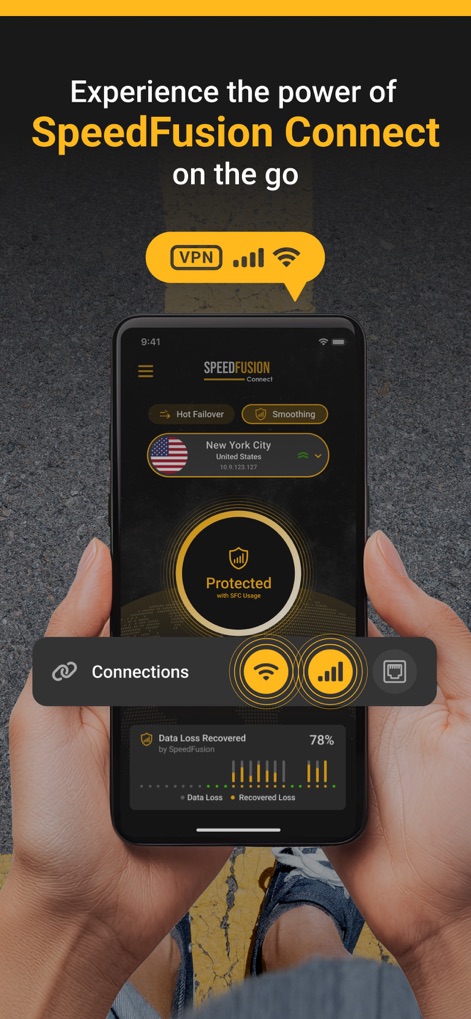
Explore the intuitive dashboard, highlighting the 'Protected' status and detailed 'Data Loss Recovered' metrics.
Core Interface Overview

Witness the app's impact across diverse scenarios, from seamless 'Voice / Video Calls' to stable 'Live Streaming'.
Real-World Connectivity
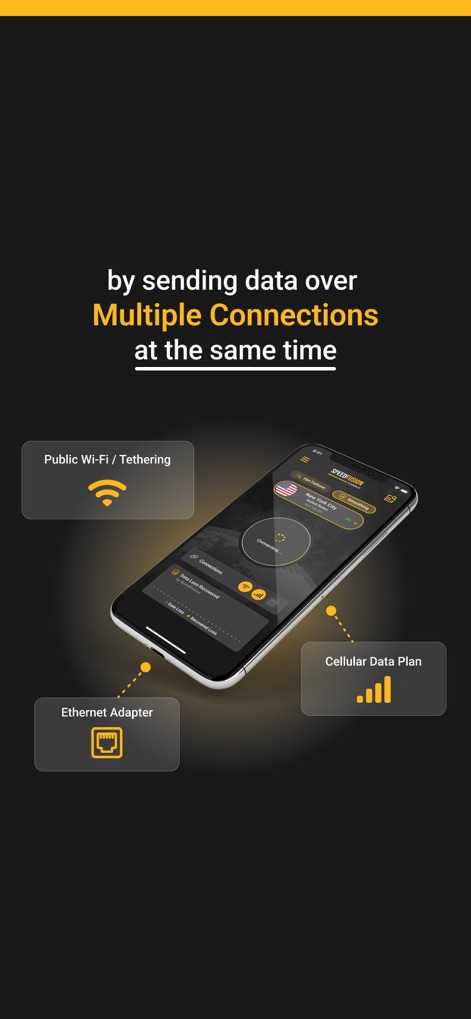
Understand the app's capability to aggregate diverse internet sources, including 'Public Wi-Fi / Tethering' and 'Cellular Data Plan'.
Multi-Source Connection
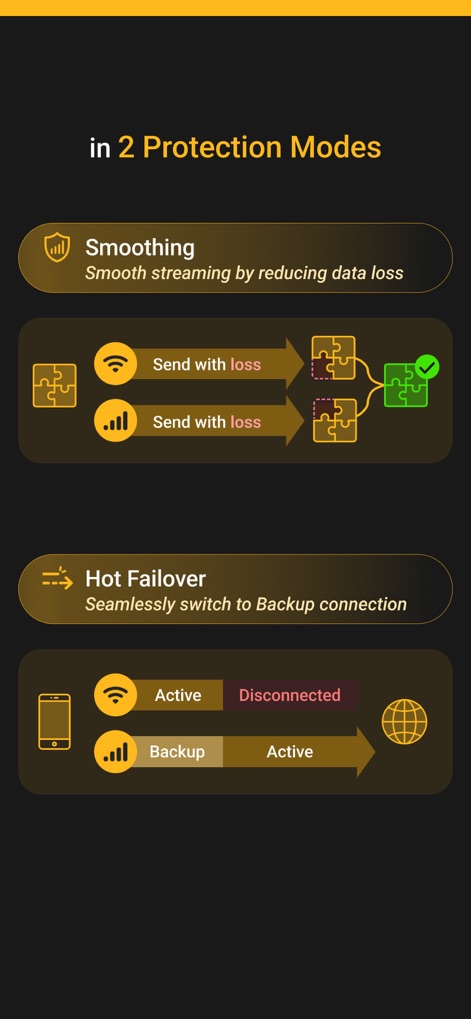
Examine the two distinct protection modes: 'Smoothing' for data loss reduction and 'Hot Failover' for seamless connection transitions.
Protection Modes Explained
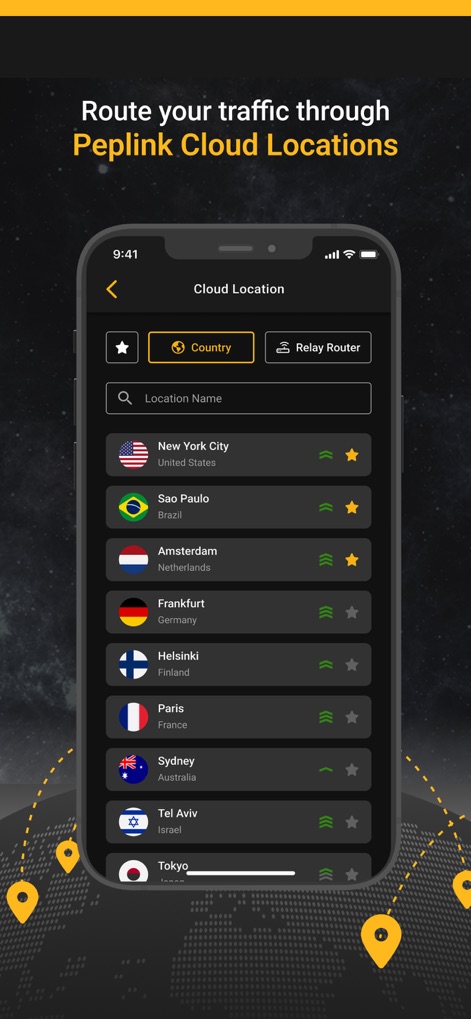
Explore the comprehensive list of 'Peplink Cloud Locations', allowing users to select their preferred country and monitor connection status.
Global Cloud Routing
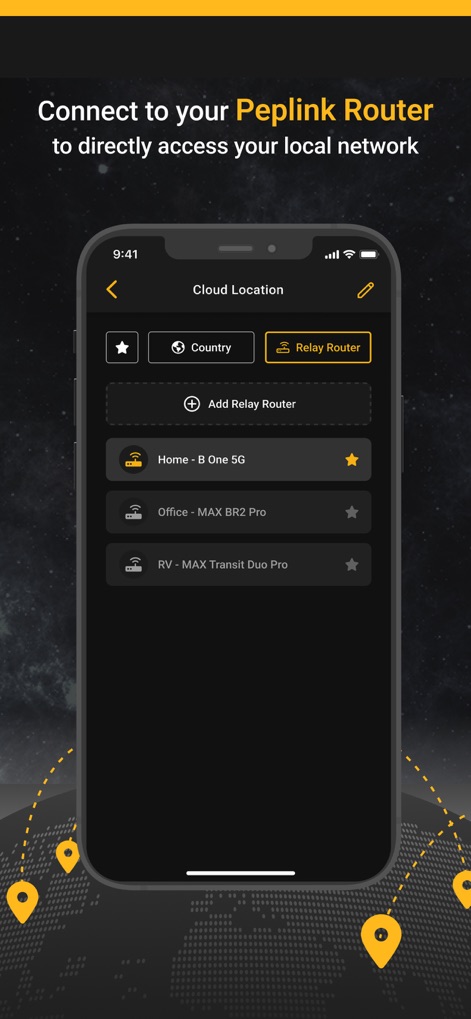
Discover the app's ability to connect to personal 'Peplink Router' devices, displaying listed routers like 'Home - B One 5G' and 'Office - MAX BR2 Pro'.
Personal Router Integration
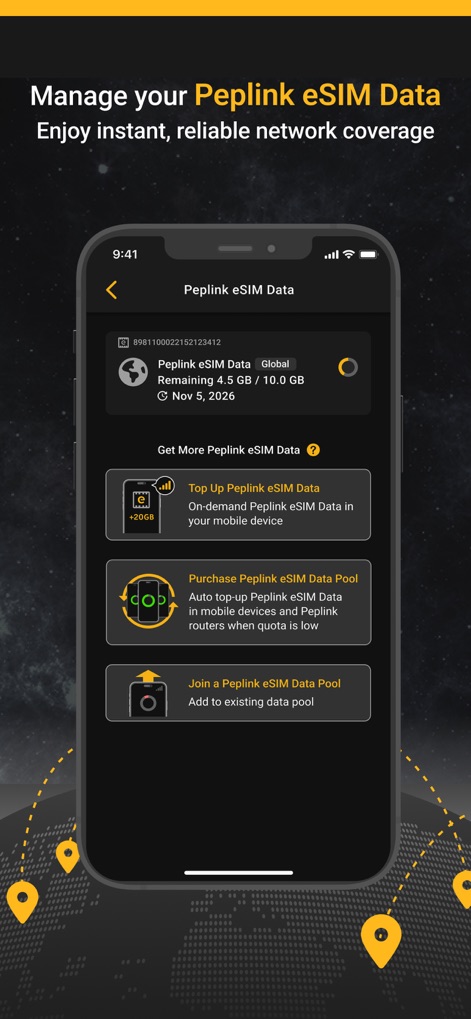
Review the dedicated interface for 'Peplink eSIM Data' management, showcasing options to 'Top Up Peplink eSIM Data' and 'Purchase Peplink eSIM Data Pool'.
eSIM Data Management
Description
Download
More Like This
Top-ranked apps in the same category

Google Gemini
Google LLC
ChatGPT
OpenAI OpCo, LLC

Claude by Anthropic
Anthropic PBC

Gmail - Email by Google
Google LLC

千问 - 阿里最强大模型官方AI助手
Shanghai Zhixin Puhui Technology Co., Ltd.

Grok - AI Chat & Video
X.AI Corporation

Google Drive
Google LLC

Microsoft Authenticator
Microsoft Corporation
Google Sheets
Google LLC
This page is not an official page of the app or its developer, but an independent editorial publication created for informational and commentary purposes. Unless expressly stated otherwise, neither the app nor its developer is affiliated with, endorsed by, sponsored by, authorized by, or otherwise officially connected with MWM, Apple, Google Play, the app publisher, or the app's developer, and nothing on this page implies that the app was developed using MWM's services. Any trademarks, logos, screenshots, and other content remain the property of their respective owners.