
This page is not an official page of the app or its developer, but an independent editorial publication created for informational and commentary purposes. Unless expressly stated otherwise, neither the app nor its developer is affiliated with, endorsed by, sponsored by, authorized by, or otherwise officially connected with MWM, Apple, Google Play, the app publisher, or the app's developer, and nothing on this page implies that the app was developed using MWM's services. Any trademarks, logos, screenshots, and other content remain the property of their respective owners.


Split Screen - Floating Apps
Screen space is no longer a prison. This app grants users the power to run their digital life, unconstrained, on a single display.
Downloads
250k+User Rating
Total Ratings
4.8KPublisher
Category
ProductivityLocales
26Latest Version
1.2.3Size
39.8 MBFirst Released
May 5, 2024An analytical overview of its core capabilities for enhanced multitasking on iOS.
Software Evaluation: Split Screen - Floating Apps
Floating Picture-in-Picture (PiP) Windows
The app provides a versatile Picture-in-Picture mode, enabling users to display various content types in resizable, floating windows, thereby significantly boosting multitasking efficiency.
Integrated Browser Multitasking
It allows users to browse multiple web pages and tabs within a floating window, facilitating parallel research or information gathering without disrupting their primary workflow.
Floating Document Viewer
This tool features a dedicated 'Read Mode' that supports viewing PDF, TXT, Word, and PPT files in a floating window, allowing for convenient document reference during other tasks.
Dynamic Media Playback
The app enables users to display photos and videos in a floating 'Media Mode' window, providing continuous content consumption while engaging with other applications.
Floating Time Management Tools
It offers a 'Timer Mode' to display a clock, countdown, or stopwatch in a floating window, assisting users in managing time-sensitive activities without constant app switching.
Enhanced Document Reading Controls
The 'Read Mode' includes options for both manual and automatic page turning, improving the reading experience for long documents displayed in a floating window.
Frequently Asked Questions
Everything you need to know about Split Screen - Floating Apps
What is Split Screen - Floating Apps?
Split Screen - Floating Apps is a PiP (Picture in Picture) floating display app for iPhone and iPad. It displays various content types, including documents, media, timers, and browser windows, in a mini floating window.
What types of files can Split Screen - Floating Apps display?
Split Screen - Floating Apps displays PDF, TXT, WORD, and PPT files in its Read Mode. This mode supports both manual and automatic page turning for documents.
Can Split Screen - Floating Apps multitask with web pages?
Yes, Split Screen - Floating Apps enables multitasking with web pages through its Browser Mode. This mode allows users to display any content via a mini window on their phone screen.
Does Split Screen - Floating Apps include a countdown timer?
Yes, Split Screen - Floating Apps includes a countdown timer. This feature is part of its Timer Mode, alongside clock and stopwatch functionalities, displayed in a floating window.
How much does a Split Screen - Floating Apps subscription cost?
A Split Screen - Floating Apps subscription costs $0.99 USD for 1 month or $6.99 USD for 1 year. These are auto-renewal terms charged to your iTunes Account.
How do I cancel the auto-renewal for Split Screen - Floating Apps?
To cancel auto-renewal for Split Screen - Floating Apps, manually turn it off in your iTunes & App Store account management settings. This must be done at least 24 hours prior to the current subscription period's end.
Where can I find the Privacy Policy for Split Screen - Floating Apps?
The Privacy Policy for Split Screen - Floating Apps is available at https://5season.top/pip/my-privacy. This document details the app's data handling practices.
The following screenshots and description are sourced directly from the app's official store listing and are the property of the app developer.
App Store
Screenshots
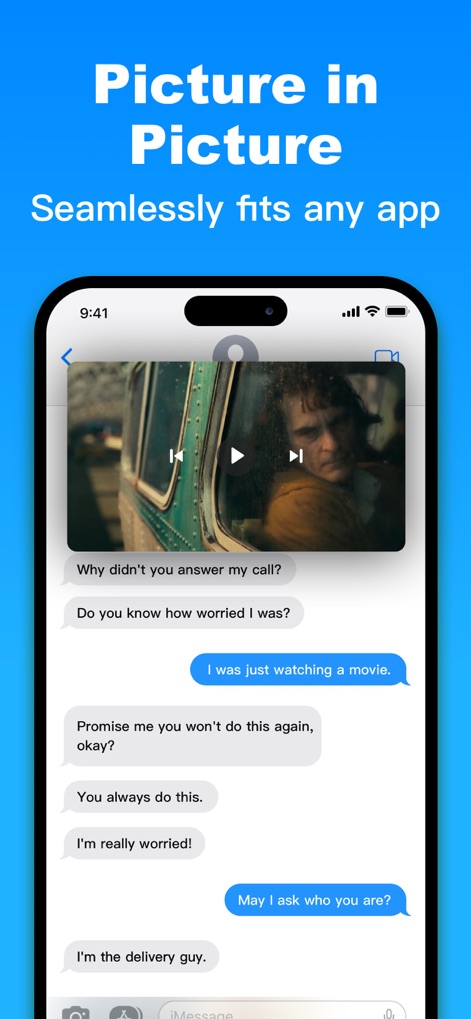
Observe how the app seamlessly overlays a floating video window onto an active messaging conversation, enabling continuous content consumption alongside real-time communication.
Picture-in-Picture Power
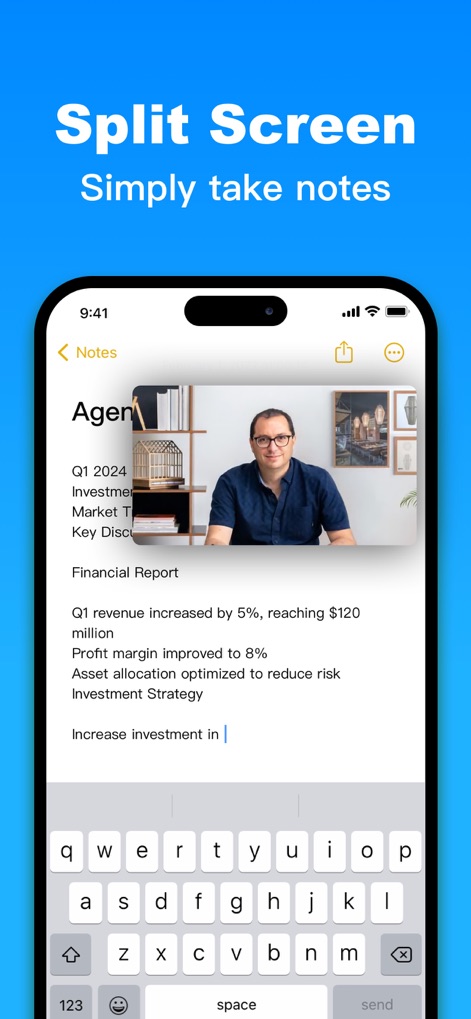
See how users can incorporate a floating image window directly into their note-taking interface, allowing for visual reference while typing out important information.
Enhanced Note-Taking

Discover how this tool enables a floating browser window to display relevant web content over system settings, providing instant access to information without leaving the current task.
Browser Overlay
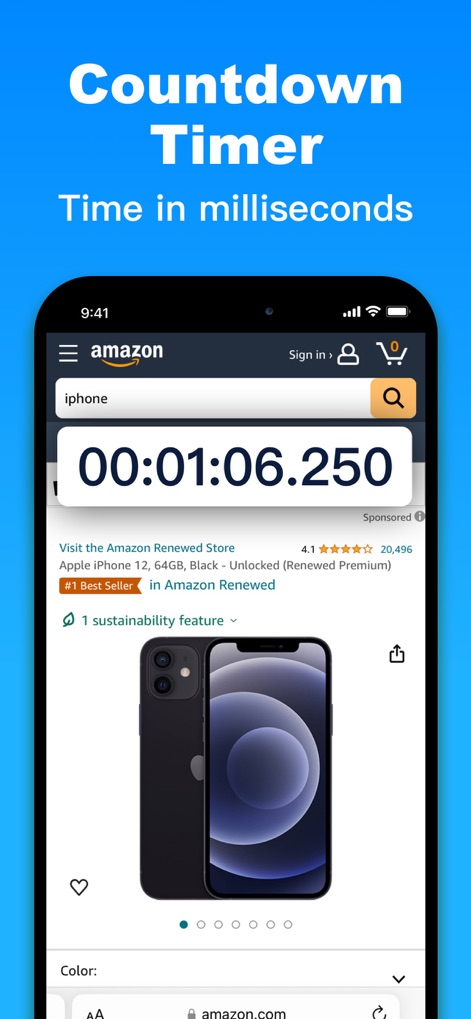
Explore the app's capability to overlay a precise floating countdown timer onto any application, exemplified here over an e-commerce product page, for attentive time management.
Precision Timing
Description
Download
More Like This
Apps with similar features and user experience

This page is not an official page of the app or its developer, but an independent editorial publication created for informational and commentary purposes. Unless expressly stated otherwise, neither the app nor its developer is affiliated with, endorsed by, sponsored by, authorized by, or otherwise officially connected with MWM, Apple, Google Play, the app publisher, or the app's developer, and nothing on this page implies that the app was developed using MWM's services. Any trademarks, logos, screenshots, and other content remain the property of their respective owners.