
This page is not an official page of the app or its developer, but an independent editorial publication created for informational and commentary purposes. Unless expressly stated otherwise, neither the app nor its developer is affiliated with, endorsed by, sponsored by, authorized by, or otherwise officially connected with MWM, Apple, Google Play, the app publisher, or the app's developer, and nothing on this page implies that the app was developed using MWM's services. Any trademarks, logos, screenshots, and other content remain the property of their respective owners.


Splitter AI - Vocal Remover
Instantly isolate vocals, instruments, and detect chords with studio-grade AI. Create custom backing tracks, slow down tricky solos, and transpose any song in seconds to master your sound.
Downloads
48K+User Rating
Total Ratings
100Publisher
Category
MusicLocales
1Latest Version
1.0.4Size
85.4 MBFirst Released
Oct 9, 2024Unleash Your Creative Potential
From studio-grade vocal removal to real-time chord detection, Splitter AI provides the professional toolkit needed to deconstruct, learn, and remix any song in seconds.
Instant Stem Separation
Isolate vocals, drums, bass, and instruments with high-fidelity AI. Perfect for creating custom backing tracks or clean acapellas for your next remix.
Master Any Song Faster
Accelerate your learning with automatic chord detection, instant key transposition, and precise tempo control to practice at your own pace.
Frequently Asked Questions
Everything you need to know about Splitter AI - Vocal Remover
What is Splitter AI?
Splitter AI is an AI-powered music splitter and backing track creator. It removes vocals or instruments from any song, adjusts key or tempo, and creates professional-quality backing tracks.
Can Splitter AI remove vocals from any song?
Yes, Splitter AI removes vocals or instruments from any song with AI. It allows users to adjust key or tempo instantly and create custom backing tracks.
What instruments can Splitter AI separate?
Splitter AI separates vocals, drums, guitar, bass, piano, strings, and more. It is perfect for vocal removal or creating custom backing tracks for various instruments.
Does Splitter AI offer a free trial?
Yes, Splitter AI offers a 3-day free trial for its weekly subscription plan. Payment is charged to your iTunes account upon purchase confirmation after the trial.
How much does Splitter AI cost?
Splitter AI costs $9.99 per week after a 3-day free trial, or $39.90 for a yearly subscription. Subscriptions automatically renew unless canceled.
How does Splitter AI detect chords?
Splitter AI automatically detects song chords using real-time AI. This feature displays chords from beginner to advanced levels, helping users easily learn to play.
Can I change the tempo of a song in Splitter AI?
Yes, Splitter AI allows you to easily change the speed of tricky sections with automatic BPM detection. You can slow down or speed up any song.
What file formats does Splitter AI support for upload?
Splitter AI supports various audio formats like MP3, WAV, FLAC, OGG, AIFF, AU, CAF, OPUS. It also supports video formats such as MP4, M4A, MOV, and MKV.
Can I create karaoke versions with Splitter AI?
Yes, Splitter AI enables users to create custom mixes, including acapella, karaoke, or instrument-only versions, in seconds. This allows for versatile music production.
Who is Splitter AI designed for?
Splitter AI is designed for musicians, singers, music producers, instrumentalists (guitarists, drummers, bass players, pianists), music students, teachers, and social media content creators.
The following screenshots and description are sourced directly from the app's official store listing and are the property of the app developer.
App Store
Screenshots
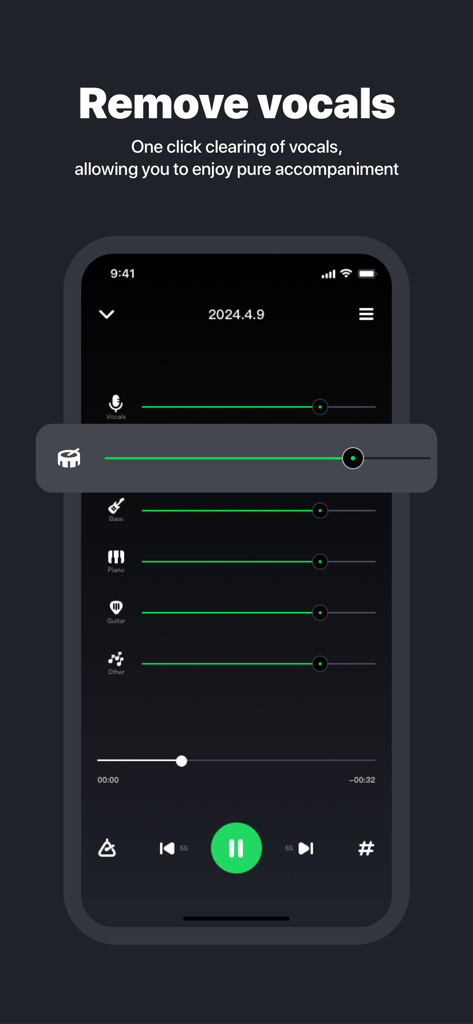
Mobile app interface showing AI vocal removal and individual audio track volume sliders for drums bass and guitar
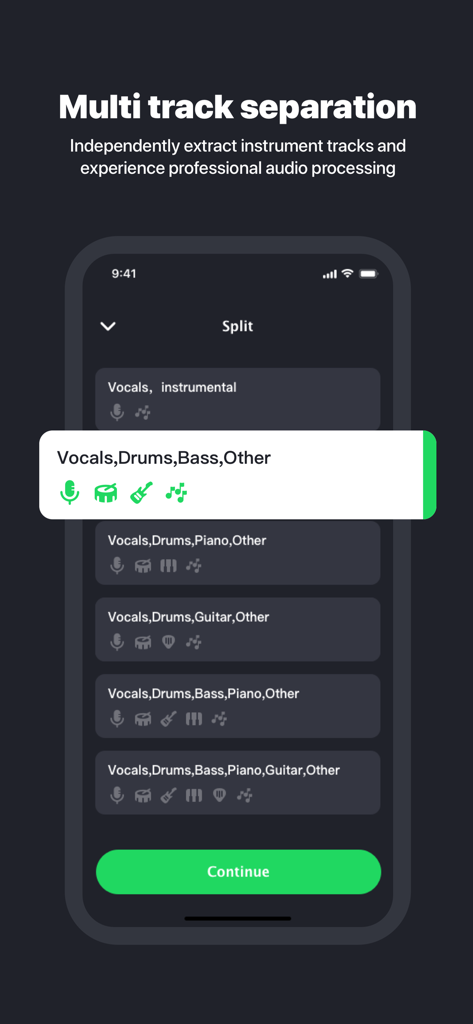
A mobile app interface for Splitter AI showing options for multi track separation including vocals drums and bass
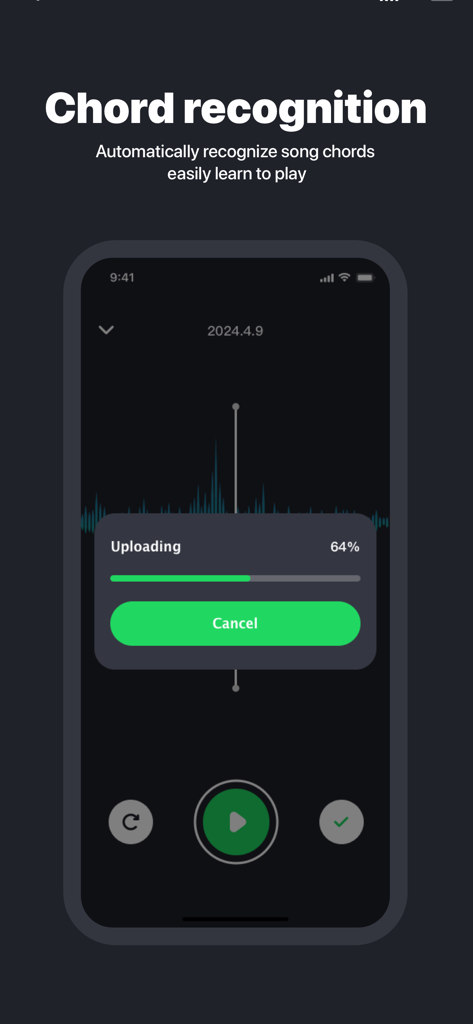
Splitter AI app interface showing the chord recognition feature with a file upload progress bar
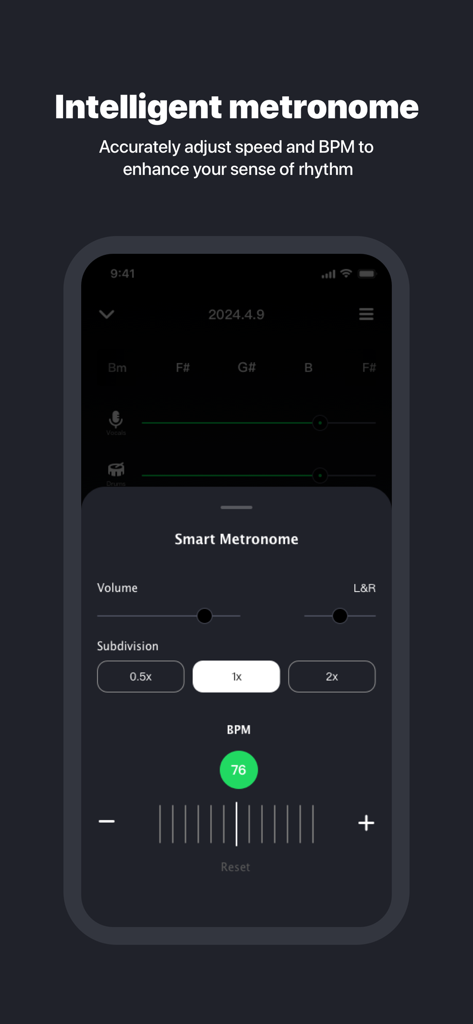
Splitter AI app interface showing the intelligent metronome feature with BPM and subdivision controls
Description
Download
More Like This
Apps with similar features and user experience

Music Speed Changer ▶▶▶
Single Minded Productions, LLC

Vocal Remover - Musiclab
CHENGDU Yiwo Tech Development Co., Ltd

Audio Fusion
景睿 文

Audio Jam: AI for musicians
Kiraku Tech Co., Ltd.

Anytune Pro+: Studio Tools
Anytune Inc.

Moises: The Musician's App
Moises Systems Inc

Strum - Play Guitar
W185 Holdings LLC

Chordify: Songs, Chords, Tuner
Chordify BV

Chord ai - Play any song!
Nomad AI OU
This page is not an official page of the app or its developer, but an independent editorial publication created for informational and commentary purposes. Unless expressly stated otherwise, neither the app nor its developer is affiliated with, endorsed by, sponsored by, authorized by, or otherwise officially connected with MWM, Apple, Google Play, the app publisher, or the app's developer, and nothing on this page implies that the app was developed using MWM's services. Any trademarks, logos, screenshots, and other content remain the property of their respective owners.