Spreadsheet data entry

Spreadsheet data entry


Download on App Store
Logo of Spreadsheet data entry

Spreadsheet data entry: Streamline Your Field Data to Google Sheets

The ultimate mobile companion for solopreneurs and field operators. Scan barcodes, log locations, and capture inventory instantly—no manual transcription required.

Download on App Store

Publisher

Ruslan Musagitov

Category

Utilities

Downloads

700

User Rating

4.8/5

Total Ratings

0

Locales

2

Efficiency in Action

Discover the interface used by 700 users.
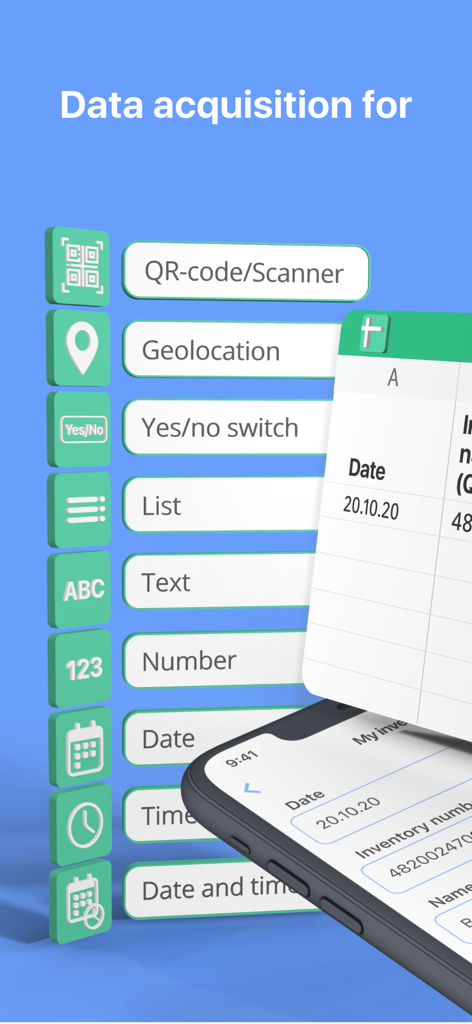
Graphic displaying various mobile data entry options like QR scanner geolocation and custom lists for spreadsheet integration

Graphic displaying various mobile data entry options like QR scanner geolocation and custom lists for spreadsheet integration

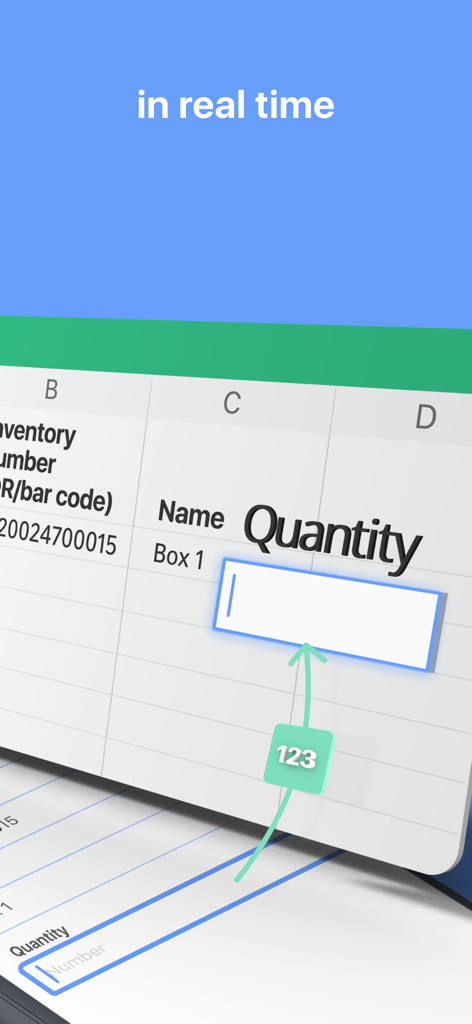
A mobile app screen demonstrating real-time data entry for quantity into a spreadsheet

A mobile app screen demonstrating real-time data entry for quantity into a spreadsheet

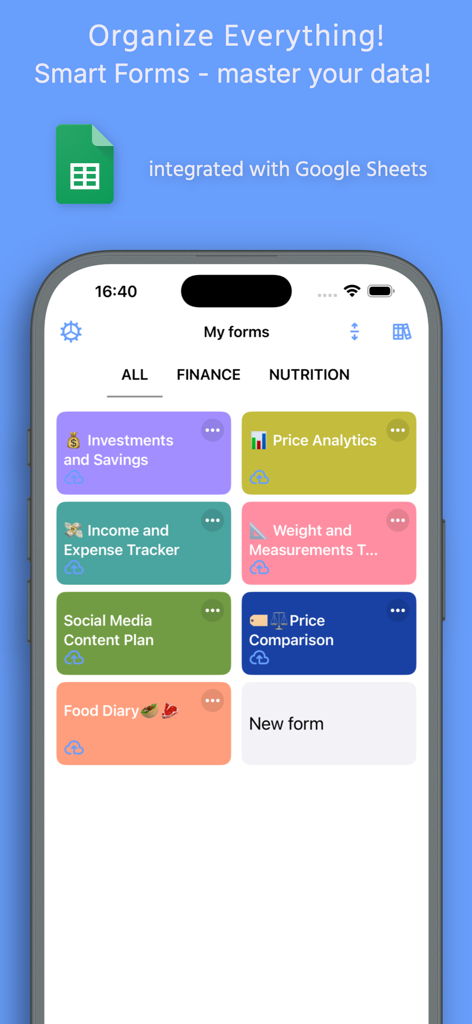
Mobile app interface of Spreadsheet data entry showing a dashboard of custom smart forms integrated with Google Sheets

Mobile app interface of Spreadsheet data entry showing a dashboard of custom smart forms integrated with Google Sheets

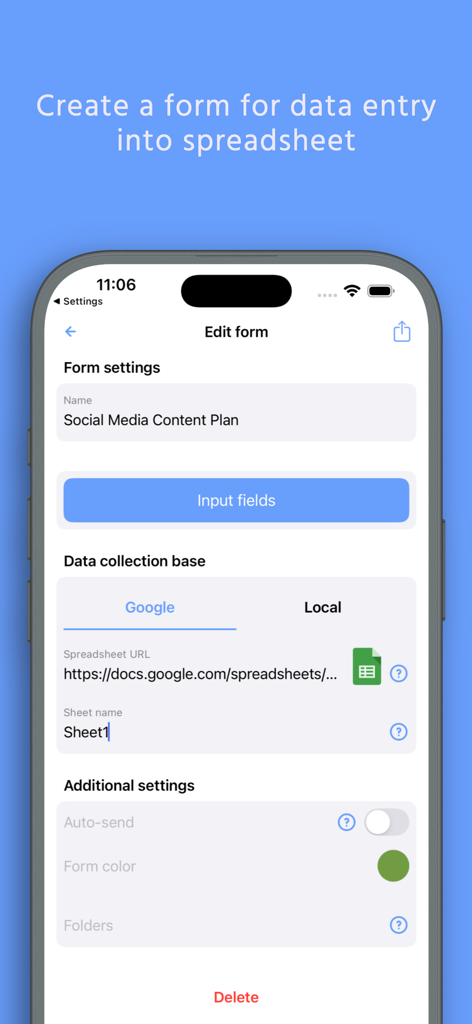
Mobile app interface for creating a custom data entry form linked to a Google Sheet.

Mobile app interface for creating a custom data entry form linked to a Google Sheet.

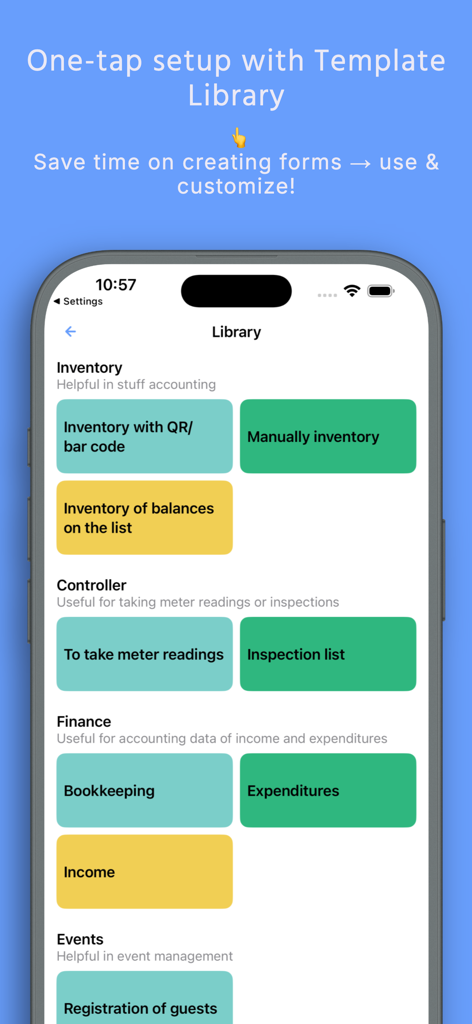
A mobile interface showing various spreadsheet templates for inventory finance and business data logging

A mobile interface showing various spreadsheet templates for inventory finance and business data logging

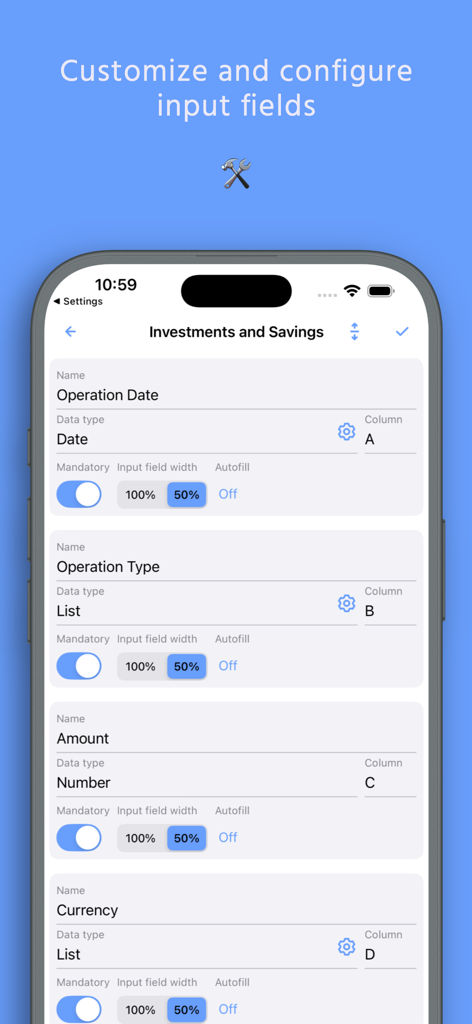
Interface for customizing and configuring form input fields and column mapping in the spreadsheet data entry app

Interface for customizing and configuring form input fields and column mapping in the spreadsheet data entry app

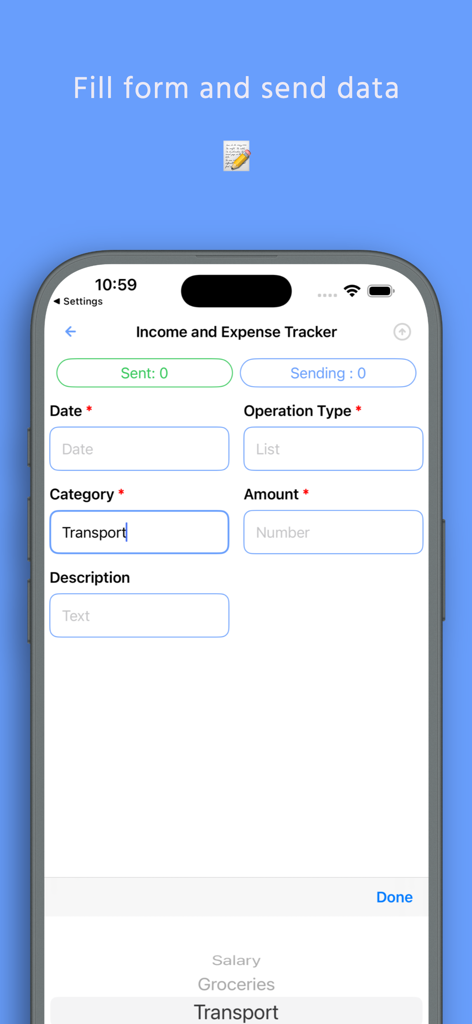
Mobile app interface showing an income and expense tracker form for direct spreadsheet entry

Mobile app interface showing an income and expense tracker form for direct spreadsheet entry

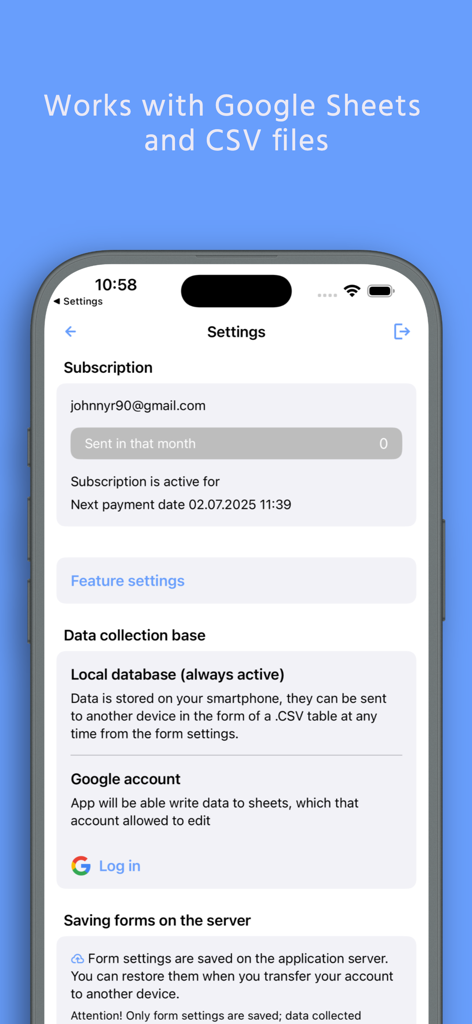
Settings screen of the Spreadsheet data entry app showing options to connect a Google account and manage data collection bases.

Settings screen of the Spreadsheet data entry app showing options to connect a Google account and manage data collection bases.

Turn Your Phone into a Powerful Data Hub

The tools that make this app stand out, trusted by 700 users.

🤳

Instant Scan-to-Sheet

Transform your iPhone into a pro-grade scanner. Capture QR and barcodes to update your inventory or shipments in real-time.

🛠️

Tailored Data Collection

Build custom forms that match your specific business needs. Capture exactly what you need—from yes/no checks to detailed text—without any code.

📍

Automated Field Logging

Automatically log your GPS location and timestamps. Perfect for tracking job site visits or proof of delivery for effortless auditing.

About the app

Everything you need to know about Spreadsheet data entry.

Description

Effortlessly send data from your phone directly to your Google Sheets or CSV file. Perfect for on-the-go data saving and management. This powerful tool is your ultimate companion for accounting, expense tracking as a smart spending tracker, warehouse inventory, and much more. Streamline your workflow by capturing information instantly—whether it's scanning a barcode, saving a location, or creating a new entry in your list maker. Capture & Save Various Data Types: - Scan it: QR and Barcode data directly to your spreadsheet. - Geolocation: Save your current coordinates or pick a point on the map. - Text and Numbers for detailed notes. - Dates & Timestamps: Automatic or custom entries. - Predefined Lists: Select values from a custom list. - Yes/No selectors for quick checks. Seamless Integration with Google Suite The app works flawlessly with Google Sheets, can replace Google Forms, allowing you to convert csv to Excel spreadsheet compatible files with ease. The revolutionary Scan to Sheets technology means data from codes appears in your rows and columns instantly, eliminating manual transcription. How It Works: - Select a form. - Input data (scan, type, or select). - Tap "Send". - Watch as the information appears live in your spreadsheet on Google Drive. Connect Your Google Sheet in Minutes: - Authorize your Google account. - Configure your target spreadsheet URL. What is a Form? A Form defines the structure of your data entry, linking input fields to specific columns in your target spreadsheet. Create them manually for full control or choose a ready-made template from our library. Create a Form Manually: - Create a spreadsheet in your Google Drive. - In the app, create a new form: - Paste the spreadsheet URL and sheet name. - Configure each field: name, data type, and target column. - Save. Use a Predefined Template: - Browse the form library. - Tap "Add to my forms" – a copy of the spreadsheet template is saved to your Drive. Automate your data logging, enhance productivity, and ensure accurate data saving for any project. Download now to transform your phone into a powerful data hub. Terms of Service and Privacy Policy: https://bytepace.com/spreadsheet-data-entry/tos-and-privacy-policy

Latest Version

3.1.1

Size

11.4 MB

First Released

Jun 27, 2020

Stop Manual Data Entry Today

Join the solopreneurs and field operators turning their phones into powerful data hubs. Connect to Google Sheets in seconds and start automating your workflow.

Download on App Store

Believe this page infringes your intellectual property? File a dispute